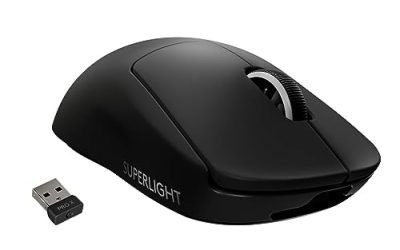
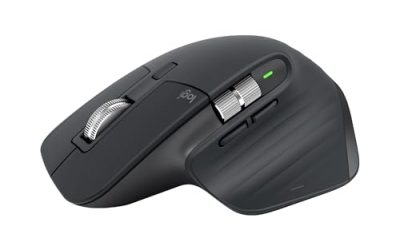
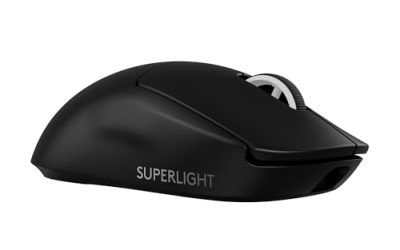
Our Short List of 3

- Best for: Players who want many buttons for loadouts, equipment, and pings in Warzone.
- HERO 25K sensor with up to 25,600 DPI
- 11 programmable buttons
- Five 3.6-gram removable tuning weights
- Dual-mode hyper-fast scroll wheel with tilt

- Best for: Palm-grip players who want a light wireless mouse for long Warzone sessions.
- Focus Pro 30K optical sensor
- 63 grams
- HyperSpeed wireless with wired mode
- Optical Mouse Switches Gen-3

- Best for: Players who want a thumb rest, many buttons, and a versatile scroll wheel.
- Focus Plus 26K DPI optical sensor
- 11 programmable buttons
- HyperScroll tilt wheel with free-spin and tactile modes
- 11 Chroma RGB lighting zones
All 3 Picks at a Glance
| Product | Specs | Action |
|---|---|---|
| Logitech G502 HERO |
| Check price on Amazon |
| Razer DeathAdder V3 Pro |
| Check price on Amazon |
| Razer Basilisk V3 |
| Check price on Amazon |
Our Top Picks
- Razer DeathAdder V3 Pro Wireless Gaming Mouse1000 Hz5.01 x 2.65 x 1.69 inches0.1 poundsCheck on Amazon
- Razer Basilisk V3 Customizable RGB Wired Ergonomic GamingMouse2.96 x 5.12 x 1.67 inches0.2 poundsCheck on Amazon

Warzone asks one mouse to cover long-range tracking, close-quarters flicks, and constant loadout changes. A mouse that feels fine in a short deathmatch can turn against you in a twenty-minute match, when your hand tires, your aim drifts, and one missed shot ends a run you spent the whole game building. The real choice is not the biggest sensor number on the box. It is a shape that stays comfortable, a weight that stops exactly where you aim, and buttons you can reach for a weapon swap, a ping, or equipment without looking down.
This guide is for Warzone players who drop into battle royale, Resurgence, and Plunder, from casual squads to ranked grinders. The four mice below were chosen from their Amazon product titles and listed specifications, comparing sensor, weight, button count, and connection type, so you can match a mouse to your hand size, grip, and play style instead of guessing.
Quick Picks
As an Amazon Associate we earn from qualifying purchases.
| Product | Best for | Key spec from title |
|---|---|---|
| Logitech G502 HERO | Weapon swaps and loadout-heavy play | HERO 25K sensor, 25,600 DPI, 11 buttons |
| Razer DeathAdder V3 Pro | Long sessions with a palm grip | 63g, Focus Pro 30K sensor, 90-hour battery |
| Razer Viper V3 Pro | Fast flicks and low-sensitivity aim | 54g, Focus Pro 35K sensor, 8K polling |
| Razer Basilisk V3 | Thumb-button control and scroll-wheel play | Focus Plus 26K sensor, 11 buttons, HyperScroll tilt wheel |
How to Choose
Sensor and DPI Range
A Warzone sensor has to track cleanly at both ends of a fight: slow, careful adjustments when you hold an angle across a field, and sudden movement when someone pushes through a doorway. Look for a modern optical sensor with a wide DPI range and a high tracking speed, then set your DPI to match the sensitivity you already use instead of copying a streamer. A sensor rated far above what you run gives you headroom, not accuracy by itself. Check that the listing names the sensor model and the maximum DPI, and be wary of any mouse that hides those details behind vague claims about precision.
Weight and Stopping Power
Weight decides how your aim feels when you stop the mouse. A heavier mouse can feel planted during long-range tracking, while a lighter mouse changes direction faster and tires your wrist less over a full evening. Most Warzone players land somewhere in the middle, and the right answer depends on your sensitivity: low-sensitivity players who sweep wide usually want something light, while high-sensitivity players can live with more weight. If a mouse offers tuning weights, that flexibility helps, but a mouse that starts too heavy for your hand will not get better with practice.
Button Layout for Loadouts
Warzone rewards players who use their equipment, and that means buttons. Count the actions you actually press in a match: weapon swap, tactical, lethal, ping, melee, and crouch or slide. A mouse with two side buttons covers the basics, while one with a thumb cluster or a sniper button lets you keep more actions on the mouse and your left hand on movement keys. Place the buttons in your mind before you buy, because a button you cannot reach under pressure is the same as no button at all.
Wired or Wireless in Long Matches
Wireless mice have closed the gap on latency, and a good wireless mouse with a high polling rate will not hold your aim back. The real question is how you handle charging and battery life across long sessions. A wireless mouse frees your arm from cable drag during wide sweeps, which matters at low sensitivity. A wired mouse never needs charging and usually weighs less for the same shape. Pick wireless if you hate cable drag and will charge between sessions, and pick wired if you want one less thing to manage.
The 4 Best Options
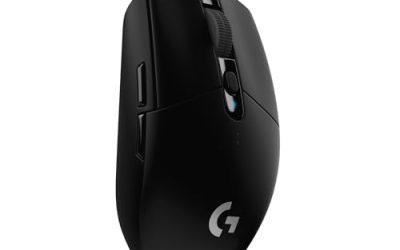
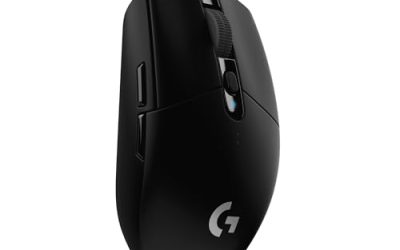
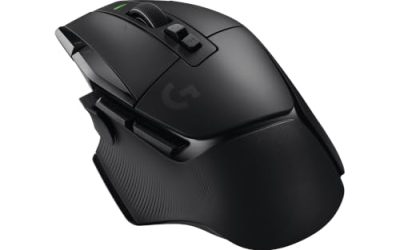
Logitech G502 HERO
- Best for: Players who want many buttons for loadouts, equipment, and pings in Warzone.
- HERO 25K sensor with up to 25,600 DPI
- 11 programmable buttons
- Five 3.6-gram removable tuning weights
- Dual-mode hyper-fast scroll wheel with tilt
Players who want many buttons for loadouts, equipment, and pings in Warzone.
The 121-gram base weight is heavy for low-sensitivity flicks, and the large right-handed shell does not suit small hands or left-handed players.
The G502 HERO suits Warzone players who treat their mouse as a control panel. Eleven programmable buttons cover weapon swaps, equipment, pings, and melee without moving your left hand off WASD, and the dual-mode scroll wheel switches between stepped clicks for weapon cycling and free spin for scrolling through menus. Its HERO 25K sensor tracks up to 25,600 DPI, and five removable tuning weights let you add heft until the mouse stops the way you like. The large right-handed shell fills a palm grip well, which helps during long matches when your hand would otherwise cramp around a smaller body.
Watch out for: The 121-gram base weight is heavy for low-sensitivity flicks, and the large right-handed shell does not suit small hands or left-handed players.
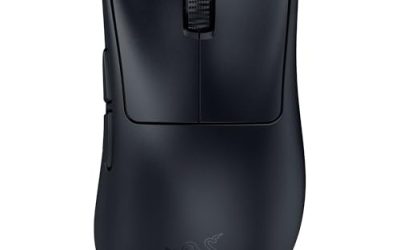
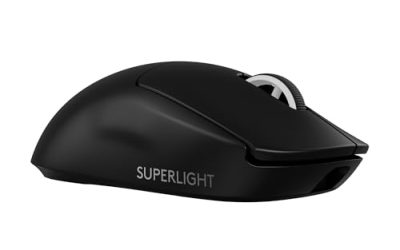
Razer DeathAdder V3 Pro
- Best for: Palm-grip players who want a light wireless mouse for long Warzone sessions.
- Focus Pro 30K optical sensor
- 63 grams
- HyperSpeed wireless with wired mode
- Optical Mouse Switches Gen-3
Palm-grip players who want a light wireless mouse for long Warzone sessions.
It has fewer buttons than button-heavy mice, so check that five programmable buttons cover the actions you want on the mouse.
The DeathAdder V3 Pro is built for Warzone players who hold a palm grip through long sessions and want the mouse to disappear under their hand. At 63 grams it is light enough for quick corrections, while the ergonomic right-handed shape supports the whole hand instead of forcing your fingers to claw. The Focus Pro 30K optical sensor tracks cleanly across the DPI range most players use, and HyperSpeed wireless keeps the connection steady without a cable dragging across the desk. With up to 90 hours of battery life, it covers a week of evening sessions before it needs a charge.
Watch out for: It has fewer buttons than button-heavy mice, so check that five programmable buttons cover the actions you want on the mouse.
Razer Viper V3 Pro
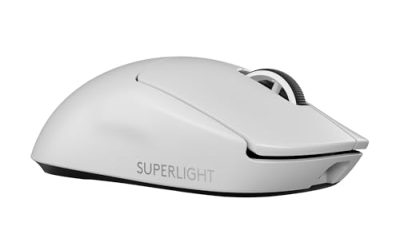
The Viper V3 Pro is the pick for Warzone players who run low sensitivity and rely on fast flicks. Its symmetrical shape works for palm, claw, and fingertip grips, and at 54 grams it changes direction with very little effort, which helps when a fight jumps from a rooftop to a stairwell. The Focus Pro 35K Optical Sensor Gen-2 tracks on a wide range of surfaces, and true 8000 Hz wireless polling keeps input feeling immediate. Eight programmable controls give you room for the actions that matter most, without a thumb cluster getting in the way of your grip.
Specs
- Focus Pro 35K Optical Sensor Gen-2
- 54 grams
- True 8000 Hz wireless polling with HyperPolling dongle
- HyperSpeed wireless
- Optical Mouse Switches Gen-3 with 90-million click lifecycle
- 8 programmable controls
- Up to 95 hours of battery life
Best for: Low-sensitivity players who want the lightest possible mouse for fast flicks.
Watch out for: The symmetrical shape has no thumb rest, so players who lean on their thumb for support should check the shape first.
Razer Basilisk V3
- Best for: Players who want a thumb rest, many buttons, and a versatile scroll wheel.
- Focus Plus 26K DPI optical sensor
- 11 programmable buttons
- HyperScroll tilt wheel with free-spin and tactile modes
- 11 Chroma RGB lighting zones
Players who want a thumb rest, many buttons, and a versatile scroll wheel.
It is a wired mouse with a fuller ergonomic shell, so players who prefer ultralight or symmetrical mice should look at the lighter options above.
The Basilisk V3 fits Warzone players who like a full-featured ergonomic mouse with a thumb rest and a scroll wheel that does real work. Its HyperScroll tilt wheel free-spins for fast scrolling and switches to tactile mode for precise weapon cycling, while eleven programmable buttons give you space for equipment, pings, and push-to-talk. The Focus Plus 26K DPI optical sensor covers the sensitivity range Warzone players use, and the eleven Chroma RGB lighting zones let you set the lighting to match your setup. It is a wired mouse, so there is no battery to watch during a long night.
Watch out for: It is a wired mouse with a fuller ergonomic shell, so players who prefer ultralight or symmetrical mice should look at the lighter options above.
Which One Fits Your Situation
You Play Low Sensitivity and Sweep Wide
Pick the Razer Viper V3 Pro. Its 54-gram body and symmetrical shape make wide arm movements feel easy, and the 8000 Hz polling keeps fast flicks responsive. Pair it with a large mouse pad so your sweeps never run out of room, and set your DPI low enough that small wrist movements handle fine adjustments. A large pad and a steady arm matter as much as the mouse itself, so give your setup room to breathe.
You Run Many Loadouts and Equipment
Pick the Logitech G502 HERO. Eleven programmable buttons let you map weapon swaps, lethals, tacticals, and pings to the mouse, and the tuning weights let you settle the feel. The dual-mode scroll wheel also helps when you cycle weapons or scroll through the buy station quickly. Spend ten minutes in a private match mapping the buttons, so the layout feels natural before you play for real.
Your Hand Cramps in Long Sessions
Pick the Razer DeathAdder V3 Pro. Its ergonomic shape supports a palm grip, the 63-gram weight keeps your wrist from working hard, and the long battery life means the mouse will not die mid-match. Take a short break between matches and stretch your hand if sessions run past two hours. Keep a glass of water nearby and shake out your hand between rounds to stay loose.
You Switch Between Warzone and Other Games
Pick the Razer Basilisk V3. The thumb rest and button layout work across shooters, and the HyperScroll wheel is useful outside games too. Its wired connection means it is always ready, and the on-board profiles let you keep different button layouts for different games. Save one profile for Warzone and another for your second game, so switching takes seconds instead of a full setup session.
Common Mistakes
- Copying a pro player’s DPI and sensitivity without testing it with your own hand size and desk space.
- Buying the lightest mouse available when your grip actually needs a fuller shell for support.
- Filling every button with a binding, then pressing the wrong one under pressure in a close fight.
- Ignoring battery life on a wireless mouse and letting it die during a ranked match.
- Choosing a mouse by its maximum DPI instead of how its shape, weight, and buttons fit your play style.
Frequently Asked Questions
What DPI should I use for Warzone?
Start around 800 DPI with an in-game sensitivity that lets you turn 180 degrees with one comfortable arm movement, then adjust in small steps. Most Warzone players settle between 400 and 1600 DPI, because that range gives fine control for long-range shots without making close fights feel sluggish. Test your setting in Plunder before taking it into ranked matches.
Is a wireless mouse good enough for Warzone?
Yes, a modern wireless gaming mouse with a fast wireless connection and high polling rate performs well in Warzone. The difference players notice most is cable drag, not latency, and wireless removes that drag entirely. Keep the battery charged and the receiver close to the mouse for the most consistent connection.
How many buttons do I need for Warzone?
Two side buttons cover the basics, such as melee and ping, while five or more let you add weapon swaps, equipment, and push-to-talk. Eleven buttons suit players who want almost everything on the mouse, but more buttons only help if you can reach each one without shifting your grip. Map your most-used actions first and leave the rest on the keyboard.
Does mouse weight matter in Warzone?
Yes, weight changes how your aim feels when you stop the mouse and how tired your wrist gets over long matches. Lighter mice change direction faster and suit low-sensitivity play, while heavier mice can feel steadier for tracking at range. Try to stay near the weight you already play well with instead of chasing the lightest number available.
FAQ
What DPI should I use for Warzone?
Is a wireless mouse good enough for Warzone?
How many buttons do I need for Warzone?
Does mouse weight matter in Warzone?
More from Amazon
Programs that pair well with the guide above. Offers and eligibility are set by Amazon and may change.
Free shipping on eligible items, Prime Video and more. Eligible new members can start with a free trial.
Start a Prime free trialAd-free music streaming. Eligible new subscribers can start with a free trial.
Try Music Unlimited freeA Prime membership for ages 18-24 with a trial period. Eligibility is set by Amazon.
See Prime for Young AdultsAudiobooks and podcasts to listen to on the go. Eligible new members can start with a free trial.
Try Audible freeAs an Amazon Associate we earn from qualifying purchases.