Our Short List of 3

- Best for: Players who want the lightest proven wireless mouse for long PUBG sessions.
- HERO 25K optical sensor, up to 25,600 DPI
- Under 63 g
- LIGHTSPEED wireless, 1,000 Hz report rate
- 5 programmable buttons

- Best for: Flick-heavy PUBG players who want a featherweight symmetrical wireless mouse.
- Focus Pro 30K optical sensor, up to 30,000 DPI
- 58 g
- HyperSpeed wireless, 1,000 Hz report rate
- Gen-3 optical switches

- Best for: Players who want wireless freedom and a 100-hour battery at a mid-range tier.
- HyperX 26K sensor, up to 26,000 DPI, 650 IPS
- 61 g
- Dual wireless: 2.4 GHz and Bluetooth
- Up to 100-hour battery life
All 4 Picks at a Glance
| Product | Specs | Action |
|---|---|---|
| Logitech G Pro X Superlight |
| Check price on Amazon |
| Razer Viper V2 Pro |
| Check price on Amazon |
| HyperX Pulsefire Haste 2 Wireless |
| Check price on Amazon |
 BenQ ZOWIE EC2-C |
| Check price on Amazon |
Key takeaways
- Five gaming mice for PUBG: the Logitech Superlight, Razer Viper V2 Pro, HyperX Haste 2, SteelSeries Rival 3 and ZOWIE EC2-C, picked for precise aim.
PUBG rewards patience and one clean shot. Most fights are won at range, with a scoped rifle and a target that only gives you a second or two, so the mouse matters more here than in faster shooters. A sensor that holds its line during slow, controlled tracking, a shape that stays comfortable through a long match, and a click that fires exactly when you mean it are the qualities that separate a good PUBG mouse from a generic one.
This guide is for PUBG players on PC who want steady aim rather than raw speed: squad players holding angles, snipers working long sightlines, and anyone who plays several matches in a row. Each mouse below was picked from its Amazon listing — sensor, weight, buttons and connection — and each one fits a different hand size, grip and budget.
Quick Picks
As an Amazon Associate we earn from qualifying purchases
| Product | Best for | Key spec |
|---|---|---|
| Logitech G Pro X Superlight | Featherweight wireless aim | 25,600 DPI HERO 25K sensor, under 63 g |
| Razer Viper V2 Pro | Low-latency wireless flicks | 30,000 DPI Focus Pro sensor, 58 g |
| HyperX Pulsefire Haste 2 Wireless | Long sessions without charging | 26,000 DPI HyperX 26K sensor, 100-hour battery |
| SteelSeries Rival 3 | Simple wired value | 8,500 CPI TrueMove Core sensor, 6 buttons |
| BenQ ZOWIE EC2-C | Driverless plug-and-play aim | 3,200 DPI 3360 sensor, 73 g |
How to Choose
Sensor accuracy over headline DPI
PUBG is a game of small corrections. You track a moving target through a scope, adjust a few pixels, and hold still — so a sensor that tracks cleanly at low speed matters far more than a headline DPI number you will never use. Look for a modern optical sensor with no acceleration or angle snapping, and check that it holds its line at the DPI you actually play at. Most PUBG players settle between 400 and 800 DPI, so a mouse that feels precise in that range beats one that only shines at 20,000 DPI and above.
Weight and shape for long matches
A PUBG match can run for half an hour, and a full evening means hours of holding the same grip. A lighter mouse — roughly 60 to 75 grams — reduces wrist fatigue during those long sessions, and a shape that matches your hand matters just as much. Palm-grip players should look for a taller, fuller shell, while claw and fingertip players usually prefer a lower, shorter body. If you can, compare the length and width figures on the listing with a mouse you already own before you commit.
Wired or wireless
Wireless mice have caught up with wired ones for competitive play, and the best wireless models now report at 1,000 Hz with no cable drag to fight during a flick. The trade is battery: a wireless mouse needs charging or a fresh battery, and it can die mid-match if you forget. Wired mice never run out of power and usually weigh less for the same shape, but the cable can tug at the worst moment unless you manage it with a bungee or a clean desk layout. Either connection works for PUBG — pick the one that fits how you play.
Buttons and software
PUBG uses more keys than most shooters — lean, map, inventory, healing and fire mode all need a home — so a mouse with two side buttons is the minimum, and a couple of extras can help if you bind them sensibly. Avoid a mouse with so many buttons that you hit the wrong one under pressure. Software matters too: you will want to set DPI steps, polling rate and lift-off distance once, then leave them alone. A mouse that stores those settings on board keeps them when you move to another PC, which is handy for LAN nights and shared machines.
The 5 Best Options
Logitech G Pro X Superlight
- Best for: Players who want the lightest proven wireless mouse for long PUBG sessions.
- HERO 25K optical sensor, up to 25,600 DPI
- Under 63 g
- LIGHTSPEED wireless, 1,000 Hz report rate
- 5 programmable buttons
Players who want the lightest proven wireless mouse for long PUBG sessions.
No RGB lighting and no side buttons on the right — left-handed players should look elsewhere.
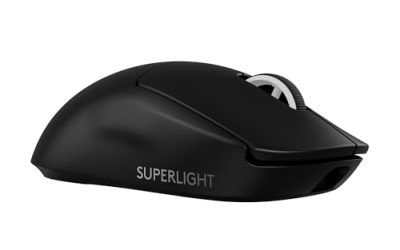
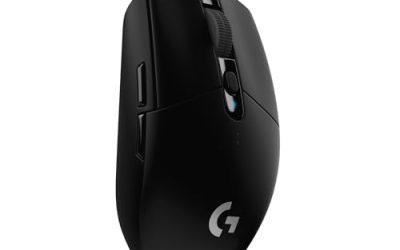
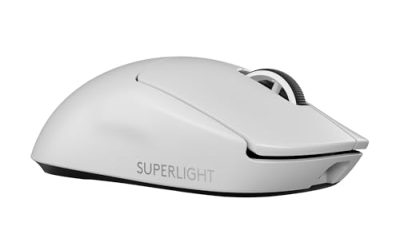
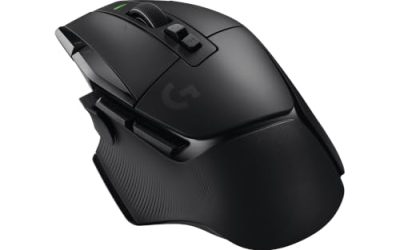
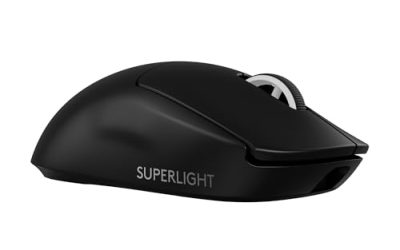
The Superlight is the mouse many competitive FPS players land on, and PUBG is where its strengths show best. Under 63 grams with a clean symmetrical shape, it moves with almost no effort, which helps when you are tracking a target across a field or holding a tight angle for a long time. The HERO 25K sensor tracks cleanly at low DPI, and the LIGHTSPEED wireless link keeps latency out of the picture. Five programmable buttons keep the layout simple, and the long battery life means a full evening of matches without a charging break.
Watch out for: No RGB lighting and no side buttons on the right — left-handed players should look elsewhere.
Razer Viper V2 Pro
- Best for: Flick-heavy PUBG players who want a featherweight symmetrical wireless mouse.
- Focus Pro 30K optical sensor, up to 30,000 DPI
- 58 g
- HyperSpeed wireless, 1,000 Hz report rate
- Gen-3 optical switches
Flick-heavy PUBG players who want a featherweight symmetrical wireless mouse.
Symmetrical shape with no right-side buttons — check the grip fits your hand before buying.
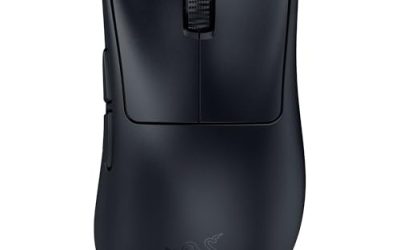
The Viper V2 Pro is a symmetrical wireless mouse built for fast aim, and it suits PUBG players who flick between targets at mid range. At 58 grams it is one of the lightest mice here, and the Focus Pro 30K sensor holds its line during the quick corrections that follow a missed first shot. Gen-3 optical switches click without the double-click faults that plagued older designs, and the 90-hour battery covers a whole week of evening matches. Razer also sells a PUBG: Battlegrounds Edition of this mouse for players who want the theme to match the game.
Watch out for: Symmetrical shape with no right-side buttons — check the grip fits your hand before buying.
HyperX Pulsefire Haste 2 Wireless
- Best for: Players who want wireless freedom and a 100-hour battery at a mid-range tier.
- HyperX 26K sensor, up to 26,000 DPI, 650 IPS
- 61 g
- Dual wireless: 2.4 GHz and Bluetooth
- Up to 100-hour battery life
Players who want wireless freedom and a 100-hour battery at a mid-range tier.
DPI stages and macros need the NGENUITY app — set them up before your first match.
The Haste 2 Wireless gives PUBG players a light, long-running mouse without the top-tier badge. At 61 grams it is easy to move all evening, and the HyperX 26K sensor tracks up to 26,000 DPI with a 650 IPS tracking speed that keeps up with fast swipes. Dual wireless means you can pair it over 2.4 GHz for matches and Bluetooth for a laptop on the side, and the 100-hour battery means charging becomes a rare chore. Six programmable buttons cover lean, map and healing binds without clutter.
Watch out for: DPI stages and macros need the NGENUITY app — set them up before your first match.
SteelSeries Rival 3
The Rival 3 is the simple pick in this guide: a wired mouse with a proven shape, a clean sensor and nothing you do not need. Its TrueMove Core sensor tracks up to 8,500 CPI, which is more than enough for the low DPI settings most PUBG players use, and the split trigger buttons give the main clicks a crisp, defined feel. Six programmable buttons cover the essentials, and the Prism RGB lighting adds a little colour to a plain desk. If you want a dependable wired mouse and would rather keep things straightforward, this is the one.
Specs
- TrueMove Core optical sensor, up to 8,500 CPI
- 6 programmable buttons
- Split trigger main buttons
- Prism RGB lighting
- Ergonomic right-handed shape
- Wired USB connection
Best for: Players who want a dependable wired mouse with no fuss.
Watch out for: Wired only — the cable needs managing, and the sensor tops out at 8,500 CPI.
BenQ ZOWIE EC2-C
- Best for: Esports purists who want a driverless mouse with a classic shape.
- 3360 optical sensor, up to 3,200 DPI
- 1,000 Hz report rate
- 73 g, medium ergonomic size
- Paracord cable
Esports purists who want a driverless mouse with a classic shape.
Older model — confirm the listing shows an active offer, and note the 3,200 DPI ceiling.
The EC2-C is the old-school esports pick, and it still earns its place for PUBG. It is driverless, so there is no software to install and no settings to lose — plug it in, pick a DPI step from the button underneath, and play. The 3360 sensor tracks up to 3,200 DPI with a 1,000 Hz report rate, and the ergonomic right-handed shape with its 24-step scroll wheel suits players who hold the mouse for hours. At 73 grams with a flexible paracord cable, it moves freely without feeling flimsy.
Watch out for: Older model — confirm the listing shows an active offer, and note the 3,200 DPI ceiling.
Which One Fits Your Situation
You play long sessions every night
Pick the HyperX Pulsefire Haste 2 Wireless or the Logitech G Pro X Superlight. The Haste 2 runs up to 100 hours on a charge, so it will not quit mid-week, while the Superlight is lighter still and its shape stays comfortable through a long evening. Either one keeps your wrist fresh when the matches stack up.
You snipe and hold angles
Take the BenQ ZOWIE EC2-C or the Logitech G Pro X Superlight. The EC2-C is driverless with a calm, predictable sensor that suits slow tracking through a scope, and the Superlight adds wireless freedom with the same steady tracking. Both reward a patient hand rather than fast flicks.
You want the lightest mouse possible
The Razer Viper V2 Pro at 58 grams is the lightest mouse in this guide, with the Logitech G Pro X Superlight close behind at under 63 grams. Both are wireless, both track cleanly at low DPI, and either one will feel almost weightless after a heavier mouse. Choose the Viper for its symmetrical shape or the Superlight for its simpler button layout.
You want to spend the least
The SteelSeries Rival 3 is the straightforward pick here, with a proven sensor, six buttons and a wired connection that never needs charging. It gives up the featherweight shells and wireless links of the others, but for PUBG at low DPI it covers everything that matters. Check the listing for the current offer before you buy.
Common Mistakes
- Chasing the highest DPI number — PUBG is played at low DPI, so sensor quality at 400 to 800 DPI matters more than a 30,000 DPI headline.
- Copying a pro player’s sensitivity without matching their DPI — sensitivity only makes sense together with the DPI setting it was built for.
- Buying a mouse that is too small or too big for your hand — check the length and width on the listing against a mouse you already use.
- Forgetting the cable on a wired mouse — a dragging cable ruins aim, so route it cleanly or add a bungee.
- Leaving the polling rate at the default — set it to 1,000 Hz in the software so the mouse reports as often as the game needs.
Frequently Asked Questions
What DPI should I use for PUBG?
Most PUBG players use 400 or 800 DPI with a low in-game sensitivity, which gives fine control for scoped shots while keeping large turns manageable. Begin at 800 DPI, set your sensitivity near the middle of the slider, then adjust over a few matches until tracking feels steady. There is no single correct value — the right one is the one that lets you hold a target without overshooting.
Is a wireless mouse good enough for PUBG?
Yes. Modern wireless mice report at 1,000 Hz with latency so low that it makes no practical difference in PUBG, and the best models in this guide — the Superlight, the Viper V2 Pro and the Haste 2 Wireless — all use proven wireless links. The real trade is battery life: charge the mouse after your sessions or keep a cable nearby so it never dies mid-match.
Do I need a lightweight mouse for PUBG?
Not strictly, but it helps. PUBG matches run long and involve constant small adjustments, so a lighter mouse — roughly 60 to 75 grams — tires your wrist less over an evening. That said, shape and sensor quality matter more than a few grams: a comfortable 80-gram mouse you control well will beat a 55-gram mouse that cramps your hand. Treat weight as a tiebreaker, not the deciding factor.
Is the ZOWIE EC2-C still a good choice in 2026?
Yes, for the right player. The EC2-C is an older design with a 3,200 DPI ceiling, so it suits low-DPI PUBG players who value a driverless, no-fuss mouse. If you want the newest sensor, wireless freedom or a lighter shell, the Superlight or the Viper V2 Pro fit better. Confirm the listing shows an active offer before buying, since older models can sell through.
FAQ
What DPI should I use for PUBG?
Is a wireless mouse good enough for PUBG?
Do I need a lightweight mouse for PUBG?
Is the ZOWIE EC2-C still a good choice in 2026?
More from Amazon
Programs that pair well with the guide above. Offers and eligibility are set by Amazon and may change.
Free shipping on eligible items, Prime Video and more. Eligible new members can start with a free trial.
Start a Prime free trialAd-free music streaming. Eligible new subscribers can start with a free trial.
Try Music Unlimited freeA Prime membership for ages 18-24 with a trial period. Eligibility is set by Amazon.
See Prime for Young AdultsAudiobooks and podcasts to listen to on the go. Eligible new members can start with a free trial.
Try Audible freeAs an Amazon Associate we earn from qualifying purchases.