Key takeaways
- Compare the best 8000Hz gaming mice with true 8K polling, wired and wireless, from Razer, Logitech and Endgame Gear, by sensor, weight and battery life.
Polling rate is how often a mouse reports its position to the PC each second. The long-standing standard of 1000 Hz sends a report every millisecond; an 8000 Hz mouse sends one every 0.125 milliseconds. On paper that trims input delay and smooths the cursor path, especially during fast flicks on high-refresh monitors. In practice the gain is small and shows up mostly for competitive players on 240 Hz or faster displays, which is exactly why the mice in this guide are all esports tools rather than general-purpose pointers.


One warning before the picks: 8K polling only counts when it is genuine. Every mouse below delivers a true 8000 Hz report rate according to its maker, either over a wire, through a high-polling wireless dongle included in the box, or through the maker’s own 8K receiver system. Mice that merely list a fast sensor or an overclocked USB setting without maker-backed 8K support did not make this list.
As an Amazon Associate, we earn from qualifying purchases.
Quick Picks
Our Short List of 3
- Best for: Ergonomic-shape players who want 8K wired and wireless
- Sensor Razer Focus Pro 45K optical, second generation; DPI up to 45,000; polling rate true 8000 Hz wired and wireless via the included HyperSpeed Gen-2 dongle; weight 56 g; right-handed ergonomic shape; Razer Optical Mouse Switches Gen-4 and an optical scroll wheel; battery up to 150 hours at 1000 Hz and about 22 hours at 8000 Hz
- Best for: Right-handed players in the Logitech ecosystem
- Sensor Logitech HERO 2 optical; DPI up to 44,000; polling rate up to 8000 Hz over LIGHTSPEED wireless after enabling in G Hub; weight 60 g; right-handed ergonomic shape; LIGHTFORCE hybrid optical-mechanical switches; battery up to 95 hours; connection LIGHTSPEED wireless and USB-C wired

- Best for: Players who want native wired 8K and an ambidextrous shell
- Sensor Razer Focus+ optical; DPI up to 20,000; polling rate true 8000 Hz wired; weight 71 g; ambidextrous symmetrical shape; Razer Optical Mouse Switches Gen-2; connection wired USB with a flexible Speedflex cable; on-board memory for one profile
All 4 Picks at a Glance
| Product | Specs | Action |
|---|---|---|
| Razer DeathAdder V4 Pro |
| Check price on Amazon |
| Logitech G PRO X SUPERLIGHT 2 DEX |
| Check price on Amazon |
| Razer Viper 8KHz |
| Check price on Amazon |
 Endgame Gear OP1 8k v2 |
| Check price on Amazon |
How to Choose
Understand what 8K polling actually changes. At 1000 Hz the PC hears from the mouse every 1 ms; at 8000 Hz it hears every 0.125 ms. The benefit is a smoother, more current cursor position, most visible when the mouse moves fast and the monitor refreshes often. On a 60 Hz or 144 Hz display, or in slower-paced games, the difference shrinks toward zero. Match the mouse to the rest of your setup before paying for the headline number.
Wired 8K is simple; wireless 8K needs the right dongle. A wired mouse with a native 8K controller needs nothing extra. Wireless 8K depends on a high-polling receiver: Razer includes its HyperPolling dongle with the Viper V3 Pro and DeathAdder V4 Pro, while Logitech builds the capability into the LIGHTSPEED receiver supplied with the SUPERLIGHT 2 DEX and enables it in G Hub. If a wireless mouse needs a separate dongle purchase to reach 8K, factor that into the decision.
Budget your battery and your CPU. High polling costs power. Razer rates the DeathAdder V4 Pro at up to 150 hours at 1000 Hz but about 22 hours at 8000 Hz, and the pattern is similar across the category. High polling also asks more of the PC, since the system processes eight times as many reports; older or busy systems can feel it in some titles. A sensible routine is 1000 or 2000 Hz for everyday play and 8000 Hz for ranked sessions.
Shape still decides comfort. All five mice here track superbly. The Viper shapes are symmetrical, the DeathAdder and the DEX are right-handed ergonomic shells, and the OP1 8k v2 is a compact claw-grip shape. Pick the shell that fits your hand first, then enjoy the polling rate it happens to offer.
Best Options
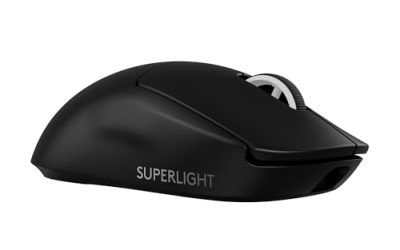
Razer Viper V3 Pro
The Viper V3 Pro is the wireless 8K mouse most competitive players measure others against. Razer includes the HyperPolling wireless dongle in the box, so the mouse reaches a true 8000 Hz without extra purchases, and the black version weighs 54 g. The Focus Pro 35K optical sensor, third-generation optical switches and a symmetrical shell refined with professional input make it a safe flagship pick.
Battery life reaches up to 95 hours at standard polling, and the shape suits fingertip and claw grips on small to medium hands. It is the balanced choice: genuine 8K, low weight and no ergonomic curve forcing your hand into one posture.
Specs
- Sensor Razer Focus Pro 35K optical; DPI up to 35,000; polling rate up to 8000 Hz wireless via the included HyperPolling dongle, plus wired use; weight 54 g in black; symmetrical shape; Razer Optical Mouse Switches Gen-3; battery up to 95 hours at 1000 Hz; connection HyperSpeed wireless and USB-C wired
Best for: Competitive players who want wireless 8K in a proven symmetrical shell
Watch out for: Battery life falls steeply at 8000 Hz, and the minimalist shell offers little palm support for relaxed grips
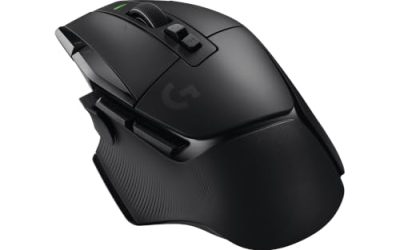
Razer DeathAdder V4 Pro
- Best for: Ergonomic-shape players who want 8K wired and wireless
- Sensor Razer Focus Pro 45K optical, second generation; DPI up to 45,000; polling rate true 8000 Hz wired and wireless via the included HyperSpeed Gen-2 dongle; weight 56 g; right-handed ergonomic shape; Razer Optical Mouse Switches Gen-4 and an optical scroll wheel; battery up to 150 hours at 1000 Hz and about 22 hours at 8000 Hz
Ergonomic-shape players who want 8K wired and wireless
The shell suits medium to large hands best, and 8000 Hz mode turns charging into a frequent habit
The DeathAdder V4 Pro brings true 8000 Hz polling to Razer’s ergonomic line, in both wired and wireless modes, through the second-generation HyperSpeed dongle included in the box. The Focus Pro 45K optical sensor is the most sensitive Razer fits to a mouse, the main switches are fourth-generation optical units, and even the scroll wheel is optical, which removes a common wear point. At 56 g it is far lighter than older DeathAdders while keeping the familiar right-handed curve.
Battery figures tell the 8K story clearly: up to 150 hours at 1000 Hz, or about 22 hours at 8000 Hz. Palm and claw players with medium to large hands who want an ergonomic shell without giving up top-end polling should look here first.
Watch out for: The shell suits medium to large hands best, and 8000 Hz mode turns charging into a frequent habit
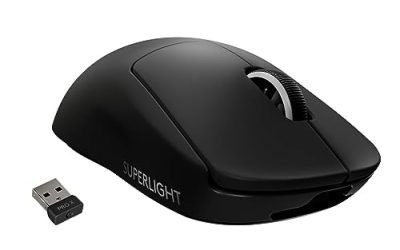
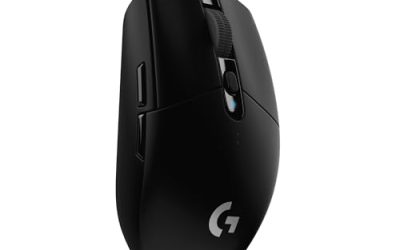
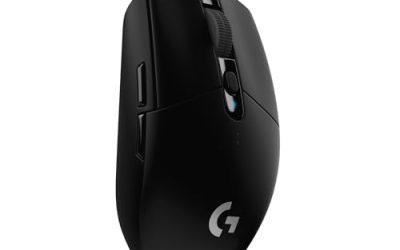
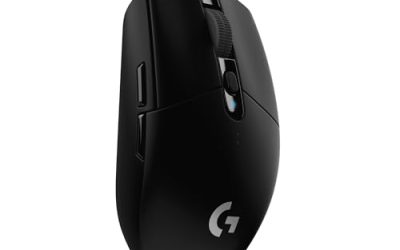
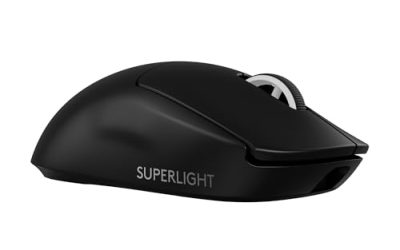
Logitech G PRO X SUPERLIGHT 2 DEX
- Best for: Right-handed players in the Logitech ecosystem
- Sensor Logitech HERO 2 optical; DPI up to 44,000; polling rate up to 8000 Hz over LIGHTSPEED wireless after enabling in G Hub; weight 60 g; right-handed ergonomic shape; LIGHTFORCE hybrid optical-mechanical switches; battery up to 95 hours; connection LIGHTSPEED wireless and USB-C wired
Right-handed players in the Logitech ecosystem
The 8000 Hz mode needs a trip into G Hub to enable, and the DEX shape is right-handed only
The DEX is the right-handed sibling of Logitech’s esports flagship, shaped for palm and claw grips instead of the symmetrical original. Its HERO 2 sensor tracks up to 44,000 DPI, and the LIGHTSPEED connection supports polling up to 8000 Hz once enabled in G Hub, using the receiver in the box. At 60 g with up to 95 hours of battery, it is the pick for players already invested in Logitech gear who want genuine 8K without switching ecosystems.
The hybrid optical-mechanical LIGHTFORCE switches keep clicks crisp, and the shape fills the palm more than the Viper line does. Note that the 8K mode must be switched on in software; out of the box the mouse runs at conventional polling.
Watch out for: The 8000 Hz mode needs a trip into G Hub to enable, and the DEX shape is right-handed only
Razer Viper 8KHz
- Best for: Players who want native wired 8K and an ambidextrous shell
- Sensor Razer Focus+ optical; DPI up to 20,000; polling rate true 8000 Hz wired; weight 71 g; ambidextrous symmetrical shape; Razer Optical Mouse Switches Gen-2; connection wired USB with a flexible Speedflex cable; on-board memory for one profile
Players who want native wired 8K and an ambidextrous shell
Wired only, and the sensor generation trails the newer picks even though real-world tracking stays excellent
The Viper 8KHz is the mouse that opened this category: a wired, ambidextrous esports mouse with true 8000 Hz HyperPolling over its cable, no dongle and no battery involved. The Focus+ 20K optical sensor is older than the sensors in the newer picks, but it remains flawless for human play, and the second-generation optical switches click with a consistency mechanical switches struggle to match. At 71 g it feels planted compared with the newest ultralight shells.
For players who sit at one desk, play wired anyway and want 8K polling with the least possible fuss, this remains a rational buy, and its ambidextrous shape is a genuine option for left-handed players in a category that mostly excludes them.
Watch out for: Wired only, and the sensor generation trails the newer picks even though real-world tracking stays excellent
Endgame Gear OP1 8k v2
- Best for: Claw-grip players who want wired 8K with swappable switches
- Sensor PixArt PAW3950 optical; DPI up to 30,000; polling rate native 8000 Hz wired; weight 49.5 g; compact symmetrical shape for claw grip; Kailh GX switches, hot-swappable; connection wired USB; hybrid PTFE skate design
Claw-grip players who want wired 8K with swappable switches
Wired only and small; palm-grip players and large hands should look at the DeathAdder V4 Pro instead
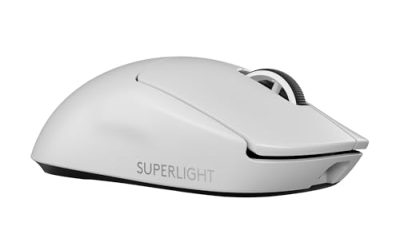
Endgame Gear’s OP1 8k v2 is the specialist’s wired 8K mouse. It pairs a PixArt PAW3950 sensor with native 8000 Hz polling in a compact 49.5 g shell shaped for claw grip, and it does something almost no other mouse offers: the Kailh GX main switches are hot-swappable, so you can change the click feel with a screwdriver instead of a soldering iron. The hybrid skate design and low click latency complete a mouse aimed squarely at aim-obsessed players.
This white version is the current v2 listing; the model also appears in other finishes. Buy it for the shape and the switch system, and treat the 8K polling as the bonus it is on a wired mouse with no battery to drain.
Watch out for: Wired only and small; palm-grip players and large hands should look at the DeathAdder V4 Pro instead
Which One Fits
Wireless players who want a symmetrical shell take the Viper V3 Pro; those who want an ergonomic curve take the DeathAdder V4 Pro or the SUPERLIGHT 2 DEX, depending on whether their desk already leans Razer or Logitech. Wired players split by grip: the Viper 8KHz for an ambidextrous shape and zero setup, the OP1 8k v2 for a compact claw shell with switches you can swap yourself.
Everyone should sanity-check the rest of the setup first. An 8000 Hz mouse earns its keep with a fast monitor and competitive play; on a modest display, the same money often does more good spent on the shape you truly prefer at 1000 Hz.
Common Mistakes
Buying 8K for a slow display. The smoother report stream needs a high-refresh monitor to become visible smoothness. On 60 Hz screens the extra reports mostly go unseen.
Assuming every high number means 8K polling. Sensor DPI, tracking speed and polling rate are different figures. Only the polling specification matters here, and it should come from the maker, as it does for all five mice in this guide.
Leaving 8000 Hz on permanently. Battery life collapses and the PC works harder for a benefit that casual sessions cannot show. Use high polling deliberately, for the games and modes where it counts.
Forgetting the dongle position. Wireless 8K links are sensitive to distance and interference. Keep the receiver close to the mouse, ideally on the supplied extension, rather than buried in a rear port behind the PC.
FAQ
Is 8000 Hz polling noticeably better than 1000 Hz?
It is measurably faster: reports arrive every 0.125 ms instead of every 1 ms. Whether you notice depends on your monitor and games. On 240 Hz or faster displays in fast shooters, motion looks and feels slightly smoother; on slower displays or in slower games, most players cannot tell the two apart.
Does an 8000 Hz mouse need a special USB port or cable?
A wired 8K mouse only needs a normal USB connection. Wireless 8K mice need their high-polling receiver: Razer includes the HyperPolling dongle with its Pro models, and Logitech enables up to 8000 Hz through the supplied LIGHTSPEED receiver and G Hub.
How much battery does 8000 Hz use on wireless mice?
A lot more than standard polling. Razer rates the DeathAdder V4 Pro at up to 150 hours at 1000 Hz and about 22 hours at 8000 Hz. Expect to charge far more often if you leave 8K enabled, which is why most players reserve it for competitive sessions.
Can my PC handle 8000 Hz polling?
Most current gaming PCs can, but high polling raises the interrupt load on the system, and some older machines or certain game engines respond poorly. If you see stutter after enabling 8K, step down to 4000 or 2000 Hz, which keep much of the benefit with a lighter load.
Final Verdict
For genuine 8000 Hz polling, the Viper V3 Pro is the balanced flagship, the DeathAdder V4 Pro is the ergonomic option with 8K in both modes, and the SUPERLIGHT 2 DEX covers Logitech loyalists. Wired players are well served by the Viper 8KHz and the OP1 8k v2. Buy the shape first, confirm the 8K path is maker-backed and included, and set your polling per session rather than leaving it maxed out.
FAQ
Is 8000 Hz polling noticeably better than 1000 Hz?
Does an 8000 Hz mouse need a special USB port or cable?
How much battery does 8000 Hz use on wireless mice?
Can my PC handle 8000 Hz polling?
More from Amazon
Programs that pair well with the guide above. Offers and eligibility are set by Amazon and may change.
Free shipping on eligible items, Prime Video and more. Eligible new members can start with a free trial.
Start a Prime free trialAd-free music streaming. Eligible new subscribers can start with a free trial.
Try Music Unlimited freeA Prime membership for ages 18-24 with a trial period. Eligibility is set by Amazon.
See Prime for Young AdultsAudiobooks and podcasts to listen to on the go. Eligible new members can start with a free trial.
Try Audible freeAs an Amazon Associate we earn from qualifying purchases.