Our Short List of 3

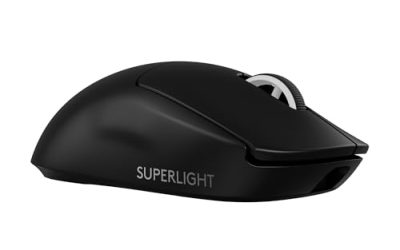
- Best for: PC players who want one flagship mouse that handles shooters, battle royales and everyday desktop time equally well.
- Sensor: HERO 2, up to 44,000 DPI
- Polling rate: up to 8,000 Hz
- Weight: 60 g
- Buttons: 5 programmable

- Best for: Palm-grip PC players and anyone whose hand aches with flat, low-profile esports mice.
- Sensor: Razer Focus Pro 30K optical, up to 30,000 DPI
- Weight: 63 g
- Buttons: 5 programmable
- Switches: Razer Optical Switches Gen-3

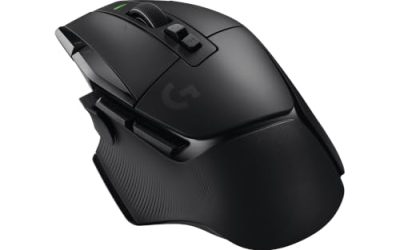
- Best for: MMO, RPG and strategy players who bind skills, macros and inventory actions to the mouse.
- Sensor: HERO 25K, up to 25,600 DPI
- Buttons: 13 programmable controls
- Switches: LIGHTFORCE hybrid optical-mechanical
- Battery life: up to 130 hours
All 4 Picks at a Glance
| Product | Specs | Action |
|---|---|---|
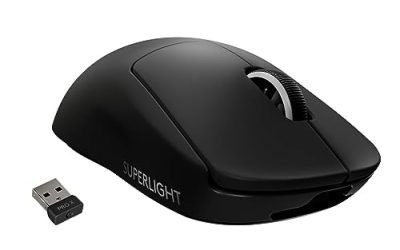
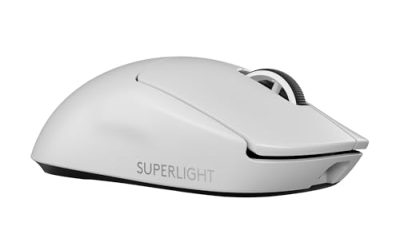
| Logitech G PRO X Superlight 2 |
| Check price on Amazon |
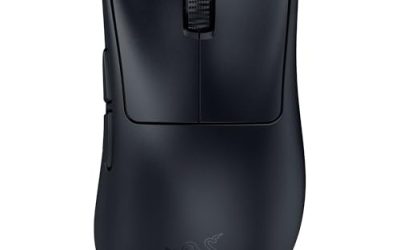
| Razer DeathAdder V3 Pro |
| Check price on Amazon |
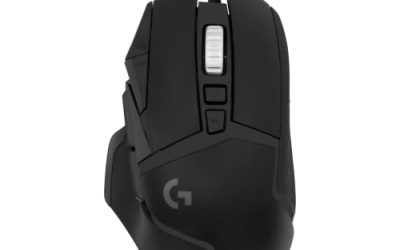
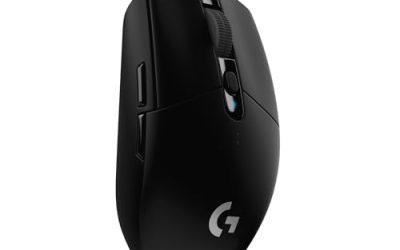
| Logitech G502 X Plus |
| Check price on Amazon |
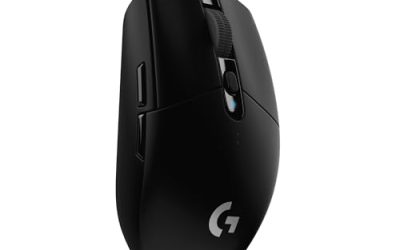
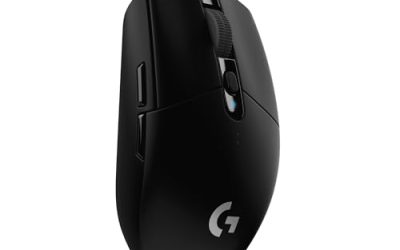
 Logitech G305 Lightspeed |
| Check price on Amazon |
Our Top Picks
- Logitech G Pro X Superlight 2 Lightspeed WirelessClassic1.57 x 2.5 x 4.92 inches0.1 poundsCheck on Amazon
- Razer DeathAdder V3 Pro Wireless Gaming Mouse1000 Hz5.01 x 2.65 x 1.69 inches0.1 poundsCheck on Amazon
- Logitech G502 X Plus Wireless RGB Gaming MouseWireless7.1 x 4.6 x 2.7 inches0.84 poundsCheck on Amazon
Buying a gaming mouse for a PC is really a decision about trade-offs. The lightest shell helps in shooters but strips away buttons and battery, a button-heavy model suits MMOs yet feels sluggish in a flick fight, and headline polling rates only matter if the rest of your setup can use them. The right pick depends on the games you actually load up, the grip you naturally fall into, and how much desk time the mouse shares with work.
This guide is for PC players who jump between genres, ranked shooter regulars, MMO players who live on keybinds, and anyone upgrading a first setup. Every model below was chosen from the names and specifications published on its Amazon product page, so the numbers quoted are the ones the manufacturer lists for that exact version.
Quick Picks
As an Amazon Associate we earn from qualifying purchases
| Product | Best for | Key spec from title |
|---|---|---|
| Logitech G PRO X Superlight 2 | All-round esports play on PC | 44K DPI HERO 2 sensor |
| Razer Viper V3 Pro | Ranked FPS with a symmetrical grip | 35K DPI sensor, 8K polling |
| Razer DeathAdder V3 Pro | Palm-grip comfort over long sessions | Focus Pro 30K sensor, 63 g |
| Logitech G502 X Plus | MMO and RPG players who map many skills | HERO 25K sensor, 13 buttons |
| Logitech G305 Lightspeed | A first wireless setup or a spare mouse | 12,000 DPI HERO sensor, 250 h battery |
How to Choose
Sensor ceiling and polling rate
DPI figures on boxes run far past what anyone aims with, so treat the sensor name and its tracking speed as the real signals. Current flagships from Logitech and Razer track fast movements without spinning out, which matters more than a five-digit DPI ceiling. Polling rate is the second half: 1,000 Hz is the long-running standard, while 8,000 Hz modes promise smoother cursor paths on high-refresh monitors. Those higher rates usually need the bundled or bundled-style performance receiver, raise CPU load slightly, and cut battery life hard, so plan to switch between rates per game.
Shape, grip and weight
A mouse that fights your hand will tire you out long before its sensor becomes the limit. Symmetrical shells suit fingertip and claw grips and let either hand drive, while sculpted right-handed shapes fill the palm and support relaxed, longer sessions. Hand size matters as much as grip style: a compact shell cramps large hands, and an oversized one forces fingertip players to muscle it around. Weight follows the same logic. Models near 54 to 63 grams feel effortless for low-sensitivity arm aiming, while a mouse around 100 grams tracks steadier for high-sensitivity wrist players and mixed desktop use.
Buttons and extra controls
Count the inputs your games genuinely use. Shooter players usually need two reliable side buttons and nothing more, and extra hardware only adds accidental presses. MMO, MOBA and simulation players get real value from a dozen or more programmable controls, a tilt or dual-mode scroll wheel, and onboard profiles that survive moving between PCs. Check what the listing says about programmable buttons rather than assuming every visible button can be remapped, and note whether the software is required for setup or only for saving profiles to the mouse itself.
Wireless link, battery and charging
Modern 2.4 GHz gaming links from the major brands report at 1 ms or faster, so the cable question is now about convenience, not latency. Battery claims need context: the hour figures on listings assume standard polling and, on lit models, lighting switched off, so real endurance drops sharply with RGB on or an 8,000 Hz mode active. Rechargeable models with USB-C are easy to top up mid-session and keep working while plugged in. AA-powered mice trade that convenience for months of runtime and a quick battery swap instead of a charging cable.
The 5 Best Options
Logitech G PRO X Superlight 2
- Best for: PC players who want one flagship mouse that handles shooters, battle royales and everyday desktop time equally well.
- Sensor: HERO 2, up to 44,000 DPI
- Polling rate: up to 8,000 Hz
- Weight: 60 g
- Buttons: 5 programmable
PC players who want one flagship mouse that handles shooters, battle royales and everyday desktop time equally well.
The highest polling rates shorten battery life noticeably, so check the listing’s current configuration and plan to drop back to standard polling for single-player games.
This is the safe flagship recommendation for PC players who refuse to specialise. At 60 grams it is light enough for low-sensitivity shooter play, the symmetrical shell works for claw and fingertip grips, and the HERO 2 sensor pairs a 44,000 DPI ceiling with polling up to 8,000 Hz when you want it. Five programmable buttons cover shooter and battle royale needs without clutter, LIGHTFORCE hybrid switches keep clicks crisp, and USB-C charging means a quick top-up keeps you in the game instead of ending the session early.
Razer Viper V3 Pro
The Viper V3 Pro is the most single-minded mouse here, built for ranked shooter players who want the lightest symmetrical option from a major brand. It weighs 54 grams in black, runs Razer’s Focus Pro 35K optical sensor, and ships ready for true 8,000 Hz wireless polling. Eight programmable controls give a little more mapping room than most esports shells, Gen-3 optical switches keep click latency low, and the listed battery stretches to 95 hours at standard polling. There is no RGB and no tilt wheel, which is exactly the point for its audience.
Specs
- Sensor: Razer Focus Pro 35K optical, up to 35,000 DPI
- Polling rate: 8,000 Hz wireless
- Weight: 54 g (black)
- Buttons: 8 programmable controls
- Switches: Razer Optical Mouse Switches Gen-3
- Battery life: up to 95 hours
- Connection: Razer HyperSpeed wireless
Best for: Competitive FPS players on PC who use a claw or fingertip grip and play on high-refresh monitors.
Watch out for: The 95-hour figure applies at standard polling; running 8,000 Hz cuts runtime dramatically, and this listing is the black version, so confirm the colour before ordering.
ASIN: B0CW25XR5R
Razer DeathAdder V3 Pro
- Best for: Palm-grip PC players and anyone whose hand aches with flat, low-profile esports mice.
- Sensor: Razer Focus Pro 30K optical, up to 30,000 DPI
- Weight: 63 g
- Buttons: 5 programmable
- Switches: Razer Optical Switches Gen-3
Palm-grip PC players and anyone whose hand aches with flat, low-profile esports mice.
This standard version polls at 1,000 Hz out of the box; 8,000 Hz requires Razer’s separate HyperPolling dongle, and the shape is right-handed only.
Where the Viper serves claw and fingertip players, the DeathAdder V3 Pro is the ergonomic counterpart for palm grippers. Its right-handed sculpted shell supports the whole hand, which suits long sessions and players who find flat esports shapes fatiguing. It still keeps weight down to 63 grams, uses the Focus Pro 30K optical sensor with Gen-3 optical switches, and lists up to 90 hours of battery over HyperSpeed wireless. Five programmable buttons cover shooter essentials. For PC players who want esports-grade internals in a shape built for comfort, this is the natural pick.
Logitech G502 X Plus
- Best for: MMO, RPG and strategy players who bind skills, macros and inventory actions to the mouse.
- Sensor: HERO 25K, up to 25,600 DPI
- Buttons: 13 programmable controls
- Switches: LIGHTFORCE hybrid optical-mechanical
- Battery life: up to 130 hours
MMO, RPG and strategy players who bind skills, macros and inventory actions to the mouse.
The 130-hour figure assumes the lighting is off, and at well over 100 grams this is the heaviest mouse here, so check the listed weight against your grip before committing.
The G502 X Plus trades lightness for control density, and for the right PC library that trade wins. Thirteen programmable controls, a dual-mode scroll wheel you can flip between ratcheted and free spin, and LIGHTSYNC RGB make it the MMO, RPG and simulation pick of this group. The HERO 25K sensor is more than fast enough for any genre, LIGHTFORCE hybrid switches keep the main clicks snappy, and the battery is listed at up to 130 hours. It also supports PowerPlay wireless charging, so owners of that pad never plug it in at all.
Logitech G305 Lightspeed
- Best for: Budget-conscious PC players, first wireless setups, and anyone who wants a dependable spare for a second machine.
- Sensor: HERO, up to 12,000 DPI, 400 IPS
- Report rate: 1 ms
- Buttons: 6 programmable
- Battery life: up to 250 hours, 1 AA battery (included)
Budget-conscious PC players, first wireless setups, and anyone who wants a dependable spare for a second machine.
There is no rechargeable cell or USB-C here, so you will swap AA batteries, and the 12,000 DPI ceiling and lack of lighting mark it as the entry-level option in this list.
The G305 is the value anchor of the group and the easiest recommendation for a first wireless gaming setup. Its HERO sensor reaches 12,000 DPI with 400 IPS tracking, the LIGHTSPEED link reports at 1 ms, and six programmable buttons cover the essentials for shooters and action games. The standout figure is endurance: up to 250 hours from a single AA battery, with a storage slot inside the shell for the receiver. At 99 grams with the battery fitted, it also doubles happily as a laptop or second-PC mouse.
Which One Fits Your Situation
You play ranked shooters most nights
Start with the Viper V3 Pro if your grip is claw or fingertip and your monitor runs at 240 Hz or above, since its 54-gram shell and true 8,000 Hz wireless polling are built for exactly that routine. If you prefer a fuller shape under your palm, the DeathAdder V3 Pro keeps similar internals in an ergonomic shell. Either way, run standard polling in menus and save the highest rate for matches.
You split your week between shooters and an MMO
The G502 X Plus is the compromise that does not feel like one. Thirteen programmable controls swallow an MMO hotbar, the dual-mode wheel suits inventory scrolling and document work alike, and the HERO 25K sensor will not hold you back when you swap to a shooter. Accept the extra weight as the price of that flexibility, and turn the RGB off if you want the longest stretches between charges.
Your gaming PC is also your work PC
Pick the G PRO X Superlight 2. It looks plain enough for video calls, the 60-gram shell stays comfortable across a full workday, and USB-C charging means one cable handles your phone and your mouse. Five buttons are plenty for productivity shortcuts, and when the workday ends the same mouse is already an esports-grade tool, so nothing about your setup has to change between spreadsheet and ranked queue.
You are building a first setup and watching the total cost
The G305 Lightspeed leaves more of the budget for the PC itself while still delivering a proper gaming sensor and a 1 ms wireless link. The AA battery sounds old-fashioned until you realise it runs for months and swaps in seconds. It is also the mouse here you can throw in a laptop bag without worry, which makes it a sensible long-term spare even after you upgrade.
Common Mistakes
- Chasing the highest DPI number on the box, when tracking speed, sensor behaviour at your actual settings and shape fit decide how a mouse really aims.
- Buying an ultralight esports shell without checking its size against your hand, then blaming your aim on the sensor when the shape was the problem.
- Quoting the headline battery figure as everyday runtime, even though listings measure it with lighting off and standard polling selected.
- Turning on 8,000 Hz polling permanently, then wondering why the battery drains fast and older games or weaker CPUs feel inconsistent.
- Assuming every button on a mouse can be remapped, instead of checking the programmable-button count stated on the product page.
Frequently Asked Questions
Is wireless fast enough for competitive PC gaming now?
Yes. The current 2.4 GHz links from Logitech and Razer report at 1 ms at standard polling, which matches a wired connection in practice, and both brands offer higher polling modes on their flagships. What still matters is keeping the receiver close to the mouse, ideally on the included extension cable, and avoiding crowded USB hubs that can introduce interference or dropouts mid-match.
How much DPI should I actually set for PC games?
Most shooter players settle between 400 and 1,600 DPI and adjust sensitivity in game, because control matters more than cursor speed. A high sensor ceiling is headroom, not a target. Pick a value that lets you turn comfortably and track smoothly on your mousepad, then leave it fixed so your muscle memory builds around one consistent setting across every title you play.
Does polling above 1,000 Hz make a visible difference?
It can smooth cursor motion on 240 Hz and faster monitors, and some players feel the difference in slow tracking movements. The trade-offs are real, though: battery life falls steeply, CPU usage rises slightly, and a few games handle very high report rates poorly. Treat it as a per-game setting to experiment with rather than a permanent upgrade you switch on and forget.
Should I choose a symmetrical or ergonomic mouse?
Match the shell to your grip. Symmetrical mice suit claw and fingertip grips and players who lift and reposition often, while ergonomic right-handed shapes support palm grips and longer, relaxed sessions. If your hand, wrist or shoulder aches with your current mouse, shape is the first thing to change, well before worrying about sensor specifications or polling rates.
FAQ
Is wireless fast enough for competitive PC gaming now?
How much DPI should I actually set for PC games?
Does polling above 1,000 Hz make a visible difference?
Should I choose a symmetrical or ergonomic mouse?
More from Amazon
Programs that pair well with the guide above. Offers and eligibility are set by Amazon and may change.
Free shipping on eligible items, Prime Video and more. Eligible new members can start with a free trial.
Start a Prime free trialAd-free music streaming. Eligible new subscribers can start with a free trial.
Try Music Unlimited freeA Prime membership for ages 18-24 with a trial period. Eligibility is set by Amazon.
See Prime for Young AdultsAudiobooks and podcasts to listen to on the go. Eligible new members can start with a free trial.
Try Audible freeAs an Amazon Associate we earn from qualifying purchases.