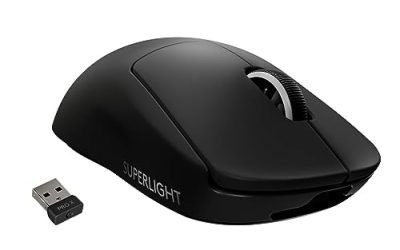
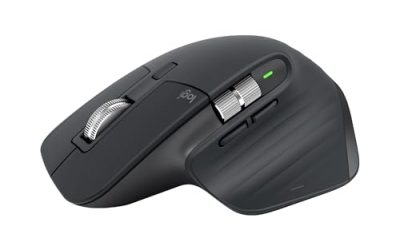
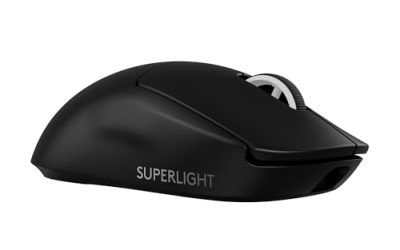
Our Short List of 3

- Best for: Ranked play and everyday competitive gaming.
- HERO 12K sensor, 200 to 12,000 DPI
- LIGHTSPEED wireless with 1 ms report rate
- Up to 250 hours on one AA battery
- 99 grams

- Best for: Travel, laptop play, and smaller hands.
- Razer 5G 18K DPI optical sensor, 450 IPS, 40G acceleration
- HyperSpeed wireless and Bluetooth
- Up to 950 hours on Bluetooth, 425 hours on HyperSpeed
- Under 60 g without battery

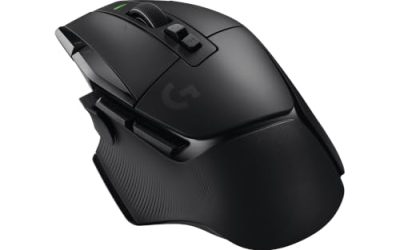
- Best for: Palm-grip players who want comfort and extra controls.
- Razer 5G Advanced 18K optical sensor
- 9 programmable controls, dual-function scroll wheel
- HyperSpeed wireless and Bluetooth
- Up to 285 hours on HyperSpeed, 535 hours on Bluetooth
All 3 Picks at a Glance
| Product | Specs | Action |
|---|---|---|
| Logitech G305 LIGHTSPEED |
| Check price on Amazon |
| Razer Orochi V2 |
| Check price on Amazon |
| Razer Basilisk V3 X HyperSpeed |
| Check price on Amazon |
Our Top Picks
- Razer Orochi V2 Wireless Gaming Mouse4.26 x 1.52 inch (Pack of 1)4.26 x 1.52 x 2.47 inches0.13 poundsCheck on Amazon
- Razer Basilisk V3 X HyperSpeed Customizable Wireless GamingStandard5.12 x 2.96 x 1.67 inches0.2 poundsCheck on Amazon
A wireless gaming mouse in the low-priced tier used to mean compromise: a laggy link, a heavy shell, and a sensor that lost track during fast flicks. That gap has closed. The mice in this tier now carry the same sensor families found in flagship models, wireless links that report every millisecond, and batteries that last for months of regular play. The question is no longer whether a low-priced wireless mouse can keep up, but which shape, weight, and connection style fits the way you play.
This guide is for players who want a cord-free mouse for ranked matches, late-night sessions, and laptop play, without paying flagship money. The four mice below were chosen from the names and specifications on their Amazon listings, covering a safe all-rounder, an ultralight travel mouse, a long-battery dual-wireless mouse, and an ergonomic mouse with extra controls for players who bind a lot of keys.
Quick Picks
As an Amazon Associate, we earn from qualifying purchases.
| Product | Best for | Key spec from title |
|---|---|---|
| Logitech G305 LIGHTSPEED | Ranked play and everyday competitive gaming | HERO 12K sensor, 250-hour battery |
| Razer Orochi V2 | Travel and laptop play | Under 60 g, up to 950-hour Bluetooth battery |
| SteelSeries Rival 3 Wireless | Longest stretch between battery changes | 400+ hour battery, dual wireless |
| Razer Basilisk V3 X HyperSpeed | Comfort and extra controls | 9 programmable controls, 18K sensor |
How to Choose
Start with the sensor and the wireless link
The sensor decides whether the mouse tracks cleanly when you flick across the screen, so look for a modern optical sensor with a wide DPI range and no smoothing or acceleration in its spec sheet. A 1,000 Hz polling rate is the standard to expect, because it sends the position to the PC every millisecond and keeps the cursor feeling direct. The wireless link matters just as much: a dedicated 2.4 GHz receiver gives the lowest latency for competitive play, while Bluetooth is handy for laptops and quiet work but adds a small delay. If the mouse has both, you can use the receiver for games and Bluetooth for everything else without touching a cable.
Match the shape and weight to your hand and grip
Shape decides comfort over a long session more than any sensor number does. Palm-grip players usually suit a taller, fuller shell that fills the hand, claw-grip players want a shorter shell with a raised hump under the palm, and fingertip players want a small, light shell they can steer with the fingertips alone. Weight changes how the mouse feels just as much: a mouse near 60 grams flicks with almost no effort, while one near 100 grams feels planted and steady. Neither is better in general. If you can, compare the length and width in the listing with a mouse you already own, and remember that a battery adds weight that the headline figure may leave out.
Think about battery life and how the mouse charges
Battery life decides how often the mouse interrupts you. A mouse rated for 400 hours or more on a single set of batteries can run for months of evening play, while one rated near 60 hours needs fresh cells every few weeks. Check which mode the headline figure belongs to, because Bluetooth usually lasts far longer than the 2.4 GHz gaming mode on the same mouse. Mice that run on AA or AAA cells are easy to keep going with a spare battery in the drawer, while rechargeable mice need a cable or a dock when they run flat. If you play daily, a long battery figure and a clear low-battery warning matter more than a slightly lighter shell.
Count the buttons and check the software
Extra buttons are only useful if you can reach them without shifting your grip, so count the side buttons and the scroll-wheel click, and think about which actions you actually bind in your games. A mouse with six buttons covers most players, while nine or more suits players who bind abilities, items, and voice chat to the mouse. The software matters too: it sets DPI steps, polling rate, and button assignments, and some mice store those settings on board so they travel with the mouse to another PC. Check that the software runs on your system before you buy, because a mouse that needs an app you cannot install loses half its value on day one.
The 4 Best Options
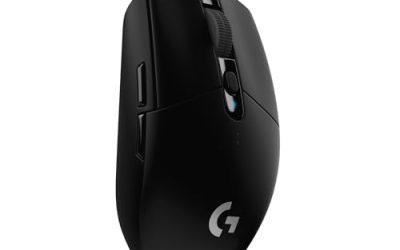
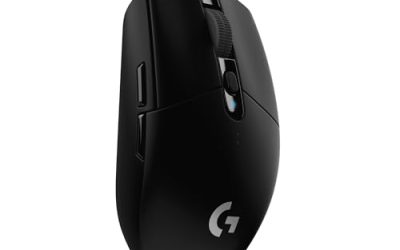
Logitech G305 LIGHTSPEED
- Best for: Ranked play and everyday competitive gaming.
- HERO 12K sensor, 200 to 12,000 DPI
- LIGHTSPEED wireless with 1 ms report rate
- Up to 250 hours on one AA battery
- 99 grams
Ranked play and everyday competitive gaming.
No Bluetooth and no rechargeable battery; the receiver is USB-A, so check the port on a slim laptop.
The G305 is the safe pick in this tier, and it has held that spot for years because the fundamentals are right. The HERO sensor tracks cleanly up to 12,000 DPI, the LIGHTSPEED link reports every millisecond, and one AA battery keeps it running for up to 250 hours of play. The shape is small and symmetrical, so it suits claw and fingertip grips and slips easily into a laptop bag. Six programmable buttons cover the basics, and the receiver stows inside the body when you travel. There is no RGB lighting and no Bluetooth, but neither affects how the mouse plays.
Watch out for: No Bluetooth and no rechargeable battery; the receiver is USB-A, so check the port on a slim laptop.
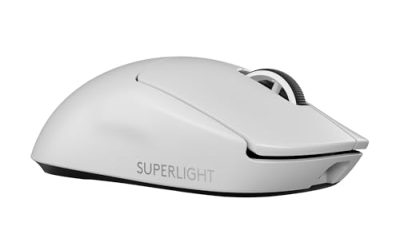
Razer Orochi V2
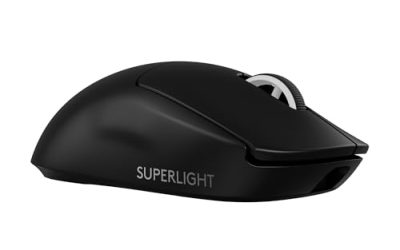
- Best for: Travel, laptop play, and smaller hands.
- Razer 5G 18K DPI optical sensor, 450 IPS, 40G acceleration
- HyperSpeed wireless and Bluetooth
- Up to 950 hours on Bluetooth, 425 hours on HyperSpeed
- Under 60 g without battery
Travel, laptop play, and smaller hands.
No wired mode and no RGB lighting; the side buttons are placed for right-handed use only.
The Orochi V2 is the travel mouse in this group, and it earns that role with a shell that weighs under 60 grams before the battery goes in. The 18K optical sensor tracks precisely, the HyperSpeed link keeps latency low for games, and Bluetooth covers laptops and quiet work without a dongle. One AA or AAA battery runs it for up to 950 hours on Bluetooth or 425 hours on HyperSpeed, so it can go months between battery changes. The compact shape suits smaller hands and fingertip grips, and the second-generation switches are rated for 60 million clicks.
Watch out for: No wired mode and no RGB lighting; the side buttons are placed for right-handed use only.
SteelSeries Rival 3 Wireless
The Rival 3 Wireless is the endurance pick, built around a battery figure that dwarfs the rest of this group. It runs for more than 400 hours on two AAA batteries, and it connects through a low-latency 2.4 GHz link or Bluetooth, so it pairs with a desktop, a laptop, and a console without swapping dongles. The TrueMove Air sensor reaches 18,000 CPI, the switches are rated for 60 million clicks, and the ergonomic right-handed shape suits claw and fingertip grips. Dropping to a single AAA battery trims the weight to 95 grams for players who want a lighter feel.
Specs
- TrueMove Air optical sensor, 18,000 CPI, 400 IPS, 40G
- Quantum 2.0 dual wireless: 2.4 GHz and Bluetooth 5.0
- 400+ hours of battery life
- 60 million click mechanical switches
- 6 buttons, ergonomic right-handed shape
- 106 g with two AAA batteries, 95 g with one
Best for: Players who want the longest stretch between battery changes.
Watch out for: It runs on AAA batteries with no rechargeable option, and the micro-dongle is small enough to lose.
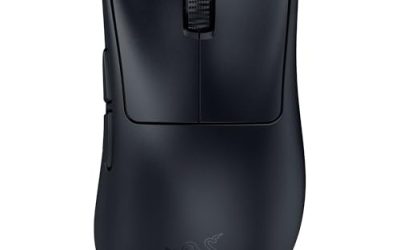
Razer Basilisk V3 X HyperSpeed
- Best for: Palm-grip players who want comfort and extra controls.
- Razer 5G Advanced 18K optical sensor
- 9 programmable controls, dual-function scroll wheel
- HyperSpeed wireless and Bluetooth
- Up to 285 hours on HyperSpeed, 535 hours on Bluetooth
Palm-grip players who want comfort and extra controls.
The largest and heaviest mouse in this guide, and nine controls take time to learn.
The Basilisk V3 X HyperSpeed is the comfort pick, built on the ergonomic shape that has made the Basilisk line a staple for palm-grip players. A thumb rest and a contoured right-handed shell support long sessions, and nine programmable controls cover abilities, items, and voice chat without reaching for the keyboard. The 18K optical sensor tracks precisely, and one AA battery lasts up to 285 hours on HyperSpeed or 535 hours on Bluetooth. Chroma RGB adds a glow to the desk, and the Gen-2 switches are rated for 60 million clicks.
Watch out for: The largest and heaviest mouse in this guide, and nine controls take time to learn.
Which One Fits Your Situation
You play ranked shooters most nights
Pick the Logitech G305. The HERO sensor and the 1 ms LIGHTSPEED link give you the tracking and response that ranked play demands, and the 250-hour battery means it will not quit mid-match. The small symmetrical shape suits claw and fingertip grips, and the receiver stows inside the body when you pack the mouse away. Just remember there is no Bluetooth, so keep the receiver in the laptop bag.
You travel or play on a laptop
Pick the Razer Orochi V2. At under 60 grams it disappears into a laptop bag, and the dual wireless modes cover both gaming on HyperSpeed and quiet work on Bluetooth. The battery can run for months, so you will not need a charger on the road, and the compact shape suits smaller hands. Check the grip first if your hands are large, because the short shell can feel cramped on a big palm.
You hate swapping batteries
Pick the SteelSeries Rival 3 Wireless. Its 400-hour battery figure is the longest in this guide by a wide margin, so it can run for months of evening play on one set of AAA cells. The dual wireless modes also let it move between a desktop and a laptop without a second dongle. Keep a spare AAA battery nearby anyway, because the low-battery warning only helps if you have a replacement ready.
You want comfort and extra buttons
Pick the Razer Basilisk V3 X HyperSpeed. The thumb rest and contoured shell support the hand through long sessions, and nine programmable controls let you bind abilities, items, and voice chat to the mouse itself. The long battery life means it stays ready for weeks at a time. It is the heaviest mouse here, so skip it if you flick with a fingertip grip and want the lightest shell you can find.
Common Mistakes
- Buying for the highest DPI number on the box instead of the shape and weight that fit your hand.
- Choosing Bluetooth only for competitive play, where a dedicated 2.4 GHz link gives lower latency.
- Forgetting that a battery adds weight the headline figure may not include.
- Picking a mouse with no software support for your system, then losing DPI profiles and button assignments.
- Ignoring the receiver: a lost USB-A dongle leaves a wireless-only mouse with no way to connect.
Frequently Asked Questions
Is a wireless gaming mouse as fast as a wired one?
Yes, when it uses a dedicated 2.4 GHz receiver with a 1,000 Hz polling rate. The mice in this guide report every millisecond, which matches a wired connection closely enough that most players cannot tell the difference. Bluetooth alone adds more delay, so use the receiver for competitive play and save Bluetooth for work and travel.
How long does the battery last on a wireless gaming mouse?
It depends on the mouse and the wireless mode. The Rival 3 Wireless runs for more than 400 hours, the Orochi V2 reaches 950 hours on Bluetooth, and the G305 lasts up to 250 hours on one AA battery. Bluetooth always lasts longer than the 2.4 GHz gaming mode on the same mouse, and turning off RGB lighting stretches the battery further.
Do I need a mouse pad for a wireless gaming mouse?
A mouse pad helps any optical sensor track smoothly, and it protects the desk from wear. The sensor in these mice works on most hard and cloth surfaces, but a glossy or glass desk can confuse tracking. A medium cloth pad suits most players, and it also gives the mouse feet a consistent surface that keeps movement smooth across the whole desk.
Can I use a wireless gaming mouse with a laptop?
Yes. Every mouse in this guide connects through a small USB receiver or Bluetooth, so it works with a laptop that has a free USB port or Bluetooth switched on. The Orochi V2 is the easiest to carry because it weighs under 60 grams and runs for months on one battery. Check the receiver type first, because a USB-A dongle needs an adapter on a laptop with only USB-C ports.
FAQ
Is a wireless gaming mouse as fast as a wired one?
How long does the battery last on a wireless gaming mouse?
Do I need a mouse pad for a wireless gaming mouse?
Can I use a wireless gaming mouse with a laptop?
More from Amazon
Programs that pair well with the guide above. Offers and eligibility are set by Amazon and may change.
Free shipping on eligible items, Prime Video and more. Eligible new members can start with a free trial.
Start a Prime free trialAd-free music streaming. Eligible new subscribers can start with a free trial.
Try Music Unlimited freeA Prime membership for ages 18-24 with a trial period. Eligibility is set by Amazon.
See Prime for Young AdultsAudiobooks and podcasts to listen to on the go. Eligible new members can start with a free trial.
Try Audible freeAs an Amazon Associate we earn from qualifying purchases.