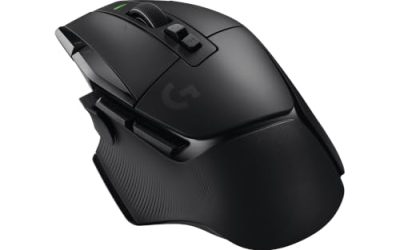
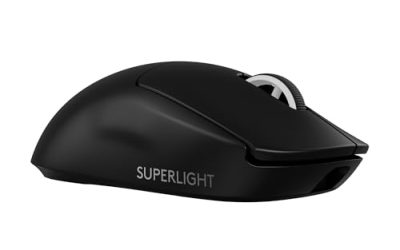
Key takeaways
- Compare four affordable wireless gaming mice with long battery life, fast sensors and lag-free links, and find the one that fits your grip and games.
A wireless gaming mouse used to mean a choice between lag and a dead battery halfway through a match. That trade-off has faded. The affordable end of the market now ships with sensors that track past 12,000 DPI, wireless links that report every millisecond, and batteries that last for months of regular play. The real decision is no longer wired against wireless. It is shape against grip, sensor against the games you play, and battery design against how often you want to think about power at all.


This guide is for players who want a wireless mouse without a flagship outlay: laptop gamers, FPS players, and anyone building a first setup. The four mice below were picked from their Amazon listings for low weight, proven sensors, and dual wireless modes, covering compact travel shapes, palm-friendly ergonomics, and marathon battery life.
Quick Picks
As an Amazon Associate, we earn from qualifying purchases.
| Product | Best for | Key spec from title |
|---|---|---|
| Logitech G305 LIGHTSPEED | Everyday gaming and travel | HERO 12K sensor, 12,000 DPI |
| Razer DeathAdder V2 X HyperSpeed | Long palm-grip sessions | 14K DPI sensor, 235-hour battery |
| SteelSeries Rival 3 Wireless | Marathon battery life | TrueMove Air sensor, 400+ hour battery |
| Razer Orochi V2 | Compact travel and small hands | Under 60 g, 18K DPI sensor |
How to Choose
Sensor first, DPI second
The sensor decides how faithfully the mouse follows your hand. Look for the sensor name and its tracking speed in inches per second, plus the acceleration rating in G, rather than the headline DPI number alone. A 12,000 DPI sensor already covers every sensitivity most players use, and the difference between 12,000 and 18,000 DPI is invisible in a match. What matters more is clean tracking at high speed, no smoothing, and no spin-outs when you flick. All four mice here use optical sensors from established lines, so pick between them on shape and battery, and treat the sensor as a baseline that is already good enough.
Match the shape to your grip
Grip decides comfort more than any spec sheet. Palm-grip players rest the whole hand on the mouse and need length and a raised back, claw-grip players arch their fingers and want a shorter shell with a defined hump, and fingertip players hold the mouse with fingertips only and need a light, compact body. The DeathAdder shape suits palm grips, the G305 and Rival 3 sit in the middle for claw and fingertip, and the Orochi V2 is built small for fingertip and travel. If your current mouse cramps your ring finger or forces your wrist to drag, the shape is wrong, and no sensor upgrade will fix that.
Wireless link and battery design
Every mouse here connects over a 2.4 GHz dongle for gaming, and three of them add Bluetooth for laptops and travel. The dongle gives the lowest latency and the full polling rate, while Bluetooth trades a little responsiveness for convenience and saves a USB port. Battery design matters just as much: the G305 and DeathAdder run on a single AA battery, the Rival 3 runs on one or two AAA batteries, and the Orochi V2 takes either AA or AAA. Swappable batteries mean you are never stuck waiting on a charge cable, and a mouse that runs for 250 hours or more on one cell can go months between swaps.
Buttons, software, and the small stuff
Six or seven programmable buttons cover most games: two side buttons for abilities, a DPI switch behind the wheel, and the wheel itself. Check that the software lets you remap buttons and store profiles on the mouse, so your settings travel with it to another computer. On-board memory is worth confirming on the listing before you buy, since it decides whether your setup survives a move to a new machine. Also look at the feet: smooth PTFE feet glide better and last longer than basic plastic. Lighting is a matter of taste, and none of these four depends on it, so treat RGB as a bonus rather than a reason to choose.
The 4 Best Options
Logitech G305 LIGHTSPEED
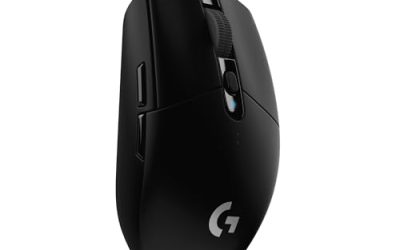
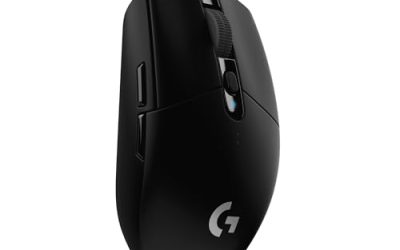
The G305 is the default pick in this guide, and the listing explains why: a HERO 12K sensor that tracks to 12,000 DPI, a LIGHTSPEED link with a 1 ms report rate, and 250 hours of play on a single AA battery. At 99 grams it is light enough for fast flicks yet solid enough for daily work, and the ambidextrous shape suits claw and fingertip grips on either hand. Six programmable buttons, on-board memory, and a receiver that stores inside the body make it the easiest mouse here to carry between a desk and a laptop bag.
Specs
- HERO 12K sensor, up to 12,000 DPI
- LIGHTSPEED wireless, 1 ms report rate
- 250 hours on a single AA battery
- 99 grams, 6 programmable buttons
- On-board memory, built-in receiver storage
- Model 910-005280, Black
Best for: Everyday gaming and travel, when one mouse must do everything.
Watch out for: No Bluetooth and no rechargeable cell, so carry a spare AA battery and a USB-A port for the receiver.
Razer DeathAdder V2 X HyperSpeed
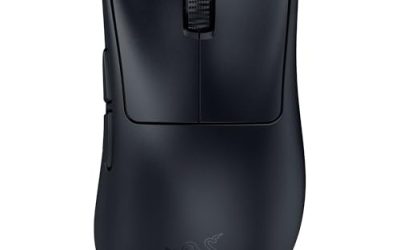
The DeathAdder V2 X is the ergonomic pick, built around the right-handed DeathAdder shape that has been Razer’s comfort standard for years. A 5G Advanced 14K DPI optical sensor handles fast aim, and dual wireless means a HyperSpeed dongle for gaming plus Bluetooth for a laptop. The listing promises up to 235 hours on HyperSpeed and up to 615 hours on Bluetooth, with seven programmable buttons and Gen-2 mechanical switches rated for 60 million clicks. It is the mouse to choose when long sessions matter more than low weight.
Specs
- 5G Advanced 14K DPI optical sensor
- HyperSpeed wireless and Bluetooth
- Up to 235 hours on HyperSpeed, 615 hours on Bluetooth
- 7 programmable buttons, Gen-2 mechanical switches
- 60 million click switch rating
- Model RZ01-04130100-R3U1, Black
Best for: Long palm-grip sessions and players who want Bluetooth as well as a dongle.
Watch out for: Right-handed shape only, and the shell skips the textured side grips of Razer’s higher-end models.
SteelSeries Rival 3 Wireless
The Rival 3 Wireless is the battery champion here. Its Quantum 2.0 dual wireless pairs a 2.4 GHz dongle with Bluetooth 5.0, and the listing rates it for 400+ hours of play, the longest figure in this guide. A TrueMove Air optical sensor tracks to 18,000 CPI at 400 IPS, and the 60-million-click mechanical switches match the durability of the other mice. At 106 grams with two AAA batteries, or 95 grams with one, it is a practical pick for players who want to stop thinking about power for months at a time.
Specs
- TrueMove Air optical sensor, 18,000 CPI, 400 IPS, 40G
- Quantum 2.0 dual wireless: 2.4 GHz and Bluetooth 5.0
- 400+ hour battery life
- 6 buttons, 60 million click mechanical switches
- 106 g with two AAA batteries, 95 g with one
- Model 62521, Black
Best for: Players who want the longest stretch between battery swaps.
Watch out for: It runs on AAA batteries rather than a rechargeable cell, so keep a spare pair in the drawer.
Razer Orochi V2
The Orochi V2 is the smallest and lightest mouse in this guide, built for travel and small hands. It weighs under 60 grams without its battery, and the compact symmetrical shape slips into a laptop bag next to the machine. A 5G Advanced 18K DPI optical sensor tracks at 450 IPS, and dual wireless gives HyperSpeed for gaming and Bluetooth for everything else, with up to 950 hours on Bluetooth and 425 hours on HyperSpeed. Six programmable buttons and second-generation mechanical switches round out a mouse that punches above its size.
Specs
- 5G Advanced 18K DPI optical sensor, 450 IPS, 40G
- HyperSpeed wireless and Bluetooth
- Up to 950 hours on Bluetooth, 425 hours on HyperSpeed
- Under 60 g without battery
- 6 programmable buttons, 2nd-gen mechanical switches
- Model RZ01-03731200-R3U1, Quartz Pink
Best for: Travel, small hands, and laptop bags where every gram counts.
Watch out for: This listing is the Quartz Pink color, so check the color selector before ordering, and the compact shape can feel small for large palm grips.
Which One Fits Your Situation
You play FPS on a laptop and travel a lot
Pick the Orochi V2. Under 60 grams without its battery, it disappears into a laptop bag, and Bluetooth means no dongle to lose on the road. The 18K sensor and HyperSpeed link keep aim sharp when you do plug in the receiver, and the AA or AAA slot means a fresh cell is always a shop away. Just check the size first: the compact shell suits fingertip grips and smaller hands best.
You want one mouse for gaming and everyday work
Pick the G305. The ambidextrous shape works for work calls and evening matches alike, the HERO sensor is steady for both, and 250 hours on one AA battery means months between swaps. Six programmable buttons cover shortcuts at the desk and abilities in game, and the receiver stores inside the body, so nothing dangles or gets lost. It is the most versatile mouse in this guide.
You play long sessions with a palm grip
Pick the DeathAdder V2 X HyperSpeed. The full-size ergonomic shell supports the whole hand, so wrists stay relaxed through long evenings, and the 235-hour HyperSpeed battery stretches even further on Bluetooth. Seven programmable buttons put abilities within easy reach, and the Gen-2 switches stay crisp past 60 million clicks. Confirm the right-handed shape suits you before ordering, since there is no left-handed version.
You hate swapping batteries
Pick the Rival 3 Wireless. A 400+ hour rating is the longest in this guide, and running on one AAA battery drops the weight to 95 grams while stretching life further. The dual wireless setup covers a gaming PC over the dongle and a laptop over Bluetooth, and the TrueMove Air sensor tracks cleanly at 18,000 CPI. Keep a pair of AAA cells in the drawer and the mouse stays ready for months.
Common Mistakes
- Chasing the highest DPI number instead of checking tracking speed, acceleration, and whether the sensor stays clean at high flick speeds.
- Picking a mouse by weight alone and ignoring grip style, so a light mouse still cramps the hand after an hour.
- Buying a dongle-only mouse for a laptop with no free USB-A port, then finding Bluetooth was the missing feature.
- Forgetting that AA and AAA batteries add weight, so the listed weight without a battery is not the weight in your hand.
- Assuming every wireless mouse recharges over USB, when several of the best-value models run on swappable cells instead.
Frequently Asked Questions
Is a wireless mouse as fast as a wired one for gaming?
Yes, for the mice in this guide. A 2.4 GHz dongle reports every millisecond, matching a wired connection closely enough that latency is no longer the deciding factor. Bluetooth is the exception: it is fine for work and casual play but adds a little lag, so use the dongle for competitive matches. The shape and sensor matter more than the cable now.
How long do wireless gaming mouse batteries last?
It depends on the model and the connection. The mice here run from 235 hours to more than 400 hours on their gaming link, and up to 615 or 950 hours on Bluetooth, all on AA or AAA cells. Bluetooth stretches life because it sips power, while the 2.4 GHz dongle runs at full polling. Swappable cells mean a dead battery is a quick fix, not a charging break.
Do I need Bluetooth, or is a dongle enough?
A dongle is enough if the mouse never leaves your desk, since it gives the lowest latency and the full polling rate. Bluetooth earns its place when the mouse moves between a desktop and a laptop, or when every USB port is already taken. Three of the four mice here carry both, so you can game on the dongle and switch to Bluetooth for work without touching a setting.
What grip style suits a small wireless mouse?
Fingertip and claw grips suit compact mice best, because the fingers do the work and the palm stays clear of the shell. The Orochi V2 and the G305 reward those grips with light bodies and short shells. Palm-grip players should look at the DeathAdder V2 X instead, since its longer shell and raised back support the hand. When in doubt, measure your hand against the dimensions on the listing.
FAQ
Is a wireless mouse as fast as a wired one for gaming?
How long do wireless gaming mouse batteries last?
Do I need Bluetooth, or is a dongle enough?
What grip style suits a small wireless mouse?
More from Amazon
Programs that pair well with the guide above. Offers and eligibility are set by Amazon and may change.
Free shipping on eligible items, Prime Video and more. Eligible new members can start with a free trial.
Start a Prime free trialAd-free music streaming. Eligible new subscribers can start with a free trial.
Try Music Unlimited freeA Prime membership for ages 18-24 with a trial period. Eligibility is set by Amazon.
See Prime for Young AdultsAudiobooks and podcasts to listen to on the go. Eligible new members can start with a free trial.
Try Audible freeAs an Amazon Associate we earn from qualifying purchases.