Our Short List of 3

- Best for: Players who want one lightweight wireless mouse for mixed genres.
- Weight: 60g
- Sensor: HERO 2, up to 44,000 DPI
- Tracking: over 888 IPS
- Polling: up to 8KHz report rate

- Best for: Palm-grip players who want many controls and a fuller shell.
- Sensor: HERO 25K
- Switches: LIGHTFORCE hybrid optical-mechanical
- Controls: 13 programmable
- Scroll wheel: Dual-mode, hyper-fast free spin and ratcheted, with tilt

- Best for: Players who prefer wired reliability and play several genres.
- Sensor: TrueMove Air optical, 18,000 CPI
- Tracking: 400 IPS, 40G acceleration
- Buttons: 9 programmable, including 5 quick-action side buttons
- Switches: SteelSeries Golden Micro IP54 mechanical, rated 80 million clicks
All 4 Picks at a Glance
| Product | Specs | Action |
|---|---|---|
| Logitech G Pro X Superlight 2 |
| Check price on Amazon |
| Logitech G502 X Plus |
| Check price on Amazon |
| SteelSeries Rival 5 |
| Check price on Amazon |
 Corsair Scimitar Elite Wireless |
| Check price on Amazon |
Our Top Picks
- Logitech G Pro X Superlight 2 Lightspeed WirelessClassic1.57 x 2.5 x 4.92 inches0.1 poundsCheck on Amazon
- Logitech G502 X Plus Wireless RGB Gaming MouseWireless7.1 x 4.6 x 2.7 inches0.84 poundsCheck on Amazon
Choosing a gaming mouse looks simple until you hold the wrong one for a week. A shape that suits a relaxed palm grip can fight a fingertip player on every flick, a heavy shell with sixteen buttons is wasted on a tactical shooter, and headline sensitivity figures tell you almost nothing about how a mouse tracks at the settings people actually use. Weight, grip fit and button layout decide far more matches than the biggest number on the box.
This guide is for PC players who want one shortlist that covers the main ways people play, from ranked shooters to long MMO sessions. Every pick below was chosen from its Amazon listing title and specifications, and the five span wireless and wired designs, light and substantial shells, and small button counts through to a full MMO side panel.
Quick Picks
As an Amazon Associate we earn from qualifying purchases
| Product | Best for | Key spec from title |
|---|---|---|
| Logitech G Pro X Superlight 2 | All-round wireless performance | 60g, 44K DPI sensor, 8KHz report rate |
| Razer Viper V3 Pro | Competitive fingertip and claw play | 54g, 35K DPI optical sensor, 8K polling |
| Logitech G502 X Plus | Palm grip and extra controls | HERO 25K sensor, LIGHTSYNC RGB |
| SteelSeries Rival 5 | Wired multi-genre play | 18,000 CPI TrueMove Air, 9 buttons |
| Corsair Scimitar Elite Wireless | MMO and MOBA ability rotations | 26,000 DPI, 16 programmable buttons |
How to Choose
Match the Shape to Your Grip and Hand
Start with how your hand already rests on a mouse, because shape is the one specification you feel on every movement. Palm players want a taller, fuller shell that supports the whole hand, fingertip players want a low, light body they can nudge with small corrections, and claw players sit between the two with an arched grip and a defined rear hump. Length matters as much as style: a long shell under a small hand pushes the main buttons away from your fingertips, while a short shell under a large hand leaves fingers dragging on the pad.
Read the Sensor Figures in Context
Modern optical sensors from the major brands all track cleanly at ordinary settings, so treat maximum sensitivity as a ceiling rather than a score. Figures such as 44,000 or 35,000 DPI describe the top of a range you will probably set between a few hundred and a few thousand for daily play. Tracking speed in inches per second and acceleration tolerance matter more for fast, low-sensitivity swipes, since they describe whether the sensor keeps up when the mouse moves quickly. Polling rate is the other useful figure: higher rates report position more often, which can smooth fast motion on high-refresh displays.
Decide Between Wired, Wireless and Battery Life
A wired mouse never needs charging and never runs a battery down mid-session, which is why a good cable design still earns a place on this list. Wireless models remove drag and desk clutter, and current gaming connections from Logitech, Razer and Corsair report fast enough that connection type alone should not decide a purchase. The real trade-off is upkeep: quoted battery figures such as 95 or 150 hours assume particular polling and lighting settings, and raising polling or brightness shortens them. Pick a wireless mouse whose charging routine fits your week, not just its longest headline figure.
Count Buttons by Genre, Not by Habit
Two side buttons are enough for many shooter players, who map melee, push-to-talk or a grenade and then stop. MOBA and MMO players use far more, because abilities, items and target markers all compete for the thumb. A model such as the G502 X Plus adds wheel tilt and a dual-mode scroll wheel to a familiar layout, while the Scimitar Elite Wireless puts a twelve-button panel under the thumb. Extra buttons only help when you can reach them without shifting your grip, so an adjustable panel or a well-placed thumb rest is worth more than a raw count.
The 5 Best Options
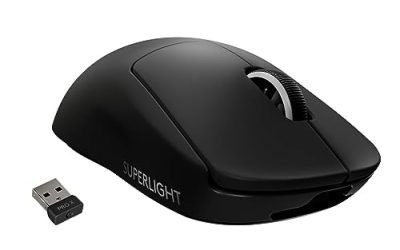
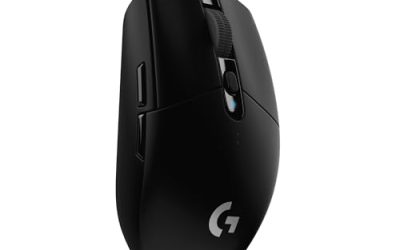
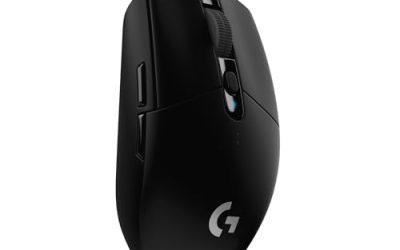
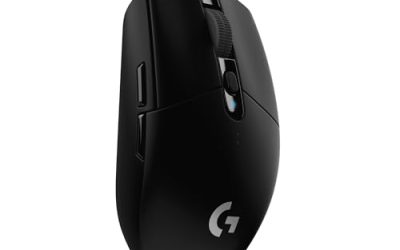
Logitech G Pro X Superlight 2
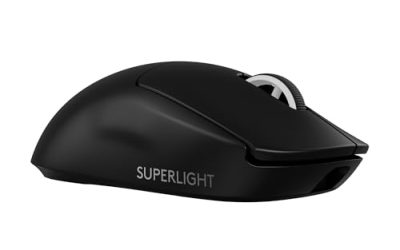
- Best for: Players who want one lightweight wireless mouse for mixed genres.
- Weight: 60g
- Sensor: HERO 2, up to 44,000 DPI
- Tracking: over 888 IPS
- Polling: up to 8KHz report rate
Players who want one lightweight wireless mouse for mixed genres.
Only five buttons, so heavy macro users should look further down this list.
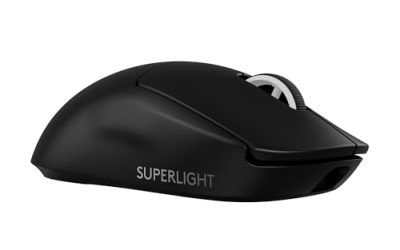
This is the safest single recommendation for a player who mixes genres and wants wireless freedom without a heavy shell. At 60 grams it moves with little effort in shooters, yet the shape stays neutral enough for strategy and everyday desktop use between matches. Five programmable buttons cover the essentials without crowding the sides, the battery figure suits players who charge occasionally rather than nightly, and USB-C charging matches modern desk cables. If you want one proven all-rounder rather than a specialist, start here.
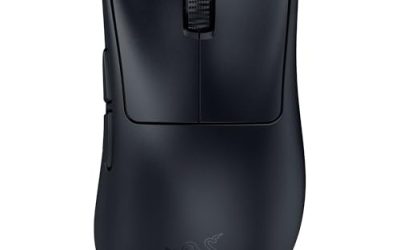
Razer Viper V3 Pro
The Viper V3 Pro is the competitive specialist of this group, built around a symmetrical shell and the lowest weight here at 54 grams in black. That combination suits fingertip and claw players who steer with frequent small corrections and want the mouse to disappear during fast target switches. Eight programmable controls give a little more mapping room than the Superlight 2, the included high-polling wireless setup targets high-refresh play, and the long battery figure means the low weight does not come with constant charging. It is a focused tool rather than a comfort-first desk mouse.
Specs
- Weight: 54g (black)
- Sensor: Focus Pro 35K optical, up to 35,000 DPI
- Polling: 8K polling via wireless dongle
- Buttons: 8 programmable controls
- Switches: Razer Optical Mouse Switches Gen-3
- Battery: up to 95 hours
- Shape: Symmetrical, right-handed use with side buttons
- Connection: Wireless, with wired use while charging
Best for: Ranked shooter players who use a fingertip or claw grip.
Watch out for: No RGB and a minimal feature set, because weight is the priority.
ASIN: B0CW25XR5R
Logitech G502 X Plus
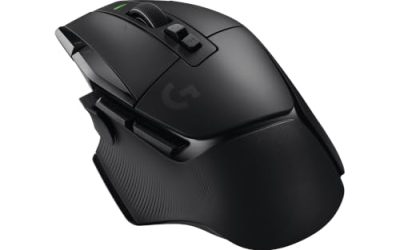
- Best for: Palm-grip players who want many controls and a fuller shell.
- Sensor: HERO 25K
- Switches: LIGHTFORCE hybrid optical-mechanical
- Controls: 13 programmable
- Scroll wheel: Dual-mode, hyper-fast free spin and ratcheted, with tilt
Palm-grip players who want many controls and a fuller shell.
Heavier and busier than the lightweight picks, which low-sensitivity flick players may dislike.
Where the two mice above strip features away, the G502 X Plus adds them back for players who live in their settings menus. Its right-handed ergonomic shell, thumb rest and dual-mode scroll wheel suit palm players and long sessions across shooters, RPGs and desktop work. Thirteen programmable controls include wheel tilt and a removable DPI-shift button, so common actions stay under the fingers that already rest there. LIGHTSYNC RGB and POWERPLAY compatibility will not suit minimalists, but players who enjoy a fully equipped, substantial mouse will feel at home.
SteelSeries Rival 5
- Best for: Players who prefer wired reliability and play several genres.
- Sensor: TrueMove Air optical, 18,000 CPI
- Tracking: 400 IPS, 40G acceleration
- Buttons: 9 programmable, including 5 quick-action side buttons
- Switches: SteelSeries Golden Micro IP54 mechanical, rated 80 million clicks
Players who prefer wired reliability and play several genres.
Wired only, so there is no wireless or Bluetooth option on this model.
The Rival 5 keeps a cable and spends its effort on versatility instead. Nine programmable buttons, five of them quick-action side buttons, let one mouse cover battle royale looting, MOBA items and MMO shortcuts without a full number-pad panel. At 85 grams it sits between the ultralight wireless models and the feature-heavy shells, and the ergonomic right-handed shape works across grip styles for medium and larger hands. Ten-zone RGB is there if you want it, but the sensible sensor, durable switches and simple wired connection are the real reasons to buy it.
Corsair Scimitar Elite Wireless
- Best for: MMO and MOBA players who map full ability rotations to the mouse.
- Sensor: Optical, up to 26,000 DPI
- Buttons: 16 programmable, including 12-button Key Slider side panel
- Polling: Up to 2,000Hz hyper-polling via SLIPSTREAM wireless
- Battery: Up to 150 hours
MMO and MOBA players who map full ability rotations to the mouse.
The side panel takes practice, and shooter-only players will not use most of it.
MMO players ask something different from a mouse: not fewer distractions, but an entire rotation under one thumb. The Scimitar Elite Wireless answers with sixteen programmable buttons, including a twelve-button side panel on Corsair’s Key Slider system that moves forward or backward to meet your thumb instead of forcing your grip to adapt. SLIPSTREAM wireless, Bluetooth and wired connections cover a gaming PC and a second device, and the battery figure supports long progression sessions. It is the heaviest idea on this list, and deliberately so, because stability matters when the thumb is busy.
Which One Fits Your Situation
You Play Ranked Shooters Most Nights
Choose between the two light wireless models by grip rather than by brand. Fingertip and claw players who make constant micro-corrections should take the Razer Viper V3 Pro for its 54-gram symmetrical shell. Players who want the same low-effort movement in a slightly larger, more neutral package, and who also play other genres, should take the Logitech G Pro X Superlight 2. Either way, set a sensitivity you can control and leave the maximum DPI figure alone.
Your Hand Aches for a Fuller, Supported Shape
Pick the Logitech G502 X Plus. Its ergonomic shell and thumb rest support a palm grip instead of asking your fingers to hold a small, flat body in place, and the dual-mode wheel helps in long RPG sessions and desktop scrolling alike. The extra controls sit where a resting hand can reach them, which matters more over a three-hour session than a few grams saved. Players with very small hands should still check the shell length before committing.
One Desk, Several Genres, No Charging Routine
Take the SteelSeries Rival 5. The wired connection removes battery management entirely, the nine buttons stretch from shooter utilities to MOBA items, and the mid-weight shell does not demand a specialist grip. It is also the natural choice for a shared or second PC, where a dongle would go missing and a charging cable would wander. If your games later narrow to one genre, its layout still will not hold you back.
Your Thumb Runs Your Whole Rotation
Buy the Corsair Scimitar Elite Wireless and give yourself a week to learn the panel. Slide the twelve-button Key Slider section until the rows fall under your thumb without reaching, map abilities in the order you cast them, and keep movement on the keyboard hand. The payoff is a rotation that survives chaotic fights where keyboard modifiers get fumbled. Shooter-only players should skip it and spend their attention on the lighter picks above.
Common Mistakes
- Buying by maximum DPI alone, when shape, weight and tracking at your actual settings matter far more.
- Choosing an ultralight shell for a relaxed palm grip, then gripping harder to control it and tiring your hand.
- Counting buttons without checking reach, so half of a side panel sits where your thumb never rests.
- Turning wireless polling and lighting to maximum, then blaming the mouse when battery life falls short of the quoted figure.
- Copying a professional player’s sensitivity without matching it to your mousepad space and arm movement.
Frequently Asked Questions
Is wireless fast enough for competitive gaming?
Yes, on the gaming connections used by the wireless picks here. LIGHTSPEED, Razer’s high-polling wireless and Corsair SLIPSTREAM are all designed for gaming rather than office use, and each mouse can also connect by cable. Connection quality, polling settings and display refresh will shape your experience more than the simple fact that no cable is attached.
How much does mouse weight really matter?
Weight changes how a mouse starts and stops moving. Lighter models such as the 54-gram Viper V3 Pro need less effort for repeated flicks, which many competitive players prefer. Heavier, fuller models can feel steadier for slow tracking and give buttons and features room to exist. Neither is automatically better, so match weight to your grip, sensitivity and session length.
What DPI should I actually set?
Start far below the maximum figure on any box. Many shooter players use settings in the hundreds or low thousands and then adjust in small steps until turns and fine aim both feel controlled. Strategy and desktop players often prefer a higher setting for crossing a large display quickly. Change one step at a time and keep the setting once aiming feels repeatable.
Can one mouse cover both shooters and MMOs well?
It can cover both adequately, but the extremes pull in opposite directions. The Rival 5 and G502 X Plus are the compromises here, with more buttons than an esports shell and less specialisation than the Scimitar’s panel. If one genre dominates your week, buy for that genre first and accept the compromise in the other, rather than the reverse.
FAQ
Is wireless fast enough for competitive gaming?
How much does mouse weight really matter?
What DPI should I actually set?
Can one mouse cover both shooters and MMOs well?
More from Amazon
Programs that pair well with the guide above. Offers and eligibility are set by Amazon and may change.
Free shipping on eligible items, Prime Video and more. Eligible new members can start with a free trial.
Start a Prime free trialAd-free music streaming. Eligible new subscribers can start with a free trial.
Try Music Unlimited freeA Prime membership for ages 18-24 with a trial period. Eligibility is set by Amazon.
See Prime for Young AdultsAudiobooks and podcasts to listen to on the go. Eligible new members can start with a free trial.
Try Audible freeAs an Amazon Associate we earn from qualifying purchases.