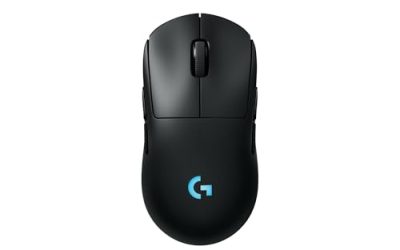
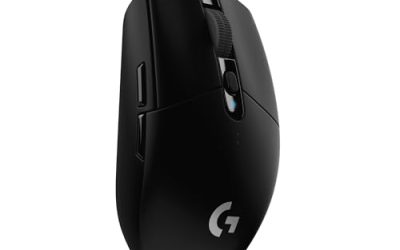
Our Top Picks


Logitech makes some of the most widely used gaming mice around, and several of its best-known models sit in the accessible end of the range. The challenge is not finding a Logitech mouse. It is picking the right one from a lineup where the names look similar and the differences hide in the sensor, the weight, and the button layout. A mouse that suits a palm grip in long sessions can feel wrong for a claw grip in fast fights, even when both carry the same logo.
This guide is for players who want a Logitech gaming mouse and a sensible spend, from first-time buyers to players replacing a worn-out mouse. The four mice below were chosen from their Amazon product titles and listed specifications, comparing sensor, weight, buttons, and connection type, so you can match a Logitech mouse to your hand, your grip, and your games.
Quick Picks
As an Amazon Associate we earn from qualifying purchases.
| Product | Best for | Key spec from title |
|---|---|---|
| Logitech G502 HERO | Many buttons for loadouts and macros | HERO 25K sensor, 25,600 DPI, 11 buttons |
| Logitech G305 LIGHTSPEED | Wireless play with very long battery life | 99g, 12,000 DPI, 6 buttons, 250-hour battery |
| Logitech G203 LIGHTSYNC | A simple wired mouse with colorful lighting | 8,000 DPI, 6 buttons, LIGHTSYNC RGB |
| Logitech G402 Hyperion Fury | A classic wired mouse for fast shooters | 4,000 DPI, 8 buttons, Fusion Engine |
How to Choose
Sensor and DPI Range
The sensor decides how cleanly the mouse tracks, so start there. A modern optical sensor with a wide DPI range handles both slow tracking and fast flicks, and Logitech’s HERO sensors are a good example of that design. Check the maximum DPI in the listing, then set your own DPI to match the sensitivity you already use. A very high maximum DPI is headroom, not accuracy by itself, and most players settle well below the top of the range. Be wary of any listing that hides the sensor name behind vague claims.
Wired or Wireless
Logitech offers both, and the right choice depends on how you play. Wireless mice with LIGHTSPEED give a fast, steady connection and free your arm from cable drag, which helps at low sensitivity. They need charging or a fresh battery, so check the battery life in the listing before you buy. Wired mice never need charging, usually weigh less for the same shape, and keep things simple. Pick wireless if you hate cable drag, and pick wired if you want one less thing to manage.
Shape, Weight, and Grip
Logitech’s mice cover a wide range of shapes, from the large, button-heavy G502 to the compact, symmetrical G305. A palm grip wants a fuller shell with support at the back, while a claw grip wants a shorter body that lets the fingers arch. Weight matters too: lighter mice change direction faster, while heavier mice can feel steadier for tracking. Check the listed weight and think about how you hold your current mouse, because a shape that fights your grip will not improve with time.
Buttons and Software
Count the buttons you actually use before you buy. Two side buttons cover the basics, while a mouse with eight or eleven buttons suits players who map equipment, pings, and macros to the mouse. Logitech’s G HUB software lets you program buttons, adjust DPI steps, and set lighting, and on-board memory saves your settings on the mouse itself. If you play on more than one machine, on-board memory matters, because your bindings travel with the mouse instead of living only in the software.
The 4 Best Options
Logitech G502 HERO

The G502 HERO is the most versatile mouse in this guide. Eleven programmable buttons cover weapon swaps, equipment, pings, and macros, and the dual-mode scroll wheel switches between stepped clicks and free spin. Its HERO 25K sensor tracks up to 25,600 DPI, and five removable tuning weights let you add heft until the mouse stops the way you like. On-board memory holds up to five profiles, so your settings travel with the mouse. The large right-handed shell fills a palm grip well, which helps during long sessions.
Specs
- HERO 25K sensor with up to 25,600 DPI
- 11 programmable buttons
- Five 3.6-gram removable tuning weights
- Dual-mode hyper-fast scroll wheel with tilt
- On-board memory for up to 5 profiles
- Wired connection with RGB lighting
Best for: Players who want the most buttons and the most tuning options from a Logitech mouse.
Watch out for: The 121-gram base weight is heavy for low-sensitivity flicks, and the large right-handed shell does not suit small hands or left-handed players.
Logitech G305 LIGHTSPEED
The G305 is the wireless pick in this guide, and it suits players who want freedom from cables without giving up responsiveness. Its HERO sensor covers up to 12,000 DPI with 400 IPS precision, and LIGHTSPEED wireless gives a 1 ms report rate for competition-level play. The compact ambidextrous shape works for palm, claw, and fingertip grips, and the 99-gram body feels solid without dragging. Six programmable buttons cover the essentials, and the mouse runs for up to 250 hours on a single AA battery, so it keeps going for months of regular play.
Specs
- HERO sensor with up to 12,000 DPI
- 99 grams
- LIGHTSPEED wireless with 1 ms report rate
- 6 programmable buttons
- Up to 250 hours of battery life on one AA battery
- On-board memory
- Built-in nano receiver storage
Best for: Players who want a wireless Logitech mouse with very long battery life.
Watch out for: It runs on a replaceable AA battery rather than a rechargeable one, and its sensor ceiling is lower than the G502 HERO.
Logitech G203 LIGHTSYNC
The G203 LIGHTSYNC is the simplest mouse in this guide, and that is its strength. Its gaming-grade sensor covers 200 to 8,000 DPI, which handles most games comfortably, and six customizable buttons cover the actions players use most. LIGHTSYNC RGB lighting can be set to color wave effects across millions of colors through G HUB software, so the mouse can match the rest of your setup. The classic six-button shape is a comfortable, time-tested design that suits smaller hands and players who want a straightforward wired mouse.
Specs
- Gaming-grade sensor with 200 to 8,000 DPI
- 6 programmable buttons
- LIGHTSYNC RGB lighting with millions of colors
- On-board memory
- Wired USB connection
- Classic 6-button design
Best for: Players who want a simple wired Logitech mouse with colorful lighting for everyday gaming.
Watch out for: The 8,000 DPI ceiling is lower than the other mice here, so players who run very high sensitivity should check it against their settings first.
Logitech G402 Hyperion Fury

The G402 Hyperion Fury is a classic wired mouse built for fast shooters. Its Fusion Engine technology and 1 ms report rate enable tracking speeds of up to 10 meters per second, which helps when fights move quickly. Eight programmable buttons give you room for the actions that matter, and four on-the-fly DPI settings let you shift instantly from careful aiming to fast movement. The lightweight, streamlined design suits players who swipe hard and often, and on-board memory saves your button settings on the mouse itself.
Specs
- Fusion Engine sensor with up to 4,000 DPI
- 8 programmable buttons
- 4 on-the-fly DPI settings
- 1 ms report rate with tracking up to 10 meters per second
- 32-bit ARM processor
- On-board memory
- Wired USB connection
Best for: Players who want a classic wired Logitech mouse for fast-paced shooters.
Watch out for: The 4,000 DPI ceiling is the lowest in this guide, and the older design lacks the newer HERO sensor found in the other mice here.
Which One Fits Your Situation
You Want the Most Buttons
Pick the Logitech G502 HERO. Eleven programmable buttons and tuning weights give you the most control over the feel and the layout, and the dual-mode scroll wheel helps with weapon cycling. It is the best match if you play games with many bindings and want them all on the mouse. Try the default layout for a week before remapping, so you learn which buttons your thumb reaches without thinking.
You Want Wireless Without the Hassle
Pick the Logitech G305 LIGHTSPEED. The wireless connection is fast, the battery lasts for months, and the compact shape suits most grips. Keep a spare AA battery in your desk drawer so a dead battery never ends a session. Store the receiver in the mouse when you travel, and keep the battery indicator in mind during long weekends of play.
You Want a Simple Wired Mouse
Pick the Logitech G203 LIGHTSYNC. The six-button layout covers the basics, the RGB lighting adds color to your setup, and the wired connection means it is always ready. It is a good first gaming mouse and a solid replacement for a worn-out office mouse. Route the cable with a little slack so it never tugs at the mouse during a wide flick.
You Play Fast Shooters on a Wired Mouse
Pick the Logitech G402 Hyperion Fury. The Fusion Engine sensor and fast report rate suit quick movements, and the eight buttons give you room for the actions that matter. Its streamlined shape works well for players who swipe hard across the pad. Pair it with a smooth cloth pad, since a clean glide matters as much as the sensor when fights move fast.
Common Mistakes
- Picking a mouse by its maximum DPI instead of its shape, weight, and button layout.
- Buying a button-heavy mouse when you only use two side buttons, then pressing the wrong one under pressure.
- Choosing wireless without checking battery life, then running out of charge mid-match.
- Copying a friend’s sensitivity and DPI without testing it with your own hand and desk space.
- Assuming every Logitech mouse has the same sensor, when the lineup spans several generations.
Frequently Asked Questions
Which Logitech mouse is best for beginners?
The G203 LIGHTSYNC is a good starting point, because its classic six-button shape is easy to learn and its sensor handles most games well. If you want wireless from the start, the G305 LIGHTSPEED is the simple wireless choice. Try the shape that matches your hand first, because comfort matters more than any single specification.
Is a wireless Logitech mouse good for gaming?
Yes, Logitech’s LIGHTSPEED wireless mice are built for gaming, with a fast report rate and a steady connection. Many players cannot tell the difference between LIGHTSPEED and wired in normal play. The main trade-off is battery management, so check the battery life and keep the receiver close to the mouse.
How many buttons do I need on a gaming mouse?
Two side buttons cover the basics, such as melee and ping, while six buttons suit most players. Eight or eleven buttons help in games with many bindings, but only if you can reach each button without shifting your grip. Map your most-used actions first and leave the rest on the keyboard.
Do I need G HUB software for a Logitech gaming mouse?
G HUB lets you program buttons, adjust DPI steps, and set lighting, and it is worth installing for the mice in this guide. On-board memory saves your settings on the mouse, so your bindings still work on a machine without the software installed. If you only use default settings, the mouse works fine without it.
FAQ
Which Logitech mouse is best for beginners?
Is a wireless Logitech mouse good for gaming?
How many buttons do I need on a gaming mouse?
Do I need G HUB software for a Logitech gaming mouse?
More from Amazon
Programs that pair well with the guide above. Offers and eligibility are set by Amazon and may change.
Free shipping on eligible items, Prime Video and more. Eligible new members can start with a free trial.
Start a Prime free trialAd-free music streaming. Eligible new subscribers can start with a free trial.
Try Music Unlimited freeA Prime membership for ages 18-24 with a trial period. Eligibility is set by Amazon.
See Prime for Young AdultsAudiobooks and podcasts to listen to on the go. Eligible new members can start with a free trial.
Try Audible freeAs an Amazon Associate we earn from qualifying purchases.