Our Top Picks
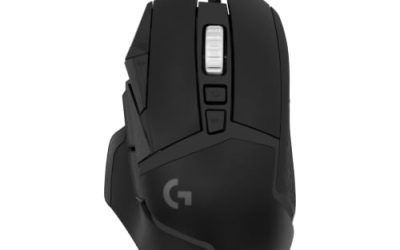
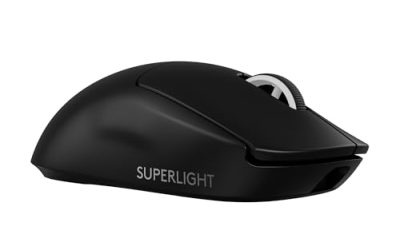
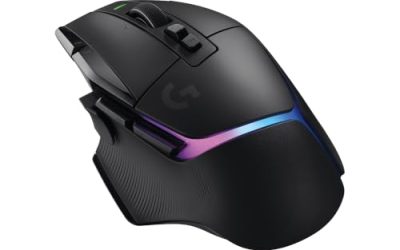
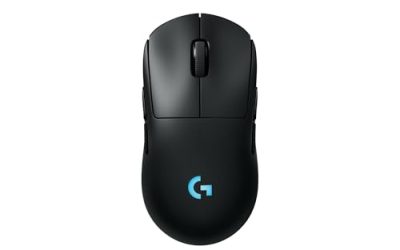
 Logitech G Pro X Superlight 2 Lightspeed WirelessClassic1.57 x 2.5 x 4.92 inches0.1 poundsCheck on Amazon
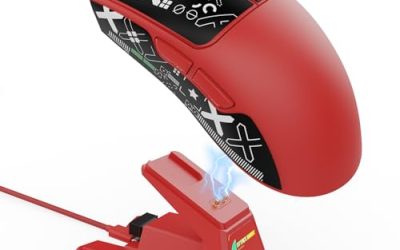
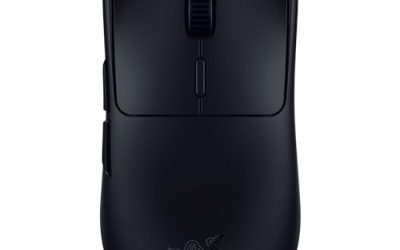
 Razer Viper V4 Pro Wireless Esports Gaming Mouse12.71 x 6.39 x 3.99 inches5 x 2.51 x 0.1 inches0.1 poundsCheck on Amazon
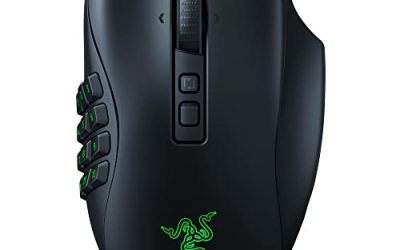
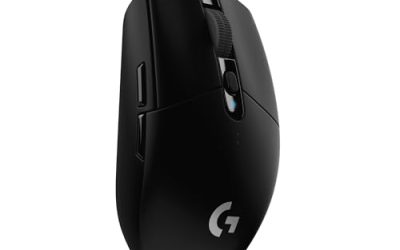
 Razer DeathAdder V3 HyperSpeed Ergonomic Wireless Gaming MouseStandard4.81 x 2.55 x 1.5 inches0.1 poundsCheck on Amazon

Rust is not forgiving about hardware. One lost spray fight can erase hours of farming; the mouse under your hand decides whether your recoil pattern holds through a magazine or drifts wide by the third bullet. The real decision is shape and weight: a low symmetrical shell like the Viper line rewards fingertip and claw flicks, while the taller ergonomic DeathAdder form supports a resting palm for hours. Then comes the wireless question: do polling rates and batteries fit marathon raids, or is a wired 8K mouse with nothing to charge the safer answer?
This guide serves four kinds of Rust players: competitive fighters upgrading from a heavy all-purpose mouse, wired purists who refuse battery warnings mid-raid, palm-grip players who need an ergonomic shell for six-hour sessions, and small-desk players pairing a light mouse with wide, fast flicks. Every pick was chosen from the names and specs on its Amazon product page, so the weights, sensors and battery ratings come straight from each listing.
Quick Picks
As an Amazon Associate we earn from qualifying purchases
| Product | Best for | Key spec from title |
|---|---|---|
| Razer Viper V3 Pro | Competitive players who want true 8K wireless polling | 54 g wireless esports mouse with true 8K polling |
| Logitech G Pro X Superlight 2 | Players who want a proven sub-60 g pro shape | Under-60 g pro wireless with HERO 2 sensor |
| Razer DeathAdder V3 | Wired purists who never want to charge anything | 59 g wired with true 8K Hz HyperPolling |
| Razer Viper V4 Pro | Marathon raiders who prioritise battery life | 49 g with up to 180-hour battery |
| Razer DeathAdder V3 HyperSpeed | Palm and claw players who want an ergonomic wireless shape | 55 g ergonomic wireless with USB-C charging |
How to Choose
Weight and Shape for Your Grip
Rust aim splits into two camps, and the shell should match yours. Symmetrical mice like the Viper V3 Pro and Superlight 2 sit low and flat, which suits fingertip and claw grips and makes vertical recoil correction feel direct. Ergonomic shells like the DeathAdder V3 fill the palm, spread contact across the whole hand, and stay comfortable when a raid stretches past midnight. Weight matters just as much: everything here sits between 49 g and 59 g, so wide 180-degree turns cost little effort. Measure your hand before ordering — a medium symmetrical shell can feel cramped under a large palm, while a tall ergonomic hump can force small hands into an awkward claw.
Sensor Accuracy and Polling Rate
Every mouse in this guide uses a flawless optical sensor, meaning it tracks fast flicks without the spin-outs or angle snapping that ruin spray control. Polling rate is where the trade-offs begin. A standard 1,000 Hz connection reports position every millisecond, which is already smooth for most players. True 8,000 Hz polling reports eight times as often and can feel marginally more responsive in snap aim, but it drains wireless batteries far faster and asks more of your CPU. For Rust, where fights are decided by recoil patterns held over a second or more, sensor consistency matters more than chasing the highest polling number available.
Wireless Endurance vs Wired Certainty
Wireless mice remove cable drag, which helps when you are swinging across a large pad during a raid defence. The cost is a battery that eventually runs down, usually at the worst possible moment. The picks here are rated between 95 and 180 hours per charge, so a nightly or weekly top-up routine keeps them safe. Lowering the polling rate stretches those figures considerably. A wired mouse like the DeathAdder V3 removes the question entirely: no charging, no dongle, no low-battery warning, and polling stays at its maximum forever. Choose wired if certainty matters more to you than a clean desk.
Buttons, Feet, and Cable or Dongle Placement
Rust needs fewer buttons than an MMO mouse offers. Two side buttons for push-to-talk, a melee key, or a quick weapon swap cover most players, and every pick here keeps extras within easy thumb reach without crowding the grip. Feet matter more than button counts: smooth PTFE glides keep micro-corrections consistent on cloth pads, and worn feet are a common hidden cause of inconsistent aim. Placement counts too. Keep a wireless dongle on your desk close to the pad, not buried behind the PC, and if you play wired, route the cable with enough slack that it never tugs during a wide turn.
The 5 Best Options
Razer Viper V3 Pro

The Viper V3 Pro is the benchmark esports shape in this set: a low, symmetrical 54 g shell that disappears under a fingertip or claw grip and makes fast vertical corrections feel effortless. Its Focus Pro 35K optical sensor tracks hard flicks cleanly, and the included HyperPolling dongle delivers true 8,000 Hz wireless polling for players who want the most responsive connection available. Optical Gen-3 switches keep clicks crisp and consistent through long spray fights. This is the pick for competitive Rust players who lift and reset their mouse constantly and want flagship tracking with nothing extra in the way.
Specs
- 54 g weight (black colourway)
- Focus Pro 35K optical sensor
- True 8,000 Hz wireless polling via HyperPolling dongle, included in the box
- Optical switches, Gen-3
- Up to 95-hour battery at 1,000 Hz polling, less at 8K
- Symmetrical shape with 5 programmable buttons
Best for: Competitive players who flick and lift constantly and want true 8K wireless polling.
Watch out for: Battery life falls sharply at 8K polling, so most players should run 1K to 2K for Rust’s long sessions; there is no Bluetooth and no RGB, and it sits at flagship tier.
ASIN: B0BLFMS36J
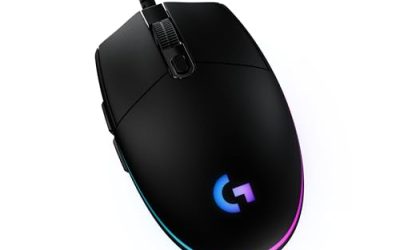
Logitech G Pro X Superlight 2
The Superlight 2 is the safe, proven alternative to the Viper: a 59 g symmetrical shell refined from the shape tournament players have used for years. The HERO 2 sensor is flawless under fast movement, Lightspeed wireless polling reaches up to 8,000 Hz, and LIGHTFORCE hybrid switches give a mechanical click feel with optical speed. Battery life runs up to 95 hours, and charging is over USB-C. It suits players who want a no-drama flagship that works for Rust and everything else, with a shape that fits a wide range of hand sizes and grips without forcing a style on you.
Specs
- 59 g weight
- HERO 2 sensor
- Lightspeed wireless, polling up to 8,000 Hz
- LIGHTFORCE hybrid optical-mechanical switches
- Up to 95-hour battery
- USB-C charging
- 5 buttons, no RGB
Best for: Players who want a proven sub-60 g pro shape with dependable wireless.
Watch out for: The minimalist 5-button layout has no DPI button on top, so changes happen in G HUB or on the underside; the stock feet and grip feel slick to some hands, and many players add grip tape.
ASIN: B09NBWL8J5
Razer DeathAdder V3
The wired DeathAdder V3 is the certainty pick: 59 g, an ergonomic right-handed shell, and a wired 8,000 Hz connection with no battery or dongle anywhere in the chain. The Focus+ 26K sensor and Gen-3 optical switches deliver the same consistent tracking as the wireless flagships, while the Speedflex paracord-style cable keeps drag low enough that most players forget it is there. Six programmable buttons cover push-to-talk and utility binds. For Rust players who run long sessions and never want a low-battery warning during a raid, this is the simplest high-performance answer in the guide.
Specs
- 59 g weight
- Focus+ 26K sensor
- Wired 8,000 Hz polling, no battery or dongle
- Optical switches, Gen-3
- Speedflex paracord-style cable
- Right-handed ergonomic shape
- 6 programmable buttons, no RGB
Best for: Wired purists who want maximum polling with zero charging, ever.
Watch out for: It is wired only — drag is minimal with the Speedflex cable, but it is still a cable; the ergonomic shape is right-hand only and sized for medium to large hands.
ASIN: B0B6XTDJS1
Razer Viper V4 Pro
The Viper V4 Pro is the lightest mouse here at 49 g, built around the same low symmetrical esports shape as its predecessor, and it pairs that featherweight shell with a battery rated up to 180 hours — the longest endurance in this guide. Optical switches keep clicks fast and consistent, and its high-rate wireless polling suits players who want responsiveness without living next to a charger. For Rust, that combination matters: raids and farming runs stretch for hours, and a mouse this light reduces fatigue across a full evening while rarely needing a top-up between sessions.
Specs
- 49 g weight
- Wireless esports symmetrical shape
- Up to 180-hour battery rating
- Optical switches
- High-rate wireless polling
Best for: Marathon raiders who want the lightest shell and the longest battery in the set.
Watch out for: It is the newest flagship here, so confirm the exact colour and variant listing at checkout, and expect flagship-tier positioning; the symmetrical shape is small to medium only.
ASIN: B0GMLBSSTD
Razer DeathAdder V3 HyperSpeed
The DeathAdder V3 HyperSpeed brings the ergonomic DeathAdder form down to 55 g, close to Viper territory, which makes it the wireless comfort pick of this guide. The sculpted right-handed hump supports palm and claw grips through long sessions, HyperSpeed wireless keeps the connection responsive, and the battery runs up to 100 hours with USB-C charging when it finally needs a top-up. Optical switches round out a package aimed at players who found flat symmetrical mice tiring but still want a light, fast mouse for spray control and quick turns during raids.
Specs
- 55 g weight
- Right-handed ergonomic shape, the DeathAdder form at near-Viper weight
- HyperSpeed wireless connection
- Up to 100-hour battery
- USB-C charging
- Optical switches
Best for: Palm and claw players who want an ergonomic wireless shape without the weight penalty.
Watch out for: The ergonomic hump suits palm and claw grips — fingertip players usually prefer the flat Viper shape; there is no 8K polling out of the box, since that dongle is a separate purchase.
ASIN: B0D4RF55QK
Which One Fits Your Situation
You Play Competitively and Your Current Mouse Feels Heavy
If your current mouse is a heavy all-purpose model, the Viper V3 Pro or Superlight 2 will feel like removing a weight from your wrist. Both sit under 60 g with flawless sensors, so recoil corrections and 180-degree turns take noticeably less effort. Pick the Viper for true 8K polling out of the box, or the Logitech if you prefer its slightly taller, safer shape.
You Never Want a Battery Warning Mid-Raid
Choose the wired DeathAdder V3. There is no battery to monitor, no dongle to position, and its wired connection holds 8,000 Hz polling permanently. You trade a cable for total certainty, and the Speedflex cable keeps drag low enough that most players stop noticing it after the first session. For multi-hour raids, that peace of mind is worth more than a clean desk.
You Palm-Grip Through Six-Hour Sessions
A resting palm needs a shell that fills the hand, so look at the two DeathAdder models. The wired V3 suits players who also want zero charging, while the V3 HyperSpeed gives you the same ergonomic support wirelessly at 55 g. Both spread contact across the palm instead of forcing your fingers to carry the mouse, which keeps long farming and building sessions comfortable.
Your Desk Is Small but Your Flicks Are Wide
A light mouse is your friend here: with less mass to move, short pad strokes still produce wide in-game turns. The 49 g Viper V4 Pro is the easiest to throw around a compact pad, and the Viper V3 Pro is close behind. Raise your sensitivity slightly, keep the dongle on the desk near the pad, and either mouse will cover your angles without running out of room.
Common Mistakes
- Buying the highest polling rate and leaving it on permanently, then wondering why a wireless mouse dies mid-week — 8K polling drains batteries fast, and 1,000 Hz is plenty for most Rust fights.
- Choosing a shape by brand loyalty instead of grip: a flat symmetrical shell will tire a palm gripper, and a tall ergonomic hump fights fingertip aim.
- Ignoring worn mouse feet, which add inconsistent friction on cloth pads and quietly wreck spray control long before the sensor becomes the problem.
- Burying the wireless dongle behind the PC or under the desk, where the signal weakens and micro-stutters appear during fast turns.
- Paying for a dozen side buttons in a game that only needs two, adding weight and accidental presses for features that never get bound.
Frequently Asked Questions
What polling rate should I use for Rust?
Start at 1,000 Hz. It reports every millisecond, feels smooth in spray fights, and preserves battery life on wireless models. Raise it toward higher rates only if your PC handles it comfortably and you accept much shorter battery life. Sensor consistency and a shape that fits your grip will improve your Rust aim far more than polling alone.
Is a wired mouse better than wireless for Rust?
Neither is automatically better. Modern wireless connections on the Viper V3 Pro and Superlight 2 are effectively lag-free for human play, and they remove cable drag. Wired wins on certainty: no charging, no dongle placement, and permanent maximum polling. Pick based on whether you value a clean desk or never thinking about a battery during a raid.
How light should a Rust mouse be?
For most players, under 60 g is the sweet spot, and every pick here qualifies. Lighter mice reduce the effort of wide turns and repeated recoil corrections across long sessions. Going extremely light is not mandatory, though — if you palm-grip and rest your full hand on the shell, a slightly heavier ergonomic model can feel steadier than a featherweight symmetrical one.
Do I need more than five buttons for Rust?
No. Two side buttons cover push-to-talk and one utility bind such as melee or a medical item, which is all most Rust players use. Extra buttons help streamers or players who bind building upgrades and voice lines, but a crowded thumb grid adds weight and accidental presses. A clean five or six button layout is the practical choice.
FAQ
What polling rate should I use for Rust?
Is a wired mouse better than wireless for Rust?
How light should a Rust mouse be?
Do I need more than five buttons for Rust?
More from Amazon
Programs that pair well with the guide above. Offers and eligibility are set by Amazon and may change.
Free shipping on eligible items, Prime Video and more. Eligible new members can start with a free trial.
Start a Prime free trialAd-free music streaming. Eligible new subscribers can start with a free trial.
Try Music Unlimited freeA Prime membership for ages 18-24 with a trial period. Eligibility is set by Amazon.
See Prime for Young AdultsAudiobooks and podcasts to listen to on the go. Eligible new members can start with a free trial.
Try Audible freeAs an Amazon Associate we earn from qualifying purchases.