Our Top Picks
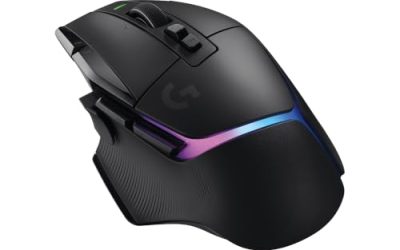
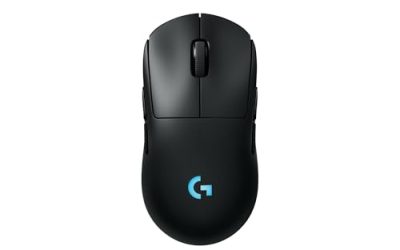
 Logitech G Pro X Superlight 2 Lightspeed WirelessClassic1.57 x 2.5 x 4.92 inches0.1 poundsCheck on Amazon
 Razer DeathAdder V3 HyperSpeed Ergonomic Wireless Gaming MouseStandard4.81 x 2.55 x 1.5 inches0.1 poundsCheck on Amazon

A hybrid grip sits between palm and claw: your palm rests on the back of the mouse while your fingers arch over the buttons, ready to lift and flick. It is a common grip because it borrows the comfort of a palm grip and the control of a claw grip, but it is also the hardest grip to shop for. A mouse built only for palm feels too long and flat when you arch your fingers, while a mouse built only for claw leaves your palm unsupported and your hand tired after an hour.
This guide is for players who rest their palm on the mouse, arch their fingers for clicks, and sometimes shift toward claw or fingertip during fast fights. The four mice below were chosen from their Amazon product titles and listed specifications, comparing shape, weight, button placement, and sensor, so you can find a mouse that supports both parts of your grip instead of forcing you to choose one.
Quick Picks
As an Amazon Associate we earn from qualifying purchases.
| Product | Best for | Key spec from title |
|---|---|---|
| Logitech G Pro X Superlight 2 | A light symmetrical mouse for any grip shift | 60g, 44K DPI sensor, 8kHz report rate |
| Razer DeathAdder V3 HyperSpeed | Palm support with a light, fast body | 55g, 26K optical sensor, 100-hour battery |
| SteelSeries Aerox 5 Wireless | A right-handed shape with extra buttons | 74g, 18K DPI sensor, 9 buttons |
| Logitech G305 LIGHTSPEED | A compact ambidextrous mouse for smaller hands | 99g, 12,000 DPI, 6 buttons, 250-hour battery |
How to Choose
Shape That Supports Both Grips
A hybrid grip needs a mouse with a back that fills your palm and a front that lets your fingers arch. Look for a medium-length body with a gentle hump placed toward the middle or rear, rather than a flat low profile or a tall rear hump built only for palm. Symmetrical mice suit hybrid players well because they do not force your hand into one angle, while a mild right-handed curve can add support if it does not push your ring finger off the side. Hold the shape in mind: your palm should touch, and your fingertips should reach the buttons without stretching.
Weight and Finger Control
Weight matters more for hybrid players than for pure palm players, because your fingers do the lifting. A mouse under about 65 grams lets you lift and reposition quickly during fast fights, while a heavier mouse can feel planted but tires the fingers that arch over the buttons. If you switch between palm and claw mid-match, a lighter mouse makes the shift easier. Check the listed weight before you buy, and remember that a wireless mouse carries its battery, so compare wireless weights against wireless weights.
Button Reach and Side Buttons
Hybrid players use their fingertips for clicks and their thumb for side buttons, so button placement decides comfort. The main buttons should sit where your arched fingers land naturally, with a short, crisp travel. Side buttons should be reachable by your thumb without shifting your palm, and they should not stick out so far that you press them by accident. If you use more than two side buttons, a mouse with a small thumb cluster can help, but only if the cluster sits where your thumb actually rests.
Sensor Position and Lift-Off
A hybrid grip lifts the mouse often, so lift-off distance matters. A sensor that keeps tracking while the mouse is slightly raised will cause cursor drift when you reposition, while a sensor that stops quickly lets you lift and reset cleanly. Modern optical sensors handle this well, but check that the listing names a current sensor and a high maximum DPI, which usually signals a newer design. Set your lift-off behavior in the mouse software if the option exists, and test it with the sensitivity you actually play at.
The 4 Best Options
Logitech G Pro X Superlight 2
The Superlight 2 is a natural fit for hybrid players because its low-profile symmetrical shape does not force your hand into one grip. Your palm rests on the back while your fingers arch over the buttons, and the 60-gram body lifts easily when you reposition. The HERO 2 sensor tracks up to 44,000 DPI with sub-micron precision, and LIGHTSPEED wireless runs at up to 8 kHz for responsive input. Five programmable buttons keep the layout simple, and the included grip tape lets you add texture where your fingers need it most.
Specs
- HERO 2 sensor with up to 44,000 DPI
- 60 grams
- LIGHTSPEED wireless with up to 8 kHz polling
- 5 programmable buttons
- LIGHTFORCE hybrid switches
- Up to 95 hours of battery life
- USB-C charging
Best for: Hybrid players who want a light symmetrical mouse that shifts between palm and claw without fighting the shape.
Watch out for: It has only five buttons and no thumb rest, so players who want many side buttons or extra palm support should check the shape first.
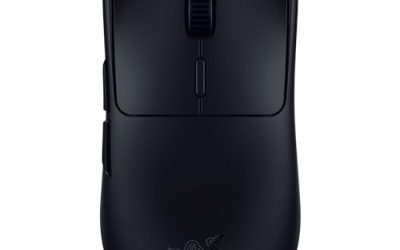
Razer DeathAdder V3 HyperSpeed
The DeathAdder V3 HyperSpeed gives hybrid players palm support in a body light enough for fingertip control. At 55 grams it is one of the lightest ergonomic mice here, and its shape supports the palm while leaving the fingers free to arch and click. The Focus X 26K optical sensor delivers accurate tracking, and HyperSpeed wireless runs for up to 100 hours on a charge. Eight programmable controls give you room for the actions you use most, and USB-C charging means you can top it up with the same cable as many other devices.
Specs
- Focus X 26K optical sensor with 99.6 percent resolution accuracy
- 55 grams
- HyperSpeed wireless with USB-C charging
- Optical Mouse Switches Gen-3
- 8 programmable controls
- Up to 100 hours of battery life
- Smooth-touch texture finish
Best for: Hybrid players who want ergonomic palm support without giving up a light body.
Watch out for: The ergonomic right-handed shape does not suit left-handed players, and the smooth-touch finish can feel slick if your hands run warm.
SteelSeries Aerox 5 Wireless

The Aerox 5 Wireless suits hybrid players who want extra buttons alongside a comfortable right-handed shape. Nine programmable buttons include a five-button side panel and a flick switch, which helps in games where you need macros close at hand. The holey design keeps the weight at 74 grams despite the extra buttons, and AquaBarrier protection guards against dust and splashes. The TrueMove Air sensor tracks up to 18,000 DPI, and the mouse connects over 2.4 GHz wireless or Bluetooth, so it moves easily between a gaming PC and a laptop.
Specs
- TrueMove Air optical sensor with up to 18,000 DPI
- 74 grams
- 9 programmable buttons with 5-button side panel
- 2.4 GHz wireless and Bluetooth
- AquaBarrier IP54-rated protection
- 3-zone RGB lighting
- USB-C connection
Best for: Hybrid players who want many buttons and a right-handed shape with wireless freedom.
Watch out for: The holey shell collects dust in its openings, and the 74-gram weight is heavier than the ultralight options in this guide.
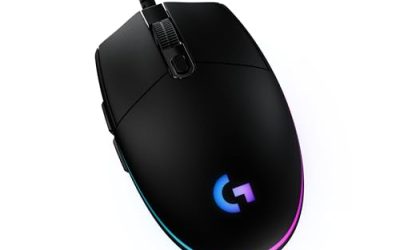
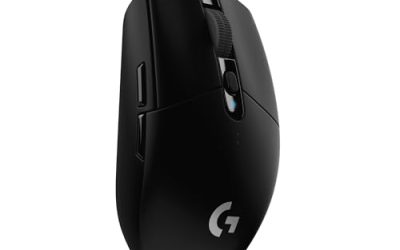
Logitech G305 LIGHTSPEED
The G305 is a compact ambidextrous mouse that works well for hybrid players with smaller hands. Its symmetrical shape lets your palm rest lightly while your fingers arch, and the 99-gram body feels solid without dragging. The HERO sensor covers up to 12,000 DPI with 400 IPS precision, which is more than enough for most players, and LIGHTSPEED wireless gives a 1 ms report rate. Six programmable buttons cover the essentials, and the mouse runs for up to 250 hours on a single AA battery, so charging is rarely on your mind.
Specs
- HERO sensor with up to 12,000 DPI
- 99 grams
- LIGHTSPEED wireless with 1 ms report rate
- 6 programmable buttons
- Up to 250 hours of battery life on one AA battery
- On-board memory
- Built-in nano receiver storage
Best for: Hybrid players with smaller hands who want a compact wireless mouse with very long battery life.
Watch out for: The 99-gram weight is heavier than the ultralight mice here, and it runs on a replaceable AA battery rather than a rechargeable one.
Which One Fits Your Situation
You Shift Grips During Fast Fights
Pick the Logitech G Pro X Superlight 2. Its symmetrical shape and 60-gram body make it easy to move between palm and claw without adjusting your hand, and the high polling rate keeps fast movements feeling direct. Add the grip tape if your fingers slip during long sessions. Test the shape in a few matches before you settle, because a grip that feels fine for ten minutes can tire your hand over an hour.
You Want Palm Support and a Light Body
Pick the Razer DeathAdder V3 HyperSpeed. The ergonomic shape holds your palm while the 55-gram body stays quick, and the long battery life covers a full week of play. It is a good match if your current ergonomic mouse feels too heavy. If your wrist still aches, lower your sensitivity slightly and let your arm do more of the work.
You Need Extra Buttons for Macros
Pick the SteelSeries Aerox 5 Wireless. The nine-button layout and side panel put macros within thumb reach, and the wireless modes let you use the same mouse on more than one machine. Clean the holey shell regularly so dust does not build up inside the openings. Map only the macros you use every match, and leave the rest alone so you never press the wrong one by accident.
You Have Smaller Hands and Want Simplicity
Pick the Logitech G305 LIGHTSPEED. Its compact ambidextrous shape fits smaller hands, the six-button layout covers the basics, and the battery lasts for months of regular play. Keep a spare AA battery in your desk drawer so a dead battery never ends a session. Measure your hand from wrist to fingertip and compare it with the listed dimensions before you order.
Common Mistakes
- Buying a tall palm-only mouse and wondering why your arched fingers cramp after an hour.
- Choosing the lightest mouse available when your palm needs a fuller back for support.
- Setting side buttons you cannot reach without shifting your whole hand.
- Ignoring lift-off behavior and blaming the sensor when the cursor drifts during repositioning.
- Copying a grip from a video without checking whether the mouse shape actually fits your hand size.
Frequently Asked Questions
What is a hybrid grip?
A hybrid grip blends palm and claw: your palm rests on the back of the mouse while your fingers arch over the buttons. It gives you the comfort of a palm grip with the fingertip control of a claw grip, and many players shift between the two during a match without noticing. A mouse with a medium hump and a light body usually suits it best.
Is a symmetrical or ergonomic mouse better for hybrid grip?
Both can work, and the answer depends on your hand. Symmetrical mice suit hybrid players who shift grips often, because they do not push the hand into one angle. Ergonomic mice suit players whose palm wants more support, as long as the shape still lets the fingers arch. Try the shape that matches your current grip, not the one a guide recommends.
How heavy should a hybrid grip mouse be?
Most hybrid players do well between about 50 and 75 grams, because that range lifts easily while still feeling planted. Heavier mice tire the fingers that arch over the buttons, while very light mice can feel twitchy until you adjust. If you are coming from a heavy mouse, step down gradually rather than jumping straight to the lightest option.
Can I use a hybrid grip mouse for work as well?
Yes, a hybrid grip mouse works fine for everyday use, and many players keep the same mouse for gaming and work. The light weight and comfortable shape help during long days, and the extra buttons can hold shortcuts for browsing or editing. Just keep a separate profile for work if your gaming bindings get in the way.
FAQ
What is a hybrid grip?
Is a symmetrical or ergonomic mouse better for hybrid grip?
How heavy should a hybrid grip mouse be?
Can I use a hybrid grip mouse for work as well?
More from Amazon
Programs that pair well with the guide above. Offers and eligibility are set by Amazon and may change.
Free shipping on eligible items, Prime Video and more. Eligible new members can start with a free trial.
Start a Prime free trialAd-free music streaming. Eligible new subscribers can start with a free trial.
Try Music Unlimited freeA Prime membership for ages 18-24 with a trial period. Eligibility is set by Amazon.
See Prime for Young AdultsAudiobooks and podcasts to listen to on the go. Eligible new members can start with a free trial.
Try Audible freeAs an Amazon Associate we earn from qualifying purchases.