Our Top Picks
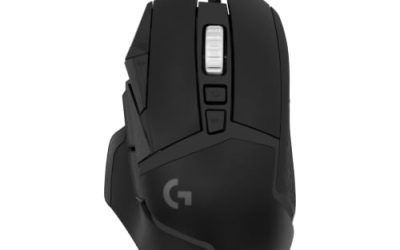
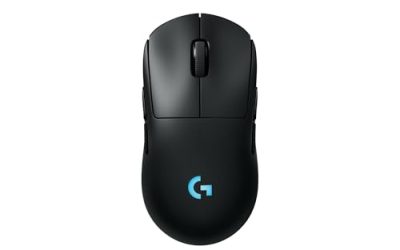
 Logitech G502 X Plus Wireless RGB Gaming MouseWireless7.1 x 4.6 x 2.7 inches0.84 poundsCheck on Amazon
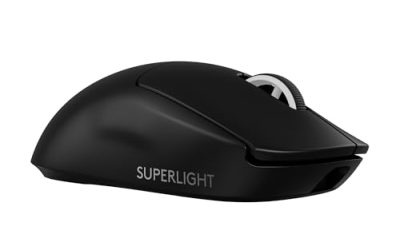
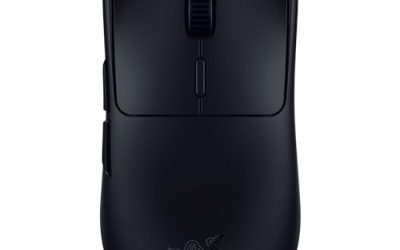
 Razer Basilisk V3 Customizable RGB Wired Ergonomic GamingMouse2.96 x 5.12 x 1.67 inches0.2 poundsCheck on Amazon
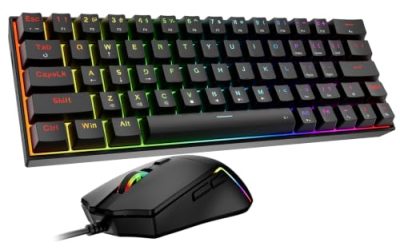
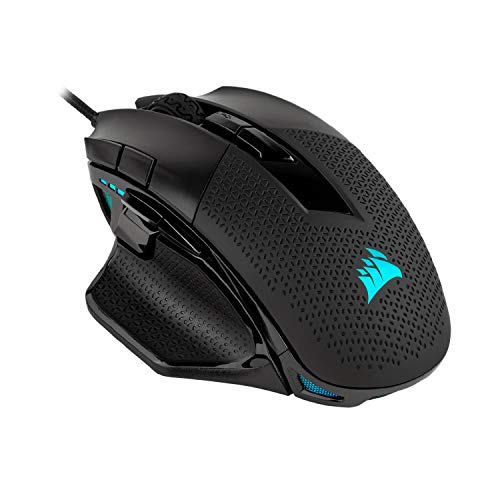 CORSAIR NIGHTSWORD RGB Adjustable Weight FPS MOBA PC5.08 x 3.38 x 1.71 inches0.3 poundsCheck on Amazon

The real choice with a programmable-button mouse is not how many buttons it carries, but where those buttons sit and what they will actually run. A MOBA player needs ability keys under the thumb, an FPS player wants push-to-talk, melee and ping without leaving WASD, and a strategy player runs macro strings. The software matters just as much: per-game profiles that load automatically are the difference between a tool and a chore. The wrong layout hurts more than a short button count — a twelve-button grid slows an FPS player, while two side buttons strand an MMO player mid-rotation.
This guide serves four buyers: MMO and MOBA players moving rotations onto the mouse, FPS players who want utility keys within thumb reach, hybrid gamer-workers who remap one mouse between games and office shortcuts, and streamers binding scene and mute controls to the mouse. Every pick was chosen from the names and specifications on its Amazon product page, with layout, software and connection type weighed ahead of raw sensor numbers.
Quick Picks
As an Amazon Associate we earn from qualifying purchases
| Product | Best for | Key spec from title |
|---|---|---|
| Logitech G502 X Plus Lightspeed Wireless Gaming Mouse | Wireless all-rounder with a control for every job | 13 buttons, optical switches, LIGHTSYNC RGB |
| Razer Basilisk V3 | FPS players who want tilt-wheel extras on a cable | 11 programmable buttons with a tilt-click scroll wheel |
| Corsair Nightsword RGB Gaming Mouse | FPS and MOBA players who tune weight and balance | 10 programmable buttons + adjustable weight system |
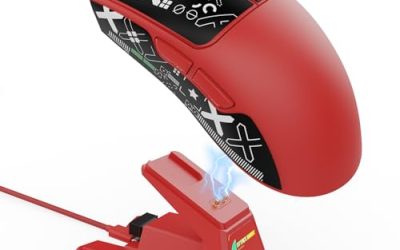
| ASUS ROG Spatha X Wireless Gaming Mouse | MMO players who want a full grid plus wireless | 12 programmable buttons |
| SteelSeries Aerox 5 Wireless | Fast-paced players who want buttons without the bulk | 9 programmable buttons in an ultralight wireless shell |
How to Choose
Button Count vs Layout
Count alone tells you little; placement decides whether extra inputs get used or ignored. A twelve-button thumb grid suits MMO and MOBA players who fire long ability rotations, because every skill sits under one thumb in a fixed pattern. Clustered side buttons — two or three larger keys — suit FPS players who bind melee, ping and push-to-talk and need each press to be unmistakable mid-fight. Tilt-click scroll wheels add two more inputs without crowding the thumb, useful for leaning or weapon swaps. Match the layout to the genre you play most, not the longest feature list.
Software and Onboard Memory
Every extra button is only as good as the software behind it. G HUB, Synapse, iCUE and Armoury Crate all remap keys and record macros, but they differ in how cleanly per-game profiles switch when you launch a title. Onboard memory matters if you play on more than one machine: profiles stored on the mouse travel with it, while software-only setups reset to defaults on a PC without the app installed. Check whether macros support delays and repeated loops if you play strategy games, and whether the app must run in the background for your bindings to work at all.
Connection and Battery for Wireless Picks
Wireless programmable mice split into two camps. Lightspeed and 2.4 GHz dongle connections give the low-latency link competitive play needs, and the dongle also carries the profile switching on most models. Bluetooth is the convenience mode: fine for a laptop or tablet, but slower and usually locked to fewer active profiles. Battery design shapes daily use just as much — a built-in cell with USB-C charging tops up between matches, while AA-powered mice trade that convenience for months between swaps. If a mouse offers both a dongle and Bluetooth, plan to game on the dongle and save Bluetooth for work.
Shape and Weight With a Full Button Load
Button-heavy mice run large and heavy, because grids, tilt wheels and weight systems all need room inside the shell. A 168 g MMO mouse feels planted during long raid sessions but punishes the quick lifts and flicks of a low-sensitivity FPS player, while a 74 g wireless shell stays agile yet offers fewer inputs. Grip style decides reach: palm grippers use the whole thumb panel, fingertip players only reach the front half of it. Measure your current mouse, note where your thumb actually rests, and pick a shape that puts the buttons you need under that spot.
The 5 Best Options
Logitech G502 X Plus Lightspeed Wireless Gaming Mouse
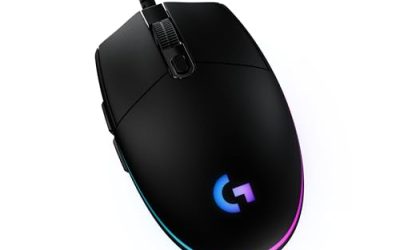
This is the wireless all-rounder of the group, built for players who spread bindings across several genres and want one mouse to cover all of them. Thirteen programmable controls give room for ability keys, a DPI shift and media or push-to-talk functions at the same time, and the dual-mode scroll wheel adds fast scrolling for menus and inventories. Lightspeed wireless keeps it competitive in shooters, USB-C charging keeps downtime short, and the removable DPI-shift button can be flipped or blanked off to match your grip. It suits medium-to-large hands that palm or claw the mouse.
Specs
- 13 programmable controls
- LIGHTFORCE hybrid optical-mechanical switches
- HERO 2 sensor
- Lightspeed wireless with USB-C charging
- Removable, reversible DPI-shift button
- Dual-mode hyper-fast scroll wheel
- About 106 g
Best for: players who want one wireless mouse with a control for every genre and job.
Watch out for: there is no Bluetooth — it is Lightspeed-or-cable only, so it cannot double as a travel mouse for a tablet; the detachable DPI-shift button is small and easy to misplace.
ASIN: B092CB69Q4
Razer Basilisk V3
The Basilisk V3 is the wired pick for players who want their extra inputs clustered rather than gridded. Eleven programmable buttons include a multi-function trigger by the thumb and a HyperScroll wheel that clicks left and right as well as down, so lean, ping and push-to-talk can all live on the mouse without a side grid. The free-spin wheel mode speeds through long menus and inventories, and onboard profile memory keeps your bindings when you move PCs. It fits right-handed palm and claw players who like a sculpted, planted shape and never want to think about charging.
Specs
- 11 programmable buttons including a multi-function trigger
- HyperScroll wheel with tilt inputs and free-spin mode
- Razer optical switches Gen-3
- Focus+ 26K sensor
- Wired Speedflex cable
- About 101 g
- Onboard profile memory
Best for: FPS and MOBA players who want tilt-wheel extras and a thumb trigger on a wired mouse.
Watch out for: it is wired only; the tilt-wheel side clicks are easy to trigger by accident until the actuation is tuned in Synapse; it is a large, heavy right-handed shape — the opposite of a small-hand pick.
ASIN: B09C13PZX7
Corsair Nightsword RGB Gaming Mouse
The Nightsword is built for FPS and MOBA players who treat weight and balance as settings, not fixed facts. Ten programmable buttons include a dedicated sniper button that drops sensitivity while held, which suits scoped play, and the tunable weight system lets you add mass and shift the center of mass until the mouse tracks the way you like. iCUE handles remapping and macros, and onboard profile storage keeps up to three setups on the mouse itself. It is a large right-handed shell, so it rewards palm grippers with bigger hands who play at their own desk.
Specs
- 10 programmable buttons
- 18,000 DPI optical sensor
- Tunable weight system with weights included and center-of-mass readout in iCUE
- Dedicated sniper button
- Onboard profile storage
- iCUE remapping and macros
Best for: FPS and MOBA players who want a sniper button and adjustable weight and balance.
Watch out for: even with weights removed it is a heavy mouse by current standards — buyers chasing the ultralight trend should look elsewhere; full remapping needs iCUE installed.
ASIN: B07QX9C9WH
ASUS ROG Spatha X Wireless Gaming Mouse
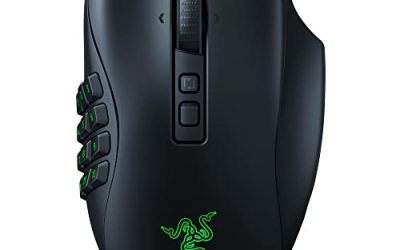
The Spatha X is the heavyweight MMO and MOBA option, a big right-handed mouse carrying twelve programmable buttons arranged for ability rotations. It runs wired or over 2.4 GHz wireless, so it can stay plugged in at a main desk or go untethered without giving up the grid. Push-fit switch sockets let you swap the main switches when they wear or when you want a different click feel, and spare switches are included in the box. The magnetic charging stand keeps it topped up between sessions. Large-handed palm grippers who play long sessions will get the most from it.
Specs
- 12 programmable buttons
- Wired and 2.4 GHz wireless connection
- 19,000 DPI optical sensor
- Push-fit switch sockets with spare switches included
- Magnetic charging stand
- ROG Armoury Crate remapping
- About 168 g
Best for: MMO and MOBA players who want a full button layout with wireless freedom.
Watch out for: it is one of the biggest, heaviest gaming mice sold — large hands and palm grip only; the charging stand claims permanent desk space.
ASIN: B09726KT4R
SteelSeries Aerox 5 Wireless

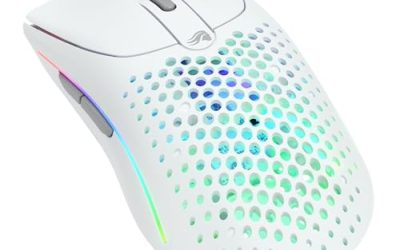
The Aerox 5 Wireless is the pick for players who want programmable inputs without giving up a light, fast mouse. Nine programmable buttons include a five-button side panel with an up/down flick switch, which works well for weapon swaps, building edits or push-to-talk while keeping the shell at about 74 g. Dual wireless — 2.4 GHz for play and Bluetooth for a second machine — plus an IP54 water-resistant shell make it easy to live with, and the battery stretches up to 180 hours. It suits small-to-medium hands and claw or fingertip grips better than the bigger mice here.
Specs
- 9 programmable buttons including a 5-button side panel with an up/down flick switch
- TrueMove Air sensor, 18,000 CPI, 400 IPS, 40G
- 2.4 GHz and Bluetooth dual wireless
- Up to 180-hour battery
- IP54 water-resistant shell
- About 74 g
Best for: fast-paced players who want side buttons in a light wireless mouse.
Watch out for: the side panel’s flick switch sits where a thumb naturally rests — it takes retraining and is easy to hit mid-fight at first; the honeycomb-style shell is open to dust and crumbs.
ASIN: B07K1X9NXM
Which One Fits Your Situation
You Play MMO or MOBA and Want Rotations Off the Keyboard
The Spatha X is the natural fit: twelve programmable buttons give a full rotation a permanent home under your thumb, and it works wired or wireless. If you split time between an MMO and shooters, the G502 X Plus spreads its thirteen controls across both styles instead of committing to a grid.
You Play FPS and Want Utility Keys Without Leaving WASD
The Basilisk V3 puts ping, melee and push-to-talk on its thumb trigger and tilt wheel, so your left hand never leaves movement keys. Prefer wireless and a lighter shell? The Aerox 5 Wireless keeps a five-button side panel at about 74 g, which suits quick lifts and flicks during long sessions.
You Remap One Mouse Between Games and Office Work
The G502 X Plus handles this best: per-game profiles in G HUB can sit alongside a work profile with copy, paste and window shortcuts, and Lightspeed keeps the gaming side lag-free. The Nightsword is the wired alternative, with onboard storage that carries your profiles between a work PC and a gaming PC.
You Stream and Want Scene and Mute Controls on the Mouse
Bind scene switches, mute and replay saves to the G502 X Plus — thirteen controls leave spares after your game bindings are set. The Basilisk V3 also works well here, since its tilt wheel and trigger give streamers distinct, hard-to-miss inputs that are easy to hit without looking down mid-stream.
Common Mistakes
- Buying the highest button count when your main game only needs two or three extra inputs, then ignoring the grid you paid for.
- Forgetting that bindings live in software — a mouse with no onboard memory loses its profiles on any PC without the app installed.
- Pairing a heavy button-loaded mouse with a low-sensitivity FPS style that needs constant lifting and fast flicks.
- Gaming over Bluetooth when the mouse has a 2.4 GHz dongle mode built for low-latency play.
- Skipping the grip check: a thumb panel you cannot reach from your natural grip might as well not exist.
Frequently Asked Questions
How many programmable buttons do I actually need?
Most players use between two and six extra inputs regularly: push-to-talk, melee, ping and one or two ability keys. MMO and MOBA players with long rotations are the exception and can fill a twelve-button grid. Count the keys you reach for in your main game, then buy the layout that covers that number comfortably.
Do macros work in every game?
No. Many competitive games and anti-cheat systems restrict or ban automated macro sequences, especially ones that repeat inputs or combine several actions into a single press. Simple one-key remaps are widely accepted, but check your game’s rules before relying on recorded macros, and keep macros to quality-of-life uses in online play.
Is wireless fast enough for competitive play?
Yes, on the dongle connection. Lightspeed and gaming-grade 2.4 GHz links are built for low-latency play and are used at the top level of competition. Bluetooth is the slower mode and is better saved for work or travel. Keep the receiver close to the mouse and avoid burying it behind a metal case.
Can I use my button profiles on another computer?
Only if the mouse stores profiles onboard or you install the maker’s software on the second machine and sign in to sync. Mice with onboard memory, like the Basilisk V3 and Nightsword here, carry several profiles with them. Without onboard storage, the mouse falls back to default bindings until the app is present.
FAQ
How many programmable buttons do I actually need?
Do macros work in every game?
Is wireless fast enough for competitive play?
Can I use my button profiles on another computer?
More from Amazon
Programs that pair well with the guide above. Offers and eligibility are set by Amazon and may change.
Free shipping on eligible items, Prime Video and more. Eligible new members can start with a free trial.
Start a Prime free trialAd-free music streaming. Eligible new subscribers can start with a free trial.
Try Music Unlimited freeA Prime membership for ages 18-24 with a trial period. Eligibility is set by Amazon.
See Prime for Young AdultsAudiobooks and podcasts to listen to on the go. Eligible new members can start with a free trial.
Try Audible freeAs an Amazon Associate we earn from qualifying purchases.