Our Short List of 3

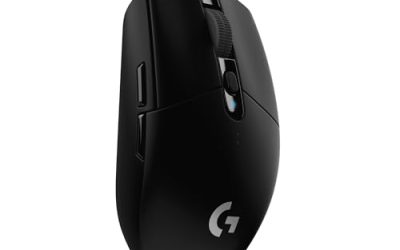
- Best for: Wired players who want the highest polling rate in this set.
- 8000 Hz HyperPolling rate
- Focus+ 20K optical sensor, up to 20,000 DPI
- Gen-2 optical mouse switches, 70-million-click rating
- 71 grams

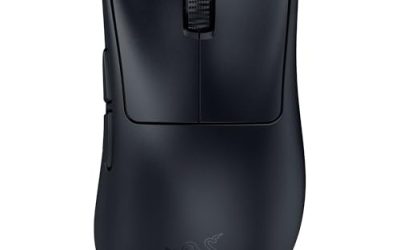
- Best for: Right-handed players who want ergonomic comfort with fast clicks.
- 8000 Hz HyperPolling wireless
- Focus Pro 30K optical sensor, up to 30,000 DPI
- Gen-3 optical mouse switches
- 63 grams
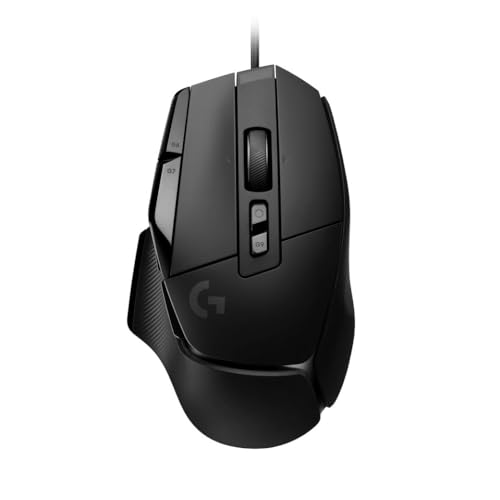
- Best for: Players who want fast hybrid switches with many programmable buttons.
- LIGHTFORCE hybrid optical-mechanical switches
- HERO 25K optical sensor, up to 25,600 DPI
- 13 programmable controls
- 89 grams
All 3 Picks at a Glance
| Product | Specs | Action |
|---|---|---|
| Razer Viper 8KHz |
| Check price on Amazon |
| Razer DeathAdder V3 Pro |
| Check price on Amazon |
| Logitech G502 X |
| Check price on Amazon |
Key takeaways
- Find the best gaming mouse for fast clicking, with optical switches, 8000 Hz polling and light shells that keep every click quick and clean in every match.
Fast clicking is a hardware problem before it is a skill problem: the switch must fire the instant the finger moves, the sensor must report the position just as fast, and the shell must stay light enough that the hand can keep up. A mouse with slow mechanical switches and a low polling rate adds delay to every click, which shows up first in games where the player clicks hundreds of times a minute. The real decision is which part of the chain matters most, because optical switches cut click delay, a high polling rate cuts report delay, and a light shell cuts the effort of moving between clicks.
This guide is for click-heavy game players, competitive shooter fans, and anyone whose games reward rapid, repeated clicks. Each pick below was chosen from the name and specifications on its Amazon product page, so every claim about switches, polling rate and weight traces back to the listing rather than a guess.
Quick Picks
As an Amazon Associate we earn from qualifying purchases.
| Product | Best for | Key spec from title |
|---|---|---|
| Razer Viper 8KHz | Wired 8000 Hz polling for instant reports | 8000 Hz polling, 20,000 DPI sensor |
| Razer Viper V3 Pro | Wireless speed with a 54-gram shell | 8000 Hz wireless, 35,000 DPI sensor |
| Razer DeathAdder V3 Pro | Ergonomic speed for long sessions | 8000 Hz wireless, 30,000 DPI sensor |
| Logitech G502 X | Hybrid switches with a familiar layout | LIGHTFORCE switches, 25,600 DPI sensor |
How to Choose
Switch type and click feel
The switch decides how fast a click registers, so read the listing for the switch family it names. Optical switches fire with a light beam instead of metal contacts, which removes the debounce delay that mechanical switches need to avoid double clicks. Hybrid switches mix optical speed with a mechanical click feel for players who want feedback under the finger. Click force matters too: a light switch near 60 grams of force tires the finger less during long clicking sessions, while a heavier switch guards against accidental clicks. Check the switch name and its rated click lifetime on the listing.
Polling rate and report speed
Polling rate sets how often the mouse reports its position to the PC, and a higher rate means fresher data for every click and movement. A standard 1000 Hz rate reports once per millisecond, which feels instant to most players, while an 8000 Hz rate reports eight times as often and can sharpen tracking in fast games. The gain is subtle on a standard monitor, yet it stacks with fast switches when the player clicks rapidly. Note whether the high rate works over wireless or only over a cable, since some mice need a dongle or a wired link to reach it.
Weight and shell shape
A light shell lets the hand reposition between clicks without fighting inertia, which matters when the player clicks hundreds of times a minute. Mice near 50 to 60 grams move fastest, while shells near 90 grams feel steadier for players who anchor the hand. The shape matters as much as the weight: an ambidextrous low-profile shell suits fingertip and claw grips, while an ergonomic right-handed shell supports the palm through long sessions. Check the listed weight and the grip style the shape suits before ordering.
Sensor and DPI stability
The sensor must hold tracking steady while the hand clicks rapidly, because a sensor that spins out during fast movement wastes every click after it. A modern optical sensor tracks cleanly at high speeds and stays accurate during quick repositioning between targets. The top DPI number matters less than stable tracking in the 800 to 1600 DPI band, where most fast-clicking players set their sensitivity. Look for the sensor name on the listing and favor a proven sensor over a headline figure.
The 4 Best Options
Razer Viper 8KHz
- Best for: Wired players who want the highest polling rate in this set.
- 8000 Hz HyperPolling rate
- Focus+ 20K optical sensor, up to 20,000 DPI
- Gen-2 optical mouse switches, 70-million-click rating
- 71 grams
Wired players who want the highest polling rate in this set.
The 8000 Hz rate needs a capable PC to show its full benefit, so check the system requirements on the listing.
The Viper 8KHz is the wired pick for players who want the fastest report rate possible. Its 8000 Hz HyperPolling reports the position eight times per millisecond, so every click and movement reaches the PC with almost no delay. Gen-2 optical switches fire with a light beam and carry a 70-million-click rating, while the Focus+ 20K sensor tracks up to 20,000 DPI. At 71 grams the ambidextrous shell moves quickly between targets, and eight programmable buttons cover weapon swaps and macros without crowding the hand.
Watch out for: The 8000 Hz rate needs a capable PC to show its full benefit, so check the system requirements on the listing.
Razer Viper V3 Pro
The Viper V3 Pro brings 8000 Hz polling to a wireless shell, which suits players who want speed without a cable. Its HyperPolling wireless link reports eight thousand times per second, and the Focus Pro 35K sensor tracks up to 35,000 DPI with steady accuracy. Gen-3 optical switches fire cleanly with a light touch, and the 54-gram shell is the lightest in this set, so the hand repositions fast between clicks. HyperSpeed wireless keeps the link stable, and the symmetric shape suits claw and fingertip grips on either side of the desk.
Specs
- 8000 Hz HyperPolling wireless
- Focus Pro 35K optical sensor, up to 35,000 DPI
- Gen-3 optical mouse switches
- 54 grams
- HyperSpeed wireless connection
Best for: Competitive players who want wireless freedom with top polling speed.
Watch out for: The light shell and low profile suit small to medium hands best, so large palms should check the shape.
Razer DeathAdder V3 Pro
- Best for: Right-handed players who want ergonomic comfort with fast clicks.
- 8000 Hz HyperPolling wireless
- Focus Pro 30K optical sensor, up to 30,000 DPI
- Gen-3 optical mouse switches
- 63 grams
Right-handed players who want ergonomic comfort with fast clicks.
The shape is right-handed only, so left-handed players should look elsewhere.
The DeathAdder V3 Pro is the ergonomic pick for players who click fast for hours. Its right-handed shell fills the palm and supports long sessions, while 8000 Hz HyperPolling wireless keeps every click reporting at top speed. The Focus Pro 30K sensor tracks up to 30,000 DPI, and Gen-3 optical switches fire with a crisp, light click. At 63 grams it stays quick across the pad despite the fuller shape, and the smooth-touch finish keeps the grip secure without sticky panels.
Watch out for: The shape is right-handed only, so left-handed players should look elsewhere.
Logitech G502 X
- Best for: Players who want fast hybrid switches with many programmable buttons.
- LIGHTFORCE hybrid optical-mechanical switches
- HERO 25K optical sensor, up to 25,600 DPI
- 13 programmable controls
- 89 grams
Players who want fast hybrid switches with many programmable buttons.
The heavier shell trades some flick speed for stability, so pure flick-shot players may prefer a lighter pick.
The G502 X suits players who want fast clicks in a familiar button-rich layout. Its LIGHTFORCE hybrid switches combine optical speed with a mechanical click feel, so each press fires quickly yet still feels solid under the finger. The HERO 25K sensor tracks up to 25,600 DPI, and thirteen programmable controls cover macros, DPI shifts and push-to-talk. At 89 grams the shell is heavier than the ultralight picks here, yet the shape anchors the hand for steady, repeated clicking through long sessions.
Watch out for: The heavier shell trades some flick speed for stability, so pure flick-shot players may prefer a lighter pick.
Which One Fits Your Situation
You want the fastest wired clicks possible
Pick the Viper 8KHz. Its 8000 Hz polling and Gen-2 optical switches cut delay at both ends of the chain, and the 71-gram shell moves quickly between targets. The wired link never needs charging. The Focus+ 20K sensor tracks up to 20,000 DPI, and the eight programmable buttons cover weapon swaps without crowding the hand.
You want wireless speed with the lightest shell
Pick the Viper V3 Pro. At 54 grams with 8000 Hz wireless polling and Gen-3 optical switches, it is the quickest package here for players who reposition constantly. The symmetric shape suits claw and fingertip grips. HyperSpeed wireless keeps the link stable through fast matches, and the Focus Pro 35K sensor tracks up to 35,000 DPI with steady accuracy.
You click fast for hours and need palm support
Pick the DeathAdder V3 Pro. The ergonomic shell fills the palm through long sessions, while 8000 Hz wireless polling and Gen-3 optical switches keep every click fast. The 63-gram weight stays quick despite the fuller shape. The smooth-touch finish keeps the grip secure when the palm sweats, and the Focus Pro 30K sensor tracks up to 30,000 DPI.
You want fast clicks with many buttons
Pick the G502 X. LIGHTFORCE hybrid switches fire quickly with a solid feel, and thirteen programmable controls hold macros and DPI shifts. The familiar shape anchors the hand for steady clicking. The HERO 25K sensor reaches 25,600 DPI, and the dual-mode scroll wheel switches between free spin and notched steps for different games.
Common Mistakes
- Chasing the highest polling rate while ignoring switch feel, when a heavy switch tires the finger long before the polling rate matters.
- Setting DPI too high and watching the cursor jump past targets between clicks.
- Buying an ultralight mouse without checking the grip, because a shell that cramps the hand slows clicking more than weight ever will.
- Forgetting that some mice only reach 8000 Hz with a dongle or a wired link, then wondering why the wireless rate stays lower.
- Practicing click speed on a worn mouse pad, where friction varies across the surface and hides the real problem.
Frequently Asked Questions
Do optical switches really click faster?
Yes, slightly. Optical switches fire with a light beam instead of metal contacts, so they skip the debounce delay that mechanical switches need to prevent double clicks. The gap is measured in milliseconds, yet it adds up across hundreds of clicks a minute in fast games.
Is 8000 Hz polling worth it?
For competitive players on capable hardware, yes. An 8000 Hz rate reports the mouse position eight times per millisecond, which sharpens tracking and click timing. On a standard monitor with a modest PC the difference is subtle, so casual players gain less from it.
Does mouse weight affect clicking speed?
Indirectly, yes. A lighter shell lets the hand reposition between clicks with less effort, which keeps rapid clicking going longer before fatigue sets in. The switch itself sets the click speed, while the weight sets how long the hand can keep up that pace.
Can I improve click speed without buying a new mouse?
Partly. A clean mouse pad, a comfortable DPI setting and a relaxed grip all help, and some software lets the buyer tune debounce time. Yet the switch and polling rate set a hard ceiling, so a mouse with slow switches will always cap the click rate.
Fast clicking comes from the whole chain working together: a quick switch, a high polling rate, a light shell and a steady sensor. Any of the four picks above covers that chain well, so the buyer should match the mouse to the grip and the games rather than chasing a single number on the box.
FAQ
Do optical switches really click faster?
Is 8000 Hz polling worth it?
Does mouse weight affect clicking speed?
Can I improve click speed without buying a new mouse?
More from Amazon
Programs that pair well with the guide above. Offers and eligibility are set by Amazon and may change.
Free shipping on eligible items, Prime Video and more. Eligible new members can start with a free trial.
Start a Prime free trialAd-free music streaming. Eligible new subscribers can start with a free trial.
Try Music Unlimited freeA Prime membership for ages 18-24 with a trial period. Eligibility is set by Amazon.
See Prime for Young AdultsAudiobooks and podcasts to listen to on the go. Eligible new members can start with a free trial.
Try Audible freeAs an Amazon Associate we earn from qualifying purchases.