Key takeaways
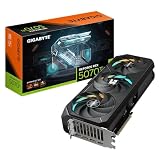
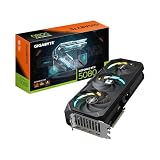
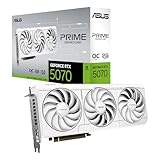
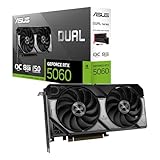
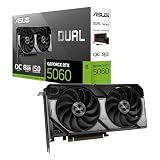
- Resolution target: Match your GPU to your monitor first — a 1440p or 4K panel needs at least an RTX 5070-class card, while 1080p gaming is well served by an RTX 5060.
- CPU-GPU balance: Don’t pair a flagship GPU with a budget CPU or vice versa; look for builds where both components sit in the same performance tier to avoid bottlenecks.
- Core count vs. gaming clocks: Games generally favor high single-core speed over raw core count, so a fast 6-core CPU like the i5-14600K or Ryzen 5 9600X often outperforms a slower 12-core chip in frame rates.
- RAM and speed: 16GB DDR5 is the current baseline for gaming, but 32GB is worth the upgrade if you stream, multitask, or plan to keep the PC for several years.
- Cooling and PSU headroom: Liquid coolers and 80+ Gold power supplies rated well above your components’ combined draw keep temps and noise in check during long sessions.
What's inside
Pairing the right CPU with the right GPU is one of the most confusing parts of buying a gaming PC in 2026. Bottleneck one component with a weaker partner and you’re leaving performance on the table, whether that means a beastly graphics card starved by an underpowered processor or a high-end CPU wasted on a mid-range GPU that can’t keep up in modern titles.
This guide breaks down six prebuilt gaming desktops that pair CPUs and GPUs thoughtfully for different budgets and use cases, from 1080p esports rigs to 1440p and 4K powerhouses. We’ll cover what to look for in a balanced build, review the standout options, and answer the questions we hear most from gamers shopping for their next machine.
As an Amazon Associate we earn from qualifying purchases.


🎮 Get More From Your Setup — Free
Prime Gaming gives you free PC games every month, in-game loot, and a free Twitch channel sub — plus fast free shipping on all the gear above. New members get a 30-day free trial.
Watch: Best CPU And GPU Combo For Gaming — Video Review
How to Choose a CPU And GPU Combo For Gaming (2026)
- Resolution target: Match your GPU to your monitor first — a 1440p or 4K panel needs at least an RTX 5070-class card, while 1080p gaming is well served by an RTX 5060.
- CPU-GPU balance: Don’t pair a flagship GPU with a budget CPU or vice versa; look for builds where both components sit in the same performance tier to avoid bottlenecks.
- Core count vs. gaming clocks: Games generally favor high single-core speed over raw core count, so a fast 6-core CPU like the i5-14600K or Ryzen 5 9600X often outperforms a slower 12-core chip in frame rates.
- RAM and speed: 16GB DDR5 is the current baseline for gaming, but 32GB is worth the upgrade if you stream, multitask, or plan to keep the PC for several years.
- Cooling and PSU headroom: Liquid coolers and 80+ Gold power supplies rated well above your components’ combined draw keep temps and noise in check during long sessions.
The Best CPU And GPU Combo For Gaming (2026)s Reviewed
Corsair Vengeance i7500 (i5-14600K + RTX 5060)
This build pairs Intel’s excellent i5-14600K with an RTX 5060 for a well-matched 1080p-to-1440p rig, and the liquid cooler keeps the CPU quiet even under sustained load. It’s a smart pick for gamers who want Intel’s single-core gaming strength without overspending on a GPU tier the CPU can’t fully feed.
Corsair Vengeance a7500 (Ryzen 5 9600X + RTX 5060)
Swapping in AMD’s Ryzen 5 9600X delivers similar frame rates to the Intel variant with lower power draw and less heat, making it the quieter, more efficient choice of the two Vengeance builds. It’s an easy recommendation for anyone who prioritizes efficiency and a cooler case over raw clock speed.
iBUYPOWER Y40 PRO (Ryzen 9 7900X + RTX 5070 Ti)
This is the most powerful combo on the list, with a 12-core Ryzen 9 7900X and a 16GB RTX 5070 Ti that comfortably handle 1440p high-refresh and 4K gaming. The 32GB of RAM and 2TB SSD also make it a strong choice for streaming or content creation alongside gaming.
iBUYPOWER Element (Ryzen 9 7900X + RTX 5070)
The same capable Ryzen 9 7900X pairs with a slightly toned-down RTX 5070, giving you nearly the same CPU performance as the Y40 PRO at a lower GPU tier and price point. It’s a solid middle-ground pick for 1440p gamers who don’t need the Ti’s extra headroom.
KOTIN Prebuilt (Ryzen 7 9700X + RTX 5070)
The Ryzen 7 9700X is one of AMD’s most efficient current-gen chips, and paired with an RTX 5070, a 360mm liquid cooler, and an 850W Gold PSU, this build is tuned for sustained 1440p performance with room to spare. The smart display and WiFi 7 are nice extras, though the core CPU-GPU pairing is what makes it a standout value.
Frequently Asked Questions
Is it better to prioritize the CPU or GPU for gaming?
For most modern games, the GPU has a bigger impact on frame rates, especially at 1440p and 4K, but an underpowered CPU can still create stutters and bottlenecks, so balance matters more than maxing out either component alone.
Do I need 32GB of RAM for gaming in 2026?
16GB is still adequate for most current titles, but 32GB gives you more headroom for background apps, streaming software, and future game releases that continue to increase memory demands.
Does AMD or Intel matter more when picking a combo?
Both current-gen AMD Ryzen and Intel Core chips perform similarly well in gaming when matched to an appropriate GPU tier, so platform choice usually comes down to efficiency, price, and personal preference rather than a clear performance winner.
How important is the power supply and cooling in a prebuilt?
Very important — an 80+ Gold PSU with headroom above your components’ combined draw and a capable liquid or air cooler directly affect long-term stability, noise levels, and how well the system handles demanding games during extended play sessions.
Final Thoughts
For most gamers, the iBUYPOWER Y40 PRO stands out as the best all-around combo thanks to its well-matched Ryzen 9 7900X and RTX 5070 Ti pairing, while the KOTIN Prebuilt offers excellent value for 1440p gaming, and the Corsair Vengeance a7500 is the top pick for anyone who wants a quieter, efficient 1080p-to-1440p build.