Key takeaways
- DLSS 4 multi-frame generation delivers huge frame-rate gains in supported titles across the whole lineup.
- Fast GDDR7 memory and PCIe 5.0 keep even mid-range cards fed and future-facing.
- Options for every resolution, from budget 1080p 5060s to 4K-capable 5080s.
- SFF-ready models make high performance viable in compact builds.
What's inside
Nvidia’s RTX 50 series represents the biggest generational shift in years, bringing the Blackwell architecture, ultra-fast GDDR7 memory, and DLSS 4 with multi-frame generation to graphics cards up and down the stack. Whether you’re building a 1080p esports rig or chasing 4K path tracing, there’s a 50-series card aimed at your resolution and budget — the challenge is matching the right tier to your monitor and the games you actually play.
From the accessible RTX 5060 to the high-end 5080, the lineup covers a wide spread of performance and price. We’ve assessed the standout models across the range to help you understand what each tier delivers and which card gives you the best experience for your setup.
As an Amazon Associate we earn from qualifying purchases.


🎮 Get More From Your Setup — Free
Prime Gaming gives you free PC games every month, in-game loot, and a free Twitch channel sub — plus fast free shipping on all the gear above. New members get a 30-day free trial.
Watch: Rtx 50 Series Gpu: Review & Buyer’s Guide — Video Review
Design & Build
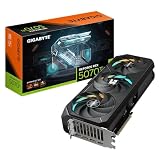
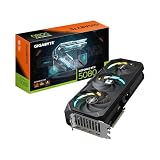
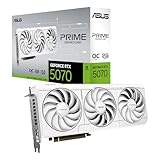
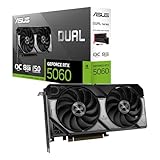
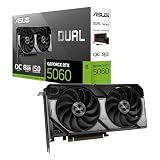
The RTX 50 series spans compact dual-fan cards to hefty triple-fan coolers, and board partners have iterated smartly. ASUS’s Dual-series cards — the Dual RTX 5060 Ti 16GB, Dual RTX 5060 8GB, and the SFF-Ready Prime 5060 Ti — favor a clean, quiet 2.5-slot design with 0dB technology that stops the fans entirely at low loads. The SFF-Ready models are specifically validated for small-form-factor cases, a genuine boon for compact builders. At the higher end, the ASUS TUF RTX 5080 and triple-fan PNY RTX 5080 Epic-X ARGB bring beefier cooling and, in the PNY’s case, addressable RGB, while the GIGABYTE RTX 5070 AERO OC pairs its WINDFORCE cooler with a stylish white aesthetic. All support the latest PCIe 5.0 and HDMI/DisplayPort 2.1 outputs.
Performance
Performance scales predictably with tier. The RTX 5060 and 5060 Ti are the 1080p and entry-1440p champions, with the 16GB Ti variant offering meaningfully more headroom for higher settings and future titles thanks to its larger VRAM buffer — a smart choice over the 8GB models if you can stretch. The RTX 5070, represented here by the GIGABYTE AERO OC, steps up to comfortable 1440p high-refresh gaming and dabbles in 4K with DLSS. At the top, the RTX 5080 — in both the ASUS TUF and PNY Epic-X forms — is a genuine 4K card that handles demanding titles at high frame rates, especially with DLSS 4’s multi-frame generation doing heavy lifting. Across every tier, DLSS 4 dramatically boosts effective frame rates in supported games.
Pros & Cons
- DLSS 4 multi-frame generation delivers huge frame-rate gains in supported titles across the whole lineup.
- Fast GDDR7 memory and PCIe 5.0 keep even mid-range cards fed and future-facing.
- Options for every resolution, from budget 1080p 5060s to 4K-capable 5080s.
- SFF-ready models make high performance viable in compact builds.
- 8GB VRAM on entry cards can limit texture settings in some modern titles — the 16GB variants age better.
- Higher tiers draw more power, so confirm your PSU has the capacity and connectors.
- Pricing varies widely between partner models, so shop the specific card, not just the tier.
Alternatives to Consider
If your budget sits below the 5060, a previous-generation card or an AMD Radeon competitor may offer similar raster performance for less, though you’ll miss DLSS 4’s frame-generation gains. At the very top, those needing maximum VRAM for professional or AI workloads should look at the flagship 5090 or workstation cards. But for mainstream gaming across 1080p to 4K, the 50-series tiers here cover the field comprehensively.
Frequently Asked Questions
Which RTX 50 series card is best for 1440p gaming?
The RTX 5070 is the natural 1440p high-refresh card, offering strong performance with DLSS headroom. If budget is tighter, the 5060 Ti 16GB handles 1440p well at high settings, especially with upscaling enabled.
Is 8GB of VRAM still enough in 2026?
For 1080p esports and many titles at moderate settings, yes. But some modern games push past 8GB at high textures, so the 16GB 5060 Ti is the safer long-term choice if you can afford it.
What is DLSS 4 multi-frame generation?
It’s Nvidia’s AI technique that generates additional frames between rendered ones, sharply increasing perceived frame rates in supported games. It’s a headline feature of the 50 series and works across the lineup.
Do I need a new power supply for a 50-series card?
Entry cards like the 5060 are modest, but a 5080 draws considerably more. Check your PSU’s wattage and connector type against the specific card’s requirements before upgrading.
Verdict
The RTX 50 series has a card for nearly everyone. For 4K, the ASUS TUF RTX 5080 is our pick of the high-end options, while the RTX 5070 AERO OC is the 1440p sweet spot. Budget-focused 1080p builders should favor the RTX 5060 Ti 16GB over the 8GB models for better longevity. Match the tier to your monitor’s resolution and you’ll get the most from Blackwell.