Key takeaways
- Balance matters: A weak CPU limits a strong GPU, especially at 1080p where the processor works hardest.
- Higher resolutions ease CPU load: At 1440p and 4K the GPU becomes the limiting factor, so the CPU matters slightly less.
- Match the tier: Pair mid-range CPUs with mid-range GPUs, and save flagship chips for flagship cards.
What's inside
The processor is the brain of your gaming PC, coordinating everything from physics and AI to feeding your graphics card the data it needs. Yet choosing one in 2026 can feel overwhelming: core counts, cache sizes, clock speeds, and competing platforms from AMD and Intel all clamor for attention. Pick too weak a chip and it bottlenecks your GPU; overspend and you pour money into cores your games never use.
This guide cuts through the jargon and focuses on what actually matters for gaming performance. You will learn how cores, clock speed, and cache influence frame rates, how to avoid bottlenecks, and how to match a CPU to your GPU and budget. The recommended processors below span budget to flagship, so there is a fit for every build.
As an Amazon Associate we earn from qualifying purchases.








⚡ Save on Your Next PC — Amazon Prime
Prime members get fast free shipping on the systems above, plus early access to Prime Day & Black Friday PC deals. New members get a 30-day free trial.
Watch: How to Choose a Gaming CPU (2026 Guide) — Video Review
Cores, Threads, and Clock Speed
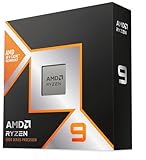
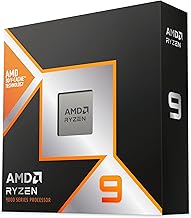
Cores are independent processing units, and threads are the tasks they handle. Most games favor strong performance across six to eight cores rather than raw core count, which is why a chip like the AMD Ryzen 5 9600X (6-core) games beautifully. Clock speed, measured in GHz, determines how fast each core works. For pure gaming, high per-core speed and a handful of fast cores usually beat a many-core workstation chip like the 16-core Ryzen 9 9950X3D unless you also stream or edit video.
Why Cache Matters for Gaming
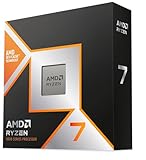
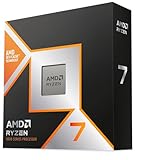
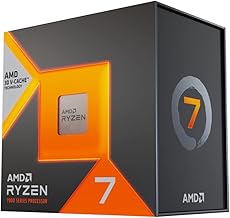
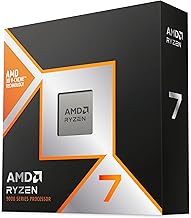
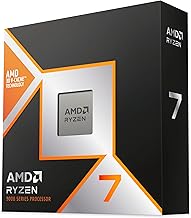
Cache is ultra-fast memory built into the CPU, and games love it. AMD’s 3D V-Cache chips stack extra cache to dramatically boost frame rates in cache-sensitive titles. The AMD Ryzen 7 9800X3D and the Ryzen 7 7800X3D are prime examples, often outperforming pricier processors in games despite modest core counts. If gaming is your priority, a large cache frequently delivers more real-world frames than chasing higher clock speeds alone.
Avoiding CPU and GPU Bottlenecks
- Balance matters: A weak CPU limits a strong GPU, especially at 1080p where the processor works hardest.
- Higher resolutions ease CPU load: At 1440p and 4K the GPU becomes the limiting factor, so the CPU matters slightly less.
- Match the tier: Pair mid-range CPUs with mid-range GPUs, and save flagship chips for flagship cards.
Choosing Your Platform
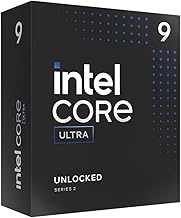
AMD and Intel both offer excellent gaming chips in 2026. AMD’s AM5 platform, home to the 9800X3D and budget-friendly Ryzen 5 5500, tends to lead in gaming efficiency and offers a long upgrade path. Intel counters with strong hybrid designs like the Core i7-14700K and the Core Ultra 7 270K, which pair gaming performance with plenty of cores for multitasking. Your choice affects motherboard, memory, and future upgrades, so consider the whole platform, not just the chip.
Matching CPU to Your Budget
Spend where it counts. On a tight budget, a chip like the Ryzen 5 5500 with its included cooler delivers solid frames for the money. In the mid-range, the Ryzen 5 9600X or Core i7-14700KF balance gaming and everyday work. For a no-compromise gaming rig, the Ryzen 7 9800X3D is a standout. Remember to budget for cooling and a compatible motherboard, and avoid overspending on cores your games will not use.
Tips
- For gaming first, prioritize a strong 6 to 8 core chip with high clock speed or 3D V-Cache over raw core count.
- Match your CPU tier to your GPU tier so neither component holds the other back.
- Factor in cooling; high-performance chips often need a capable air or liquid cooler.
- Check motherboard socket and BIOS compatibility before buying to avoid surprise upgrades.
Frequently Asked Questions
How many cores do I need for gaming?
Six to eight cores is the sweet spot for gaming in 2026. Most titles cannot use more, so a fast 6 or 8 core chip usually outperforms a slower many-core processor in games.
Is AMD or Intel better for gaming?
Both are excellent. AMD’s X3D chips often lead in pure gaming frame rates and efficiency, while Intel offers strong all-round performance for gamers who also multitask heavily. Choose based on your budget and platform preference.
What is 3D V-Cache and does it help?
It is extra stacked cache on certain AMD chips that boosts frame rates in many games. For gaming-focused builds, a V-Cache chip like the 9800X3D is often the best value in real-world performance.
Will my CPU bottleneck my graphics card?
It can if the CPU is much weaker than the GPU, most noticeably at 1080p. Pairing components of similar tiers and gaming at higher resolutions reduces the risk of a CPU bottleneck.
Conclusion
Choosing a gaming CPU comes down to balance: enough fast cores and cache to feed your graphics card without overspending on capabilities games never touch. For most players a strong 6 to 8 core chip, or a 3D V-Cache processor for maximum frames, hits the mark. Match it to your GPU, platform, and budget, and any of the recommended processors above will anchor a capable 2026 build.