Key takeaways
- Vanilla or light mods: 16GB system RAM, with 4–6GB allocated to Minecraft.
- Shaders and medium modpacks: 32GB system RAM, with 6–8GB allocated.
- Large modpacks, servers, or high-resolution assets: 32–64GB system RAM, usually with 8–12GB allocated.
- DDR5-6000 with a sensible latency rating is a strong AM5 starting point, provided the motherboard and memory kit are stable together.
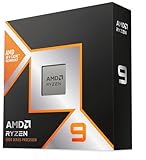
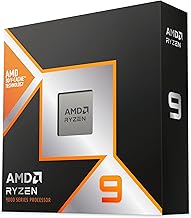
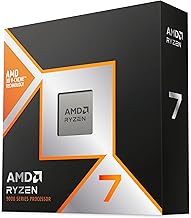
The best CPU for Minecraft in 2026 is the AMD Ryzen 7 9800X3D for demanding Java Edition play: its strong single-core speed and large 3D V-Cache help maintain high minimum FPS with shaders, simulation-heavy farms, and large modpacks.
Quick picks by Minecraft situation
| Player situation | Recommended CPU | Target use | Typical CPU market range |
|---|---|---|---|
| Maximum Java Edition FPS | AMD Ryzen 7 9800X3D | 144–240Hz, shaders, heavy mods | Usually $450–$600 |
| Premium value for an existing AM5 system | AMD Ryzen 7 7800X3D | 144Hz, shaders, modded survival | Usually $300–$450 |
| Balanced new gaming build | AMD Ryzen 5 9600X | 144Hz with a midrange or high-end GPU | Usually $220–$320 |
| Lower-cost 144Hz build | AMD Ryzen 5 7600 | Vanilla, performance mods, moderate shaders | Usually $170–$240 |
| Gaming plus heavy background work | Intel Core i7-14700K | Minecraft alongside streaming, compiling, or rendering | Usually $320–$450 |
These ranges are broad market estimates and vary by region, sales, and whether a cooler is included. The CPU alone cannot guarantee a frame rate: resolution, render distance, shader quality, GPU, world complexity, and server performance all matter.
Why single-core performance matters in Minecraft
Java Edition still has important workloads that favor fast individual cores. The main game loop, world updates, entity processing, chunk generation, redstone activity, and parts of rendering can become limited by one or a few threads. More CPU cores help with background tasks and modern optimization mods, but adding cores does not automatically double Minecraft FPS.
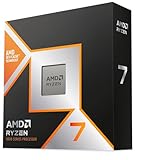
This is why the Ryzen 7 9800X3D and Ryzen 7 7800X3D are especially strong choices. Their large cache can reduce delays when the game repeatedly accesses world data, while high boost clocks keep the main thread responsive. The advantage is most visible in minimum FPS and busy areas rather than in an empty superflat world.
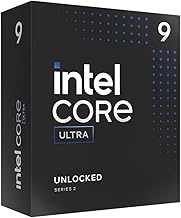
Intel’s Core i5-14600K and Core i7-14700K are also capable Minecraft CPUs. They offer high clock speeds and many total cores, which is useful if the computer must stream, encode video, run a browser with many tabs, or host other services while playing. For a Minecraft-only build, an X3D Ryzen chip often gives the cleaner gaming-focused choice, especially when its platform cost is competitive.
Head-to-head: the best CPU tiers
Best overall: Ryzen 7 9800X3D
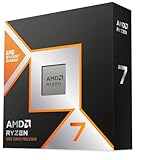
Choose the Ryzen 7 9800X3D when stable high FPS is the priority and the budget includes a capable graphics card. It is suited to Java Edition at 1440p, high simulation distance, demanding shader packs, and large modpacks such as those with machines, automation, world generation, and many entities.
Its eight cores are enough for gaming, recording, voice chat, and ordinary background applications. The main limitation is value: if the GPU is modest or the monitor is only 60–100Hz, the extra CPU headroom may not be visible. It also requires an AM5 motherboard and DDR5 memory.
Best discounted high-end option: Ryzen 7 7800X3D
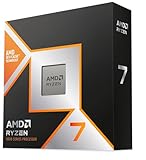
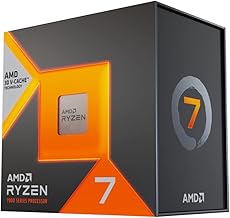
The Ryzen 7 7800X3D remains an excellent choice if its price is meaningfully below the 9800X3D. It is particularly attractive as an upgrade for an existing AM5 owner because a BIOS update may be all that is needed. New buyers should compare the complete cost of CPU, motherboard, and memory rather than looking only at the processor price.
For 144Hz Minecraft with shaders, the 7800X3D has enough gaming performance for most systems. A newer CPU is mainly worthwhile when chasing very high refresh rates, improving heavy modpack minimums, or building a machine intended to last several GPU upgrades.
Best midrange: Ryzen 5 9600X
The six-core Ryzen 5 9600X is a strong middle ground for a new AM5 build. Its single-thread performance is high, and six modern cores are sufficient for Minecraft, Discord, browser use, and light recording. It makes sense when the budget needs to prioritize a stronger graphics card for shaders.
It is less ideal than an X3D model for extremely busy modded bases or very high simulation distances, but it can comfortably support a 144Hz target when paired with a suitable GPU and sensible settings.
Best lower-cost choice: Ryzen 5 7600
The Ryzen 5 7600 is a practical budget CPU for vanilla Minecraft, performance mods, and moderate shader use. It also leaves an upgrade path on AM5. Use it when the total build budget is limited or when the graphics card will be the main performance constraint.
Do not pair a budget CPU with an unnecessarily expensive motherboard. A reliable B650 board, 32GB of DDR5, and a better GPU usually produce a more balanced Minecraft system than a premium board with insufficient memory or graphics power.
Best for Minecraft plus productivity: Core i7-14700K
The Core i7-14700K is a sensible alternative when Minecraft is only one of several demanding workloads. Its combination of performance and efficiency cores gives it substantial multithreaded capacity for streaming, video encoding, development tools, and virtual machines.
It needs more careful cooling and power planning than the efficient gaming-focused Ryzen options. Use a substantial tower cooler or liquid cooler, a motherboard with sensible power limits, and a case with strong airflow. For a pure Minecraft build, the extra productivity capacity may not justify the platform’s power and cooling requirements.
RAM pairing: capacity, speed, and stability
For a new Java Edition build, 32GB of DDR5 is the practical target. It leaves room for Minecraft, the operating system, a browser, voice chat, and mod tools without forcing the game to compete for memory. 16GB can work for vanilla or light modding, but it becomes restrictive with large modpacks and high-resolution texture packs.
- Vanilla or light mods: 16GB system RAM, with 4–6GB allocated to Minecraft.
- Shaders and medium modpacks: 32GB system RAM, with 6–8GB allocated.
- Large modpacks, servers, or high-resolution assets: 32–64GB system RAM, usually with 8–12GB allocated.
- DDR5-6000 with a sensible latency rating is a strong AM5 starting point, provided the motherboard and memory kit are stable together.
Allocating too much RAM is not automatically better. A huge Java heap can increase garbage-collection pauses, so assigning 20GB to Minecraft on a 32GB computer can make the desktop less responsive without improving FPS. Start at 6–8GB for a modded setup and increase it only if the launcher or modpack documentation shows memory pressure.
CPU, GPU, and resolution decision matrix
| Resolution and target | CPU priority | GPU priority | Recommended tier |
|---|---|---|---|
| 1080p, 144Hz, vanilla or light mods | Very high single-core speed | Midrange GPU | Ryzen 5 7600 or Ryzen 5 9600X |
| 1080p, 240Hz, competitive settings | Highest possible main-thread performance | GPU still matters at high FPS | Ryzen 7 9800X3D |
| 1440p, 144Hz, shaders | Strong CPU with good minimums | High priority because shaders are GPU-heavy | Ryzen 5 9600X or Ryzen 7 9800X3D |
| 1440p, heavy modpack and large base | Cache and sustained main-thread speed | High priority for shader rendering | Ryzen 7 9800X3D or 7800X3D |
| Hosting, streaming, and playing together | Gaming speed plus many cores | Separate encoder or strong GPU recommended | Core i7-14700K or Ryzen 7 9800X3D |
Settings that help reach a stable 144 FPS
Start with a frame-rate target rather than an unlimited frame rate. For a 144Hz display, cap Minecraft at 141–144 FPS using the game, a performance mod, or the graphics driver. A cap reduces sudden CPU and GPU spikes and can make frame pacing smoother.
- Set simulation distance to 8–12 chunks. This directly reduces entity, redstone, and world-update work while retaining a useful view.
- Set render distance to 12–20 chunks, then raise it only if the GPU and main thread have spare capacity.
- Use Sodium and Lithium on Fabric where compatible. Sodium reduces rendering overhead, while Lithium optimizes game logic and server-side calculations.
- Use shaders at a moderate preset first. Lower shadow resolution, volumetric effects, and reflections before replacing the CPU; those options are commonly GPU-limited.
- Keep entity distance near 75–100% and reduce particles if busy farms cause dips.
- Measure 1% lows in a busy base or while flying into unexplored chunks. Average FPS in an empty area can hide the exact problem.
A useful diagnosis is to watch utilization while the frame rate is low. One CPU thread near full load with a partly idle GPU indicates a main-thread bottleneck, favoring a faster CPU or lower simulation distance. A GPU near full load indicates that reducing shader quality, resolution, or visual effects will help more than changing processors.
AM5 compatibility and upgrade planning
The Ryzen 5 7600, Ryzen 5 9600X, Ryzen 7