Key takeaways
- Check GPU utilization during the problem. If it is consistently close to full load, the GTX 1080 Ti is probably the main limit. Lowering resolution or graphics settings may increase frame rate only if the GPU was the constraint.
- Watch per-core CPU load and frame-time spikes. One heavily loaded thread can limit a game even when total CPU usage looks modest. Stutters in crowded scenes or simulation-heavy moments can point to a CPU, memory, or game-engine limit.
- Compare 1080p and 1440p. If frame rate barely changes when you increase resolution, the system may be CPU-limited or capped by the game. If it drops noticeably, the GPU is doing more of the limiting.
- Check memory configuration and temperatures. Use dual-channel memory where possible, enable the memory profile supported by your system, and make sure neither CPU nor GPU is overheating and reducing its clock speed.
Best 1080 Ti CPU Pairings: Avoid Bottlenecks
The best 1080 Ti CPU for an affordable gaming build is the AMD Ryzen 5 5600: it works with many existing AM4 motherboards, delivers ample gaming performance for a GTX 1080 Ti, and costs less to upgrade to than a new platform. If you already own a compatible motherboard, it is usually the best value; for a new build, compare its total platform cost with a newer midrange CPU and motherboard.
Choose for your resolution and refresh rate
A CPU pairing is not a fixed guarantee against bottlenecks. The balance depends on the game, resolution, graphics settings, and target frame rate. At 1080p and high refresh rates, the processor has more influence because the GPU has fewer pixels to render. At 1440p, the GTX 1080 Ti usually does more of the work, so spending extra on a premium CPU often produces smaller gains.
Our top picks
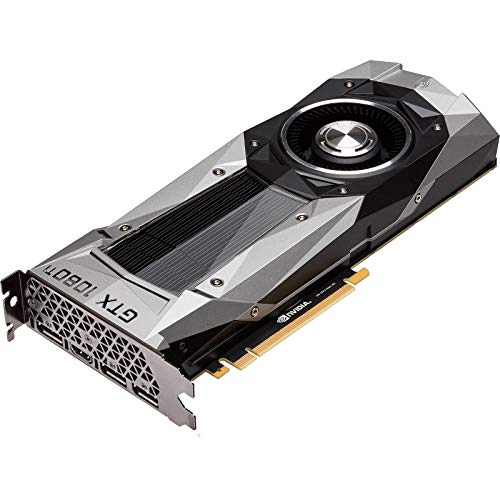
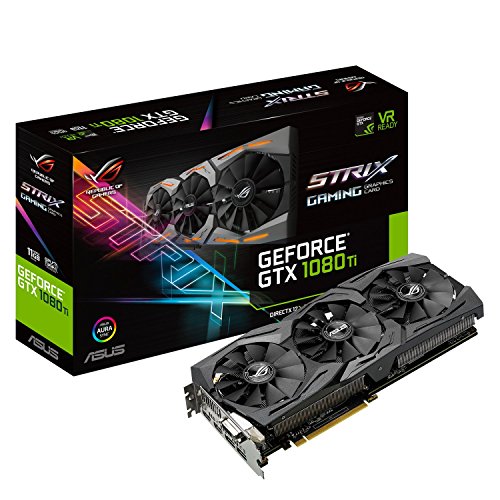


As an Amazon Associate we earn from qualifying purchases at no extra cost to you. Ratings are shown as listed on Amazon.
| Gaming target | Affordable CPU choice | Likely constraint with a GTX 1080 Ti | Upgrade value |
|---|---|---|---|
| 1080p, around 60–100 Hz | Ryzen 5 3600, if already owned | Often GPU-limited in demanding games; older CPU can hold back minimum frame rates in busy scenes | Upgrade only if you see CPU-related stutter or poor frame pacing |
| 1080p, 120–165 Hz | Ryzen 5 5600 | More likely to be CPU-limited in esports and simulation games; GPU-limited in demanding titles | Strong value on a compatible AM4 board |
| 1440p, around 60–100 Hz | Ryzen 5 5600 or Core i5-12400F | Usually GPU-limited at demanding settings | Choose the lower-cost CPU-and-board combination |
| 1440p, 120 Hz or higher | Ryzen 5 5600; Ryzen 7 5700X3D if already on AM4 and targeting high minimums | Mixed: GPU limits many new games, while CPU-heavy games may limit frame rates | Consider the 5700X3D only if the games and target frame rate justify its added cost |
These are practical pairing guidelines, not promised frame rates. The GTX 1080 Ti is an older graphics card, and performance varies substantially between games. Newer titles may also have driver or feature limitations that a faster CPU cannot fix.
CPU pairings worth considering
Best value for an existing AM4 system: Ryzen 5 5600
The six-core, 12-thread Ryzen 5 5600 is the sensible default for most GTX 1080 Ti owners with an AM4 motherboard. It is a meaningful step up from older budget Ryzen processors in CPU-limited games, while avoiding the cost of replacing the motherboard and memory. It is also a good fit for 1440p gaming, where the graphics card often becomes the limiting component.
Check your motherboard’s CPU support list and BIOS version before buying. Some boards need a BIOS update to recognize newer Ryzen 5000-series processors; if the current CPU still works, update the BIOS before swapping it. The 5600 does not include integrated graphics, so the GTX 1080 Ti must be installed for display output.
Lowest-cost option: keep a Ryzen 5 3600 or Core i5-10400F
If your system already has a Ryzen 5 3600 or Intel Core i5-10400F, replacing it just to pair with a GTX 1080 Ti may not be worthwhile. Both can provide a reasonable experience at 1440p or at 1080p with a moderate refresh target. In games with many characters, simulation calculations, or high frame-rate demands, however, an older CPU may show up as uneven frame pacing or lower-than-expected minimums.
Before spending money, check whether the game is actually CPU-limited. If GPU usage stays near full load during the slow sections, a CPU swap is unlikely to solve the main problem.
Good alternative when buying a platform: Core i5-12400F
The Core i5-12400F is a six-core, 12-thread option that can make sense when a compatible motherboard-and-CPU bundle costs less than upgrading an existing AM4 system. It does not have integrated graphics, so keep the GTX 1080 Ti connected for video output. Compare the full platform cost, including the motherboard and any memory replacement—not just the processor price.
For this graphics card, the 12400F and Ryzen 5 5600 occupy a similar practical tier. Choose based on the cheaper compatible platform, features you need, and the possibility of a future CPU upgrade.
AM4 upgrade for stronger CPU-heavy performance: Ryzen 7 5700X3D
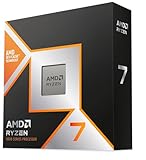
The Ryzen 7 5700X3D is an eight-core AM4 processor with extra cache that can improve performance in some CPU-sensitive games. It is most compelling as a drop-in upgrade for someone who already owns a suitable AM4 board and wants better minimum frame rates or plans to replace the GTX 1080 Ti later. Its advantages shrink when the GPU is already limiting performance, especially at demanding 1440p settings.
It is not automatically the best value for a fresh build. Compare its price with the cost of a newer platform, and verify motherboard support and cooling requirements before purchasing.
A quick way to diagnose the bottleneck
- Check GPU utilization during the problem. If it is consistently close to full load, the GTX 1080 Ti is probably the main limit. Lowering resolution or graphics settings may increase frame rate only if the GPU was the constraint.
- Watch per-core CPU load and frame-time spikes. One heavily loaded thread can limit a game even when total CPU usage looks modest. Stutters in crowded scenes or simulation-heavy moments can point to a CPU, memory, or game-engine limit.
- Compare 1080p and 1440p. If frame rate barely changes when you increase resolution, the system may be CPU-limited or capped by the game. If it drops noticeably, the GPU is doing more of the limiting.
- Check memory configuration and temperatures. Use dual-channel memory where possible, enable the memory profile supported by your system, and make sure neither CPU nor GPU is overheating and reducing its clock speed.
Use the same game scene and settings for comparisons; changing several options at once makes the result hard to interpret. Also check for a frame-rate cap, vertical sync, or background task before buying hardware.
Resolution has a real performance cost
Moving from 1080p to 1440p increases the number of pixels from 2,073,600 to 3,686,400. That is about 78% more pixels per frame. It does not mean every game runs 78% slower—rendering workloads differ, and the GPU may not be fully pixel-bound—but it explains why the GTX 1080 Ti is more likely to become the constraint at 1440p. At 1080p, a fast-refresh target can instead expose CPU limits in games that need frequent simulation or draw calls.
For example, if a game runs at 110 frames per second at 1080p and 90 at 1440p, the 1440p result is about 18% lower, not 78%. That points to a mixed workload: the extra pixels matter, but other parts of the game’s rendering and CPU work still contribute. In that situation, buying a much faster CPU may not recover the difference; lowering demanding GPU settings or using a lower render scale may have more impact.
Budget for the whole system, not just the CPU
Older processors such as the Ryzen 5 3600 and Core i5-10400F can be inexpensive used-market options, while the Ryzen 5 5600 and Core i5-12400F are commonly available as affordable new or used choices. Prices vary by region and availability, so compare general local market ranges and the cost of the full platform. A motherboard, compatible memory, cooler, BIOS support, and power supply can change which option is truly cheaper.
The GTX 1080 Ti also deserves a power and condition check in a used build. Many cards use two PCIe power connectors, but connector requirements vary by model; follow the card manufacturer’s specifications and use suitable cables from the power supply. A quality 650 W power supply is a common practical starting point for a system with this card, but the exact requirement depends on the card, CPU, and other components. Do not use a low-quality unit or improvised adapters to make a marginal supply fit.
Bottom line
For most owners, the Ryzen 5 5600 is the best 1080 Ti CPU pairing because it balances price, gaming performance, and AM4 upgrade convenience. Keep a Ryzen 5 3600 or Core i5-10400F if you play at 1440p around 60–100 Hz and have no clear CPU-related symptoms. Choose the Core i5-12400F when its complete platform costs less, and consider the Ryzen 7 5700X3D when you already have AM4 and specifically want stronger results in CPU-heavy games. Match the processor to your resolution and frame-rate goal rather than paying for CPU performance the GTX 1080 Ti cannot use.