Key takeaways
- Budget the platform, not just the chip: A $200 AM5 processor can turn into a $400 upgrade once you add a new motherboard and DDR5. AM4 parts drop into cheap, mature boards with DDR4 you may already own, which is often where the real value-for-money lives under $300.
- Prioritise L3 cache for gaming: AMD’s 3D V-Cache chips stack extra L3 directly onto the die, and games love it. In CPU-limited titles — simulators, strategy games, competitive shooters at high refresh rates — a cache-heavy 8-core routinely beats a higher-clocked chip with twice the core count.
- Six cores is the floor, eight is the sweet spot: Six good cores still handle almost every game in 2026, but eight gives you headroom for background load, streaming, and the increasingly multi-threaded engines shipping now. Above eight cores, gaming returns flatten out fast.
- Match the CPU to your GPU and resolution: At 1440p or 4K with a mid-range card, the GPU is your bottleneck and a cheaper CPU costs you almost nothing. At 1080p with a high-end card, or on a 240Hz panel, CPU choice is what separates 140fps from 200fps.
- Check what’s in the box: Most enthusiast chips ship without a cooler, adding $30–$60 to the bill. Budget parts that include a stock cooler are worth more than their sticker price suggests if you’re building to a hard limit.
What's inside
Choosing a gaming CPU under $300 has never been more confusing. Motherboard sockets are splintered across AM4 and AM5, cache-heavy chips trade blows with higher-clocked ones depending on the game, and a processor that looks like a bargain on paper can quietly cost you another $150 once you factor in a new board, DDR5 memory, and a cooler. Meanwhile, the parts that actually matter for frame rates — L3 cache, single-thread performance, memory latency — rarely make it onto the spec sheet in a way that helps a buyer decide.
This guide cuts through that. Below are the CPUs that genuinely deliver the best gaming performance per dollar in 2026, spanning budget AM4 builds you can put together for the price of a mid-range GPU all the way up to the chips that sit right at the top of the $300 window. For each pick we explain who it’s for, what platform it locks you into, and where it starts to hold you back — so you can spend the rest of your budget on the graphics card, where it belongs.
As an Amazon Associate we earn from qualifying purchases.





⚡ Save on Your Next PC — Amazon Prime
Prime members get fast free shipping on the systems above, plus early access to Prime Day & Black Friday PC deals. New members get a 30-day free trial.
Watch: Best CPU for Gaming Under $300 — Video Review
How to Choose CPU for Gaming Under $300
- Budget the platform, not just the chip: A $200 AM5 processor can turn into a $400 upgrade once you add a new motherboard and DDR5. AM4 parts drop into cheap, mature boards with DDR4 you may already own, which is often where the real value-for-money lives under $300.
- Prioritise L3 cache for gaming: AMD’s 3D V-Cache chips stack extra L3 directly onto the die, and games love it. In CPU-limited titles — simulators, strategy games, competitive shooters at high refresh rates — a cache-heavy 8-core routinely beats a higher-clocked chip with twice the core count.
- Six cores is the floor, eight is the sweet spot: Six good cores still handle almost every game in 2026, but eight gives you headroom for background load, streaming, and the increasingly multi-threaded engines shipping now. Above eight cores, gaming returns flatten out fast.
- Match the CPU to your GPU and resolution: At 1440p or 4K with a mid-range card, the GPU is your bottleneck and a cheaper CPU costs you almost nothing. At 1080p with a high-end card, or on a 240Hz panel, CPU choice is what separates 140fps from 200fps.
- Check what’s in the box: Most enthusiast chips ship without a cooler, adding $30–$60 to the bill. Budget parts that include a stock cooler are worth more than their sticker price suggests if you’re building to a hard limit.
The Best Picks Reviewed
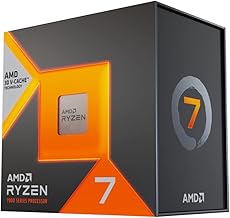
AMD Ryzen 7 7800X3D
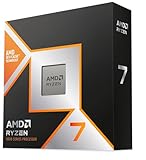
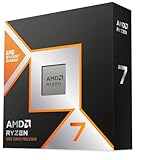
The 7800X3D remains the definitive value gaming CPU on AM5, pairing eight cores with a huge slab of 3D V-Cache that keeps it within a few percent of chips costing twice as much. Now that it has settled comfortably under $300, it is the easiest recommendation here for anyone building a new system they intend to keep for years.
AMD Ryzen 7 5800X3D
For anyone still on AM4, the 5800X3D is the most cost-effective upgrade in PC gaming — drop it into an existing B550 or X570 board, keep your DDR4, and pick up a generational leap in frame rates for the price of the chip alone. It runs hot and doesn’t overclock, but for pure gaming it punches far above its price bracket.
AMD Ryzen 5 9600X
The 9600X is the sensible entry point to AM5: six modern Zen 5 cores with excellent single-thread performance, low power draw, and a clear upgrade path to future socket-compatible CPUs. It gives up ground to the X3D parts in cache-sensitive games, but it’s the smarter buy if you want a cool, quiet system with room to grow.
AMD Ryzen 5 5500
At the very bottom of the market, the 5500 is a genuinely capable six-core that pairs well with a budget GPU and includes a Wraith Stealth cooler in the box. Its cut-down cache and PCIe 3.0 link hold it back with faster graphics cards, but as the foundation of a sub-$700 gaming PC it’s hard to fault the value.
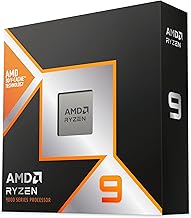
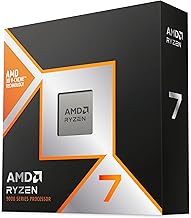
AMD Ryzen 7 9800X3D
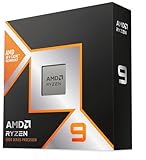
The 9800X3D is the fastest gaming CPU you can realistically stretch to here, combining Zen 5 cores with a redesigned V-Cache layout that finally allows proper overclocking. It sits at the very top of — and often just above — a $300 budget, so treat it as the pick for buyers chasing maximum frame rates on a high-refresh display who can catch it on a discount.
Frequently Asked Questions
Is AM4 still worth buying in 2026?
Yes, if you already own an AM4 motherboard. Dropping in a 5800X3D or 5500 costs you nothing beyond the CPU itself and delivers most of the gaming performance of a new platform. For a build from scratch, AM5 is the better long-term choice.
Do I need more than eight cores for gaming?
No. Almost no game in 2026 benefits meaningfully from more than eight cores, and the money is far better spent on your GPU. Higher core counts matter for streaming, rendering, and heavy multitasking, not frame rates.
Does a faster CPU help at 4K?
Much less than at 1080p. At 4K your graphics card does the heavy lifting, so a mid-range CPU will often match a flagship. The exception is CPU-heavy genres like strategy and simulation, where cache and clock speed still matter regardless of resolution.
Do these CPUs include a cooler?
Most don’t. The Ryzen 5 5500 ships with a Wraith Stealth cooler, but the X3D chips and the 9600X expect you to supply your own — budget roughly $30–$60 for a competent tower cooler, and more if you’re pushing the 9800X3D.
Final Thoughts
For most gamers building today, the AMD Ryzen 7 7800X3D is the pick to beat — it delivers near-flagship gaming performance on a platform with a real upgrade path, and it now fits comfortably inside a $300 budget. Existing AM4 owners should look no further than the Ryzen 7 5800X3D, which remains the single best value upgrade in PC gaming, while the Ryzen 5 9600X is the smarter entry point for anyone starting fresh on AM5 with plans to upgrade the CPU later.