Key takeaways
- Match your monitor: Buy for your resolution and refresh rate, since a 1080p display needs far less GPU than a 4K panel.
- Memory capacity: 8GB suits 1080p, but 12GB to 16GB is safer for 1440p, 4K, and future titles with large textures.
- Upscaling tech: DLSS 4 and FSR boost frame rates dramatically, so newer architectures deliver more longevity.
- Ray tracing needs: NVIDIA leads in ray tracing, while AMD often wins on pure rasterization value.
- System balance: Pair your GPU with a capable CPU and PSU so nothing bottlenecks your performance.
What's inside
With a fresh wave of GPUs on shelves in 2026, deciding which graphics card is best for gaming has never offered more choice, or more confusion. The right answer depends entirely on your monitor’s resolution, the games you love, and how much future-proofing you want, since a card that dominates 1080p may struggle at 4K.
We compared today’s most compelling cards from NVIDIA and AMD, weighing performance, memory, upscaling features, and value. Below you’ll find our favorites for every tier, along with a straightforward guide to help you spend wisely.
As an Amazon Associate we earn from qualifying purchases.


🎮 Get More From Your Setup — Free
Prime Gaming gives you free PC games every month, in-game loot, and a free Twitch channel sub — plus fast free shipping on all the gear above. New members get a 30-day free trial.
Watch: Best Which Graphic Card Is Best For Gaming — Video Review
How to Choose the Best Gaming Graphics Card
- Match your monitor: Buy for your resolution and refresh rate, since a 1080p display needs far less GPU than a 4K panel.
- Memory capacity: 8GB suits 1080p, but 12GB to 16GB is safer for 1440p, 4K, and future titles with large textures.
- Upscaling tech: DLSS 4 and FSR boost frame rates dramatically, so newer architectures deliver more longevity.
- Ray tracing needs: NVIDIA leads in ray tracing, while AMD often wins on pure rasterization value.
- System balance: Pair your GPU with a capable CPU and PSU so nothing bottlenecks your performance.
The Best Gaming Graphics Cards Reviewed
Gigabyte Radeon RX 9070 XT Gaming OC
A 16GB rasterization powerhouse that shines at 1440p and stretches into 4K, offering superb frame rates per dollar for high-refresh players.
ASUS TUF Gaming RTX 5070
With 12GB GDDR7, strong ray tracing, and DLSS 4, this rugged TUF card is an excellent 1440p performer that also dabbles comfortably in 4K.
ASUS Dual RTX 5060 Ti 16GB
A compact, quiet card whose generous 16GB buffer and DLSS 4 support make it a smart 1080p and 1440p pick for space-conscious builds.
ASUS Prime Radeon RX 9070 XT
The Prime version delivers the same strong 16GB performance with clean styling, dual BIOS, and effective cooling for stable, quiet gaming.
Gigabyte GeForce RTX 5060 Gaming OC
An affordable entry to the current NVIDIA generation, its 8GB GDDR7 and efficient WINDFORCE cooler handle 1080p gaming with DLSS 4 flair.
Frequently Asked Questions
Which brand is best, NVIDIA or AMD?
NVIDIA leads in ray tracing and DLSS, while AMD often offers more rasterization performance per dollar. Your games and budget decide.
How much should I spend on a GPU?
Spend in line with your monitor. There’s no point buying a 4K card for a 1080p screen, or vice versa.
Is 8GB VRAM still enough?
For 1080p, yes, but 12GB or more is the wiser choice for 1440p and beyond as games grow more memory-hungry.
Do I need the latest generation?
Newer cards bring better efficiency and upscaling, but strong previous-gen options still offer great value if prices are right.
Final Thoughts
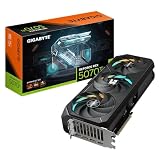
For most gamers, the Gigabyte RX 9070 XT Gaming OC delivers the best all-around value, while the ASUS TUF RTX 5070 is the pick for ray tracing and DLSS 4 fans. Budget builders should look closely at the Gigabyte RTX 5060 Gaming OC.