Key takeaways
- For competitive esports players: pick an OLED monitor like the LG 27GX704A-B for its 240Hz refresh rate and 0.03ms response time.
- For mixed gaming and office work: pick an IPS monitor to avoid burn-in risk from static desktop content displayed for long stretches.
- For cinematic single-player and open-world games: pick the Samsung Odyssey OLED G6 or G5 for their deep contrast and vivid HDR color.
- For immersive sim racing or flight sims: pick the Samsung 49″ Odyssey G93SC for its curved ultrawide QD-OLED canvas.
- For budget-conscious upgraders: pick the AOC Q27GAZD to get QD-OLED quality without the premium brand markup.
When you’re shopping for a new gaming monitor, the panel technology matters more than almost any other spec. OLED and IPS represent two fundamentally different approaches to image quality, and the right pick depends on what you play, how you play it, and what you’re willing to trade off. OLED panels, like those found in the LG 27GX704A-B UltraGear and Samsung’s Odyssey OLED lineup, deliver near-instant pixel response times and true per-pixel black levels that make dark scenes and high-contrast content look dramatically better.
IPS monitors, by contrast, prioritize consistency, brightness, and longevity, with no risk of burn-in and generally lower prices at comparable refresh rates. Both technologies now support high refresh rates north of 144Hz and adaptive sync standards from NVIDIA and AMD, so the decision really comes down to picture quality versus practical durability. Below, we break down six standout monitors and help you decide which panel type deserves a spot on your desk.
Our top picks
 LG 27GX704A-B 27-inch Ultragear QHD
- LG UltraGear OLED Goes Glossy - Experience ultra-smooth,…
- Next-Level OLED Brightness, for Next-Level Play - The…
- VESA DisplayHDR True Black 400 - An OLED…
 Samsung 27" Odyssey OLED G6
- Samsung’s 27” Odyssey OLED G6 Gaming Monitor is…
- OLED Safeguard technology supports performance by actively helping…
- Glare Free Technology keeps screen clear of reflection…
 Touchscreen Monitor 15.6 inch 4K OLED for
- 【4k Sumsung Am-oled Panel with Professional-Grade Color Accuracy】…
- 【400 nits brightness—visible in daylight】With 3840 x 2160…
- 【10-Point Capacitive Touch with Optical Bonding】The touch surface…
| Product | Key specs | |
|---|---|---|
| LG 27GX704A-B 27-inch Ultragear QHD | LG UltraGear OLED Goes Glossy - Experience ultra-smooth,… Next-Level OLED Brightness, for Next-Level Play - The… VESA DisplayHDR True Black 400 - An OLED… | Check price |
| Samsung 27" Odyssey OLED G6 | Samsung’s 27” Odyssey OLED G6 Gaming Monitor is… OLED Safeguard technology supports performance by actively helping… Glare Free Technology keeps screen clear of reflection… | Check price |
| Touchscreen Monitor 15.6 inch 4K OLED for | 【4k Sumsung Am-oled Panel with Professional-Grade Color Accuracy】… 【400 nits brightness—visible in daylight】With 3840 x 2160… 【10-Point Capacitive Touch with Optical Bonding】The touch surface… | Check price |
 Samsung 27” Odyssey OLED G5 Samsung 27” Odyssey OLED G5 | Check price | |
 msi msi | The MSI MAG 271QP QD-OLED X28 gaming monitor… 26.5" WQHD, 10-BIT COLOR - A Quantum Dot… 280 HZ REFRESH RATE, 0.03MS RESPONSE TIME -… | Check price |
 AOC 27" Gaming Monitor QHD 240Hz QD AOC 27" Gaming Monitor QHD 240Hz QD | 27" QHD DISPLAY: Immerse yourself in stunning visuals… 240Hz REFRESH RATE & 0.03ms RESPONSE TIME: Enjoy… Experience deeper blacks and brighter highlights with HDR400… | Check price |
 Acer 27" 4K UHD Quantum Dot OLED Acer 27" 4K UHD Quantum Dot OLED | OLED Makes All The Difference: With a display… Tear-Free Experience: Get in the game with the… Fast and Furious: If you want seamless gameplay… | Check price |
 LG 34GX900A-B 34-Inch Ultragear WQHD LG 34GX900A-B 34-Inch Ultragear WQHD | The 240Hz OLED Gaming Monitor that’s Ahead of… Up to 240Hz & 0.03ms Ultimate Frame Sync: FreeSync Premium Pro & G-SYNC… | Check price |
As an Amazon Associate we earn from qualifying purchases at no extra cost to you.
🎮 Get More From Your Setup — Free
Prime Gaming gives you free PC games every month, in-game loot, and a free Twitch channel sub — plus fast free shipping on all the gear above. New members get a 30-day free trial.
Watch: OLED vs IPS Gaming Monitor: Which Panel Is Best? — Video Review
Quick Verdict
Choose OLED — such as the LG 27GX704A-B UltraGear, Samsung Odyssey OLED G6, or AOC Q27GAZD — if you want the best possible contrast, color, and motion clarity for competitive and cinematic gaming alike and can manage brightness-heavy usage responsibly. Choose IPS if you run bright office or productivity apps for hours daily, want zero burn-in risk, and prefer a lower price point for similar refresh rates and resolution.
OLED Gaming Monitors
OLED panels produce light at the pixel level, so black pixels are truly off. This gives you infinite contrast, richer color saturation, and none of the backlight bleed or glow that plagues even good IPS panels. The LG 27GX704A-B pairs a 240Hz refresh rate with a 0.03ms response time and VESA HDR TrueBlack400, making it exceptional for fast-paced shooters and racing games where motion clarity is critical. The Samsung Odyssey OLED G6 and G5 add QD-OLED technology, which boosts color volume even further, while the AOC Q27GAZD brings the same QD-OLED panel type to a more budget-conscious price tier.
The tradeoff is that OLED panels are more susceptible to burn-in with static content displayed for extended periods, and peak brightness in SDR content is generally lower than a good IPS or Mini-LED display. Samsung addresses this with its OLED Safeguard pixel-refresh feature, and most manufacturers now offer 3-year warranties specifically covering burn-in, which shows how much confidence they have in modern panel durability.
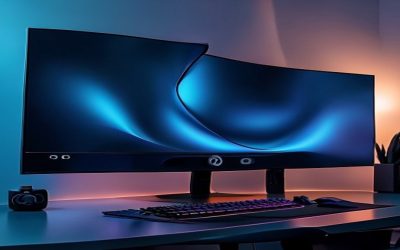
For ultra-immersive setups, the Samsung 49″ Odyssey G93SC brings QD-OLED to a curved, dual-QHD ultrawide format, essentially replacing a two-monitor setup with one seamless canvas. It’s a premium choice, but the field of view advantage for sim racing and strategy games is hard to overstate.
IPS Gaming Monitors
IPS technology uses a backlight shining through a liquid crystal layer, which means there’s no per-pixel burn-in risk and brightness can be pushed higher for sustained periods without degradation. This makes IPS panels a safer choice for mixed-use setups where the monitor displays static taskbars, spreadsheets, or browser windows for hours at a time alongside gaming sessions.
Color accuracy on modern IPS panels is genuinely excellent, and viewing angles are wide and consistent, which matters if you’re gaming with others nearby or using the display for content creation. The main compromise is contrast: even the best IPS monitors can’t produce true blacks, so dark scenes in games and movies look comparatively washed out next to an OLED panel.
IPS monitors also tend to be more affordable at every refresh rate tier, making them an easier entry point if you’re prioritizing raw Hz and resolution over absolute picture fidelity. If you need a specialized display, the 15.6″ touchscreen 4K panel included above shows how IPS-adjacent, business-grade panels serve entirely different use cases like point-of-sale systems or industrial control panels rather than head-to-head gaming.
Head-to-Head: Which Should You Buy?
- For competitive esports players: pick an OLED monitor like the LG 27GX704A-B for its 240Hz refresh rate and 0.03ms response time.
- For mixed gaming and office work: pick an IPS monitor to avoid burn-in risk from static desktop content displayed for long stretches.
- For cinematic single-player and open-world games: pick the Samsung Odyssey OLED G6 or G5 for their deep contrast and vivid HDR color.
- For immersive sim racing or flight sims: pick the Samsung 49″ Odyssey G93SC for its curved ultrawide QD-OLED canvas.
- For budget-conscious upgraders: pick the AOC Q27GAZD to get QD-OLED quality without the premium brand markup.
Frequently Asked Questions
Is OLED worth it for gaming over IPS?
If contrast, color, and motion clarity matter most to you, yes. OLED’s per-pixel lighting and near-instant response times give it a clear edge in picture quality, though IPS remains a solid, more affordable alternative for general use.
Does OLED burn-in happen with normal gaming use?
Modern gaming OLED panels include pixel-shifting and refresh routines, like Samsung’s OLED Safeguard, that significantly reduce burn-in risk. Varied gaming content is low-risk; leaving static UI elements on screen for many hours daily is the real concern.
Can IPS monitors match OLED refresh rates?
Yes, many IPS monitors now reach 240Hz or higher, matching OLED options like the LG UltraGear and Samsung Odyssey series on raw speed, even though contrast and black levels still favor OLED.
Which panel is better for HDR content?
OLED generally wins for HDR because its true blacks create dramatically higher perceived contrast, even when peak brightness numbers are similar to or lower than IPS alternatives.
Final Verdict
There’s no universally “better” panel type, only the better fit for how you use your monitor. If picture quality, contrast, and fast motion are your priorities, an OLED gaming monitor like the LG 27GX704A-B UltraGear or Samsung Odyssey OLED G6 is worth the investment. If you need a versatile, budget-friendly display for gaming and daily productivity without burn-in worries, a quality IPS monitor remains the smarter, more practical choice.