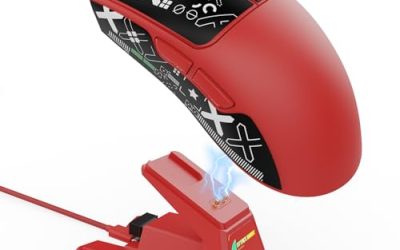
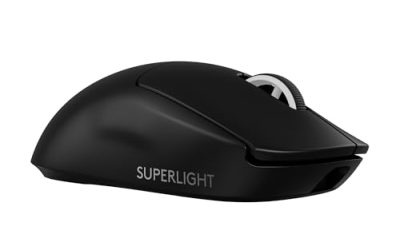
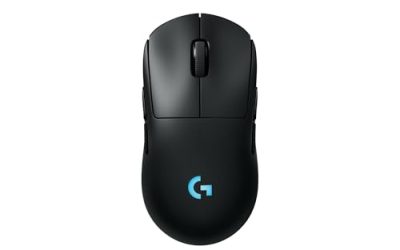
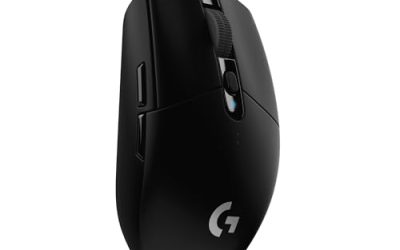
Our Top Picks
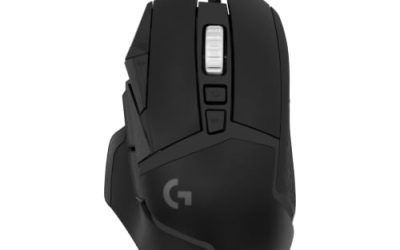
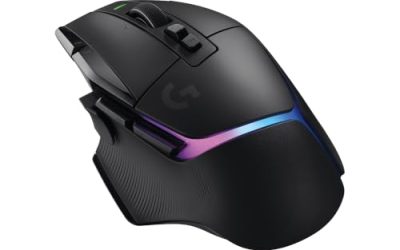
 Logitech G502 LIGHTSPEED Wireless Gaming MouseWireless5.19 x 2.95 x 1.57 inches0.81 poundsCheck on Amazon
 Razer Basilisk V3 X HyperSpeed Customizable Wireless GamingStandard5.12 x 2.96 x 1.67 inches0.2 poundsCheck on Amazon
 Razer DeathAdder V3 Pro Wireless Gaming Mouse1000 Hz5.01 x 2.65 x 1.69 inches0.1 poundsCheck on Amazon

The under-100 line is where two kinds of mouse collide. Former flagships that launched in a higher tier now sit in the band with their sensors, switches and wireless links intact, while current mid-tier models were designed to land here and cut corners to do it: replaceable AA batteries instead of a rechargeable cell, a dated micro-USB port, or headline polling rates that need a dongle sold separately. The real decision is which compromise fits your desk, because shape and grip still decide more than any spec sheet.
This guide serves four kinds of buyer: players replacing a worn-out mouse with one purchase, competitive players who want flagship tracking without flagship spend, work-and-play users who need Bluetooth for a laptop as well as a gaming link, and gift buyers told to stay under the line. Every pick was chosen from the product names and specifications on its Amazon page, and each is a mouse current roundups position inside the under-100 band.
Quick Picks
As an Amazon Associate we earn from qualifying purchases
| Product | Best for | Key spec from title |
|---|---|---|
| Razer Viper V3 HyperSpeed | Competitive players who want flagship tracking and months between battery swaps | 82 g wireless with Focus Pro 30K sensor and up to 280-hour battery |
| Logitech G502 Lightspeed | Button-heavy games and work shortcuts on one mouse | 11 programmable buttons with adjustable weights, wireless |
| Razer Basilisk V3 X HyperSpeed | Splitting one mouse between a gaming PC and a work laptop | Ergonomic wireless with 9 programmable buttons |
| Razer DeathAdder V3 Pro | Palm and claw players chasing a true flagship inside the band | 63 g flagship ergonomic wireless |
| Logitech G502 X | Set-and-forget wired play with flagship controls | LIGHTFORCE switches and HERO 2 sensor in the wired G502 form |
How to Choose
Former Flagships vs Current Mid-Tiers
A former flagship in this band keeps the parts that are expensive to design: a top-tier optical sensor, optical or hybrid switches, and a proven wireless link. What the step down removes is usually time, not hardware — the model is simply older. A current mid-tier mouse removes hardware instead: a lower sensor ceiling, fewer buttons, no tilt wheel, or a battery door instead of a charging port. Neither route is automatically better. Pick the flagship when tracking and switch feel matter most; pick the mid-tier when you want the newest shape, Bluetooth, or a warranty that starts today.
Shape and Weight Before Sensor Figures
Every sensor in this guide tracks well enough that your hand will notice the shell long before it notices the sensor. Start with grip: fingertip and claw players usually suit light, symmetrical shapes like the Viper V3 HyperSpeed, while palm players are better served by the taller ergonomic humps of the DeathAdder V3 Pro or the G502 family. Weight changes how a mouse feels over a long session — the 63 g DeathAdder disappears under the hand, while the G502 Lightspeed, at about 114 g before weights, feels planted and deliberate. Match the shell to your hand first; the sensor figures will take care of themselves.
The Add-Ons That Quietly Raise the Bill
The headline cost is rarely the whole cost. Several picks reach their headline polling rate only through a separate HyperPolling dongle, so the 8K figure on the box is an extra purchase, not a feature. Battery design matters the same way: the Viper V3 HyperSpeed and Basilisk V3 X run on replaceable AA cells, which are cheap and instant to swap but never recharge, while the DeathAdder V3 Pro charges over USB-C and the G502 Lightspeed can pair with a PowerPlay mat. Before choosing, add up the dongle, the charging setup and a year of batteries, then compare totals.
Wireless Quality Inside the Band
Not all 2.4 GHz links are equal. Logitech’s Lightspeed and Razer’s HyperSpeed connections are the proven low-latency systems in this band, built for competitive play and stable at a desk full of other wireless gear. Generic 2.4 GHz links on cheaper mice can hesitate or drop in crowded radio environments, and Bluetooth, while perfect for a laptop, adds latency that fast shooters expose. In this guide every wireless pick uses a Lightspeed or HyperSpeed link; the Basilisk V3 X adds Bluetooth as a second mode for work, which is the right way round — dongle for games, Bluetooth for the office.
The 5 Best Options
Razer Viper V3 HyperSpeed

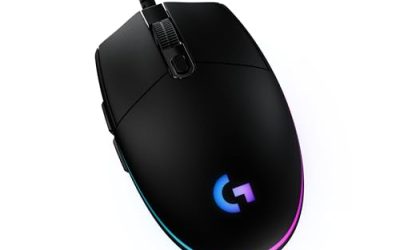
The Viper V3 HyperSpeed is the competitive all-rounder of this band: a symmetrical 82 g shell, Razer’s Focus Pro 30K sensor and a HyperSpeed link, in a mouse current roundups position as the standard under-100 esports-wireless recommendation. It suits claw and fingertip players who want one mouse for shooters and everything else, and its single AA cell delivers up to 280 hours, so battery anxiety barely exists. What it gives up is refinement — no recharging and no headline polling rate without an extra dongle — but the core tracking package is flagship grade.
Specs
- Weight: 82 g with the included AA battery
- Sensor: Focus Pro 30K optical sensor
- Connection: HyperSpeed 2.4 GHz wireless
- Battery: up to 280 hours on one AA
- Buttons: 6 programmable buttons
- Shape: symmetrical
Best for: Competitive players who want flagship tracking and months of battery from one purchase in the band.
Watch out for: It runs on a replaceable AA with no USB recharging, and 8K HyperPolling needs Razer’s separate dongle, which is not in the box.
Logitech G502 Lightspeed
The G502 Lightspeed is the feature-heavy counterweight to the esports picks: 11 programmable buttons, a tunable weight system and LIGHTSYNC RGB on a proven Lightspeed link. It launched as a flagship and now sits in this band, which makes it the natural choice for players who bind half their game to the mouse — MMO and MOBA players, and anyone who uses the extra buttons for work shortcuts too. The trade is mass: at about 114 g before the included weights go in, it is a deliberate, planted mouse rather than a flick-shot tool.
Specs
- Sensor: HERO 25K
- Connection: Lightspeed wireless, PowerPlay-compatible charging
- Buttons: 11 programmable buttons
- Weights: tunable weight system, weights included
- Lighting: LIGHTSYNC RGB
- Battery: up to 60 hours with lighting off (maker figure)
Best for: Players who load the mouse with game commands and work shortcuts and want flagship features inside the band.
Watch out for: At about 114 g before added weights it is heavy next to the esports picks, and the micro-USB charging port feels dated beside USB-C rivals.
Razer Basilisk V3 X HyperSpeed
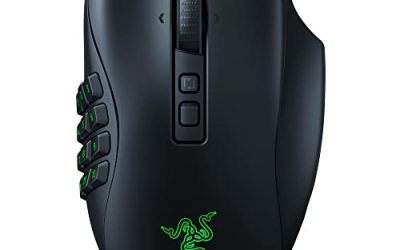
The Basilisk V3 X HyperSpeed is the pick for players who split the week between a gaming PC and a laptop. Its HyperSpeed dongle handles play, its Bluetooth mode handles work, and one AA battery stretches to up to 285 hours on Bluetooth, so it can live in a bag without a cable. The ergonomic right-handed shell carries 9 programmable buttons, including a multi-function trigger under the thumb. It is a mid-tier design rather than a discounted flagship, so the extras are plainer and there is no tilt wheel — but as a two-machine mouse it has no rival here.
Specs
- Buttons: 9 programmable buttons, including a multi-function trigger
- Connection: HyperSpeed 2.4 GHz and Bluetooth dual mode
- Battery: single AA, up to 285 hours on Bluetooth (maker figure)
- Shape: right-handed ergonomic
Best for: Work-and-play users who need one mouse that games on a dongle and works over Bluetooth.
Watch out for: It is AA-powered with no internal recharge, and there is no scroll-wheel tilt at this tier — buyers wanting the wired V3’s tilt clicks must step up.
Razer DeathAdder V3 Pro
The DeathAdder V3 Pro is the flagship that fell into the band: it launched above the under-100 line, and current roundups now position it inside the band, which makes it the strongest tracking package here for palm and claw players with medium-to-large hands. The 63 g ergonomic shell, Focus Pro 30K sensor and Gen-3 optical switches are pure esports hardware, and it charges over USB-C like a modern mouse should. What dates it is the accessory story — the 8K polling dongle is a separate purchase — not the mouse itself.
Specs
- Weight: 63 g (black)
- Sensor: Focus Pro 30K
- Connection: HyperSpeed wireless; 8K polling with the separate HyperPolling dongle
- Switches: optical switches Gen-3
- Battery: up to 90 hours
- Charging: USB-C
Best for: Competitive palm and claw players who want a genuine flagship sensor and shell without flagship spend.
Watch out for: The 8K polling dongle is a separate purchase, and the shape is right-handed ergonomic only, with no RGB and minimal grip texture on the shell.
Logitech G502 X
The G502 X is the wired anchor of the band and the pick for buyers who never want to think about batteries or dongles at all. It keeps the big right-handed G502 shape, adds LIGHTFORCE hybrid switches and the HERO 2 sensor, and offers 13 programmable controls including a removable DPI-shift button and a dual-mode scroll wheel. At about 89 g it is lighter than its wireless namesake and simpler to live with. It suits larger hands, palm grips and desks where the mouse never travels — a set-and-forget mouse with flagship controls.
Specs
- Controls: 13 programmable controls
- Switches: LIGHTFORCE hybrid optical-mechanical switches
- Sensor: HERO 2
- Extras: removable DPI-shift button, dual-mode scroll wheel
- Weight: about 89 g
- Connection: wired USB
Best for: Larger-handed palm players who want flagship controls with zero charging or wireless upkeep.
Watch out for: It is wired only at this tier — the Lightspeed versions are the step-up — and the shape is large and right-handed.
Which One Fits Your Situation
Replacing a Worn-Out Mouse With One Strong Purchase
If this is the only mouse you plan to buy for years, the DeathAdder V3 Pro is the strongest single purchase in the band: flagship sensor, optical switches and USB-C charging in a shell that suits most palm and claw players. Players who lean on extra buttons should take the G502 Lightspeed instead and accept the extra weight as the cost of 11 programmable controls.
Chasing Flagship Tracking Without Flagship Spend
Competitive players should start with the Viper V3 HyperSpeed: the Focus Pro 30K sensor and HyperSpeed link are the same tier the pros use, and the symmetrical shell fits the claw and fingertip grips most shooters favor. Ergonomic-shape players get the same sensor class from the DeathAdder V3 Pro. Either way, budget for the separate 8K dongle only if your game and monitor can actually use the higher polling rate.
One Mouse for the Gaming PC and the Work Laptop
The Basilisk V3 X HyperSpeed is built for exactly this split: the HyperSpeed dongle stays in the gaming PC for low-latency play, Bluetooth pairs with the laptop for work, and a single AA battery keeps both going for months. No other pick here offers both links — the rest are dongle-only or wired — so two-machine users should start and finish their shortlist with this one.
Buying a Gift With a Firm Ceiling
For a gift that must stay under the line, the G502 X is the safest box to hand over: wired, so there is nothing to charge or lose, with a famous shape and enough buttons to feel generous. If the recipient plays competitively, the Viper V3 HyperSpeed is the more exciting gift, but warn them the battery is a replaceable AA and the fastest polling mode needs a dongle they do not get in the box.
Common Mistakes
- Chasing the highest DPI number: every sensor here tracks far beyond what a hand can use, while shape and weight decide how the mouse actually feels.
- Assuming the headline polling rate is included: on the Razer picks, 8K polling needs a HyperPolling dongle sold separately.
- Forgetting the battery system: AA-powered mice never need a cable but do need spare cells, while rechargeable mice can die mid-session if you ignore the warning light.
- Buying an ergonomic right-handed shell for a left-handed player, or a large G502 shape for a small hand.
- Counting only the mouse: a PowerPlay mat, a polling dongle and a year of AA batteries can move a pick’s real cost across the band line.
Frequently Asked Questions
Is a former flagship better than a current mid-tier mouse in this band?
Usually, for tracking and switches. A former flagship like the DeathAdder V3 Pro keeps its top sensor and optical switches, and what you lose is age: an older charging port or an accessory dongle sold separately. A current mid-tier like the Basilisk V3 X answers with newer features instead, such as Bluetooth. Choose by which loss bothers you less.
Do I need 8K polling for competitive play?
No. The standard 1,000 Hz rate on every pick here is what most competitive players still use, and the jump to 8K is subtle even on high-refresh monitors. It also costs battery life and, on the Razer picks, a separate dongle. Treat 8K as a later upgrade for a high-end setup, not a reason to choose one mouse in this band over another.
Which of these mice works with a laptop as well as a gaming PC?
Only the Basilisk V3 X HyperSpeed carries both links: a HyperSpeed dongle for the gaming PC and Bluetooth for the laptop, switched on the mouse. The Viper V3 HyperSpeed, DeathAdder V3 Pro and G502 Lightspeed are dongle-only, and the G502 X is wired. If the mouse must follow you between machines daily, that dual-mode connection settles the choice on its own.
How long will the batteries actually last?
It depends on the system. The AA-powered Viper V3 HyperSpeed is rated up to 280 hours and the Basilisk V3 X up to 285 hours on Bluetooth, both maker figures with lighting off where fitted. The rechargeable DeathAdder V3 Pro is rated up to 90 hours and the G502 Lightspeed up to 60 hours with lighting off. High polling rates shorten every one of these numbers.
FAQ
Is a former flagship better than a current mid-tier mouse in this band?
Do I need 8K polling for competitive play?
Which of these mice works with a laptop as well as a gaming PC?
How long will the batteries actually last?
More from Amazon
Programs that pair well with the guide above. Offers and eligibility are set by Amazon and may change.
Free shipping on eligible items, Prime Video and more. Eligible new members can start with a free trial.
Start a Prime free trialAd-free music streaming. Eligible new subscribers can start with a free trial.
Try Music Unlimited freeA Prime membership for ages 18-24 with a trial period. Eligibility is set by Amazon.
See Prime for Young AdultsAudiobooks and podcasts to listen to on the go. Eligible new members can start with a free trial.
Try Audible freeAs an Amazon Associate we earn from qualifying purchases.