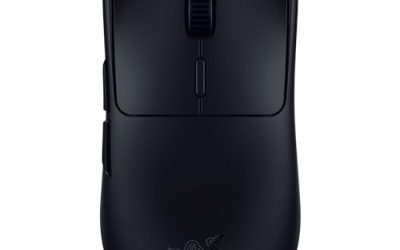
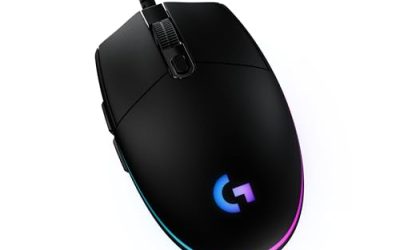
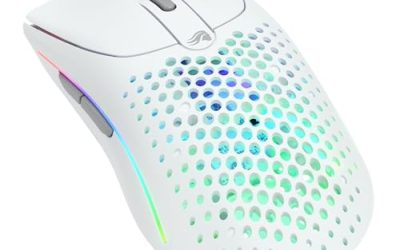
Our Top Picks
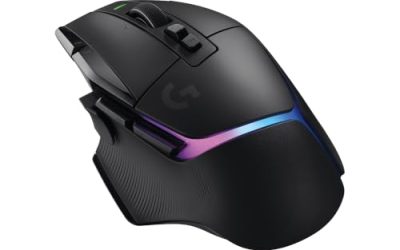
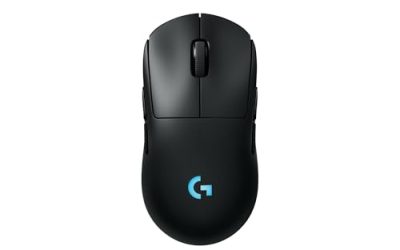
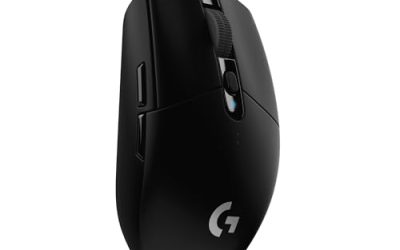
 Logitech G502 X Plus Wireless RGB Gaming MouseWireless7.1 x 4.6 x 2.7 inches0.84 poundsCheck on Amazon

Side buttons are where wireless gaming mice stop being interchangeable. Two mice can share a sensor class and a similar shape, yet one gives your thumb a 12-key grid for a full MMO hotbar while the other offers a single clutch paddle for dropping your sensitivity mid-fight. The real decision is how many commands you genuinely want under your thumb, where those buttons sit relative to your grip, and whether the panel layout matches the games you actually play most nights.
This guide is for MMO and MOBA players who run out of easy keybinds, shooter players who want a few extra thumb controls without a full grid, and streamers who map macros and scene switches to the mouse. Every pick below is wireless and has programmable side buttons confirmed on its Amazon product page, and the specs quoted come from those listings rather than from review roundups or press material.
Quick Picks
As an Amazon Associate we earn from qualifying purchases
| Product | Best for | Key spec from title |
|---|---|---|
| Razer Naga V2 Pro | MMO players who switch genres often | 19+1 programmable buttons, swappable side plates |
| Corsair Scimitar Elite Wireless SE | Raid rotations and stream controls | 16 programmable buttons, adjustable Key Slider panel |
| SteelSeries Aerox 9 Wireless | MMO buttons without the usual weight | 18 programmable buttons at 89 g |
| Logitech G502 X Plus | Mixed FPS and MOBA play on one desk | 13 programmable controls, LIGHTSPEED wireless |
| Razer Basilisk V3 Pro | Shooter players who want a clutch button | 13 programmable controls, HyperScroll tilt wheel |
How to Choose
Count the Buttons You Will Really Press
Start with your busiest game, not your whole library. A raid healer in an MMO might use ten or more thumb commands every pull, while a tactical shooter player may only need push-to-talk, a melee key and a ping. Full grids like the 12-button panels on the Naga V2 Pro and Scimitar Elite Wireless SE reward players who build rotations around them, but unused keys add weight and accidental presses. If your honest count is three or four extra commands, a slimmer layout such as the G502 X Plus or Basilisk V3 Pro will feel faster to learn and harder to fumble.
Check Where the Panel Sits, Not Just How Big It Is
Button placement matters more than the raw total printed on the box. A grid that sits too far forward forces you to stretch your thumb and shift your grip mid-fight, and one that sits too low gets pressed every time you lift the mouse. Adjustable designs solve this differently: the Scimitar’s Key Slider panel physically slides to meet your thumb, and the Naga V2 Pro swaps whole side plates so the layout itself changes. Fixed clusters on lighter mice cannot move, so hand size and grip style decide whether they land in the right spot.
Match the Wireless Mode to the Game
Every mouse here offers more than one way to connect, and the modes are not equal. The 2.4 GHz dongle modes, Razer HyperSpeed, Corsair Slipstream and Logitech LIGHTSPEED, are the low-latency links you want for gaming, some with polling rates above the standard 1,000 Hz. Bluetooth is the battery-saving mode for a laptop or a second machine, and it is the figure behind the longest battery claims on several listings. Wired USB-C remains the fallback that also charges the mouse. Plan on gaming over the dongle and treating Bluetooth as the travel and work mode.
Read the Button Count the Way the Listing Counts It
Manufacturers count controls differently, and the headline number includes the main clicks, the wheel and often a DPI button. Razer’s listings for the Basilisk V3 Pro say 13 programmable controls, but the thumb area itself holds two buttons plus a removable clutch paddle. Logitech’s 13 controls on the G502 X Plus similarly include wheel tilt and the DPI shift button. Before comparing totals across brands, subtract the standard inputs and look at what is genuinely new under your thumb, then check whether the companion software, Synapse, iCUE or G HUB, supports your operating system.
The 5 Best Options
Razer Naga V2 Pro

The Naga V2 Pro is the flexible answer for players whose week jumps between an MMO, a MOBA and a shooter. Its side plate unclips and swaps between a 12-button grid for hotbar games, a 6-button plate for battle royale layouts and a simple 2-button plate for shooters, so the mouse changes shape with the genre instead of forcing one layout on everything. The Focus Pro 30K sensor and third-generation optical switches keep it credible outside MMOs, and the HyperScroll Pro wheel adds tilt inputs and adjustable scroll tension that few rivals offer at any price.
Specs
- Sensor: Razer Focus Pro 30K optical sensor
- Buttons: 19+1 programmable, with swappable 2, 6 and 12-button side plates
- Switches: Razer Optical Mouse Switches Gen-3
- Wheel: HyperScroll Pro with tilt inputs
- Connectivity: HyperSpeed Wireless, Bluetooth and wired
- Battery life: up to 300 hours on Bluetooth
- Weight: 134 g
- Model: RZ01-04400100-R3U1
Best for: MMO players who also play shooters and want one mouse that reshapes itself for both.
Watch out for: the 300-hour battery figure is the Bluetooth rating; HyperSpeed play is rated lower, and the 134 g weight is heavy for fast flick shots.
Corsair Scimitar Elite Wireless SE
Corsair’s Scimitar line exists for one job: putting a full keypad under your thumb without a cable. The SE carries 16 programmable buttons, and its patented Key Slider panel holds 12 of them on a rail that slides forward or back with the included Allen key, so the grid meets a long or short thumb instead of demanding your hand adapt. The Marksman S sensor is far stronger than MMO duty requires, and the Elgato Virtual Stream Deck integration lets the same buttons drive stream scenes and shortcuts, which makes this the natural pick for raiders who also broadcast.
Specs
- Sensor: Corsair Marksman S optical sensor, 33,000 DPI
- Buttons: 16 programmable, including a 12-button Key Slider side panel
- Connectivity: Slipstream Wireless at 1,000 Hz polling, Bluetooth and USB-C wired
- Battery life: up to 150 hours
- Software feature: Elgato Virtual Stream Deck integration
- Weight: 114 g
- Model: CH-9314014-WW
Best for: MMO players with long thumbs and streamers who want hotbar and scene controls on one device.
Watch out for: the side panel only adjusts with the Allen key kept in the box, and full remapping plus the Stream Deck features require Corsair iCUE to be installed and running.
SteelSeries Aerox 9 Wireless

Most button-grid mice are heavy, and the Aerox 9 Wireless is the exception built for players who refuse that trade. Its perforated shell weighs 89 g, closer to an esports mouse than to the 134 g Naga, yet it still fits 18 programmable buttons including a 12-button side panel angled for thumb reach. The TrueMove Air sensor is shared with SteelSeries’ competition line, and the IP54 AquaBarrier rating means the open shell shrugs off dust and splashes that would worry owners of other holey mice. It suits MOBA players and MMO players with smaller hands or a fingertip grip.
Specs
- Sensor: TrueMove Air optical sensor, 18,000 CPI
- Buttons: 18 programmable, including a 12-button side panel
- Connectivity: Quantum 2.0 2.4 GHz, Bluetooth 5.0 and USB-C wired
- Battery life: up to 180 hours on Bluetooth
- Weight: 89 g
- Protection: IP54 AquaBarrier against dust and splashes
- Model: 62618
Best for: MMO and MOBA players who want a full thumb grid in a genuinely light mouse.
Watch out for: the 180-hour battery figure is the Bluetooth rating, while 2.4 GHz gaming drains it much faster, and the small, closely packed grid buttons take practice to hit cleanly.
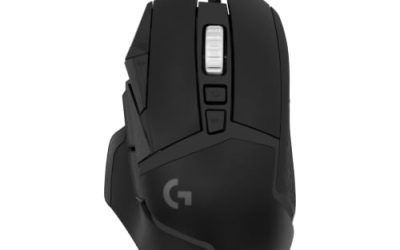
Logitech G502 X Plus
The G502 X Plus is the middle path for players who want more than two side buttons but stop well short of a telephone keypad. Its thumb cluster combines two standard side buttons with a removable DPI shift button you can reposition or blank off, and the wheel adds tilt clicks and a free-spin mode, bringing the total to 13 programmable controls. LIGHTFORCE hybrid switches pair optical actuation with a mechanical click feel, LIGHTSPEED keeps the connection at esports standard, and POWERPLAY support means it can charge from a compatible mat instead of a cable.
Specs
- Sensor: HERO 25K sensor
- Controls: 13 programmable, including a removable DPI shift button
- Switches: LIGHTFORCE hybrid optical-mechanical switches
- Connectivity: LIGHTSPEED wireless and USB-C wired or charging
- Battery life: up to 130 hours with lighting off
- Lighting: LIGHTSYNC RGB
- Weight: 106 g
- Extra: POWERPLAY wireless charging compatible
Best for: players who split time between shooters and ability-based games and want a moderate thumb cluster.
Watch out for: the 130-hour battery rating assumes the RGB lighting is off, and runtime drops sharply with LIGHTSYNC effects running, so check the listing’s battery notes before relying on it.
Razer Basilisk V3 Pro

The Basilisk V3 Pro treats side buttons as aiming tools rather than a hotbar. Alongside two thumb buttons it adds a multi-function paddle that works as a temporary sensitivity clutch, so you can drop DPI for a long-range shot and release it to return to normal, and it can also serve as a push-to-talk or macro key. The HyperScroll wheel tilts for extra inputs and switches between tactile and free-spin modes, while the Focus Pro 30K sensor and optical switches match Razer’s flagship esports hardware. It fits palm-grip players who play shooters first and ability games second.
Specs
- Sensor: Razer Focus Pro 30K optical sensor
- Controls: 13 programmable controls, including a multi-function clutch paddle
- Switches: Razer Optical Mouse Switches Gen-3
- Wheel: HyperScroll tilt wheel with tactile and free-spin modes
- Lighting: 13-zone Chroma RGB
- Connectivity: HyperSpeed Wireless, Bluetooth and wired
- Battery life: up to 90 hours on HyperSpeed Wireless
- Model: RZ01-04620100-R3U1
Best for: shooter players who want a sensitivity clutch and a tilt wheel more than a full button grid.
Watch out for: the listing’s count of 13 controls includes HyperShift second-layer functions, and the physical thumb cluster is two buttons plus the paddle, so confirm the paddle is fitted and positioned before your first session.
Which One Fits Your Situation
You Run Full Hotbars in an MMO
Pick between the two true grid mice by hand fit. The Scimitar Elite Wireless SE wins if your thumb lands in the wrong place on fixed panels, because its slider moves the whole 12-key cluster to you. The Naga V2 Pro wins if you also play genres where twelve buttons get in the way, since its 6-button and 2-button plates take seconds to swap.
You Want Thumb Buttons but Hate Heavy Mice
The Aerox 9 Wireless is the only pick here under 100 g, and at 89 g it moves like a fingertip-grip esports mouse despite the 12-button panel. Accept the smaller, denser grid buttons as the cost of that weight, and expect to spend a few sessions building the muscle memory to hit the right key without looking down.
You Play Shooters First, Abilities Second
Choose the Basilisk V3 Pro if a sensitivity clutch sounds more useful than extra binds, or the G502 X Plus if you would rather have a DPI shift button plus tilt-wheel inputs inside Logitech’s software. Both keep the thumb cluster small enough that you will not press the wrong thing during a panicked flick.
You Stream or Live on Macros
The Scimitar Elite Wireless SE is built for you: its Virtual Stream Deck integration lets side buttons trigger scenes, clips and chat commands alongside game abilities. The Naga V2 Pro is the fallback if you prefer Razer’s software, since its 12-button plate holds a full page of macros with room to spare.
Common Mistakes
- Buying a 12-button grid for a game where you only ever bind three keys, then fighting accidental presses for months.
- Comparing headline button counts across brands without subtracting the main clicks, wheel and DPI button every mouse includes.
- Leaving the mouse paired over Bluetooth for gaming because it was already connected, instead of switching to the 2.4 GHz dongle.
- Ignoring thumb reach: a fixed grid that suits a large palm grip can be unusable for a small hand or a fingertip grip.
- Skipping the software check, then finding that profiles, macros or the clutch button need Synapse, iCUE or G HUB installed to work.
Frequently Asked Questions
How many side buttons do I actually need for an MMO?
Most MMO players actively use between eight and twelve thumb commands once movement keys stay on the keyboard. A 12-button grid covers a full hotbar row plus a modifier layer, which is why the Naga V2 Pro and Scimitar Elite Wireless SE exist. If your rotation fits on six keys, a swappable plate or a smaller cluster will feel less crowded.
Are wireless side-button mice fast enough for competitive play?
Yes, over their 2.4 GHz modes. HyperSpeed, Slipstream and LIGHTSPEED all run at or above the standard 1,000 Hz polling rate wired mice use, and the Scimitar Elite Wireless SE lists 1,000 Hz Slipstream polling on its product page. Bluetooth is the mode to avoid in ranked play, since it trades latency for battery life.
Do the extra buttons work in every game?
The buttons send inputs the game must accept, so anything bindable to a keyboard key can usually be mapped through the mouse software. Some competitive titles restrict macros that chain several actions to one press, and console support is limited compared with PC. Check the game’s input rules and the software’s platform support before counting on a specific setup.
Can I use one of these mice with a Mac or a second computer?
Most picks here pair over Bluetooth with a second machine, which suits a Mac laptop for work, but the configuration software is the catch. Razer Synapse and Corsair iCUE have historically offered fuller support on Windows, so Mac users should confirm current software support for the exact model before relying on saved profiles and macros.
FAQ
How many side buttons do I actually need for an MMO?
Are wireless side-button mice fast enough for competitive play?
Do the extra buttons work in every game?
Can I use one of these mice with a Mac or a second computer?
More from Amazon
Programs that pair well with the guide above. Offers and eligibility are set by Amazon and may change.
Free shipping on eligible items, Prime Video and more. Eligible new members can start with a free trial.
Start a Prime free trialAd-free music streaming. Eligible new subscribers can start with a free trial.
Try Music Unlimited freeA Prime membership for ages 18-24 with a trial period. Eligibility is set by Amazon.
See Prime for Young AdultsAudiobooks and podcasts to listen to on the go. Eligible new members can start with a free trial.
Try Audible freeAs an Amazon Associate we earn from qualifying purchases.