Our Top Picks
 Logitech MX Master 3S Bluetooth Wireless Mouse NoMouse without USB Receiver4.92 x 3.32 x 0.1 inches0.3 poundsCheck on Amazon

A mouse that codes all day and games all evening has a different job description from a pure esports mouse. Across a working day, the scroll wheel matters as much as the sensor: you will roll through thousand-line files, jump between editor tabs and flick across large monitors far more often than you will flick onto a target. Clicks should be quiet enough for calls and shared rooms, the shell should support a relaxed grip for eight hours, and the connection should hop between a work laptop and a personal machine without a cable shuffle.
The four mice in this guide were chosen against those criteria. Each one brings a genuinely good wheel, a sensor that will not hold you back in games, and either quiet switches, multi-device pairing or both. One is a productivity flagship with gaming-grade tracking, one is a gaming mouse with a programmer’s wheel layout, and two are full gaming mice whose extra buttons and free-spinning wheels earn their desk space during the day.
As an Amazon Associate, we earn from qualifying purchases.
Quick Picks
| Product | Best for | Key point |
|---|---|---|
| Logitech MX Master 3S Bluetooth Edition | Coders who want the best wheel and quietest clicks | MagSpeed scrolling, Quiet Clicks and three-device switching |
| Keychron M6 4K | Coders who want a gaming sensor plus a thumb wheel | PixArt 3395, side thumb wheel and tri-mode connection |
| Logitech G502 HERO | Gamers who code and want buttons for macros and shortcuts | Dual-mode free-spin wheel and 11 programmable buttons |
| Razer Naga V2 Pro | Shortcut-heavy workflows and MMO players | Swappable side plates and a HyperScroll Pro wheel |
How to Choose
Put the wheel first. Two wheel features change daily coding life. The first is free-spin or high-speed scrolling, which lets a single flick travel hundreds of lines and then stop precisely when you press or toggle back to ratchet mode. The second is a tilt wheel or a separate thumb wheel for horizontal movement, which makes wide spreadsheets, timelines and long lines of code far easier to navigate. If you only optimise one part of the mouse, optimise this.
Quiet clicks are a real specification. Silent switches are not only about politeness on calls. They reduce the fatigue of hearing your own input all day, and they make a mouse usable in shared spaces, libraries and late-night rooms. Logitech’s Quiet Clicks and the silent-switch versions of Keychron’s M6 address this directly; standard gaming switches on the G502 HERO and Naga V2 Pro are noticeably louder, which may or may not matter in your setup.
Multi-device support ends the two-mouse desk. Bluetooth pairing with two or three devices, plus an easy-switch button, lets one mouse serve a work laptop, a personal PC and a tablet. Look for Bluetooth plus a 2.4 GHz receiver plus wired use if your machines differ. Note the MX Master 3S Bluetooth Edition in this guide pairs over Bluetooth only, with no receiver in the box, which keeps things simple but rules out machines without Bluetooth.
Weight and shape are endurance specs. A 54 g esports mouse is wonderful for flicks and tiring for some people across a full workday of slow, precise movement. Heavier ergonomic shells in the 120 to 140 g range, like the MX Master and Naga in this guide, rest the hand and track steadily at low speeds. Match the shell to your hand size and your grip, and favour support over headline lightness when the mouse earns its living during the day.
Best Options
Logitech MX Master 3S Bluetooth Edition
The MX Master 3S is the mouse most programmers picture when they describe their ideal daily driver, and this Bluetooth Edition strips the package to the essentials: no USB receiver in the box, just Bluetooth pairing with up to three devices and an Easy-Switch button underneath. The Darkfield sensor tracks up to 8000 DPI on almost any surface, glass included, which makes it a true gaming-capable sensor for after-hours play even if the shell is built for work.
The MagSpeed wheel is the headline: it scrolls a thousand lines in a second in free-spin mode and clicks back into precise ratchets when you slow down, and the separate thumb wheel handles horizontal scrolling. Quiet Clicks live up to the name, and the sculpted shell supports a natural palm posture. Battery life runs up to 70 days, with a quick charge over USB-C for busy weeks.
Specs
- Sensor Logitech Darkfield optical; DPI up to 8000; polling rate 125 Hz over Bluetooth; weight 141 g; right-handed sculpted shape; Quiet Clicks silent switches; MagSpeed electromagnetic wheel plus thumb wheel; connection Bluetooth Low Energy with 3-device Easy-Switch, no receiver included; battery up to 70 days, USB-C charging
Best for: Coders who want the best wheel and quietest clicks
Watch out for: Bluetooth only, so there is no 2.4 GHz receiver fallback, and the 125 Hz polling is fine for work and casual games but not for competitive play
Keychron M6 4K

The Keychron M6 4K is what happens when a keyboard company designs a mouse for people who live in text editors. It carries a proper gaming sensor, the PixArt 3395, with polling up to 4000 Hz over its 2.4 GHz connection, so it games far beyond what its office-friendly shape suggests. The layout is the attraction: a main wheel with tilt, a second thumb wheel on the side for horizontal scrolling, and a shell that stays comfortable through long sessions at 78 g.
Connections cover every desk arrangement, with 2.4 GHz wireless, Bluetooth 5.1 and wired USB-C, and device switching is built in. Keychron also sells a silent-switch version of the M6; check the listing variant if quiet clicks are your priority, because the standard switches have a normal gaming-mouse click. For coders who want one mouse that genuinely does both jobs, this is the most balanced design in the guide.
Specs
- Sensor PixArt 3395 optical; DPI up to 26,000; polling rate up to 4000 Hz over 2.4 GHz wireless, 1000 Hz wired; weight 78 g; right-handed ergonomic shape; main wheel with tilt plus a side thumb wheel; connection 2.4 GHz wireless, Bluetooth 5.1 and wired USB-C; silent-switch version also available in the M6 line
Best for: Coders who want a gaming sensor plus a thumb wheel
Watch out for: Confirm which switch version a listing describes before ordering, since the standard and silent variants share the M6 name
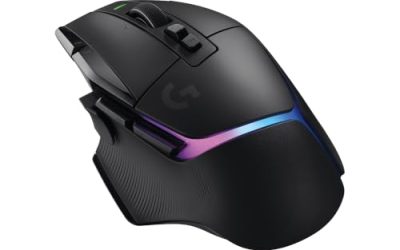
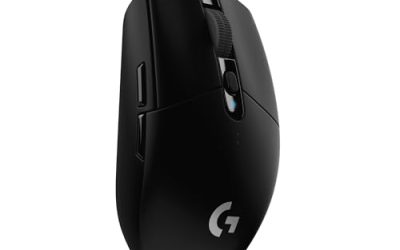
Logitech G502 HERO

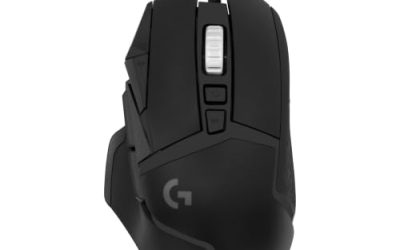
The G502 HERO is the gaming-first entry here, and it earns its place on two features coders love: a dual-mode hyper-fast scroll wheel that free-spins through long files and tilts for horizontal movement, and 11 programmable buttons that take editor shortcuts, build commands and window controls off the keyboard. The HERO 25K sensor tracks up to 25,600 DPI, so nothing about its gaming performance is a compromise.
It is wired, heavy by current fashion at 121 g before the optional tuning weights, and its mechanical switches are clearly audible. Treat it as the pick for a single-machine desk where you game seriously, code daily and want your shortcuts under your thumb, rather than as a quiet multi-device traveller.
Specs
- Sensor Logitech HERO 25K optical; DPI 100 to 25,600; polling rate 1000 Hz; weight 121 g plus five optional 3.6 g tuning weights; right-handed ergonomic shape; 11 programmable buttons; dual-mode hyper-fast scroll wheel with tilt; connection wired USB; on-board memory for profiles
Best for: Gamers who code and want buttons for macros and shortcuts
Watch out for: Wired only, no Bluetooth or multi-device switching, and the clicks are loud compared with the quiet models in this guide
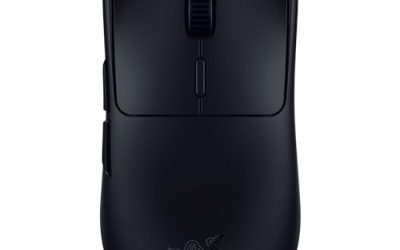
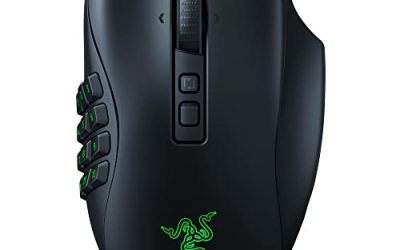
Razer Naga V2 Pro

The Naga V2 Pro is built around a simple idea: the side of the mouse is interchangeable. It ships with three magnetic side plates carrying 2, 6 or 12 buttons, so the same mouse can be a clean two-button coding tool on weekdays and a full MMO command pad on weekends, with up to 19 plus 1 programmable controls in its fullest layout. For programmers, the 12-button plate is a shortcut bank for builds, tests, debugger steps and window management.
The HyperScroll Pro wheel switches between free-spin and tactile modes and adjusts its feel in Razer’s software. Connections cover HyperSpeed wireless, Bluetooth and wired USB-C, and battery life runs up to 150 hours on HyperSpeed or 300 hours on Bluetooth. At 134 g with the 12-button plate it is a substantial, planted mouse for people who like weight and support.
Specs
- Sensor Razer Focus Pro 30K optical; DPI up to 30,000; polling rate 1000 Hz over HyperSpeed wireless; weight 134 g with the 12-button side plate; right-handed ergonomic shape; three swappable side plates with 2, 6 or 12 buttons; HyperScroll Pro wheel with free-spin and tactile modes; Razer Optical Mouse Switches Gen-3; connection HyperSpeed wireless, Bluetooth and wired USB-C; battery up to 150 hours wireless and 300 hours Bluetooth
Best for: Shortcut-heavy workflows and MMO players
Watch out for: The heaviest mouse here, the extra buttons are wasted if you will not map them, and full customisation needs Razer Synapse on Windows
Which One Fits
If your day is mostly code and your games are casual, the MX Master 3S Bluetooth Edition is the most comfortable answer: the wheel and the quiet clicks will please you every hour, and the sensor handles evening gaming without complaint. If you split the day evenly between an editor and competitive games, the Keychron M6 4K is the true hybrid, with a real gaming sensor, high polling and a thumb wheel for horizontal work.
Choose the G502 HERO when one wired desk is your whole world and you want maximum buttons and free-spin scrolling at a gaming-first design. Choose the Naga V2 Pro when your shortcut needs are extreme or your games include MMOs, and you want one mouse whose button layout physically changes with the task.
Common Mistakes
Buying a pure esports mouse for office hours. Ultralight shells with two side buttons and a basic wheel are optimised for flicks, not for scrolling a codebase. The wheel and button layout will frustrate you long before the sensor impresses you.
Ignoring horizontal scrolling. Wide tables, long log lines and big canvases are daily realities in development. A tilt wheel or thumb wheel removes constant keyboard trips and is worth prioritising over small DPI differences.
Forgetting the connection audit. Count your machines before choosing. A Bluetooth-only mouse cannot help a desktop without Bluetooth, and a wired mouse cannot follow you to a laptop across the room. Multi-device pairing is a feature to buy deliberately.
Mapping buttons and never using them. Programmable buttons only pay off if the mappings become habits. Load a small set of shortcuts first, such as copy, paste, save and run, and add more only when the first set is automatic.
FAQ
Can a gaming mouse really be good for programming?
Yes, provided the wheel and ergonomics suit long sessions. Gaming sensors are more than accurate enough for coding, and the best picks here add the features programmers actually feel: free-spin or thumb wheels for long files, quiet clicks and multi-device connections.
Is a free-spin scroll wheel useful for coding?
Very. Long source files, logs and documentation pages become quick to traverse when one flick covers hundreds of lines, and a good wheel drops back into ratchet mode for precise stops. The MX Master 3S and G502 HERO both offer this dual behaviour.
How many programmable buttons do I need for coding?
Most programmers settle on four to six reliable mappings: common edits, a build or run command and a couple of navigation shortcuts. Mice like the Naga V2 Pro offer far more, which helps MMO players and extreme shortcut users but is more than most developers will memorise.
Should I pick Bluetooth or a 2.4 GHz receiver for a work mouse?
Bluetooth is the flexible choice for laptops and multi-device switching, and it leaves USB ports free. A 2.4 GHz receiver gives lower latency for gaming and works on machines without Bluetooth. Tri-mode mice such as the Keychron M6 4K remove the dilemma by offering both, plus wired use.
Final Verdict
For most people who code by day and game by night, the MX Master 3S Bluetooth Edition and the Keychron M6 4K are the two natural finalists: one leans into comfort and quiet, the other into gaming performance with a programmer’s wheel layout. The G502 HERO and Naga V2 Pro serve players who want gaming hardware first and coding convenience built on top. Decide by your wheel habits and your machine count, and any of the four will serve both halves of your day.
FAQ
Can a gaming mouse really be good for programming?
Is a free-spin scroll wheel useful for coding?
How many programmable buttons do I need for coding?
Should I pick Bluetooth or a 2.4 GHz receiver for a work mouse?
More from Amazon
Programs that pair well with the guide above. Offers and eligibility are set by Amazon and may change.
Free shipping on eligible items, Prime Video and more. Eligible new members can start with a free trial.
Start a Prime free trialAd-free music streaming. Eligible new subscribers can start with a free trial.
Try Music Unlimited freeA Prime membership for ages 18-24 with a trial period. Eligibility is set by Amazon.
See Prime for Young AdultsAudiobooks and podcasts to listen to on the go. Eligible new members can start with a free trial.
Try Audible freeAs an Amazon Associate we earn from qualifying purchases.