Key takeaways
- Smoother motion: Fast pans and flick shots blur less, making enemies easier to track.
- Lower perceived latency: New frames appear sooner, so the game feels more responsive to your inputs.
- Competitive edge: In shooters and racing games, extra frames can translate to quicker reactions and cleaner aim.
What's inside
Refresh rate is one of the most talked-about specs on any gaming monitor, yet it is also one of the most misunderstood. Measured in hertz (Hz), it describes how many times per second your screen redraws the image. A 144Hz panel updates 144 times every second, more than double the 60Hz displays that dominated for years. That difference changes how smooth motion feels, how quickly you react, and how modern games look in fast-paced moments.
In this guide you will learn exactly what refresh rate does, how it works alongside frame rate and response time, and how much of it you actually need. We will also cover the sync technologies that keep everything tear-free, so you can pick a monitor like the ones recommended below with confidence.
As an Amazon Associate we earn from qualifying purchases.






⚡ Save on Your Next PC — Amazon Prime
Prime members get fast free shipping on the systems above, plus early access to Prime Day & Black Friday PC deals. New members get a 30-day free trial.
Watch: What Is Refresh Rate? Gaming Monitors Explained — Video Review
How Refresh Rate Works
Your monitor paints a new frame at fixed intervals set by its refresh rate. At 60Hz that is roughly every 16.7 milliseconds; at 144Hz it drops to about 6.9 milliseconds. More frequent updates mean smoother on-screen motion and less blur when the camera whips around. High-refresh panels such as the LG 27G414B-B and the ASUS TUF Gaming VG249QE5A push 144Hz and beyond, making cursor movement, scrolling, and gameplay feel noticeably more fluid than a standard office display.
Refresh Rate Versus Frame Rate
These two numbers are related but not the same. Frame rate (FPS) is how many frames your GPU produces each second, while refresh rate is how many your monitor can display. A 144Hz monitor only shows its full benefit when your system also renders around 144 frames per second. If your GPU outputs 60 FPS on a 144Hz screen, you still gain lower latency, but the visual smoothness is capped by the frames your hardware can generate.
Why Higher Hz Feels Better
- Smoother motion: Fast pans and flick shots blur less, making enemies easier to track.
- Lower perceived latency: New frames appear sooner, so the game feels more responsive to your inputs.
- Competitive edge: In shooters and racing games, extra frames can translate to quicker reactions and cleaner aim.
Adaptive Sync and Tearing
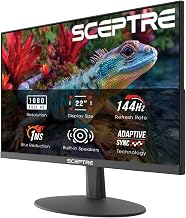
When frame rate and refresh rate fall out of step, you get screen tearing, a visible split where two frames meet. Adaptive sync technologies fix this by matching the monitor’s refresh to the GPU’s output in real time. Look for G-SYNC Compatible or FreeSync support, both of which appear on panels like the msi PRO MP243L E14 and the Sceptre E248B-FPT168. With sync enabled, motion stays clean without the input penalty of traditional V-Sync.
How Much Refresh Rate You Need
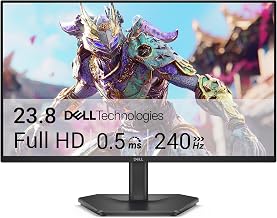
For everyday and single-player gaming, 144Hz hits a superb balance of smoothness and value, which is why monitors like the ArcticPro 24 Inch 144Hz are so popular. Competitive players chasing every advantage may want 165Hz or higher, while 240Hz and up mainly benefit esports pros with the GPU to feed them. Beyond a certain point the gains shrink, so match your refresh target to the frames your system can realistically produce.
Tips
- Enable your monitor’s high refresh rate in your OS display settings; many panels ship set to 60Hz by default.
- Turn on G-SYNC or FreeSync to eliminate tearing without adding noticeable input lag.
- Use a DisplayPort cable for high refresh rates, as older HDMI versions can cap you at 60Hz.
- Balance your build so your GPU can push frame rates close to your monitor’s refresh ceiling.
Frequently Asked Questions
Is 144Hz enough for gaming?
For the vast majority of players, yes. 144Hz delivers a huge jump in smoothness over 60Hz and is easy for modern mid-range GPUs to feed in most titles.
Can I tell the difference between 144Hz and 240Hz?
Some players can, especially in fast competitive shooters, but the leap is far smaller than going from 60Hz to 144Hz. Most gamers are perfectly happy at 144Hz.
Does refresh rate matter if my FPS is low?
Partly. A high-refresh monitor still lowers latency, but you only see the full smoothness benefit when your frame rate approaches the refresh rate.
What is the difference between refresh rate and response time?
Refresh rate is how often the screen updates; response time is how fast a pixel changes color. Both affect motion clarity, and you want high refresh with low response time.
Conclusion
Refresh rate is a core ingredient of smooth, responsive gaming, and moving from 60Hz to 144Hz is a change you will feel immediately. Focus on pairing a high-refresh monitor with a GPU that can supply the frames, enable adaptive sync to stay tear-free, and you will unlock the fluid motion these panels are built for. Any of the recommended 144Hz-plus monitors above is a strong starting point.