Key takeaways
- Pixel density: A 27-inch 1440p panel lands around 109 PPI, while 27-inch 4K hits roughly 163 PPI — text edges, foliage, and distant detail are visibly cleaner on 4K without any anti-aliasing crutch.
- GPU load: Native 4K needs roughly 1.8x the rendering work of 1440p. A card that comfortably drives 144fps at QHD will typically land in the 70–90fps range at UHD in the same title.
- Refresh ceiling: 1440p panels routinely hit 165–180Hz at accessible prices, as with the 180Hz Odyssey G5. 4K options like the Acer Nitro VG270K V4 (160Hz) and ASUS XG27UCSR (162Hz) have caught up, but budget 4K models such as the Dell S2725QS still cap at 120Hz.
- Dual-mode operation: Newer 4K displays can drop to FHD at far higher refresh — 320Hz on the Acer, 324Hz on the ASUS — giving competitive players an esports mode that 1440p monitors simply don’t offer.
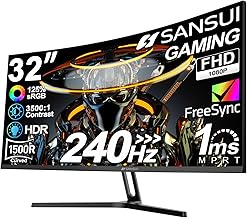
- Panel size scaling: 1440p starts to look soft above 32 inches; 4K stays crisp well past that. If you want 32 inches, the Odyssey G55C works because of its curve and viewing distance, but the CRUA 4K delivers noticeably more detail at the same diagonal.
- Console fit: Current-gen consoles target 4K output natively. The ASUS XG27UCSR and Acer Nitro both carry HDMI 2.1 for 4K/120Hz console play; 1440p panels will work but leave resolution on the table.
Choosing between 1440p and 4K is the single biggest decision you’ll make when buying a gaming monitor, and it shapes everything downstream — the GPU you need, the frame rates you’ll hit, and how sharp your games actually look. QHD (2560×1440) has been the enthusiast sweet spot for the better part of a decade because it doubles the pixel count of 1080p without doubling your graphics card budget. 4K UHD (3840×2160) pushes roughly 78% more pixels than 1440p, delivering genuinely striking detail on 27-inch and 32-inch panels — but it demands hardware to match.
What’s changed by 2026 is that the gap has narrowed from both directions. Upscaling has matured to the point where 4K with quality-mode reconstruction often looks better than native 1440p while running at similar frame rates, and frame generation smooths out the rest. Meanwhile, dual-mode panels now let a single 4K monitor switch to a lower resolution at much higher refresh rates, effectively giving you two monitors in one chassis. High-refresh 4K displays with HDMI 2.1 have also become mainstream rather than premium, which means the old assumption that “4K equals 60Hz” no longer holds. The decision is now less about raw affordability and more about what you actually play.
Our top picks
 Acer Nitro 27in 4K 3840x2160 IPS 160Hz
- Quality Visuals: The VG270K 27" IPS monitor with…
- AMD FreeSync Premium Technology: Say “goodbye” to stuttering…
- Quick Refresh Rate: Different content has different refresh…
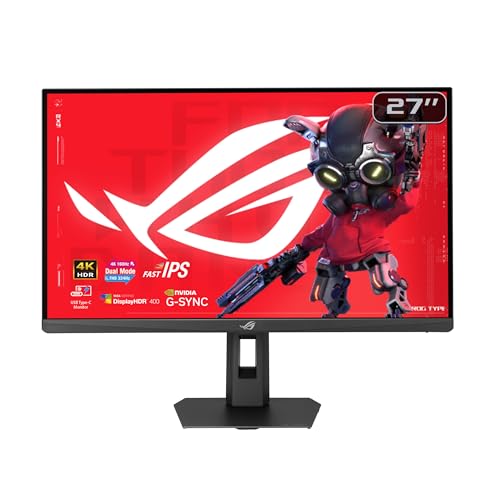 ASUS ROG XG27UCSR 27 Inch 4K 162Hz
- Dual Mode Display Technology: 27-inch 4K (3840 x…
- Ultra-Fast Response Time: ASUS Fast IPS technology enables…
- Enhanced Visual Clarity: ASUS Smart Pixel technology enhances…
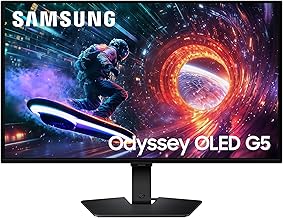
 Samsung 27" Odyssey G5
- QHD Resolution (2560 x 1440) has 1.7 times…
- HDR10 provides brighter highlights and nuanced shadow for…
- The 180Hz refresh rate minimizes lag for gameplay…
| Product | Key specs | |
|---|---|---|
| Acer Nitro 27in 4K 3840x2160 IPS 160Hz | Quality Visuals: The VG270K 27" IPS monitor with… AMD FreeSync Premium Technology: Say “goodbye” to stuttering… Quick Refresh Rate: Different content has different refresh… | Check price |
| ASUS ROG XG27UCSR 27 Inch 4K 162Hz | Dual Mode Display Technology: 27-inch 4K (3840 x… Ultra-Fast Response Time: ASUS Fast IPS technology enables… Enhanced Visual Clarity: ASUS Smart Pixel technology enhances… | Check price |
| Samsung 27" Odyssey G5 | QHD Resolution (2560 x 1440) has 1.7 times… HDR10 provides brighter highlights and nuanced shadow for… The 180Hz refresh rate minimizes lag for gameplay… | Check price |
 Dell 27 Monitor S2725QS | Improved ComfortView Plus: Reduces harmful blue light emissions… Refresh rate: A smooth, tear-free experience with AMD… Vivid colors: Immerse yourself in breathtaking 4K visuals… | Check price |
 Samsung 32" Odyssey | Your gaming world, more lifelike than ever Experience the exhilaration of gameplay as you speed… Experience the next level of heart-pounding gaming | Check price |
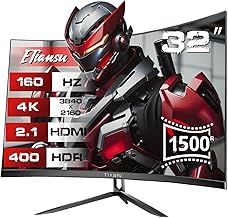
 CRUA 32" 4K UHD 160Hz Curved Gaming | 32inch 4K Curved Display: Enjoy breathtaking clarity and… 160Hz Refresh Rate + AMD FreeSync: Dominate every… 120% sRGB Color Accuracy & Built-in Speakers: Featuring… | Check price |
 ASUS TUF Gaming 27” 4K HDR Monitor | 27-inch 4K Ultra HD Display: Features 3840 x… ASUS Extreme Low Motion Blur Sync Technology: ELMB… Advanced Synchronization Technologies: NVIDIA G-SYNC Compatible, AMD FreeSync… | Check price |
 ZZA 27 Inch 4K Gaming Monitor | 27 inch 4k 144hz gaming monitor, offering a… Equipped with HDMI 2.1 and DisplayPort 1.4, this… 27-inch 4K 144Hz Monitor with Dynamic Lighting,Our 27-inch… | Check price |
As an Amazon Associate we earn from qualifying purchases at no extra cost to you.
⚡ Save on Your Next PC — Amazon Prime
Prime members get fast free shipping on the systems above, plus early access to Prime Day & Black Friday PC deals. New members get a 30-day free trial.
Watch: 1440p vs 4K Gaming Monitor: 2026 Guide — Video Review
Quick Verdict
Pick 1440p if you play competitive shooters, own a mid-range GPU, or want the highest sustainable frame rates for the money — the Samsung Odyssey G5 (G51F) at 27 inches and 180Hz is the archetype, and the 32-inch Odyssey G55C adds curve and size for immersion-first players. Pick 4K if you play visually rich single-player games, use your monitor for creative or productivity work, or game on a PS5 Pro or Xbox Series X. The Acer Nitro VG270K V4 and ASUS ROG XG27UCSR both cover the high-refresh 4K bracket with dual-mode flexibility, while the Dell S2725QS suits mixed work-and-play use and the 32-inch CRUA curved panel targets big-screen immersion.
Key Differences
- Pixel density: A 27-inch 1440p panel lands around 109 PPI, while 27-inch 4K hits roughly 163 PPI — text edges, foliage, and distant detail are visibly cleaner on 4K without any anti-aliasing crutch.
- GPU load: Native 4K needs roughly 1.8x the rendering work of 1440p. A card that comfortably drives 144fps at QHD will typically land in the 70–90fps range at UHD in the same title.
- Refresh ceiling: 1440p panels routinely hit 165–180Hz at accessible prices, as with the 180Hz Odyssey G5. 4K options like the Acer Nitro VG270K V4 (160Hz) and ASUS XG27UCSR (162Hz) have caught up, but budget 4K models such as the Dell S2725QS still cap at 120Hz.
- Dual-mode operation: Newer 4K displays can drop to FHD at far higher refresh — 320Hz on the Acer, 324Hz on the ASUS — giving competitive players an esports mode that 1440p monitors simply don’t offer.
- Panel size scaling: 1440p starts to look soft above 32 inches; 4K stays crisp well past that. If you want 32 inches, the Odyssey G55C works because of its curve and viewing distance, but the CRUA 4K delivers noticeably more detail at the same diagonal.
- Console fit: Current-gen consoles target 4K output natively. The ASUS XG27UCSR and Acer Nitro both carry HDMI 2.1 for 4K/120Hz console play; 1440p panels will work but leave resolution on the table.
1440p Gaming Monitors: The Frame-Rate Sweet Spot
The case for QHD is efficiency. You get a meaningful sharpness upgrade over 1080p while keeping frame rates high enough that adaptive sync rarely has to work hard. The Samsung Odyssey G5 (G51F) is a clean example of the category: 27 inches, 180Hz, 1ms response, FreeSync, and competitive extras like Black Equalizer and a Virtual Aim Point overlay. For Valorant, Counter-Strike, Apex, or Marvel Rivals, that combination matters more than pixel count ever will.
Size and immersion are the other angle. The 32-inch Odyssey G55C wraps a 1000R curve around your field of view at 165Hz, which suits racing sims, RPGs, and anything you play from a normal desk distance. Pixel density drops to about 93 PPI at that size, so text isn’t as crisp for spreadsheet work — but in motion, most players stop noticing within minutes. Crucially, both of these run well on mid-tier GPUs that would struggle at native 4K.
4K Gaming Monitors: Detail, Longevity, and Dual Duty
4K’s advantage is that it’s the last resolution jump most people will need. The ASUS ROG XG27UCSR pairs 4K/162Hz with G-SYNC compatibility, 95% DCI-P3 coverage, ELMB Sync, and USB-C — a genuine do-everything panel for gaming, PS5, and colour work. The Acer Nitro VG270K V4 covers similar ground with FreeSync Premium, dual HDMI 2.1 ports, and a 320Hz FHD dual-mode for competitive sessions.
Not every 4K buyer needs 160Hz, though. The Dell S2725QS trades refresh for ergonomics and colour accuracy — 120Hz, 99% sRGB, USB-C, plus height, swivel, and pivot adjustment — making it a strong hybrid work-and-play display. At 32 inches, the CRUA curved 4K panel gives you the detail of UHD with a 1500R wrap and HDMI 2.1, which is the combination most single-player enthusiasts are actually chasing.
Which Should You Buy?
- For competitive FPS: Pick 1440p — the Odyssey G5 at 180Hz. If you want 4K as well, the ASUS XG27UCSR’s 324Hz FHD mode is the compromise.
- For single-player and open-world games: Pick 4K — the Acer Nitro VG270K V4 at 27 inches or the CRUA 32-inch curved for scale.
- For a mid-range GPU: Pick 1440p. The Odyssey G55C at 32 inches gives you presence without demanding upscaling in every title.
- For work and gaming on one desk: Pick 4K — the Dell S2725QS, for its USB-C, full ergonomic stand, and sRGB accuracy.
- For PS5 or Xbox Series X: Pick 4K with HDMI 2.1 — the ASUS XG27UCSR or Acer Nitro VG270K V4.
Frequently Asked Questions
Is 4K worth it on a 27-inch monitor?
Yes, if your GPU can drive it. At 163 PPI you get noticeably cleaner edges and text than 1440p, and modern upscaling closes most of the performance gap. On a weaker card, however, a 27-inch 1440p panel will feel smoother and more responsive.
What GPU do I need for 4K gaming?
For high-refresh 4K in demanding titles, plan on an upper-mid-range or flagship card from the current or previous generation, and expect to use quality-mode upscaling. For 1440p at 165Hz+, a solid mid-range GPU is sufficient in most games.
Does dual-mode make 4K monitors good for esports?
Largely, yes. Dropping to 1080p at 320Hz or 324Hz on the Acer Nitro or ASUS XG27UCSR gives you genuine competitive motion clarity, though the image is softer than a native 1080p panel of the same size.
Should I choose 27 inches or 32 inches?
At 27 inches, both resolutions look sharp. At 32 inches, 1440p is best served by a curve like the Odyssey G55C, while 4K options such as the CRUA hold detail far better at that diagonal.
Final Verdict
If frame rate is your priority and your GPU is mid-range, 1440p remains the smartest value in 2026 — the Samsung Odyssey G5 and Odyssey G55C deliver the responsiveness that actually wins games. If you want maximum visual fidelity, console compatibility, and a display that doubles as a productivity screen, high-refresh 4K is now affordable enough to justify: the ASUS ROG XG27UCSR is the most complete all-rounder, the Acer Nitro VG270K V4 the best-balanced 4K gaming pick, and the Dell S2725QS or CRUA 32-inch strong choices for hybrid and big-screen setups respectively.