Key takeaways
- Ray tracing: Adds realistic lighting and reflections but is demanding; NVIDIA generally leads here.
- Upscaling: NVIDIA DLSS 4 and AMD FSR render at a lower resolution and intelligently scale up, boosting frame rates with minimal quality loss.
- Frame generation: Modern cards can insert AI-generated frames, further smoothing gameplay in supported titles.
What's inside
The graphics card is the single biggest factor in how your games look and how smoothly they run. It renders every frame, drives your resolution and refresh rate, and increasingly powers features like ray tracing and AI upscaling. That also makes it the most expensive and confusing part of most builds, with a dizzying lineup from NVIDIA and AMD spanning wildly different prices and performance in 2026.
This guide helps you cut through the noise. You will learn how to match a GPU to your target resolution, why VRAM and upscaling matter, and how to avoid paying for power you will never use. With the recommended cards below covering everything from sensible 1080p options to flagship 4K monsters, you can shop with a clear plan instead of guesswork.
As an Amazon Associate we earn from qualifying purchases at no extra cost to you.


⚡ Save on Your Next PC — Amazon Prime
Prime members get fast free shipping on the systems above, plus early access to Prime Day & Black Friday PC deals. New members get a 30-day free trial.
Watch: How to Choose a Graphics Card (2026 Guide) — Video Review
Match the GPU to Your Resolution
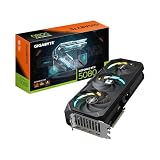
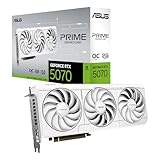
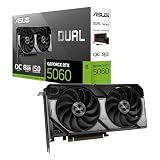
Your monitor’s resolution should drive your GPU choice. For 1080p high-refresh gaming, a card like the ASUS Dual RTX 5060 8GB delivers strong frames without overspending. For 1440p, mid-range cards such as the XFX Radeon RX 9060 XT 16GB or the ASUS Prime RTX 5070 hit the sweet spot. For 4K, you want a powerful card like the ASUS TUF RTX 5080 or GIGABYTE RTX 5070 Ti to sustain smooth frame rates at that demanding pixel count.
Why VRAM Matters
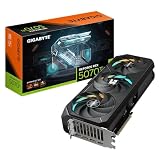
Video memory (VRAM) holds textures, frame buffers, and assets. Higher resolutions and high-texture settings eat more VRAM, and running short causes stutter and pop-in. In 2026, 8GB is workable at 1080p but tight for the future, while 12GB to 16GB, as found on the GIGABYTE Radeon RX 9070 XT 16G and the ASUS RTX 5060 Ti 16GB, gives you comfortable headroom for 1440p and 4K textures. If you plan to keep a card for years, favor more VRAM.
Ray Tracing and AI Upscaling
- Ray tracing: Adds realistic lighting and reflections but is demanding; NVIDIA generally leads here.
- Upscaling: NVIDIA DLSS 4 and AMD FSR render at a lower resolution and intelligently scale up, boosting frame rates with minimal quality loss.
- Frame generation: Modern cards can insert AI-generated frames, further smoothing gameplay in supported titles.
Check Compatibility and Power
A powerful GPU is useless if it will not fit or run in your system. Confirm your case has room for the card’s length and slot width, many modern cards are 2.5 slots or larger. Verify your power supply provides enough wattage and the right connectors, since flagship cards like the RTX 5080 draw significant power. Also ensure your PCIe slot and CPU are a reasonable match so the card is not bottlenecked by the rest of the system.
Balancing Price and Performance
The best value rarely sits at the very top. Mid-range cards deliver most of the experience for a fraction of flagship prices, which is why options like the RX 9060 XT and RTX 5070 are so popular for 1440p. Buy for the resolution you actually play at, not the one you might someday try. Overspending on a 4K card for a 1080p monitor wastes money that would be better spent on a faster CPU, more storage, or a better display.
Tips
- Choose your GPU based on your monitor’s resolution and refresh rate, not just the biggest number you can afford.
- Favor 12GB or more VRAM if you want the card to stay comfortable for several years.
- Confirm case clearance, PSU wattage, and power connectors before buying to avoid returns.
- Use DLSS or FSR upscaling to reach higher resolutions and frame rates without jumping to a pricier card.
Frequently Asked Questions
How much VRAM do I need for gaming?
8GB is the minimum for 1080p today, but 12GB to 16GB is recommended for 1440p, 4K, and future-proofing, since modern games increasingly demand more video memory.
Is NVIDIA or AMD better for graphics cards?
NVIDIA typically leads in ray tracing and DLSS upscaling, while AMD often offers more VRAM and raw performance per dollar. The best choice depends on your budget and which features you value.
What GPU do I need for 4K gaming?
A high-end card such as the RTX 5080 or RTX 5070 Ti, paired with upscaling, is needed to sustain smooth frame rates at 4K. Mid-range cards are better suited to 1080p and 1440p.
Will a new graphics card work with my current PC?
Usually, if your case has physical room, your power supply has enough wattage and the right connectors, and your CPU is not far weaker than the GPU. Always check clearance and power before buying.
Conclusion
Choosing a graphics card is about matching power to your resolution, VRAM to your longevity goals, and price to real value rather than raw specs. Buy for the way you actually play, lean on DLSS or FSR to stretch performance, and confirm the card fits your system. Do that, and any of the recommended GPUs above will deliver the frames your games and monitor deserve in 2026.