Our Top Picks
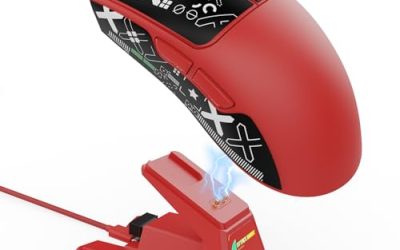
 Razer Orochi V2 Wireless Gaming Mouse4.26 x 1.52 inch (Pack of 1)4.26 x 1.52 x 2.47 inches0.13 poundsCheck on Amazon
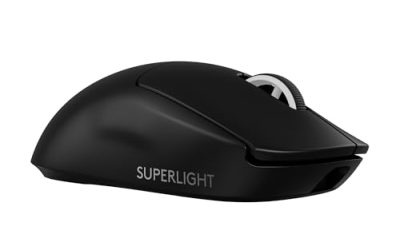
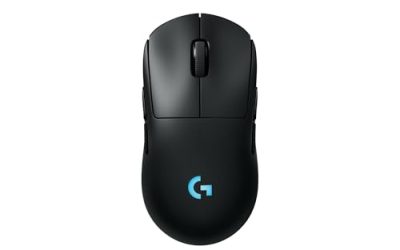
 Logitech G Pro X Superlight 2 Lightspeed WirelessClassic1.57 x 2.5 x 4.92 inches0.1 poundsCheck on Amazon
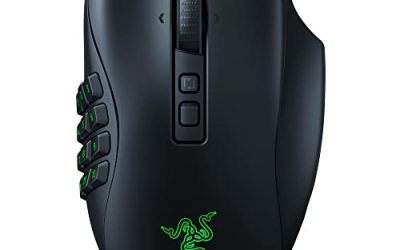
 Razer Basilisk V3 X HyperSpeed Customizable Wireless GamingStandard5.12 x 2.96 x 1.67 inches0.2 poundsCheck on Amazon
A laptop changes what a gaming mouse has to do. On a desk at home, a long cable and a heavy shell are easy to live with, but on a laptop the mouse rides in a bag, plugs into a crowded row of ports, and often plays on a tray table, a couch arm, or a hotel desk. The decision is not which mouse has the flashiest sensor on paper, but which one stays comfortable through a long match, keeps working when the battery runs low, and packs away without a tangle of cables.
This guide is for laptop gamers who play between classes, on work trips, and in living rooms, and it covers four wireless mice chosen from the names and specifications on their Amazon listings. The four picks below span a compact travel mouse, a featherweight esports mouse, a long-battery ergonomic mouse, and a low-priced all-rounder, so every laptop setup in this guide has a mouse that fits it.
Quick Picks
As an Amazon Associate, we earn from qualifying purchases.
| Product | Best for | Key spec from title |
|---|---|---|
| Logitech G305 LIGHTSPEED | Everyday laptop gaming on the go | HERO 12K sensor, up to 12,000 DPI |
| Razer Orochi V2 | Travel and small laptop bags | Up to 950 hours of battery life |
| Logitech G PRO X Superlight 2 | Fast competitive shooters | 60g with 44K DPI sensor |
| Razer Basilisk V3 X HyperSpeed | Long sessions with extra buttons | 535-hour battery, 9 programmable controls |
How to Choose
Pick the wireless link first
A laptop mouse lives or dies by its connection, so start there. A 2.4 GHz receiver gives the lowest latency and the most consistent tracking in games, but it takes up a USB port and can be lost in a bag, so check whether the mouse stores the receiver inside its body. Bluetooth connects to the laptop with no dongle at all, which suits ultrabooks with only one or two ports, though Bluetooth can feel a touch less responsive in fast shooters. Mice with both modes let you switch: use the receiver for ranked matches and Bluetooth for lectures, flights, and hotel desks. Whichever link you choose, confirm the mouse pairs with your laptop’s operating system before ordering.
Mind the weight and the size
A mouse that travels with a laptop should be light enough to forget in a bag and small enough to share space with a charger and a notebook. Mice under 70 grams feel quick in flick shots and tire the wrist less, while heavier ergonomic shapes can suit larger hands and slower, deliberate games. Size matters as much as weight: a compact mouse fits a small laptop sleeve and a cramped tray table, but hands above average may cramp on a tiny shell after an hour. Check the dimensions on the listing against your hand before ordering. A mouse that is too small forces a tight claw grip, while one that is too large drags on small surfaces.
Check battery life and charging
Battery life decides how often the mouse interrupts a game, so read the listing’s numbers with care. A mouse rated for hundreds of hours on a single AA battery can run for months, while a rechargeable mouse rated 60 to 90 hours needs a cable often. Bluetooth mode usually stretches battery life further than a 2.4 GHz link, and some mice switch to a low-power mode when idle. USB-C charging is the most convenient option for laptop owners, since the same cable that charges the laptop can top up the mouse. Whatever the design, keep a spare AA battery or a short USB-C cable in the laptop bag so a dead mouse never ends a session.
Match the sensor and buttons to your games
A laptop mouse still needs a sensor that tracks cleanly on the surfaces you actually play on, from a desk mat to a bare tabletop. A sensor rated 12,000 DPI or higher covers fast shooters and wide monitor setups, while adjustable DPI steps let you drop the sensitivity for sniping and raise it for fast turns. Extra buttons matter for games with many commands: side buttons handle reloading and abilities, and a DPI switch behind the scroll wheel changes sensitivity mid-match. Software that stores profiles on the mouse itself keeps your settings when you move to another laptop. Skip mice with no DPI control if you play shooters, since a fixed sensitivity is hard to live with.
The 4 Best Options
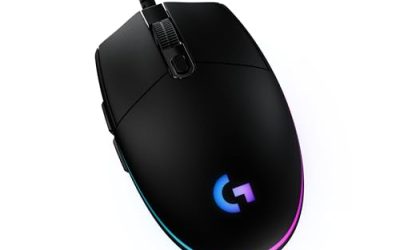
Logitech G305 LIGHTSPEED

The G305 is the steady all-rounder in this guide, and its listing even calls it a mouse for laptop use. A HERO sensor with up to 12,000 DPI tracks cleanly on a desk mat or a bare table, and LIGHTSPEED wireless keeps the link at a 1 millisecond report rate. One AA battery lasts up to 250 hours, and the tiny receiver stores inside the body, so nothing dangles or gets lost in a bag. Six programmable buttons cover the usual commands, and on-board memory keeps your settings when you switch laptops. At 99 grams it is light enough for long sessions without tiring the wrist.
Specs
- HERO 12K sensor, up to 12,000 DPI
- LIGHTSPEED wireless with 1ms report rate
- Up to 250 hours on a single AA battery
- 99 grams, compact portable design
- 6 programmable buttons, on-board memory
- Built-in storage for the USB wireless receiver
Best for: Everyday laptop gaming on the go, from classes to hotel desks.
Watch out for: This mouse connects only through its USB receiver, so there is no Bluetooth fallback if the receiver is lost.
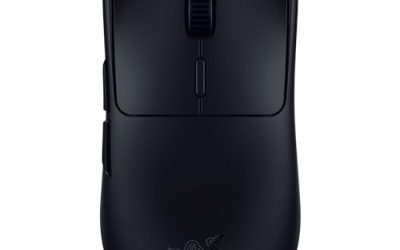
Razer Orochi V2
The Orochi V2 is built for travel, with a compact shell that slips into a laptop sleeve beside a charger and a notebook. Two wireless modes cover both worlds: HyperSpeed for lag-free matches and Bluetooth for lectures, flights, and days when every USB port is taken. Battery life stretches up to 950 hours, so the mouse can go months between battery changes. A 5G Advanced 18K DPI optical sensor tracks precisely, and mechanical switches give a crisp, consistent click. The small shape suits claw and fingertip grips best, so palm-grip players with large hands should check the dimensions first.
Specs
- Ultra-lightweight compact design
- 2 wireless modes: HyperSpeed and Bluetooth
- Up to 950 hours of battery life
- 5G Advanced 18K DPI optical sensor
- Mechanical mouse switches
- Model RZ01-03730100-R3U1
Best for: Travel and small laptop bags where space and battery life matter most.
Watch out for: The compact shell suits claw and fingertip grips, so palm-grip players with large hands should check the size first.
Logitech G PRO X Superlight 2
The Superlight 2 is the competitive pick here, built around a 60 gram shell that moves fast in flick shots and stays light through long ranked sessions. A 44K DPI sensor and an 8kHz report rate give precise, responsive tracking, and LIGHTSPEED wireless keeps the connection steady. Five programmable buttons cover the essentials without cluttering the shell, and USB-C charging matches the cable most laptops already use. The ambidextrous shape suits claw and palm grips alike. It is the mouse to choose when every millisecond of aim matters and the laptop is your main gaming machine.
Specs
- 60g pro-grade lightweight design
- 44K DPI sensor with 8kHz report rate
- LIGHTSPEED wireless
- 5 programmable buttons
- USB-C charging
- Compatible with PC and Mac
Best for: Fast competitive shooters where light weight and a high report rate matter.
Watch out for: The simple shell has no extra side buttons beyond the essentials, so MMO players who need many commands should look elsewhere.
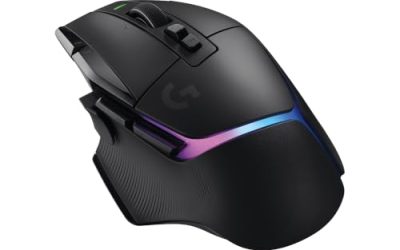
Razer Basilisk V3 X HyperSpeed
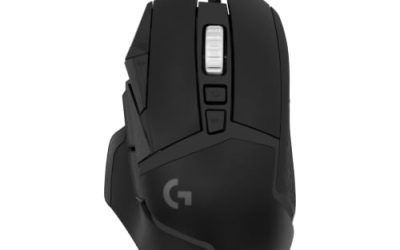
The Basilisk V3 X HyperSpeed is the ergonomic option in this set, with a right-handed shape that fills the palm and a thumb rest that steadies the hand through long sessions. Nine programmable controls cover abilities, reloading, and macros, while a 5G Advanced 18K optical sensor tracks cleanly. Chroma RGB lighting adds color to a desk setup, and the 535 hour battery life means the mouse runs for weeks between charges. Dual wireless modes switch between HyperSpeed for games and Bluetooth for everyday laptop use. It suits players who want comfort and extra buttons in one travel-friendly mouse.
Specs
- Mechanical Switches Gen-2
- 5G Advanced 18K optical sensor
- Chroma RGB lighting
- 9 programmable controls
- 535-hour battery life
- Model RZ01-04870100-R3U1
Best for: Long sessions with extra buttons, where an ergonomic grip and thumb rest matter.
Watch out for: The right-handed ergonomic shape does not suit left-handed players, so check your grip before ordering.
Which One Fits Your Situation
You game in cafes, libraries, and hotel rooms
Pick the Razer Orochi V2. Its compact shell fits a small laptop sleeve, Bluetooth connects with no dongle to lose, and the battery lasts up to 950 hours, so it keeps working through a whole trip on the road. The HyperSpeed mode is there when you sit down for a serious match.
You want the lightest mouse for fast shooters
Pick the Logitech G PRO X Superlight 2. At 60 grams it moves faster in flick shots than any other mouse in this guide, and the 44K DPI sensor with an 8kHz report rate keeps tracking precise. USB-C charging matches the cable your laptop already uses. The ambidextrous shape suits claw and palm grips, so most hands settle into it quickly.
You play long sessions and hate charging
Pick the Razer Basilisk V3 X HyperSpeed. Its 535 hour battery runs for weeks, the ergonomic shape and thumb rest keep the hand relaxed, and nine programmable controls cover abilities and macros. Bluetooth mode stretches the battery even further on quiet days. Dual wireless modes let you switch to Bluetooth for lectures and HyperSpeed for ranked matches without touching a cable.
You want one mouse for class, work, and games
Pick the Logitech G305 LIGHTSPEED. Its receiver stores inside the body, one AA battery lasts up to 250 hours, and six programmable buttons handle both games and everyday shortcuts. The compact, ambidextrous shape works for either hand and slips into any laptop bag. On-board memory keeps your settings when you move between the library computer and your own laptop.
Common Mistakes
- Choosing a mouse with no Bluetooth and then finding the laptop has no free USB port for the receiver.
- Buying a heavy desktop mouse and carrying it in a laptop bag every day.
- Ignoring battery life and running out of charge in the middle of a match.
- Picking a tiny travel mouse for large hands, then cramping after an hour of play.
- Forgetting to check whether the mouse pairs with the laptop’s operating system.
Frequently Asked Questions
Can I use a wireless gaming mouse with a laptop that has no free USB port?
Yes, if the mouse supports Bluetooth. Bluetooth pairs straight with the laptop and needs no receiver at all, which suits ultrabooks with only one or two ports. Check the listing for Bluetooth support before ordering, since some wireless mice work only through a 2.4 GHz receiver.
Does a lightweight mouse really help in games?
Yes, especially in fast shooters. A lighter mouse needs less force to start and stop, so flick shots and quick turns feel faster and the wrist tires less over a long session. Weight is not everything, though: the shape and grip matter just as much, so a 60 gram mouse with the wrong shape can still feel awkward.
How long should a laptop gaming mouse battery last?
It depends on the design. Mice running on a single AA battery can last hundreds of hours, while rechargeable mice usually run 60 to 200 hours between charges. Bluetooth mode stretches battery life further than a 2.4 GHz link. Whatever the rating, keep a spare battery or a short USB-C cable in the laptop bag.
Do I need a mouse pad for laptop gaming?
Not always, but a pad helps. Most modern sensors track well on a bare desk, yet a pad gives a consistent surface on tray tables, glass, and glossy wood, where sensors can stutter. A thin pad also protects the laptop’s wrist rest area from scratches and rolls up easily in a bag.
FAQ
Can I use a wireless gaming mouse with a laptop that has no free USB port?
Does a lightweight mouse really help in games?
How long should a laptop gaming mouse battery last?
Do I need a mouse pad for laptop gaming?
More from Amazon
Programs that pair well with the guide above. Offers and eligibility are set by Amazon and may change.
Free shipping on eligible items, Prime Video and more. Eligible new members can start with a free trial.
Start a Prime free trialAd-free music streaming. Eligible new subscribers can start with a free trial.
Try Music Unlimited freeA Prime membership for ages 18-24 with a trial period. Eligibility is set by Amazon.
See Prime for Young AdultsAudiobooks and podcasts to listen to on the go. Eligible new members can start with a free trial.
Try Audible freeAs an Amazon Associate we earn from qualifying purchases.