Key takeaways
- GPU silicon: The 5070 uses the smaller GB205 die with 6,144 CUDA cores, while the 5070 Ti steps up to the larger GB203 die with 8,960 — roughly 45% more shader hardware.
- Memory: 12GB of GDDR7 on a 192-bit bus versus 16GB on a 256-bit bus. The Ti’s bandwidth advantage is around 33%, and that headroom shows up in 4K texture streaming and ray-traced scenes.
- Real-world performance: Expect the 5070 Ti to lead by roughly 20–25% at 1440p and 25–30% at 4K, with the gap widening in the most demanding titles rather than shrinking.
- Ray tracing: Path-traced games are where the Ti separates itself most clearly; the 5070 often needs DLSS Performance mode to stay playable where the Ti manages Quality.
- Power and thermals: Around 250W board power for the 5070 versus 300W for the 5070 Ti, translating to a 650W and 750W PSU recommendation respectively.
- Longevity: 12GB is adequate today and borderline in a few years at 4K; 16GB is the safer long-term buffer, which also props up resale value.
What's inside
Nvidia’s mid-range Blackwell cards have had time to settle in, and in 2026 the RTX 5070 and RTX 5070 Ti remain the two GPUs most builders actually cross-shop. Both target the same person — someone on a 1440p high-refresh monitor who occasionally wants to push 4K — and both carry the full Blackwell feature set: DLSS 4 with Multi Frame Generation, fourth-generation RT cores, GDDR7 memory and PCIe 5.0 connectivity. On a spec sheet they read like siblings. On a benchmark chart, they are not.
The gap is wider than the naming implies, because these are genuinely different chips rather than two bins of the same silicon. That distinction matters more now than it did at launch: Unreal Engine 5 titles, ray tracing that is increasingly mandatory rather than optional, and high-resolution texture packs have all pushed memory and bandwidth requirements upward. Getting this decision right is the difference between a card that coasts for four years and one you start compromising on in two.
As an Amazon Associate we earn from qualifying purchases.




⚡ Save on Your Next PC — Amazon Prime
Prime members get fast free shipping on the systems above, plus early access to Prime Day & Black Friday PC deals. New members get a 30-day free trial.
Watch: RTX 5070 vs 5070 Ti: Which to Buy in 2026? — Video Review
Quick Verdict
The RTX 5070 is the smarter buy if you play at 1080p or 1440p, prefer high frame rates over maxed settings, and want to keep the rest of your build’s budget intact — it is a genuinely capable card with a modest power draw. The RTX 5070 Ti is the one to buy if you game at 4K, use heavy ray tracing or path tracing, run local AI workloads or video editing, or simply intend to keep the GPU for four or more years. The 16GB frame buffer and much wider memory bus are what you are really paying for.
Key Differences
- GPU silicon: The 5070 uses the smaller GB205 die with 6,144 CUDA cores, while the 5070 Ti steps up to the larger GB203 die with 8,960 — roughly 45% more shader hardware.
- Memory: 12GB of GDDR7 on a 192-bit bus versus 16GB on a 256-bit bus. The Ti’s bandwidth advantage is around 33%, and that headroom shows up in 4K texture streaming and ray-traced scenes.
- Real-world performance: Expect the 5070 Ti to lead by roughly 20–25% at 1440p and 25–30% at 4K, with the gap widening in the most demanding titles rather than shrinking.
- Ray tracing: Path-traced games are where the Ti separates itself most clearly; the 5070 often needs DLSS Performance mode to stay playable where the Ti manages Quality.
- Power and thermals: Around 250W board power for the 5070 versus 300W for the 5070 Ti, translating to a 650W and 750W PSU recommendation respectively.
- Longevity: 12GB is adequate today and borderline in a few years at 4K; 16GB is the safer long-term buffer, which also props up resale value.
ASUS TUF Gaming RTX 5070 12GB OC — The Value Pick
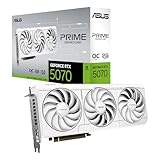
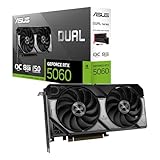
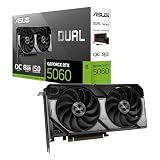
The ASUS TUF Gaming RTX 5070 12GB GDDR7 OC Edition is the sensible expression of this tier. It is a thoroughly over-built card for its class: a 3.125-slot cooler with Axial-tech fans, military-grade components, a protective PCB coating for humid or dusty environments, and a three-year warranty. In practice it runs quiet and cool even under sustained load, which is the main thing you want from a 250W card that will likely sit in a mid-tower with modest airflow.
Performance-wise, the RTX 5070 is a comfortable 1440p card. Most current titles run at high or ultra settings well above 100fps with DLSS 4 enabled, and Multi Frame Generation makes even path-traced games playable if you are willing to accept upscaling. Its limitation is the 12GB frame buffer, which is fine at 1440p but starts to constrain you at 4K with ultra textures and ray tracing simultaneously. If your monitor is 1440p and likely to stay that way, that ceiling may never bother you.
RTX 5070 Ti 16GB — The Longevity Pick
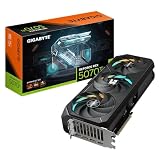
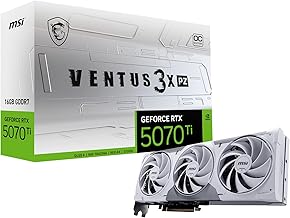
There is more variety in 5070 Ti designs, which is useful because the extra 50W of board power makes cooling choice meaningful. The GIGABYTE RTX 5070 Ti Gaming OC 16G is the conventional triple-fan WINDFORCE option and a safe default for a standard tower. For compact builds, the ASUS SFF-Ready Prime RTX 5070 Ti OC squeezes into a 2.5-slot footprint with dual BIOS for a quiet mode, while the GIGABYTE Eagle OC ICE SFF offers the same short-card compatibility in white. The MSI Ventus 3X PZ OC Black pushes a 2,482 MHz boost clock and is built around back-connector motherboards for cleaner cable routing.
Laptop owners have an unusual option too: the ASUS ROG XG Mobile (2025) packages a 5070 Ti into an external Thunderbolt 5 enclosure, letting a thin-and-light machine drive a desktop monitor at desktop frame rates. There is a bandwidth penalty versus a native PCIe 5.0 slot, but Thunderbolt 5 narrows it considerably compared with previous eGPU generations. Whichever variant you choose, the underlying arg