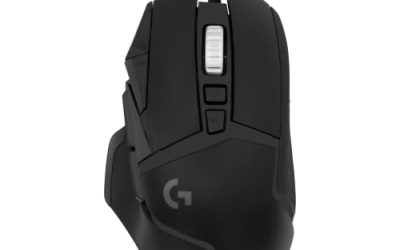
Our Top Picks
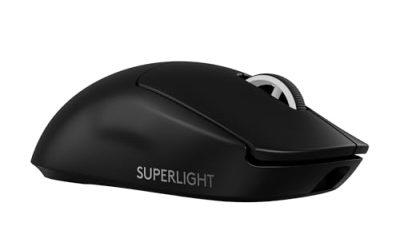
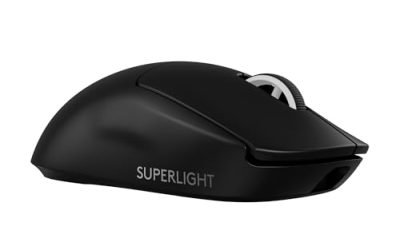
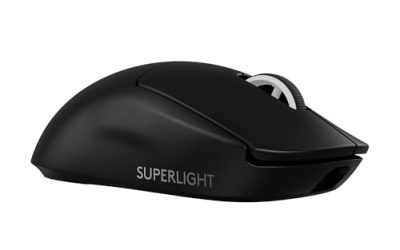
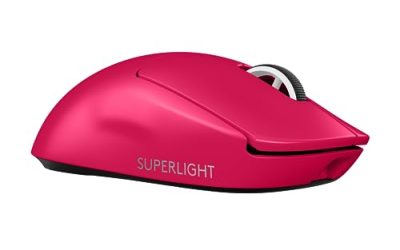
 Logitech G Pro X Superlight 2 Lightspeed WirelessClassic1.57 x 2.5 x 4.92 inches0.1 poundsCheck on Amazon
A mouse built for average hands will punish small hands. The fingers stretch to reach the click buttons, the thumb misses the side buttons, and the palm rests on a shell that is too long to control. The result is a grip that slips during fast movements and a hand that tires before the game ends. The right mouse for small hands is not just a smaller version of a big mouse: it needs a short shell, a light body, and side buttons the thumb can actually reach.
This guide is for players with small hands who want a Logitech mouse, younger players moving up from a basic mouse, and anyone who finds full-size mice too long to control. Every mouse below was chosen from its name and specifications on its Amazon product page, with weight, sensor, button count, and battery life taken from the listing itself.
Quick Picks
As an Amazon Associate we earn from qualifying purchases.
| Product | Best for | Key spec from title |
|---|---|---|
| Logitech G305 LIGHTSPEED | A light wireless mouse with a very long battery | HERO 12K sensor, 12,000 DPI, 250-hour battery |
| Logitech G Pro X Superlight 2 | The lightest pro-grade Logitech mouse | 60g, 44k DPI sensor, 8kHz report rate |
| Logitech G705 | A compact mouse built for smaller hands | Compact design, LIGHTSYNC RGB, 85g |
| Logitech G309 LIGHTSPEED | A light mouse with a very long battery life | HERO 25K sensor, 300+ hour battery |
How to Choose
Shell length and hand fit
Small hands need a short shell, so length is the first filter. A mouse around 115 mm long suits most small hands, while a mouse above 125 mm will force the fingers to stretch for the click buttons. Check the length in the listing and compare it against hand length measured from the wrist to the middle fingertip. The shape matters too: a symmetrical shell suits claw and fingertip grips, while a compact ergonomic shell suits players who rest the palm. A mouse that is too long will slip during fast movements, no matter how light it is.
Weight and control
Light mice suit small hands because the fingers do less work to lift and move them. A mouse under 70 grams lifts easily with two fingers, while a mouse above 90 grams can feel heavy for a small hand during long sessions. Check the weight figure in the listing and remember that batteries add to it: a mouse that runs on a single AA cell weighs more with the battery installed. A light mouse also needs a sensor that tracks cleanly at high DPI, since small-hand players often run higher sensitivity to cover the screen.
Side button reach
Side buttons only help when the thumb can reach them without shifting the whole hand. Small hands need side buttons placed close to the front of the shell, not stretched along the side. Check the button count in the listing and think about whether the thumb can press the buttons while the fingers stay on the clicks. A mouse with six buttons is plenty for most players, and two well-placed thumb buttons beat four buttons that sit too far back to reach.
Battery and connection
Wireless mice suit small hands because they remove cable drag, which matters more when the hand is light. Check the battery figure in the listing: a mouse with 250 hours or more runs for months on one cell or one charge. USB-C charging keeps the setup simple, and Bluetooth support lets the mouse work with a laptop as well as a desktop. A wired mouse never needs charging but adds cable drag, so pick the connection that fits the desk setup and the way the mouse will be used.
The 4 Best Options
Logitech G305 LIGHTSPEED

The Logitech G305 LIGHTSPEED suits small hands that want a light wireless mouse with a very long battery life. At 99 grams with a compact shell, it fits hands that find full-size mice too long, and the HERO 12K sensor tracks up to 12,000 DPI for clean, precise movement. Six programmable buttons cover the essentials, and the 250-hour battery on a single AA cell means the mouse runs for months before needing a new battery. On-board memory stores the setup when moving between computers, and LIGHTSPEED wireless keeps the connection stable.
- Specs:
- HERO 12K sensor, 12,000 DPI
- 6 programmable buttons
- 250-hour battery life
- On-board memory
- LIGHTSPEED Wireless
- 99g lightweight design
- Best for: Small hands that want a light wireless mouse with a very long battery life.
- Watch out for: The mouse runs on a single AA battery, so keep a spare nearby for long sessions.
Logitech G Pro X Superlight 2
The Logitech G Pro X Superlight 2 suits small hands that want the lightest pro-grade mouse Logitech makes. At 60 grams with a symmetrical shell, it lifts easily and stays balanced under small fingers, and the HERO 2 sensor with 44,000 DPI and an 8kHz report rate tracks cleanly during fast movements. LIGHTFORCE hybrid switches combine optical speed with a mechanical click feel, and USB-C charging keeps the setup simple. Five programmable buttons keep the sides clean, which helps small hands hold the shell during lifts.
- Specs:
- 60g pro-grade design
- HERO 2 sensor, 44,000 DPI
- 8kHz report rate
- LIGHTFORCE hybrid switches
- 5 programmable buttons
- USB-C charging
- Best for: Small hands that want the lightest, fastest Logitech mouse.
- Watch out for: The symmetrical shell has no thumb rest, so players who rest the thumb heavily should check the shape first.
Logitech G705

The Logitech G705 suits small hands more directly than any other mouse in the guide, since it was built as a compact mouse from the Aurora Collection. Its contoured shell fits smaller hands without stretching the fingers, and the soft LIGHTSYNC RGB lighting gives the desk a gentle glow. LIGHTSPEED wireless and Bluetooth give two ways to connect, and the 85-gram body stays light for long sessions. Six programmable buttons cover the essentials, and the rechargeable USB-C connection means no batteries to replace.
- Specs:
- Compact wireless design
- Customizable LIGHTSYNC RGB lighting
- LIGHTSPEED Wireless and Bluetooth
- 85g lightweight body
- 6 programmable buttons
- Rechargeable USB-C connection
- HERO sensor, 12,000 DPI
- Best for: Small hands that want a mouse built specifically for a compact fit.
- Watch out for: One unboxing source lists 8,200 DPI for this model, so confirm the sensor details on the live listing before buying.
Logitech G309 LIGHTSPEED

The Logitech G309 LIGHTSPEED suits small hands that want a light mouse with the longest battery life in the guide. Its compact shell fits smaller hands, and the HERO 25K sensor tracks up to 25,000 DPI for precise movement. LIGHTFORCE hybrid switches give a fast, clean click, and the 300+ hour battery on a single AA cell means the mouse runs for months. At 68 grams with POWERPLAY wireless charging or 86 grams with the AA battery, it stays light either way, and six programmable buttons cover the essentials.
- Specs:
- HERO 25K sensor
- LIGHTFORCE hybrid switches
- 300+ hour battery life
- 6 programmable buttons
- 68g with POWERPLAY, 86g with AA battery
- LIGHTSPEED Wireless
- Best for: Small hands that want a light mouse with a very long battery life.
- Watch out for: The POWERPLAY charging system needs a compatible charging mat, which is sold separately.
Which One Fits Your Situation
You want the longest battery life
Pick the Logitech G309 LIGHTSPEED. Its 300+ hour battery outlasts every other mouse in the guide, and the compact shell fits small hands without stretching the fingers. The HERO 25K sensor and LIGHTFORCE switches keep it fast, and the 68-gram body with POWERPLAY stays light. Six programmable buttons cover the essentials without adding bulk to the sides.
You want the lightest mouse possible
Pick the Logitech G Pro X Superlight 2. At 60 grams it is the lightest Logitech mouse here, and its symmetrical shell works for claw and fingertip grips. The 8kHz report rate and HERO 2 sensor keep tracking tight during fast movements. Five programmable buttons keep the sides clean, which helps small hands hold the shell during lifts.
You want a mouse built for small hands
Pick the Logitech G705. It was designed as a compact mouse for smaller hands, with a contoured shell that fits without stretching the fingers. Bluetooth support also makes it easy to use with a laptop, and the rechargeable battery means no AA cells to replace. The contoured shell keeps the fingers relaxed during long sessions.
You want a proven wireless mouse on a budget
Pick the Logitech G305 LIGHTSPEED. Its 250-hour battery, HERO 12K sensor, and six programmable buttons cover everything most players need, and the compact shell fits small hands well. It is the most affordable path to a good Logitech mouse for small hands in this guide. The wireless connection keeps the desk tidy, and the 250-hour battery runs for months.
Common Mistakes
- Buying a full-size mouse and hoping small hands will adjust to a shell that is too long.
- Choosing a mouse by weight alone without checking the shell length against hand size.
- Ignoring side button placement and ending up with buttons the thumb cannot reach.
- Picking a heavy wireless mouse and forgetting that the battery adds to the weight.
- Copying a pro player’s mouse without checking whether the pro’s hand size matches the buyer’s.
Frequently Asked Questions
How do I know if a mouse fits small hands?
Measure hand length from the wrist crease to the tip of the middle finger. Hands under 17 cm usually fit mice around 115 mm long or shorter, while hands under 16 cm may need a compact mouse like the G705. Compare the hand measurement against the length in the listing, and check whether the fingers can reach the click buttons and side buttons without stretching.
Is a lighter mouse always better for small hands?
A lighter mouse is usually better, since small hands do less work to lift and move it. A mouse under 70 grams lifts easily with two fingers, while a mouse above 90 grams can tire a small hand during long sessions. Weight is not the only factor, though, since a well-balanced 85-gram mouse can feel better than a poorly balanced 60-gram one.
Does the Logitech G705 really fit small hands?
Yes, the G705 was designed as a compact mouse for smaller hands, with a contoured shell that is shorter and narrower than Logitech’s full-size mice. Its 85-gram body and six programmable buttons suit players who find the G502 or G Pro too long. Players with very small hands should still check the dimensions against their hand measurement before buying.
Should small hands use a wired or wireless mouse?
Wireless usually suits small hands better, since it removes cable drag that a light hand feels more. A wireless mouse with a long battery life, like the G309 or G305, runs for months without charging. A wired mouse never needs charging but adds cable weight and drag, so it suits players who keep the cable managed and want the lightest possible setup.
FAQ
How do I know if a mouse fits small hands?
Is a lighter mouse always better for small hands?
Does the Logitech G705 really fit small hands?
Should small hands use a wired or wireless mouse?
More from Amazon
Programs that pair well with the guide above. Offers and eligibility are set by Amazon and may change.
Free shipping on eligible items, Prime Video and more. Eligible new members can start with a free trial.
Start a Prime free trialAd-free music streaming. Eligible new subscribers can start with a free trial.
Try Music Unlimited freeA Prime membership for ages 18-24 with a trial period. Eligibility is set by Amazon.
See Prime for Young AdultsAudiobooks and podcasts to listen to on the go. Eligible new members can start with a free trial.
Try Audible freeAs an Amazon Associate we earn from qualifying purchases.