Our Top Picks
 Logitech G502 X Plus Wireless RGB Gaming MouseWireless7.1 x 4.6 x 2.7 inches0.84 poundsCheck on Amazon

MMO play runs on the thumb. Rotations, cooldowns, mounts, potions and target markers all compete for keyboard keys, and a mouse carrying a proper side grid moves that entire layer onto one finger. The classic arrangement is a twelve-button thumb panel, and the mice in this guide are built around that idea or its closest alternatives: one true grid mouse with swappable side plates, plus two many-button designs that spread their controls around the shell instead of clustering them.
Button counts deserve honest reading, so this guide states them plainly. The Razer Naga V2 Pro carries 19+1 programmable buttons in total and ships with a twelve-button side plate. The Logitech G502 X Plus offers 13 programmable controls arranged around a conventional right-handed shape. The Logitech G502 HERO provides 11 programmable buttons, one short of a full grid, on a wired body. Which layout suits you depends on whether your games reward a memorised grid or a smaller set of distinct buttons your fingers can find without thinking.
Quick Picks
As an Amazon Associate we earn from qualifying purchases
| Product | Best for | Key spec from title |
|---|---|---|
| Razer Naga V2 Pro | The true 12-button grid | 3 swappable side plates (12, 6 and 2-button layouts) |
| Logitech G502 X Plus | 13 controls without a grid layout | 13 programmable controls, HERO 25K sensor |
| Logitech G502 HERO | The wired 11-button alternative | 11 programmable buttons, on-board memory for 5 profiles |
How to Choose
Count the buttons your thumb can actually reach
A grid only helps if your thumb can land on the right square without looking down. Twelve small buttons packed into four rows take practice, and most players use the front two rows constantly while the back row holds occasional cooldowns and utility skills. That is still a fair trade: even eight reliable buttons free up a large stretch of keyboard. When comparing mice, weigh reachable buttons over raw totals. Headline counts often include the wheel click, DPI switch and tilt inputs, which are useful but do not replace a thumb grid for action-bar work in an MMO.
Choose between a grid and spread-out controls
The two layouts in this guide solve the same problem differently. A grid puts many identical buttons in one place, which suits long, fixed action bars that you memorise by position. Spread controls place fewer buttons at distinct spots around the shell — beside the wheel, along the left edge, behind the DPI switch — so each one feels different under the finger. Grid layouts win on capacity; spread layouts win on certainty during fast, varied play. Players who split time between an MMO and shooters often prefer spread controls, while dedicated raiders tend to commit to the grid.
Think in profiles rather than a single layout
Your main character’s rotation is not your alt’s, and neither resembles your shooter bindings. Mice in this class earn their keep by storing several layouts and switching between them, whether through saved profiles or, in the Naga’s case, physically swappable side plates that change the hardware itself. Consider how you actually rotate games and characters across a week. A mouse that holds multiple profiles means the setup work happens once, at your desk, instead of being repeated at every login. It also makes a many-button mouse practical for households sharing one machine.
Decide what wireless freedom is worth to you
Two of these mice cut the cable, one does not, and the difference shows up in daily habits rather than in tracking quality. Wireless models connect over a fast 2.4 GHz link for play and can fall back to Bluetooth or a cable, but they need charging on a rhythm you have to maintain. A wired mouse asks for nothing: no battery anxiety before a raid night, no receiver to keep track of, and a slightly simpler path from box to game. Neither answer is wrong, yet the honest question is whether you will actually keep a wireless mouse charged.
The 3 Best Options
Razer Naga V2 Pro

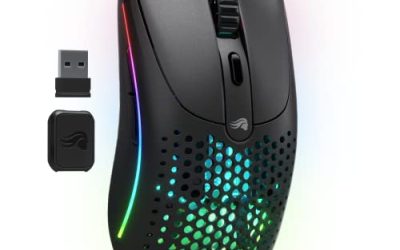
The Naga V2 Pro is the only mouse here with a genuine twelve-button thumb grid, and it treats that grid as a starting point rather than a fixed design. Three magnetic side plates swap in seconds: a twelve-button plate for MMO action bars, a six-button plate for battle royale layouts, and a two-button plate for shooters. Programmable inputs total 19+1 once the rest of the shell is counted. The Focus Pro 30K sensor tracks up to 30,000 DPI, the HyperScroll Pro wheel adds another configurable input, Gen-3 optical switches handle the clicks, and HyperSpeed wireless, Bluetooth and wired USB-C cover every connection style.
Specs
- Focus Pro 30K optical sensor, 30,000 DPI max
- 19+1 programmable buttons
- 3 swappable magnetic side plates (12, 6 and 2-button layouts)
- HyperScroll Pro wheel
- Gen-3 optical switches
- HyperSpeed wireless + Bluetooth + wired USB-C
- Model: RZ01-04400100-R3U1
Best for: The true 12-button grid.
Watch out for: The twelve-button plate has a real learning curve, and small thumbs may find the back row a stretch at first.
ASIN: B0BGJTLFN5
Logitech G502 X Plus
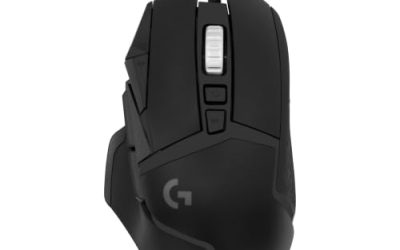
The G502 X Plus answers the same problem from the opposite direction: instead of a grid, it spreads 13 programmable controls around a familiar right-handed shape, so each button sits in its own place and feels distinct under the finger. That suits players who mix MMOs with shooters and want extra commands without retraining their thumb on a keypad. The HERO 25K sensor covers 100 to 25,600 DPI, LIGHTFORCE hybrid switches pair optical actuation with a mechanical feel, and the body weighs 106 g. It charges over USB-C, works with the POWERPLAY charging mat, and carries LIGHTSYNC RGB lighting.
Specs
- HERO 25K sensor, 100-25,600 DPI
- 106 g
- 13 programmable controls
- LIGHTFORCE hybrid switches
- LIGHTSYNC RGB
- USB-C charging
- POWERPLAY compatible
- Model: 910-006160
Best for: 13 controls without a grid layout.
Watch out for: Thirteen spread controls still fall short of a full action bar, so heavy MMO players may miss the dedicated grid.
ASIN: B092CB69Q4
Logitech G502 HERO

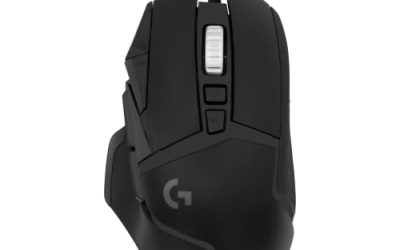
The G502 HERO is the wired member of this trio, and honesty requires stating its count out loud: 11 programmable buttons, one short of the twelve in this guide’s title. What it offers instead is depth around those buttons. On-board memory stores five profiles, so an MMO layout, a shooter layout and a desktop layout all live on the mouse itself. The HERO 25K sensor reaches 25,600 DPI, five removable 3.6 g weights tune the balance, and the dual-mode scroll wheel swaps between precise ratchet steps and free spinning. No battery, no receiver and no charging routine to plan around.
Specs
- HERO 25K sensor, 25,600 DPI max
- 11 programmable buttons
- Adjustable weight system (five 3.6 g weights)
- On-board memory for 5 profiles
- Dual-mode hyper-fast scroll wheel
- LIGHTSYNC RGB
- Wired USB
- Model: 910-005469
Best for: The wired 11-button alternative.
Watch out for: Eleven buttons means one action stays on the keyboard, and the wired connection will not suit a setup built around a clean, cable-free desk.
ASIN: B07GBZ4Q68
Which One Fits Your Situation
Your action bar has twelve slots you genuinely press
Buy the Naga V2 Pro and commit to its grid. Raid rotations, pet commands and consumables all fit under one thumb, and the six- and two-button plates in the box mean the same mouse reshapes itself when you log into a shooter. No other layout here puts that many memorised inputs in a single place.
You split the week between an MMO and shooters
The G502 X Plus was designed for exactly this split. Its 13 controls are spread out and easy to tell apart at speed, which suits games where the wrong button costs a round. MMO players still get plenty of extra binds, just arranged for certainty rather than for maximum density under the thumb.
You want stored profiles without battery management
Take the G502 HERO. Five profiles live on the mouse, the cable removes charging from your routine entirely, and the tuning weights let you set the balance once and forget it. For a desk that hosts long raid nights, that set-and-forget character is worth more than one additional button. It is the dependable, low-maintenance option in this guide.
A full grid sounds like more than you need
It might be. Many MMO players use six to eight side buttons well and leave the rest empty. The G502 X Plus and G502 HERO both cover that range with buttons that are easier to distinguish by touch, and either will feel familiar within an evening instead of demanding a week of retraining.
Common Mistakes
- Judging mice by headline button totals that quietly include the wheel click, tilt inputs and DPI switch alongside the thumb buttons.
- Binding all twelve grid buttons on the first day, then fumbling mid-raid instead of adding a few at a time as muscle memory builds.
- Leaving the Naga’s six- and two-button plates in the box, even though swapping them takes seconds and transforms the mouse for other genres.
- Expecting macros and remaps to configure themselves, when every mouse here needs its maker’s PC software for the initial setup work.
- Buying a grid mouse for games that only ever use three or four extra buttons, where a lighter spread-control mouse would serve better.
Frequently Asked Questions
Is the Razer Naga V2 Pro really a 12-button mouse?
Its twelve-button side plate is exactly that: twelve thumb buttons in a grid. The mouse’s total programmable count is listed as 19+1 once the main clicks, wheel and other controls are included, and the box also holds six- and two-button plates. So the honest description is a mouse that can be a 12-button grid, a mid-count layout or a minimal shooter layout depending on the plate fitted.
Are 11 or 13 buttons enough for MMO play?
For most players, yes. Few rotations use more than eight to ten mouse-bound actions regularly, and the G502 X Plus’s 13 controls or the G502 HERO’s 11 buttons cover that range comfortably. A full twelve-button grid earns its place when you bind consumables, mounts, markers and pet commands on top of a complete rotation, or when you simply prefer everything under one thumb.
Do these mice need software to program their buttons?
Yes, for the initial setup. Button remapping, macros and profile creation happen in each maker’s PC software, after which the settings are stored and used in game. The G502 HERO keeps five profiles in on-board memory, so its layouts persist without the software running. Plan one configuration session at a PC before expecting any of these mice to behave exactly as you intend.
Can a many-button mouse work for shooters too?
It can, provided the layout suits the game. Spread-control mice like the G502 X Plus feel natural in shooters because each extra button is distinct. The Naga V2 Pro adapts by swapping to its two-button plate, which removes the grid entirely. What matters is not the maximum count but whether the buttons you actually use are quick to find and hard to press by accident.
FAQ
Is the Razer Naga V2 Pro really a 12-button mouse?
Are 11 or 13 buttons enough for MMO play?
Do these mice need software to program their buttons?
Can a many-button mouse work for shooters too?
More from Amazon
Programs that pair well with the guide above. Offers and eligibility are set by Amazon and may change.
Free shipping on eligible items, Prime Video and more. Eligible new members can start with a free trial.
Start a Prime free trialAd-free music streaming. Eligible new subscribers can start with a free trial.
Try Music Unlimited freeA Prime membership for ages 18-24 with a trial period. Eligibility is set by Amazon.
See Prime for Young AdultsAudiobooks and podcasts to listen to on the go. Eligible new members can start with a free trial.
Try Audible freeAs an Amazon Associate we earn from qualifying purchases.