Our Top Picks
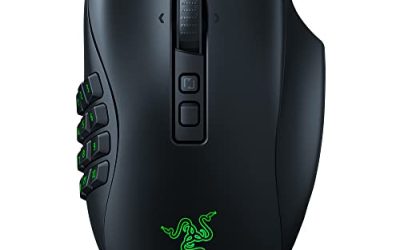
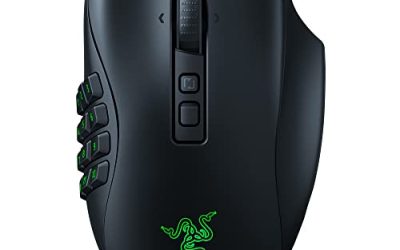
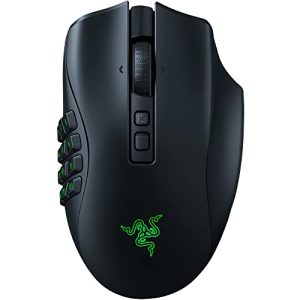
 Razer DeathAdder V3 Pro Wireless Gaming Mouse1000 Hz5.01 x 2.65 x 1.69 inches0.1 poundsCheck on Amazon
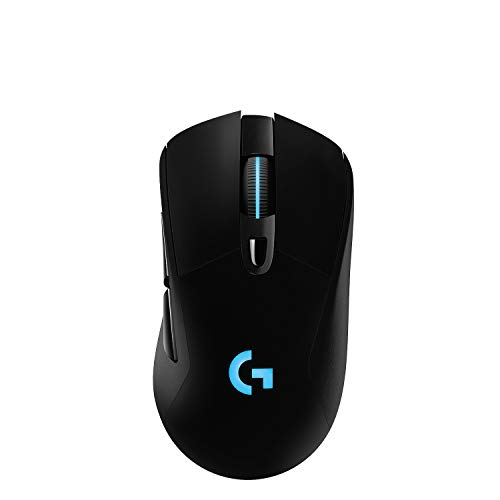 Logitech G703 LIGHTSPEED Wireless Gaming Mouse4.9" x 2.7" x 1.7"43 x 68 x 124 inches0.2 poundsCheck on Amazon
 Logitech G502 LIGHTSPEED Wireless Gaming MouseWireless5.19 x 2.95 x 1.57 inches0.81 poundsCheck on Amazon
Palm grip asks more of a mouse than any other grip style. Your whole hand rests on the shell, your fingers lie flat along the buttons, and the back of your palm stays in contact with the rear hump through every movement. A mouse that is too short, too low, or too narrow forces you into a claw or fingertip posture whether you want it or not, and the fatigue shows up in your wrist, your fingers, and your aim long before a session ends.
As an Amazon Associate we earn from qualifying purchases
That is why this guide is deliberately narrow. Every pick below is a wireless gaming mouse with a full-contact ergonomic shell: long enough for the palm to rest on, tall enough at the hump to fill the hand, and shaped for right-handed use so the thumb, ring finger, and pinky have somewhere natural to sit. Symmetrical esports mice that happen to tolerate a relaxed grip are not included, and neither are small fingertip mice dressed up as palm options. If a mouse could not support a true palm grip for a medium or large hand, it did not make the list.
What Makes a Wireless Mouse Work for Palm Grip
Length matters first. For most palm grippers, a shell around 124 to 132 millimetres long gives the fingers room to lie flat without hanging off the front edge and lets the rear of the mouse stay under the palm. Shorter mice push the hand forward and turn a palm grip into a hybrid grip, which changes how you aim and how much forearm you use.
Height and hump placement matter just as much. A height around 40 to 44 millimetres, with the highest point set toward the middle or rear of the shell, fills the arch of the hand. That contact is the whole point of palm grip: the mouse moves because your hand moves, not because your fingers drag it. A low, flat mouse leaves a gap under the palm, and your fingers end up doing the steering work the shell should be doing.
Width and the sides complete the fit. A wider grip width gives the thumb a rest and gives the ring finger and pinky a ledge on the right side instead of letting them drag on the pad. Flared sides, a thumb rest, or textured rubber panels all help, provided they do not force your fingers into a pinched position. Right-handed ergonomic shells usually do this better for palm grip than ambidextrous shells, because they can slope down on the right side and rise on the left where the thumb works.
Weight is a trade-off rather than a race to the bottom here. Palm grippers tend to move the mouse with the arm and shoulder more than fingertip players do, so a very light mouse is not automatically better. Extra weight can feel planted and controlled in slow, deliberate swipes, while a lighter ergonomic mouse reduces the effort of repeated lifts. The picks below span that range on purpose, from a light ergonomic shell to heavier, button-rich models, so you can match the weight to the games you play.
Finally, wireless performance has to be good enough that you forget about it. Look for a dedicated 2.4 GHz gaming connection rather than Bluetooth alone for play, a polling rate of 1,000 Hz as the standard setting, and battery life that survives several long sessions between charges. Bluetooth is useful as a second connection for a laptop or a work machine, but it is not the connection to game on.
How to Check the Fit Before You Buy
Measure your hand from the tip of your middle finger to the base of your palm, and across the knuckles at the widest point. Then compare those numbers with the shell dimensions listed for each pick. As a rough guide, medium hands tend to suit the shorter shells in this list, while large hands usually need the longest and widest options to keep full palm contact without the fingers spilling over the front.
1. Razer DeathAdder V3 Pro — The Lightest Full Palm-Grip Shell
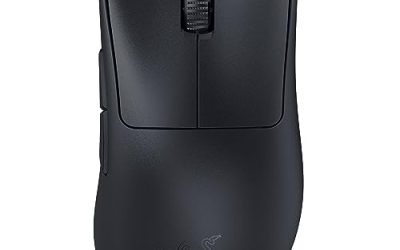
The Razer DeathAdder V3 Pro is the clearest answer for a palm gripper who also wants a light mouse. Its right-handed ergonomic shell measures approximately 128 millimetres long, 68 millimetres wide, and 44 millimetres high, which is a genuinely full-size shape. The hump is tall, the back is broad, and the sides curve in a way that lets the whole palm settle onto the mouse rather than hovering over it. For medium and large hands, that is exactly the contact a palm grip needs.
At approximately 63 grams in black, excluding the cable, it is far lighter than the other ergonomic picks in this guide. That combination — a large, supportive shell at a low weight — is rare. It means long sessions of arm aiming in shooters do not have to come with the shoulder effort that a heavier mouse demands, and lifting the mouse to reset on the pad takes noticeably less work. If you love the feel of a big ergonomic mouse but have moved away from heavier models, this shape is the one to look at first.
The listing specifies Razer HyperSpeed Wireless, a Focus Pro 30K optical sensor with up to 30,000 DPI, up to 750 IPS tracking, and up to 70 G acceleration. It uses Razer Optical Mouse Switches Gen-3, lists five programmable buttons, and offers up to 90 hours of battery life at the standard polling setting. There is no RGB lighting, which helps keep the weight down and suits players who want a clean desk. The mouse charges and can be used wired over its USB-C cable.
In palm grip, the DeathAdder shape rewards a relaxed hand. The primary buttons are wide enough for flat fingers, the scroll wheel sits where a resting index or middle finger reaches it without stretching, and the gentle right-side slope gives the ring finger support instead of a sharp edge. It suits tactical shooters, battle royale games, and general play where you aim with a mix of arm and wrist and want the shell to do the supporting work.
Choose this one if your hand is medium to large, you want full palm contact, and you prefer a lighter mouse for faster, repeated movements. Skip it if you need many side buttons for an MMO, want Bluetooth, or have a smaller hand that a 128-millimetre shell would push too far forward.
2. Logitech G703 Lightspeed — The Balanced Palm-Grip Classic
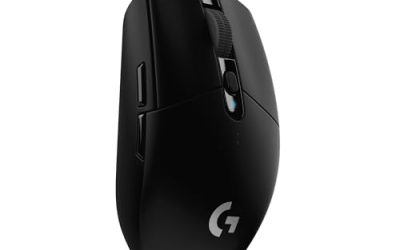
The Logitech G703 Lightspeed has been a default recommendation for palm grip for years, and the shape explains why. The listing describes a wireless gaming mouse with the HERO 25K sensor, rubber side grips, and LIGHTSYNC RGB. Its dimensions are approximately 124 millimetres long, 68 millimetres wide, and 43 millimetres high, and it weighs approximately 95 grams, with an optional 10-gram weight included. That is a medium-large shell with a high, rounded back that fills the palm without feeling oversized.
Compared with the DeathAdder V3 Pro, the G703 is a little shorter and noticeably heavier. In a palm grip that extra weight reads as stability. Slow tracking movements feel smooth and controlled, and the mouse is less likely to twitch when you click hard in a tense moment. The rubber side grips help the thumb and pinky hold the mouse during lifts, which matters for palm grippers because the whole hand, not just the fingertips, takes part in lifting.
The listing gives a sensor range of 100 to 25,600 DPI, LIGHTSPEED wireless, six buttons, and compatibility with POWERPLAY wireless charging. Battery and charging are straightforward: use it wirelessly for gaming, charge it over cable, or pair it with a compatible charging system if you already own one. The shape and feature set make it a strong single-mouse setup for someone who games at one desk and does not want to swap mice for work.
This is the pick for medium hands in particular. A large hand can palm it, but the slightly shorter length means the fingers sit closer to the front edge than they do on the longer Razer shells. A medium hand, by contrast, gets full contact at the back, flat fingers on the buttons, and a hump that sits right under the palm. It suits shooters, action games, and everyday play where comfort over several hours matters as much as raw speed.
Choose the G703 if you want a proven, balanced ergonomic shape, a little more weight for control, and simple LIGHTSPEED wireless without a long list of extra buttons. Skip it if you want the lightest possible mouse, need a thumb rest and a large button layout, or have a very large hand that needs a longer shell.
3. Razer Basilisk V3 Pro — The Full-Featured Palm-Grip Mouse

The Razer Basilisk V3 Pro is built for a palm gripper who wants everything on the mouse: buttons, a versatile wheel, and a thumb rest. Its ergonomic right-handed shell measures approximately 130 millimetres long, 75.4 millimetres wide, and 42.5 millimetres high, and it weighs approximately 112 grams excluding the cable. That makes it the longest and widest pick in this guide, and for a large hand it provides the most complete contact of any mouse here. The palm rests, the fingers lie flat, and the thumb sits on a dedicated rest instead of hovering.
The listing specifies a Focus Pro 30K optical sensor, Razer Optical Mouse Switches Gen-3, a HyperScroll tilt wheel, Chroma RGB, and 11 programmable buttons in the listing title, with the wider product description referring to 13 programmable controls including wheel inputs. It connects three ways: HyperSpeed Wireless for gaming, Bluetooth for a second device, and wired over USB-C. Battery life is listed at up to 90 hours on HyperSpeed. Those three connections make it easy to leave the gaming receiver in a desktop, pair Bluetooth to a laptop, and still have a wired fallback.
That breadth comes with weight. At 112 grams, repeated fast lifts in a low-sensitivity shooter take more effort than they do on the DeathAdder V3 Pro, and smaller hands may find the width and length too much shell to move comfortably. For a large-handed palm gripper who plays MMOs, MOBAs, action RPGs, and shooters on the same mouse, though, the trade is often worth it.
Choose the Basilisk V3 Pro if you have a medium-large or large hand, want a thumb rest and the most controls, and value three connection modes. Skip it if low weight is your priority, your hand is small, or you prefer a simple mouse with only the essential buttons.
4. Logitech G502 Lightspeed — The Button-Rich Palm and Relaxed-Claw Option
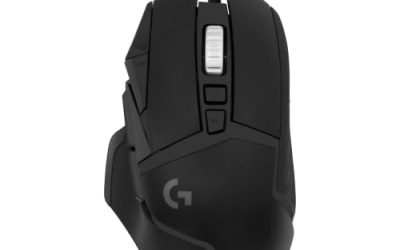
The Logitech G502 Lightspeed takes a different approach to a supported hand. The listing describes a wireless gaming mouse with the HERO 25K sensor, POWERPLAY compatibility, tunable weights, and LIGHTSYNC RGB. Its shell is approximately 132 millimetres long, 75 millimetres wide, and 40 millimetres high, and it weighs approximately 114 grams, with additional removable weights available in the tunable system described in product information. It is long and wide, with a pronounced thumb rest and a lower profile than the Basilisk or the G703.
That lower height is the key difference to understand. A pure palm gripper with a high arch may find the 40-millimetre height fills the hand less completely than the taller shells above, while a palm gripper with a flatter hand, or someone who drifts between palm and a relaxed claw, often finds the G502 shape natural. The length still supports the palm, the width supports the thumb and outer fingers, and the sculpted sides give a secure hold for lifts. It belongs in this guide as a genuine full-contact option for that hand type, not as a fingertip mouse, and it should not be chosen expecting the tall, domed feel of the DeathAdder.
The listing gives 11 programmable buttons, LIGHTSPEED wireless, a HERO 25K sensor range of 100 to 25,600 DPI, and a dual-mode hyper-fast scroll wheel. The button layout around the thumb and beside the left click suits players who bind abilities, push-to-talk, melee, grenades, or building controls to the mouse and use them constantly. Tunable weight lets you add mass if you prefer an even more planted feel, though most palm grippers should start with the base weight and only add weight after a few sessions.
Choose it if your hand is medium to large and relatively flat in palm grip, you want the joint-largest button selection here, and you like a thumb rest with a lower, longer profile. Skip it if you want a tall hump that fills a high palm arch, a light mouse, or a minimalist button layout.
Quick Comparison for Palm Grippers
For the lightest full palm contact, choose the DeathAdder V3 Pro. Its 128-millimetre length and 44-millimetre height support the hand, while its low weight suits faster arm movement and frequent lifts.
For the most balanced fit, especially for medium hands, choose the G703 Lightspeed. It is a little shorter, a little heavier, and simpler, with rubber side grips and a rounded back that many palm grippers find immediately comfortable.
For the largest, most feature-rich shell, choose the Basilisk V3 Pro. Its length, width, thumb rest, tilt wheel, and three connection modes suit large hands and mixed gaming and everyday use, at the cost of the highest weight here alongside the G502.
For the most buttons on a long, lower shell, choose the G502 Lightspeed. It fits a flatter palm or a relaxed palm-to-claw transition and gives MMO and ability-heavy players controls everywhere the resting fingers already sit.
Settings That Help a Palm Grip
Start with a sensitivity that lets you use your arm for large turns and your wrist for small corrections. Palm grip gives you a stable base for that mix, but a sensitivity that is too high forces fingertip corrections and defeats the purpose of the grip. In shooters, many palm grippers settle on a setting where a comfortable swipe across most of the pad turns the character most of the way around, then adjust in small steps over several days rather than changing it every match.
Use one primary DPI setting while you learn a new shell. Changing both shape and sensitivity at once makes it impossible to tell which change helped. Give a new palm-grip mouse at least a week of normal play before judging the fit, because your hand needs time to stop reproducing the posture you used on the old mouse. Mild awareness of a new hump on the first day is normal; numbness, sharp pain, or a need to pinch the sides hard is not, and means the shell is the wrong size or shape for you.
Frequently Asked Questions
Is palm grip good for shooters?
Yes, provided the sensitivity and pad size suit it. Palm grip gives stable, repeatable arm movements and a relaxed hand, which many players find consistent for tracking and controlled flicks. Players who rely on constant micro-corrections with the fingers sometimes prefer a claw grip, but that is a preference, not a requirement for good aim.
What hand size suits these mice?
The G703 Lightspeed is the safest starting point for a medium hand. The DeathAdder V3 Pro suits medium and large hands that want a taller, lighter shell. The Basilisk V3 Pro and G502 Lightspeed suit medium-large and large hands best because of their length and width. A small hand should measure carefully before choosing any of them, because a shell that is too long pushes the fingers past the optimal click position.
Does wireless add delay for palm-grip play?
With the dedicated gaming receivers used by these picks, wireless should not be the limiting factor for ordinary or competitive play at home. Keep the receiver close, avoid unnecessary hubs between the receiver and the computer, and game on the 2.4 GHz connection rather than Bluetooth.
Should a palm gripper choose a light or heavy mouse?
Choose by movement style. If you lift and reset often, play at lower sensitivity, or play fast shooters for long sessions, the lighter DeathAdder V3 Pro reduces effort. If you make slower, deliberate movements, play ability-heavy games, or like a planted feel, the G703, Basilisk V3 Pro, or G502 Lightspeed may feel more controlled.
Final Verdict
The best wireless gaming mouse for palm grip is the one whose length, height, and width let your entire hand rest without reaching, pinching, or hovering. Start with the Razer DeathAdder V3 Pro if you want that support at the lowest weight, the Logitech G703 Lightspeed if you want the most balanced medium-hand fit, the Razer Basilisk V3 Pro if you want the largest shell and the most features, or the Logitech G502 Lightspeed if you want a long, lower, button-rich mouse for a flatter palm grip. Any of the four will serve a palm gripper better than a small symmetrical mouse that forces a grip change, and choosing between them by hand size and button needs will get you to the right desk setup faster than chasing sensor numbers alone.
FAQ
Is palm grip good for shooters?
What hand size suits these mice?
Does wireless add delay for palm-grip play?
Should a palm gripper choose a light or heavy mouse?
More from Amazon
Programs that pair well with the guide above. Offers and eligibility are set by Amazon and may change.
Free shipping on eligible items, Prime Video and more. Eligible new members can start with a free trial.
Start a Prime free trialAd-free music streaming. Eligible new subscribers can start with a free trial.
Try Music Unlimited freeA Prime membership for ages 18-24 with a trial period. Eligibility is set by Amazon.
See Prime for Young AdultsAudiobooks and podcasts to listen to on the go. Eligible new members can start with a free trial.
Try Audible freeAs an Amazon Associate we earn from qualifying purchases.