Key takeaways
- Buying DDR4 for a gaming machine heading into 2026 is a different decision than it was when the standard was new. The platform has settled.
Buying DDR4 for a gaming machine heading into 2026 is a different decision than it was when the standard was new. The platform has settled. You are almost certainly feeding an AM4 Ryzen board or an Intel board that still has DDR4 slots, and the question is no longer which memory is newest. It is which kit gives an existing board the most headroom with the least fuss. This guide is for upgraders refreshing an older tower, builders reusing a motherboard they already own, and anyone torn between a single stick and a two-stick kit.
Every pick below is a 3200 speed grade at 1.35V with CL16 as the headline timing, so the real decisions are capacity, kit layout, secondary timings, and whether a heatsink is listed. Moving from 16GB to 32GB matters more than any timing difference between these kits, and a matched pair matters more than a lone module. Everything said about each product comes from its listing title: speed, CAS timings, voltage, module type, and capacity. Anything the title does not state is treated as unknown and flagged as something to confirm.
Quick Picks
Our top picks
 CORSAIR Vengeance LPX DDR4 RAM 32GB
- Disclaimer: Maximum Speed requires overclocking/PC BIOS adjustments
- Hand-sorted memory chips ensure high performance with generous…
- VENGEANCE LPX is optimized for wide compatibility with…

 G.SKILL RipjawsV Series DDR4 RAM
- * Requires overclocking/BIOS adjustments
- G.SKILL RipjawsV Series DDR4 U-DIMM Memory Kit, Model:…
- Non-ECC, DDR4 U-DIMM, 288-pin, for Desktop PC &…
As an Amazon Associate we earn from qualifying purchases at no extra cost to you.
| Product | Best for | Key spec from the title |
|---|---|---|
| Corsair Vengeance LPX 32GB | One-purchase 32GB upgrade | 2x16GB, up to 3200MHz, CL16-20-20-38, 1.35V, XMP and EXPO named |
| G.Skill Ripjaws V 32GB | Tighter secondary timings at 32GB | 2x16GB, up to 3200MT/s, CL16-18-18-38, 1.35V, U-DIMM |
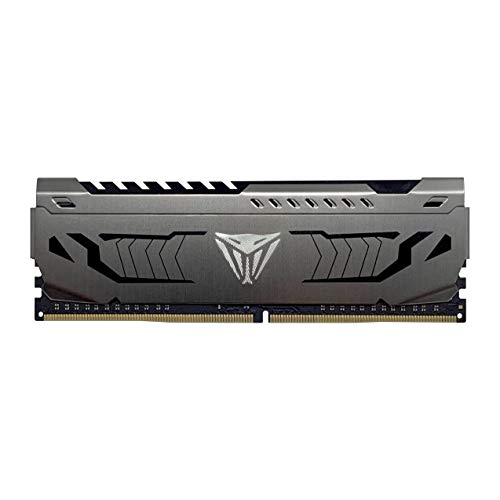
| Patriot Viper Steel 16GB | Adding to a single-module system | 1x16GB, 3200MHz, CL16, 1.35V, Intel XMP |
| Gigastone Game PRO 32GB | Buyers who want full spec detail | 2x16GB, PC4-25600, CL16-18-18-40, XMP 2.0, 288-pin, non-ECC |
| Silicon Power Value Gaming 16GB | Budget 16GB pair with a heatsink | 2x8GB, PC4-25600, 288-pin, CL16, 1.35V, heatsink listed |
The 5 Best Options
Corsair Vengeance LPX 32GB (2x16GB) DDR4-3200
This is the kit for a builder who wants 32GB in a single purchase and does not want to revisit memory for years. The listing shows two 16GB modules, a 3200MHz ceiling, CL16-20-20-38 timings, 1.35V, and support for both Intel XMP and AMD EXPO profiles, finished in black. A 32GB pair covers a modern game, a browser with a dozen tabs, a voice chat client, and a streaming overlay at once without the system leaning on the page file.
At 3200MT/s and CL16, first-word latency works out to 10 nanoseconds, identical to every other CL16 kit here. The difference sits in the secondary numbers: the 20-20 pair is looser than the 18-18 pair on the G.Skill and Gigastone kits. That is roughly a nanosecond and a quarter on those timings, which does not translate into a frame-rate change a player could feel. The part number in the title is the one to match when you are comparing against a retailer’s compatibility list.
Strengths
- 32GB arrives as a matched two-module kit, so dual-channel operation is built in.
- The listing names profile support for both major platforms, which removes guesswork on mixed hardware.
- Standard 1.35V is accepted by essentially every DDR4 desktop board.
Trade-offs
- Secondary timings of 20-20-38 are looser than two rival 32GB kits.
- The title says “up to 3200MHz,” so the advertised speed only applies after the profile is switched on in the BIOS.
Skip it if you are happy with 16GB and want to keep the budget lean, or if you want the tightest timings on paper. Against the next pick, the G.Skill, this kit gives up a little on secondary timings and offers a clearer cross-platform label in return, so it suits mixed Intel and AMD households where one kit might move between machines.
G.Skill Ripjaws V 32GB (2x16GB) DDR4-3200
This one suits the buyer who wants the same 32GB capacity but would rather have the tighter of the two common timing sets. The title lists two 16GB modules, up to 3200MT/s, CL16-18-18-38, 1.35V, a U-DIMM form factor for desktops, and compatibility with Intel and AMD systems under XMP. The listing text is cut off after the part number, so confirm the exact kit code before ordering.
The 18-18 secondary timings are the main separator from the Corsair kit. Dividing 18 cycles by the 1600MHz clock gives 11.25 nanoseconds, against 12.5 for 20 cycles. It is a small, real advantage in numbers and a negligible one in actual games, but when two kits of equal capacity sit side by side it is a reasonable tiebreaker. Anyone tuning memory by hand in the BIOS will also appreciate beginning from the tighter set.
Strengths
- Tighter 18-18-38 secondary timings than the Corsair at the same capacity and speed.
- The U-DIMM label confirms it fits standard desktop slots rather than laptop sockets.
- A two-module layout keeps the memory in dual-channel mode on any board with two or four slots.
Trade-offs
- The title names XMP only, so Ryzen owners should check their board’s profile support list.
- Black finish is the only option shown, which matters little unless a color-matched build is the goal.
Skip it if you are limited to a single free slot or if your board is a small-form-factor model with both slots already occupied by sticks you want to keep. Compared with the Patriot that follows, it is a full kit rather than a single stick, so it is the cleaner choice for a new build, while the Patriot makes more sense as an addition to an existing setup.
Patriot Viper Steel 16GB (1x16GB) DDR4-3200
This is a single 16GB module, and that shapes who should buy it. The title lists 3200MHz, CL16, 1.35V, Intel XMP support, and the UDIMM module type. It fits a system that already has one matching stick and needs a second to reach dual channel, or a build where the owner plans to buy two identical sticks over time instead of paying for the whole capacity at once.
The trap is simple. One module runs in single-channel mode, which halves the memory bus width compared with a pair. A lone 16GB stick can feel noticeably slower in systems that share memory with onboard graphics and can trim frame rates in processor-bound games. If you buy one, plan to buy a second of the same model, and understand that two separately purchased sticks are not guaranteed to be a validated pair, even when the labels match.
Strengths
- 16GB per module leaves room to grow to 32GB with a second identical stick.
- CL16 at 3200MHz matches the headline timing of the larger 32GB kits.
- Single-module purchases suit systems that currently have only one slot free.
Trade-offs
- One stick means single-channel operation until a second module is added.
- Only the first timing is shown in the title, so the secondary timings are unknown.
Skip it if you are building from scratch and want dual channel on day one, or if your board’s manual warns against mixing batches. It leads naturally into the Gigastone, which supplies the complete two-module layout with every timing spelled out and no second purchase required.
Gigastone Game PRO 32GB (2x16GB) DDR4-3200
The Gigastone has the most complete title in the group, which helps careful buyers. It states a 32GB kit of two 16GB sticks, 3200MHz, PC4-25600, CL16-18-18-40, Intel XMP 2.0 and AMD Ryzen compatibility, 1.35V, and a 288-pin unbuffered non-ECC UDIMM design. That string tells you the module type is correct for a desktop board and is not the server-style registered memory some shoppers buy by mistake.
PC4-25600 is simply the bandwidth label for 3200MT/s, with each module capable of 25.6GB per second at peak. The timings match the G.Skill except for the last number, 40 against 38, which is the row-active time and has almost no visible effect on gaming. For a shopper who wants to verify every detail against a motherboard manual before paying, this listing makes that job easy.
Strengths
- Every key detail is spelled out in the title, so compatibility checks are straightforward.
- 32GB in a matched pair with 18-18 secondary timings.
- Non-ECC unbuffered design suits ordinary gaming boards.
Trade-offs
- A lesser-known memory brand than the Corsair and G.Skill options, so some buyers will want to read the warranty terms first.
- The listing does not mention a heatsink, so clearance and cooling are not described.
Skip it if brand reputation is a deciding factor for you or if you want a visible heat spreader for the looks. Against the Silicon Power that follows, it doubles the capacity and offers tighter listed timings, while the Silicon Power is the lighter-weight 16GB pair for a smaller budget.
Silicon Power Value Gaming 16GB (2x8GB) DDR4-3200
This is the entry point for a buyer who wants a dual-channel 16GB pair and a heatsink without stretching the budget. The title lists two 8GB modules, 3200MHz, PC4-25600, 288-pin, CL16, 1.35V, a UDIMM format, and a gray heatsink. For esports titles, older libraries, and general use, 16GB in two sticks is a workable floor, and it fixes the common problem of a system stuck on a single 8GB module.
The ceiling is the issue. Two 8GB modules fill both slots on a two-slot board, so an upgrade later means replacing the pair rather than adding to it. Modern open-world games with high texture settings can already use well over 12GB of system memory when other apps are open, so this kit is best seen as a budget answer, not a long-term one. Treat it as a bridge to a later 32GB purchase.
Strengths
- Dual-channel layout at 16GB total keeps bandwidth healthy for the money.
- A heatsink is listed, which helps with airflow and appearance.
- Same CL16 at 3200MHz as the larger kits.
Trade-offs
- 16GB total leaves little margin for streaming, recording, or heavy multitasking.
- Two 8GB sticks mean any upgrade is a replacement, not an addition, on a two-slot board.
Skip it if you stream, edit video, or keep many applications open while gaming. If capacity is your concern, step back up to the Corsair or G.Skill 32GB kits at the top of this list, which solve the same problem with far more headroom.
Who Needs DDR4 Gaming Memory Today?
DDR4 is not a dead end. Millions of working gaming systems use it, and replacing a board plus a processor plus memory just to change generation is a bigger spend than most players need. The question to ask is whether your platform accepts it, not whether it is fashionable. Four situations come up again and again.
Owners of AM4 and older Intel boards
If your board has DDR4 slots, your memory choice is limited to this generation. A fresh kit can revive a system that has been running 8GB or a mismatched assortment of old sticks salvaged from other machines. This is the largest group of buyers and the one that gains the most per unit of money spent, because the rest of the machine is already paid for.
Players who have been hitting memory limits
Symptoms include stutter after long sessions, a browser that reloads tabs when you switch windows, and a game that hitches when a chat or recording tool launches. A jump from 16GB to 32GB is the cleaner fix in those cases, and any of the 32GB kits here will do it. Faster timings will not cure a capacity shortage.
Builders reusing parts
If you are carrying a case, a power supply, and a motherboard from an older build, DDR4 keeps the project small. Pick a matched pair, enable the profile, and move on. A dual-channel kit with an honest 3200 label is the sensible spot for this approach, and it leaves the remaining budget for the graphics card, which usually decides frame rates far more than memory does.
The same logic applies to anyone who wants a safe choice. Some buyers simply want memory that works and never think about it again. For them, the answer is a recognized 3200 kit with a clear listing, two sticks, and a quick trip into the BIOS to turn on the profile. Nothing in this roundup needs exotic tuning, and none of it asks you to chase a speed record.
How to Choose
Capacity: 16GB is the floor, 32GB is the comfortable level
Sixteen gigabytes still runs most current games, but it leaves little room once a browser, a launcher, and a chat client are open. Thirty-two gigabytes gives breathing room for streaming, recording, and modded libraries. Going past 32GB for a gaming-only build rarely changes anything a player can notice, and it costs more. If your board has only two slots, choose two 16GB sticks so that 32GB is reached without filling extra slots.
Kit layout: two matched modules beat one
Dual channel doubles the width of the memory path. Buy the capacity you want as two identical sticks sold together, such as 2x16GB, instead of one stick today and another later. Kits are binned and validated as pairs, which reduces the risk of a stability problem. A single stick, like the Patriot here, is best saved for adding to a system that already holds an identical module. Four-stick setups are harder on the memory controller and often force lower speeds, so two sticks is the safer rule on mainstream boards. Matching the exact model and speed of both sticks also keeps the timings consistent, which makes the BIOS profile easier to apply on the first try.
Speed and timings: 3200 at CL16 is the proven sweet spot
Divide the CAS number by the clock to compare kits: CL16 at 3200MT/s is 10 nanoseconds, CL18 would be 11.25, and CL20 would be 12.5. Ryzen 3000 and 5000 processors run best when the memory clock and Infinity Fabric stay in a one-to-one relationship, which at 3200 means a fabric clock of 1600MHz. Paying extra for kits well past 3600 seldom pays back on these platforms, and the stability work needed to run them can eat the gains.
Voltage and profiles: 1.35V and XMP or EXPO
The base DDR4 standard runs at 1.2V and a modest speed. The advertised 3200 only applies after you switch on the XMP profile for Intel, or the equivalent profile on Ryzen boards, in the BIOS. Look for 1.35V in the listing, which is the common level for gaming kits and is well within what boards accept. A kit that needs noticeably higher voltage for the same speed is a warning sign about the quality of the chips.
Module type: UDIMM, 288-pin, non-ECC
Desktop boards take unbuffered 288-pin DIMMs. Laptop memory is a smaller 260-pin SO-DIMM and will not fit. ECC and registered modules are for workstations and servers, and consumer boards generally cannot use them. Every kit in this roundup is described as a desktop UDIMM, but read the title yourself before you buy any other memory, because wrong-type orders are the most common reason for a return.
Where budget kits cut corners, and what to ignore
Cheaper kits often use looser secondary timings, skip a heatsink, or come from brands with shorter validation lists. The warranty and the compatibility list matter more than a tall heat spreader or lighting. If the listing does not give a height, check clearance against your CPU cooler before you buy, because large air coolers can overhang the first slot. Ignore marketing terms such as “gaming” or “pro” in a product name, since they do not describe a specification, and ignore any claim of a speed the board cannot reach. If two kits look equal on paper, take the one whose title lists the most detail, because complete listings are easier to check against a board’s support list. Memory failures are rare, but when they happen they look like random crashes that are hard to trace. A lifetime or long-term warranty from the manufacturer is common on gaming kits, and it is worth confirming that the listing’s seller honors it. Also keep the box and the packaging until the system has run stably for a few days, so a bad kit can go back without an argument. Where a kit is sold as a pair, the warranty normally covers the pair, which is another reason to prefer a kit over two loose sticks.
DDR4 or DDR5: The Choice Behind This Keyword
Shoppers searching for DDR4 are usually deciding whether to stay on the generation they know or to move to a new platform. The table lays out the practical differences a buyer faces.
| Factor | DDR4 | DDR5 |
|---|---|---|
| Motherboard requirement | AM4 and many older Intel boards | AM5 and newer Intel boards only |
| Slot compatibility | Not interchangeable | Not interchangeable |
| Typical gaming kit speed | 3200 to 3600 MT/s | Higher base speeds |
| Upgrade path | Ends with current platforms | Continues on new boards |
| What switching involves | Memory only | Board, processor, and memory |
When staying on DDR4 makes sense
If your processor and board already work well, a memory refresh is the least expensive way to extend their life. The graphics card is the part that decides frame rates in most games, so money saved by not changing platforms can go toward a better GPU instead. Players on a Ryzen 5000 chip in particular are already on the last and best processors their socket will ever see, and a good 3200 kit lets them use that chip fully.
One more point favors staying put: moving to DDR5 means a new board, and boards for the newer socket are not interchangeable with the old ones either. The spending adds up quickly, and it only makes sense if the processor is also due for replacement. For a player whose games already run smoothly, a memory refresh solves the actual problem at a fraction of the effort.
When to move on
If you are replacing the board, the processor, and the memory in the same weekend, buy for the new platform and take DDR5. DDR4 and DDR5 sticks cannot be swapped, because the notch sits in a different place and the electrical design differs. Do not buy DDR4 for a new AM5 build under any circumstances, and do not expect a DDR4 kit to follow you to a new board later.
Setup, Compatibility and Upgrade Tips
What to check before buying
Read the motherboard manual or product page for the memory support list. Note the maximum supported speed, the number of slots, and the maximum capacity per slot. Confirm the board is DDR4 and not DDR3 or DDR5. Then measure the space beneath your CPU cooler, since a tall heatsink on the first slot can collide with a large fan. Also check whether your case has a clear path to the slots, because some compact builds make reseating memory awkward once everything is installed.
What to upgrade first
If you currently have 8GB, go straight to 32GB if the budget allows, since 16GB will be tight again within a couple of years. If you have 16GB in a single stick, add a matching stick before replacing anything. Update the BIOS first, because newer firmware often improves memory compatibility on older boards. Memory is also one of the easier upgrades for a first-timer: the slots click, the notch only fits one way, and no tools beyond a screwdriver for the case are needed.
Common compatibility traps
Mixing kits of different speeds forces everything to the slowest setting. Mixing brands may work, but stability is not assured. If the system will not boot after install, reseat the sticks firmly until both clips lock, clear the CMOS, and try one module at a time. Remember to enable the profile after the first successful boot, then run a memory stability check for an hour before you trust the system with important work. Finally, a 32-bit operating system cannot use more than about 4GB, so make sure you are running a 64-bit version of Windows.
Which One Fits Your Situation
You are upgrading an eight-year-old Ryzen tower
Go with the Corsair Vengeance LPX 32GB. It fills both channels in one purchase, lists support for both platform profiles, and removes the need to plan a later upgrade. The old tower gets a lot more headroom for one order.
You care about every timing number
Choose the G.Skill Ripjaws V 32GB. It carries the tighter 18-18 secondary timings while keeping the same capacity and speed as the Corsair, which is the closest thing to a free improvement in this group.
You have one stick and one empty slot
The Patriot Viper Steel 16GB is the logical addition, provided you match the speed and timings of the stick already installed. It converts a single-channel system to dual channel, and the whole fix is a single module.
You are building on a tight budget
The Silicon Power Value Gaming 16GB gives dual-channel 16GB with a heatsink. If you can stretch a little, the Gigastone Game PRO 32GB doubles the capacity with a fully spelled-out specification, and it is the better long-term purchase of the two.
Common Mistakes
- Buying DDR4 for a board with DDR5 slots, or the other way around, because the two are physically incompatible.
- Skipping the BIOS profile, which leaves a 3200 kit running at a much slower default speed.
- Choosing a single stick for a new build and losing dual-channel bandwidth for no good reason.
- Mixing two unrelated kits and expecting them to behave like a validated pair, then blaming the new memory for random crashes.
- Paying extra for ultra-high-speed kits on a Ryzen 3000 or 5000 platform that gains little from them.
- Ignoring cooler clearance and discovering the first slot is blocked after the kit arrives.
Related guides
- Logitech G Pro X Superlight 2 Vs Razer Viper V3 Pro
- Motherboard Io Panel And Back Connectors Explained
- How To Reduce Input Lag For Console Gaming
Frequently Asked Questions
Is 16GB of DDR4 enough for gaming these days?
For most current games, yes, as long as little else is running. If you stream, record, or keep a browser full of tabs open, 32GB gives noticeably more headroom. The kits here come in both sizes.
Does CL16 versus CL18 matter?
At 3200MT/s the gap is about one and a quarter nanoseconds on the first timing. In gameplay that rarely shows up as a measurable difference. Capacity and dual-channel layout have a much bigger effect on how a system feels.
Can I mix a new kit with the memory already in my PC?
It often works, but the system will run at the speed and timings of the slowest module. A mismatched mix can also cause boot failures or random crashes. A single matched kit is the safer route.
Do I need a heatsink on DDR4?
Not strictly, since DDR4 at 1.35V does not run very hot. A heatsink helps with airflow and looks tidy, but it also adds height that can interfere with large coolers. Check clearance before choosing a tall design.
Why is my 3200 kit showing a lower speed?
The profile is almost certainly disabled. Enter the BIOS and turn on XMP, or the matching option on a Ryzen board. After a reboot the system should report the advertised speed.
Is it worth buying DDR4 now?
If your board takes it, yes. A memory refresh is the least expensive way to extend a working system. If you are building a brand-new platform, buy DDR5 instead, since the newer standard is where future upgrades will happen.
Final Words
For most readers the decision is simple. Pick 32GB as two matched sticks if the budget allows, choose a 3200 kit at CL16, and remember to switch on the profile. The Corsair and G.Skill kits are the leading all-round answers, the Gigastone offers the most transparent specification, the Patriot works as an add-on module, and the Silicon Power is the budget dual-channel option. Confirm your motherboard’s memory type and cooler clearance first, buy the capacity you will still want in two years, and keep the kit as a matched set. Memory is one of the few upgrades where a small amount of homework removes nearly every risk, and a few minutes in the BIOS afterward finishes the job properly.