Key takeaways
- Extremely affordable as renewed units.
- Lightweight ChromeOS runs well on modest hardware.
- Durable education-grade builds.
- Fine for browsing, email, and cloud apps.
Shopping at the very bottom of the laptop market means setting realistic expectations, and the machines that surface under a rock-bottom budget search are overwhelmingly renewed and refurbished Chromebooks. For basic web tasks, email, and cloud apps, these can be a sensible way to get a functional computer for very little money.
This review explains what an ultra-budget renewed Chromebook can and cannot do, how the leading refurbished options from Dell, HP, Acer, and Lenovo compare, and who should consider one versus saving for something newer.
Our top picks


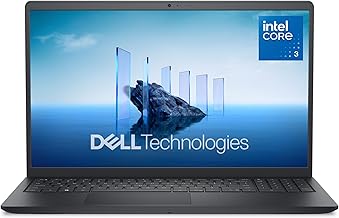


As an Amazon Associate we earn from qualifying purchases at no extra cost to you. Ratings are shown as listed on Amazon.
🎮 Get More From Your Setup — Free
Prime Gaming gives you free PC games every month, in-game loot, and a free Twitch channel sub — plus fast free shipping on all the gear above. New members get a 30-day free trial.
Watch: 50 Laptop: Review & Buyer’s Guide — Video Review
Design & Build
These are almost all 11.6-inch renewed Chromebooks built for durability rather than style, with plastic bodies designed originally for the education market. Models like the Dell Chromebook 11 3100, HP Chromebook 11 G6 EE, and Acer Chromebook 311 use rugged, spill-resistant chassis meant to survive classroom life. A 14-inch Lenovo IdeaPad option offers a slightly larger screen. Displays are modest 1366×768 panels, and keyboards are functional if unremarkable.
Performance
Powered by entry chips like the Intel Celeron N4020, N4000, or MediaTek MT8173C with 4GB of RAM and 16GB of storage, these Chromebooks handle the essentials: web browsing, Google Docs, email, YouTube, and light multitasking. ChromeOS is lightweight, so they feel more responsive than the specs suggest for cloud-based work. However, heavy tab loads, demanding web apps, and any offline media editing will quickly reveal their limits. Storage is tiny, so cloud reliance is essential.
Pros & Cons
- Extremely affordable as renewed units.
- Lightweight ChromeOS runs well on modest hardware.
- Durable education-grade builds.
- Fine for browsing, email, and cloud apps.
- Low resolution and small storage.
- Not suitable for gaming or heavy multitasking.
- Check the ChromeOS update expiry date before buying.
Alternatives to Consider
If you can stretch the budget, the 14-inch Lenovo IdeaPad N42-20 gives a larger screen and more storage for a bit more comfort. Those who need Windows software rather than ChromeOS should look at a refurbished budget Windows laptop instead. For anyone whose work lives entirely in a browser, though, the Dell Chromebook 3100 and Acer 311 are among the most reliable ultra-budget picks here.
Frequently Asked Questions
Are renewed Chromebooks reliable?
Reputable renewed units are tested and often carry a limited warranty. Buy from sellers with clear return policies for peace of mind.
Can these run Windows programs?
No. They run ChromeOS and web apps, plus some Android apps. For Windows software, you need a Windows laptop.
Is 4GB of RAM enough?
For light browsing and cloud documents, yes. Heavy multitasking with many tabs will feel sluggish.
What is the update expiry date?
ChromeOS devices have an auto-update expiration. Check it before buying so you know how long the device will receive security updates.
Verdict
An ultra-budget renewed Chromebook is a reasonable choice for basic, browser-based computing on a tight budget. The Dell Chromebook 3100 and Acer 311 are dependable picks, while the 14-inch Lenovo IdeaPad offers more screen space. Just match your expectations to the hardware and verify the update expiry date so the machine stays secure for as long as you need it.