Key takeaways
- Hewlett Packard sells laptops under several names at once: OmniBook for the current mainstream line.
Hewlett Packard sells laptops under several names at once: OmniBook for the current mainstream line, plain “HP 14” and “HP 17” for budget and large-screen models, and a long tail of business-flavored listings from resellers. Searching for the best Hewlett Packard laptop therefore means sorting through very different machines that happen to share a logo. A 14-inch model with 4GB of memory and a 17-inch model with 16GB of memory sit in the same catalog, yet they serve completely different people.
This guide is for buyers who already prefer HP, whether for the keyboard, the familiar Windows setup, or simply the wide range of sizes, and who want help choosing a model in 2026 without decoding every abbreviation. Six listings are compared below using only what their titles state, with a focus on screen size, memory, storage type, and processor family.
Quick Picks
Our top picks


 HP OmniBook 3 17.3 inch Laptop PC
- Enjoy vibrant, crystal-clear images with 178-degree wide-viewing angles
- Everyday performance you can count on
- HP Fast Charge restores battery from 0 to…
As an Amazon Associate we earn from qualifying purchases at no extra cost to you.
| Product | Best for | Key spec from the title |
|---|---|---|
| HP 17 Business (Ryzen 5) | Big-screen work with a number pad | 17.3″ FHD, Ryzen 5, 16GB RAM, 512GB SSD |
| HP OmniBook 3 17 (Core Ultra 5) | Mainstream large-screen use | Intel Core Ultra 5 225U, 8GB RAM, 512GB SSD |
| HP 14 (N150) | Entry-level portability | Intel N150, 4GB RAM, 128GB UFS, 1-year Microsoft 365 |
| HP 15.6 Core i7 | Memory and storage headroom | Core i7-1255U, 16GB RAM, 1TB PCIe SSD |
| HP 17.3 Business (Core 5) | Extra expandable space | Core 5-120U, 12GB RAM, 256GB SSD plus 512GB SD card |
| HP OmniBook 3 17 (Ryzen 3) | Lower-cost OmniBook route | AMD Ryzen 3, 8GB RAM, 512GB SSD, Radeon 610M |
How to Choose
Match the product line to your expectations
OmniBook listings carry model numbers and named processors, which makes them easy to research. Generic “HP 14” or “HP 17 Business” listings often come from resellers who configure the memory and storage themselves, so read each title closely. When a title lists a processor, RAM, and drive type separately, you can compare it directly. When it uses vague phrases, confirm details on the product page.
Processor generation and naming
Intel N150 is an entry chip for light tasks. Core i7-1255U is an older 12th-generation part that still handles office work and multitasking comfortably. Core Ultra 5 225U and Core 5-120U are newer naming schemes for the same broad tier of efficient laptop processors. On the AMD side, Ryzen 5 sits above Ryzen 3. Do not obsess over a single clock figure; the family name and RAM matter more for everyday speed.
Memory and storage type
Plan on 8GB as a minimum and 16GB if you keep many windows open. Storage type matters too: an SSD, especially a PCIe one, loads software faster than UFS flash used in some 14-inch models, and an SD card listed in the title is expansion space rather than internal speed. A listing that counts 512GB of SD card toward its total is not the same as 768GB of internal SSD.
Screen size and what to skip
A 17.3-inch display is comfortable for spreadsheets and split windows but adds weight and needs a bigger bag. A 14-inch model is easier to carry but uses an HD panel in the listing here. Ignore marketing words like “long battery” with no hours stated, and be cautious about any model where RAM and storage are missing from the title entirely. Budget HP models usually save money on memory, panel quality, and internal storage, so those are the lines to read twice. Ports are another place to look: a laptop that skips the connections you use daily forces you into adapters.
The 6 Best Options
HP 17 Business Laptop (Ryzen 5)
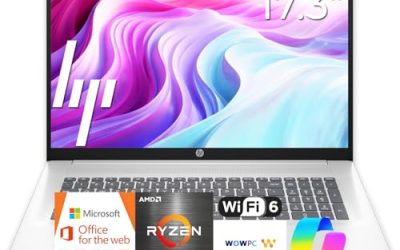
This large HP lists a Ryzen 5 processor, 16GB of RAM, a 512GB SSD, a 17.3-inch full HD display, and a numeric keypad. It is the most complete spec sheet in the group for people who want a desktop-style layout on a laptop. Anyone who spends the workday in accounting software, email, and several document windows side by side will appreciate the extra screen area, and the memory figure leaves room for growth.
- Strength: 16GB of RAM is generous for multitasking and office suites.
- Strength: the numeric keypad and 17.3-inch screen suit data entry and spreadsheets.
- Trade-off: a 17-inch body is bulky to carry every day.
Skip it if you commute on foot or with a small bag, or if you move between rooms often and want something you can hold in one hand.
HP OmniBook 3 17.3-inch (Core Ultra 5)
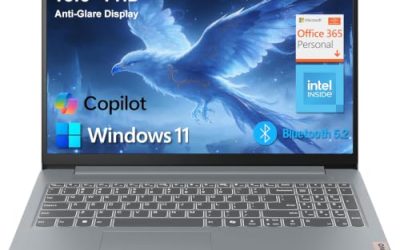
This OmniBook lists an Intel Core Ultra 5 225U, 8GB of RAM, a 512GB SSD, Intel graphics, Windows 11 Home, and a full HD display in a Glacier Silver finish. It is a straightforward mainstream large-screen machine. Because it is a named OmniBook model, buyers can look up the exact model number, find drivers, and compare it against other 17-inch options without guessing at what the reseller changed.
- Strength: a current-generation Intel processor name with a 512GB SSD.
- Strength: a named model line makes it simple to look up drivers and support.
- Trade-off: 8GB of RAM is adequate but less roomy than the 16GB options.
Skip it if you plan to keep dozens of browser tabs open all day, or if you expect to hold onto it for many years of heavier software updates.
HP 14-inch Laptop (N150)
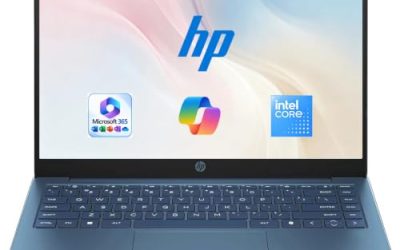
The smallest and simplest option, this model lists an HD display, an Intel N150, 4GB of RAM, 128GB of UFS storage, Windows 11 Home, and a one-year Microsoft 365 Personal subscription. It is meant for browsing, documents, and video calls. Think of it as the kind of laptop you hand to a middle schooler, keep by the sofa for recipes and streaming, or use as a second machine while traveling.
- Strength: the included Microsoft 365 subscription covers basic productivity out of the box.
- Strength: the 14-inch footprint is the easiest to carry.
- Trade-off: 4GB of RAM and 128GB of UFS storage limit how much you can run or save.
Skip it if you want a computer that will stay comfortable for several years of growing app demands.
HP 15.6-inch Core i7 Laptop
This listing pairs an Intel Core i7-1255U, rated in the title at up to 4.7GHz, with 16GB of RAM and a 1TB PCIe SSD, plus a webcam and a full HD screen. It is the storage and memory leader of the group. A person who edits family photos, keeps years of documents, and likes having a webcam built in will find that the combination covers most needs without any add-ons.
- Strength: 1TB of PCIe SSD storage is the largest internal drive here.
- Strength: 16GB of RAM supports demanding multitasking.
- Trade-off: the i7-1255U is an older generation than the Core Ultra chips.
Skip it if you prefer the newest processor naming or need the larger 17-inch display, since this body is a more conventional 15.6-inch size.
HP 17.3-inch Business Laptop (Core 5-120U)
This one lists a 10-core Intel Core 5-120U, 12GB of RAM, and 768GB of total storage, made up of a 256GB SSD and a 512GB SD card, with an AI Copilot mention and a 17.3-inch screen. It targets people who want a business-style large laptop with a lot of listed capacity, though the way that capacity is split deserves a careful look before ordering.
- Strength: 12GB of RAM sits between the 8GB and 16GB tiers.
- Strength: the added card storage gives extra space for files and media.
- Trade-off: only 256GB is internal SSD space, and card storage is slower and less convenient.
Skip it if you want one fast internal drive for everything, or if you dislike juggling files across a card and an SSD.
HP OmniBook 3 17.3-inch (Ryzen 3)
The AMD-based OmniBook lists a Ryzen 3 processor, 8GB of RAM, a 512GB SSD, Radeon 610M graphics, Windows 11 Home, and a Mica Silver finish. It is the cost-conscious route into the OmniBook family. Shoppers who want the large screen and the OmniBook name but do not need top speed, such as someone who mostly reads, browses, and keeps documents, are the natural audience.
- Strength: a 512GB SSD at the same RAM level as the Intel OmniBook.
- Strength: AMD Radeon graphics are included for general display use.
- Trade-off: Ryzen 3 is an entry-tier processor, so expect it to be the slowest of the OmniBook pair.
Skip it if you do heavy multitasking or need a higher processor tier; the Ryzen 5 and Core i7 listings are better matches there.
Which One Fits Your Situation
A home office with spreadsheets all day
The HP 17 Business (Ryzen 5) combines a number pad, 17.3-inch screen, and 16GB of RAM for long data sessions.
A student who needs the lightest load
The HP 14 (N150) is the portable choice, and the included Microsoft 365 subscription covers class documents. Keep files in the cloud to avoid filling its small drive.
A user with big photo or video folders
The HP 15.6 Core i7 offers the largest internal drive at 1TB with 16GB of RAM, so it handles big libraries without external storage. The webcam listed in the title also makes it useful for remote meetings.
A buyer who wants a named, supported model
The HP OmniBook 3 17 with Core Ultra 5 gives a clearly labeled model line, a modern processor name, and a 512GB drive. It is the easiest of the group to research before purchase.
Common Mistakes
- Counting SD card capacity as if it were internal SSD space.
- Choosing a 17-inch model, then discovering it does not fit the bag you use daily.
- Assuming every HP listing is the same quality, when reseller configurations differ widely.
- Paying for a faster processor while accepting 4GB of RAM, which becomes the actual bottleneck.
- Skipping the product page, where truncated titles hide RAM, panel, or port details that decide whether the laptop suits your desk.
Related guides
- Logitech G Pro X Superlight 2 Vs Razer Viper V3 Pro
- Motherboard Io Panel And Back Connectors Explained
- Travel Backpack With Laptop Compartment
Frequently Asked Questions
What does OmniBook mean in HP’s lineup?
OmniBook is HP’s newer branding for mainstream laptops. It tends to come with named processors and model numbers, which makes comparing and finding support information easier than with generic listings.
Is a Core i7-1255U still worth buying?
For office work, browsing, and media, it remains capable, especially when paired with 16GB of RAM and a PCIe SSD as in the listing above. Newer chips offer efficiency gains, but day-to-day tasks do not require them. If you are weighing it against a Core Ultra model, the extra RAM and storage in this listing may matter more than the processor label.
Are SD cards a good substitute for internal storage?
They are fine for archives and media you rarely open. Operating system files and active projects belong on the internal SSD for speed and reliability.
Do any of these include office software?
The 14-inch model lists a one-year Microsoft 365 Personal subscription. For the others, check the product page, because the titles do not mention bundled software.