Key takeaways
- A business laptop earns its place by surviving a fifty-hour week of spreadsheets, video calls, shared drives, and the occasional hotel-lobby presentation.
A business laptop earns its place by surviving a fifty-hour week of spreadsheets, video calls, shared drives, and the occasional hotel-lobby presentation. “Top rated” is a loose phrase, so this guide ignores popularity and judges each machine on what its listing actually states: processor family, memory, storage, screen size, ports, and the operating system edition. Those details decide whether a laptop slots into an office fleet or becomes a daily irritation.
The audience is the person who has to approve the purchase: an owner-operator replacing one aging machine, an office manager outfitting a few desks, or a consultant who needs something dependable on the road. Seven laptops are compared below, from a refurbished 14-inch workhorse to a 17-inch screen-first model, with a clear note on who each one fits and who should walk past it. Several other listings in the same search results were left out because they were near-duplicates or pared down to 8GB of memory and 128GB of storage, which is thin for serious office work in 2026.
Quick Picks
Our top picks





As an Amazon Associate we earn from qualifying purchases at no extra cost to you.
| Product | Best for | Key spec from the title |
|---|---|---|
| HP 17-inch Ryzen 5 | Spreadsheet-heavy desks | 17.3″ FHD, 16GB RAM, 512GB SSD |
| Lenovo V15 Gen 4 | Wired office networks | Core i5-13420H, RJ45, HDMI |
| Dell Latitude 5420 (renewed) | Compact, traveling staff | 14″ FHD, i5-1145G7, 16GB DDR4 |
| Dell Inspiron 15 3530 | Storage-hungry users | Core i7-1355U, 1TB SSD, touchscreen |
| HP 255 G10 | Privacy-minded teams | Webcam shutter, 16GB RAM, Windows 11 Pro |
| Dell 15.6 Core Ultra 5 | Newer-platform buyers | Core Ultra 5 225U, DDR5, 300-nit screen |
| Dell Inspiron Touchscreen | Mixed work and study | Windows 11 Pro, 16GB RAM, 1TB SSD |
How to Choose
Memory and storage floors
Treat 16GB of RAM as the working minimum if you keep a browser full of tabs beside accounting software and a video call. Eight gigabytes still boots and runs, but it forces constant paging once a few apps are open. For storage, 256GB is the floor for a laptop that mostly lives in cloud folders; 512GB or 1TB suits anyone who stores client files, scans, or local databases.
Operating system edition
Windows 11 Pro matters more in business than it does at home. Pro adds domain join, BitLocker drive encryption management, and remote desktop hosting, all of which an IT contractor will ask about. Home edition is fine for a sole proprietor with no managed devices, but it blocks features you may want later, so read the edition named in the listing.
Ports and screen
Count the ports you use every day, and note which ones you will need on the same afternoon. An RJ45 Ethernet jack remains valuable in offices with stubborn Wi-Fi, and HDMI saves you from carrying adapters to client conference rooms. A full-HD panel at 1920 by 1080 is the minimum; larger 17.3-inch panels help with side-by-side windows, while 14 inches wins on carry weight. A numeric keypad matters if you enter figures all day.
Where budget models cut corners
Low-cost business laptops usually economize on the display (dim, narrow-gamut panels), the keyboard (no backlight), and the chassis (plastic flex). Marketing phrases such as “beats” a rival processor are comparisons, not specifications, so ignore them and read the actual processor name. Renewed units can be excellent value but carry shorter remaining life, so confirm the return terms.
The 7 Best Options
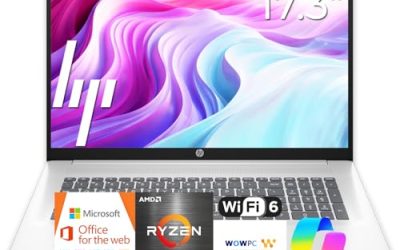
HP 17-inch Business Laptop (Ryzen 5)
This model is built around screen real estate. The 17.3-inch full-HD display, 16GB of RAM, and 512GB SSD give a bookkeeper or analyst room to keep two documents visible without constant window juggling. A numeric keypad is listed, which is the detail that matters most for data entry. The title also promises long battery life, but gives no hour figure, so treat that as a claim to verify rather than a number to plan around.
- Strength: a large display paired with a sensible memory and storage pairing.
- Strength: numeric keypad built into the layout.
- Trade-off: a 17-inch body is awkward on a crowded train seat or in a small bag.
Skip it if you carry your laptop daily across town or fly often; a 14-inch or 15.6-inch machine will wear on you less.
Lenovo V15 Gen 4
The V15 Gen 4 lists the practical connections that office life demands: HDMI, an RJ45 Ethernet port, a webcam, a numeric keypad, and Wi-Fi. The Core i5-13420H processor and Windows 11 Pro round it out as a no-nonsense workplace machine for a 15.6-inch footprint. For an office that standardizes on one model, that predictable port layout means fewer dongles in the supply closet and fewer help-desk questions.
- Strength: wired Ethernet plus HDMI covers hot-desking and meeting-room setups.
- Strength: Windows 11 Pro is named, which suits managed or encrypted environments.
- Trade-off: the title omits the memory and storage amounts, so verify them on the product page before ordering.
Skip it if you cannot confirm the RAM and SSD capacity, since the title leaves them unstated.
Dell Latitude 5420 (Renewed)
The Latitude line has long been aimed at corporate fleets, and this one brings a 14-inch full-HD display, an i5-1145G7 quad-core processor, 16GB of DDR4 memory, a camera, HDMI, and Windows 11 Pro. Its renewed status is the main attraction for a tight outlay: a business-class chassis without the new-unit cost. Buyers in this position should think of it as a dependable second laptop for field staff, or as a stopgap that keeps a growing team supplied while the budget catches up.
- Strength: 16GB of RAM in a compact 14-inch frame.
- Strength: a business-oriented model line with Windows 11 Pro already installed.
- Trade-off: only 256GB of SSD storage, and a renewed unit carries an older-generation processor and unknown wear.
Skip it if you store large local files or want the longest possible service life from a single purchase.
Dell Inspiron 15 3530
This 13th-generation Inspiron pairs a Core i7-1355U with 16GB of memory and a roomy 1TB SSD, plus a 15.6-inch full-HD touchscreen, webcam, HDMI, and Wi-Fi 6. It suits a small-office owner who wants both processing headroom and plenty of local space. The Core i7-1355U sits at the higher end of the group on paper, which helps when several demanding applications run side by side.
- Strength: 1TB of solid-state storage handles large client archives.
- Strength: touchscreen and Wi-Fi 6 add convenience for signing and mobile use.
- Trade-off: the Inspiron range is consumer-oriented, so it lacks the business-class service features of a Latitude.
Skip it if your IT policy demands a dedicated business line with managed-device features.
HP 255 G10
The 255 G10 is a straightforward 15.6-inch full-HD machine with an AMD quad-core processor, 16GB of RAM, a 512GB SSD, and Windows 11 Pro. Two small details stand out in the listing: a webcam with a physical shutter and a numeric keypad. Together with the Pro operating system, these basics make it an easy fit for a front-desk or back-office setup where the goal is steady, unglamorous reliability.
- Strength: webcam shutter gives a simple privacy safeguard for confidential calls.
- Strength: a well-balanced memory and storage combination for office applications.
- Trade-off: the AMD processor model is not named in the title, so compare generations before buying.
Skip it if you need a touchscreen or a thin, travel-focused body, or if you need the exact processor model spelled out before you buy.
Dell 15.6 Laptop (Core Ultra 5 225U)
This is the newest-platform option in the group, built around an Intel Core Ultra 5 225U, 16GB of DDR5 memory, a 512GB SSD, a backlit keyboard, and a 300-nit anti-glare display. The brighter, matte screen is a real benefit in well-lit offices and near windows. Buyers who plan to keep a laptop for several years may also appreciate that the platform is newer than most of the others compared here.
- Strength: DDR5 memory and a current-generation processor family.
- Strength: anti-glare 300-nit panel and a backlit keyboard.
- Trade-off: it ships with Windows 11 Home, not Pro, so managed-device features are absent.
Skip it if you need domain join or drive-encryption management without paying for an upgrade, since Windows 11 Home does not include them.
Dell Inspiron 15.6 Touchscreen (Core i5-1155G7)
Marketed to both business users and students, this Inspiron lists Windows 11 Pro, 16GB of RAM, a 1TB SSD, a Core i5-1155G7 processor, and a full-HD touch display. It is a flexible all-rounder for someone who splits time between office work and personal use. The generous storage lets one machine hold both a client folder and a personal photo library without constant cleanup.
- Strength: Windows 11 Pro together with 1TB of storage.
- Strength: touch input for notes and quick annotation.
- Trade-off: the i5-1155G7 is an older-generation chip than several others here.
Skip it if you want the newest processor generation or the lightest possible carry weight.
Which One Fits Your Situation
You live in spreadsheets all day
Choose the HP 17-inch Ryzen 5. The large panel and numeric keypad reduce the friction of long data-entry sessions, and 16GB handles heavy workbooks.
You manage an office with wired desks
Choose the Lenovo V15 Gen 4. Ethernet and HDMI sit right on the chassis, and Windows 11 Pro fits shared, managed environments.
You travel between client sites
Choose the Dell Latitude 5420 (renewed). A 14-inch business-line frame with 16GB of memory is easier to carry than a 17-inch slab, provided you accept the used-unit trade-off.
You handle confidential calls
Choose the HP 255 G10. The shuttered webcam is a small but meaningful privacy feature for legal, financial, or medical conversations.
Common Mistakes
- Buying 8GB of RAM to save money, then replacing the whole machine within a year when multitasking stalls.
- Ignoring the operating system edition and discovering later that Windows Home lacks the encryption tools an auditor expects.
- Trusting phrases like “beats” a competing processor instead of reading the real model name.
- Skipping the return terms on a renewed unit, then finding a weak battery or worn keyboard with no recourse.
- Choosing a 17-inch screen for someone who commutes daily, then watching the laptop stay on the desk.
Related guides
- Logitech G Pro X Superlight 2 Vs Razer Viper V3 Pro
- Motherboard Io Panel And Back Connectors Explained
- Travel Backpack With Laptop Compartment
Frequently Asked Questions
Is 16GB of RAM really necessary for office work?
For light email and documents, 8GB works. Once you add many browser tabs, video calls, and large spreadsheets together, 16GB prevents slowdowns and extends the useful life of the laptop.
Should a business laptop run Windows Pro instead of Home?
Pro is the safer choice if you need drive encryption management, domain join, or remote desktop hosting. A sole proprietor with no managed devices can manage on Home.
Are renewed business laptops a sensible choice?
They can be, particularly for business-class lines such as Latitude. Confirm the seller’s return window and the stated condition, and expect an older processor generation.
Does a touchscreen matter for business use?
Mostly for convenience: signing documents, annotating, and navigating quickly. It also adds a small amount of weight and draws slightly more power, so skip it if battery life is your top concern.