Key takeaways
- A small business laptop has a different job from a student laptop or a family machine. It has to run accounting software.
A small business laptop has a different job from a student laptop or a family machine. It has to run accounting software, a pile of browser tabs and video calls all day, it often gets shared or carried between an office and a client site, and it needs to behave reliably without an IT department standing by. The decision most owners face is whether to pay for a business-class model with Windows 11 Pro and sturdier engineering, or to save money on a consumer-grade machine that carries a business label in its listing.
This guide is for owners, freelancers and office managers equipping one to a handful of employees in 2026. It compares seven listings using only what the titles state: memory, storage, processors, ports, operating system edition and extras such as a numeric keypad or webcam shutter. Where a title leaves out something important, such as weight or battery hours, the guide says so rather than inventing a figure.
Quick Picks
Our top picks




As an Amazon Associate we earn from qualifying purchases at no extra cost to you.
| Product | Best for | Key spec from the title |
|---|---|---|
| HP 17 Business Laptop | Spreadsheet-heavy desk work | Ryzen 5, 16GB RAM, 512GB SSD, 17.3-inch FHD, numeric keypad |
| Lenovo Business 15.6-inch | Light office tasks | 8GB DDR5, 128GB storage, WiFi 6, USB-C, anti-glare screen |
| Lenovo V15 Gen 4 | Wired office networks | Core i5-13420H, HDMI, RJ45, Windows 11 Pro |
| HP 255 G10 | Shared team laptop | 16GB RAM, 512GB SSD, Windows 11 Pro, webcam shutter |
| Dell Latitude 5420 (Renewed) | Compact 14-inch value | Core i5-1145G7, 16GB DDR4, 256GB SSD, Windows 11 Pro |
| HP 14-inch Business | Entry-level basic tasks | Intel N150, 4GB RAM, 128GB UFS, 1-year Office 365 |
| Dell Pro 16 | Larger screen business use | Core 5 120U, 16GB DDR5, 512GB SSD, 16-inch FHD+ anti-glare |
How to Choose
Windows Pro versus Home
Windows 11 Pro adds device management, stronger disk encryption controls and domain features that matter once you have more than one employee or handle customer data. Several listings here, including the Lenovo V15 Gen 4, the HP 255 G10 and the Dell Latitude, name Windows 11 Pro in the title. The HP 14-inch lists Windows 11 Home. A Home edition works for a solo owner, but it limits the management tools you may want later, so check the edition before buying.
Memory and storage for office workloads
Accounting packages, a customer database and a dozen browser tabs push past 8GB quickly. Treat 16GB as the target for any laptop used all day, and treat 8GB as the minimum. For storage, 256GB works if files live in cloud folders, while 512GB is safer for local files and software. A 128GB drive, as seen in two of these listings, fills up fast once Windows updates and office apps are installed.
Ports and connectivity
Small offices still use wired networks, projectors and external monitors. Look for HDMI for presentations, USB-C for modern docks, and an RJ45 Ethernet port if your office uses cabled connections. The Lenovo V15 Gen 4 lists both HDMI and RJ45, which is uncommon on thin laptops. Also check for WiFi 6 or newer, since it affects reliability when many devices share a router.
Keyboard, camera and screen details
If you enter figures all day, a numeric keypad saves time, and the full-size 15.6 and 17.3-inch models list one. A webcam shutter, mentioned on the HP 255 G10, helps with privacy. For screens, an FHD panel is the baseline and an anti-glare finish helps in bright offices. Ignore vague claims such as “beats” a competitor chip in a listing; compare actual processor model names and the memory around them instead.
One more habit pays off for a business buyer: write down the three things the laptop must do on its worst day. For a bookkeeper that may be a large spreadsheet with a bank portal and a video call open together; for a contractor it may be quoting software on a job site with a weak connection. Matching the spec sheet to that worst day, rather than the average day, prevents the most common regret, which is a machine that feels fine in the first month and slow by the end of the first year. It also helps to plan for the small purchases around the laptop, such as a dock, an external monitor or a backup drive, because the ports on the listing decide whether those extras plug in directly or need adapters.
The 7 Best Options
HP 17 Business Laptop
This is the large-screen pick for desk work: a 17.3-inch FHD display, an AMD Ryzen 5, 16GB of RAM and a 512GB SSD, with a numeric keypad. It suits bookkeepers and administrators who spend hours in spreadsheets and want more screen space without an external monitor.
- Strength: 16GB and 512GB match the thresholds for daily office use.
- Strength: the large display and numeric keypad speed up data entry.
- Trade-off: a 17.3-inch body is less convenient to carry between client sites.
Skip it if you travel often or work from small tables on trains and planes.
Lenovo Business 15.6-inch FHD
This listing leans on extras: a 15.6-inch FHD anti-glare screen, 8GB of DDR5, WiFi 6, USB-C, Office 365 and Copilot AI features. It targets owners who want a ready-to-use machine for email, documents and basic web work.
- Strength: DDR5 memory and USB-C support are named in the title.
- Strength: the anti-glare screen helps in bright offices.
- Trade-off: only 128GB of storage is listed, which fills quickly with files and updates.
Skip it if you keep large local files or run accounting software with big data sets.
Lenovo V15 Gen 4
The V15 Gen 4 is a business-line machine with a 15.6-inch FHD display, an Intel Core i5-13420H, HDMI, an RJ45 Ethernet port, a webcam, a numeric keypad and Windows 11 Pro. It fits offices that still rely on wired networks and projectors.
- Strength: the listed RJ45 port allows a stable wired connection.
- Strength: Windows 11 Pro supports business management features.
- Trade-off: the visible title does not state memory or storage, so confirm the configuration before ordering.
Skip it if you want a thin travel laptop, since the ports suggest a more traditional chassis.
HP 255 G10
The 255 G10 is a straightforward office workhorse: an AMD quad-core CPU, 16GB of RAM, a 512GB SSD, Windows 11 Pro, a 15.6-inch Full HD display, a webcam with a shutter and a numeric keypad. It suits a shared team laptop where privacy and consistent setup matter.
- Strength: 16GB, 512GB and Windows 11 Pro cover the key business specs.
- Strength: the webcam shutter adds privacy for client calls.
- Trade-off: it is a conventional 15.6-inch design, and the title gives no weight or battery figures.
Skip it if you need a premium metal build or the smallest possible footprint.
Dell Latitude 5420 (Renewed)
This is a renewed 14-inch Latitude with an Intel quad-core Core i5-1145G7, 16GB of DDR4, a 256GB SSD, a camera, HDMI and Windows 11 Pro. It appeals to owners who want a business-line chassis in a smaller size at a value tier.
- Strength: 14 inches is easier to carry than a 15.6 or 17.3-inch model.
- Strength: 16GB of RAM and Windows 11 Pro are named in the title.
- Trade-off: it is a renewed unit and uses an older processor generation than the newer listings.
Skip it if you want a brand-new device with the latest chips and a full warranty path.
HP 14-inch Business Laptop
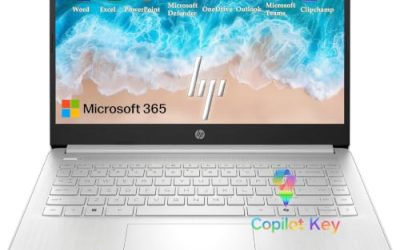
The smallest and simplest listing here has a 14-inch screen, an Intel quad-core N150, 4GB of RAM, 128GB of UFS storage, Windows 11 Home and a one-year Office 365 subscription, plus bundled earphones. It targets a very light, entry-level user.
- Strength: the included Office subscription covers basic documents out of the box.
- Strength: a 14-inch body is compact and easy to carry.
- Trade-off: 4GB of RAM and Windows Home limit multitasking and business management.
Skip it if you handle customer data or run several apps at once.
Dell Pro 16
The Dell Pro 16 pairs an Intel Core 5 120U with 16GB of DDR5 and a 512GB SSD on a 16-inch FHD+ anti-glare screen, and the title describes it as a business AI PC in the Latitude lineage. It suits managers who want a taller FHD+ workspace for documents and modern memory for the years ahead.
- Strength: 16GB DDR5 and 512GB storage meet the business thresholds.
- Strength: the FHD+ anti-glare screen gives extra vertical space for documents.
- Trade-off: the title does not state the operating system edition, so verify Windows Pro before buying.
Skip it if you prefer a compact 14-inch laptop for frequent travel.
Which One Fits Your Situation
You run the books all day
The HP 17 Business Laptop is the match. Its 17.3-inch display, numeric keypad, 16GB of RAM and 512GB SSD suit accountants and administrators.
You manage a small team with shared devices
Choose the HP 255 G10. Windows 11 Pro, 16GB of RAM and a webcam shutter make it a sensible shared machine.
Your office relies on cables and projectors
The Lenovo V15 Gen 4 lists both HDMI and RJ45, which helps in meeting rooms and wired setups.
You travel between client sites
The Dell Latitude 5420 Renewed offers a compact 14-inch body with 16GB of RAM and Windows 11 Pro, a practical balance for a value-focused buyer. Confirm the seller’s return terms on renewed units and keep the Windows license information with your records.
If your desk is fixed and you want a taller display, the Dell Pro 16 with its 16-inch FHD+ anti-glare screen, 16GB of DDR5 and 512GB SSD is the stay-at-home alternative.
Common Mistakes
- Buying 4GB of RAM because the listing says “business”; the label does not change the hardware.
- Skipping the Windows edition check and ending up with Home when you need Pro features.
- Choosing a 128GB drive for a laptop that will hold local files, scans and accounting data.
- Forgetting ports; a thin laptop without HDMI or Ethernet can force extra adapters.
- Judging a processor by promotional comparisons instead of the actual model name and memory around it.
Related guides
- Logitech G Pro X Superlight 2 Vs Razer Viper V3 Pro
- Motherboard Io Panel And Back Connectors Explained
- Travel Backpack With Laptop Compartment
Frequently Asked Questions
Is a renewed business laptop a good idea for a small company?
It can be, especially for a value-focused purchase, because business-line chassis are built for daily use. Confirm the seller’s return terms and the processor generation, since renewed units often use older chips.
How much RAM does a small business laptop need?
Aim for 16GB if the laptop is used all day with accounting software, a browser and video calls. 8GB works for light tasks, while 4GB is too limited for most office workloads.
Do I need Windows 11 Pro?
If you have employees, shared devices or customer data, Pro adds management and security options that Home lacks. A solo owner with simple needs can manage on Home, but upgrading later takes extra steps.
Should a small business buy consumer-labeled or business-line laptops?
Business-line models such as the Latitude and the Lenovo V series usually list Pro operating systems, extra ports and a more serviceable design. Consumer-labeled models can still work for light tasks, but read the memory, storage and Windows edition rather than trusting the word business in the title.