Key takeaways
- Most people who search for a laptop for business and personal use are not buying two computers.
Most people who search for a laptop for business and personal use are not buying two computers. They are buying one machine that opens a client spreadsheet at nine, runs a video meeting at ten, and plays a movie or edits holiday photos after dinner. That mixed workload changes the shopping list: you want a keyboard you can type on for hours, enough memory to keep work and personal windows open together, a decent screen, and a Windows edition that fits how you use it.
This guide is for freelancers, small-business owners, remote employees, and families who share one capable laptop in 2026. It compares six listings using only what the titles state, concentrating on memory, storage, processor family, touchscreens, number pads, and operating system details. Where a title is vague, the advice is to open the product page and confirm before ordering. A useful way to start is to write down your heaviest regular task, whether that is a large spreadsheet, a video conference with screen sharing, or a photo library, and then let that task set your minimum memory and storage.
Quick Picks
Our top picks




As an Amazon Associate we earn from qualifying purchases at no extra cost to you.
| Product | Best for | Key spec from the title |
|---|---|---|
| HP 17 Business (Ryzen 5) | Spreadsheet-heavy days | 17.3″ FHD, Ryzen 5, 16GB RAM, 512GB SSD, number pad |
| Lenovo Business 15.6 | Light office use with Office included | 8GB DDR5, 128GB storage, Wi-Fi 6, USB-C, anti-glare screen |
| Dell 16 Touchscreen | Maximum memory and storage | Core 7 150U, 32GB DDR5, 1TB SSD, 16:10 FHD+ IPS |
| Dell 15.6 Touchscreen (Ultra 7) | Fast processor with touch | Core Ultra 7 255U, 16GB DDR5, 1TB SSD, backlit keyboard |
| HP 15.6 Touchscreen (Ryzen 7) | Windows 11 Pro on AMD | Ryzen 7 7730U, 16GB RAM, 512GB SSD, Copilot key |
| HP 14 Ultra-Portable | Carry-everywhere basics | 4-core Intel CPU, 4GB RAM, 128GB UFS plus 500GB external |
How to Choose
Windows edition and security
If the laptop touches company files, email accounts, or a domain, Windows 11 Pro is worth seeking because it adds device encryption controls and the ability to join a work network. Windows 11 Home is fine for personal use and many small-business tasks, but it lacks some management features. Only one listing here, the HP Ryzen 7, names Pro in its title, so confirm the edition on the others. Separate user profiles on one machine, one for work and one for family, also keep files and browser logins from mixing, which matters more than any single spec for privacy.
Memory for mixed work
Business and personal use overlap in browser tabs, chat apps, and cloud sync clients, all of which consume RAM. Sixteen gigabytes is a comfortable target. Thirty-two, as in the Dell 16, is generous and helps if you open large spreadsheets or run virtual machines; it is also the choice that is least likely to feel slow as software grows over the next few years. Four gigabytes, as in the HP 14, is workable only for light tasks and should not be your plan for years of daily work.
Screen, touch, and keyboard
A 16:10 screen shows more vertical content than a 16:9 screen, which helps with documents. A 300-nit panel, as listed on the Dell 16 and the Lenovo, is acceptable for indoor work. Touchscreens add flexibility for sketching, signing, and tapping, but they also add glare and some weight. If you enter numbers all day, a full-size keyboard with a number pad is more important than a thin lid. Backlighting is a smaller but real bonus for travel and evening work.
What to ignore and where budget models cut
Ignore claims of “long battery life” without hours, and treat “Copilot AI” as a software feature rather than a performance guarantee. Budget business-labeled laptops usually trim RAM, internal storage, and the quality of the display. Be wary of titles that blend internal storage with external drives or cards in one number. Another warning sign is a listing that stacks buzzwords but never states the RAM, since memory is the figure most likely to be quietly trimmed.
The 6 Best Options
HP 17-inch Business Laptop (Ryzen 5)
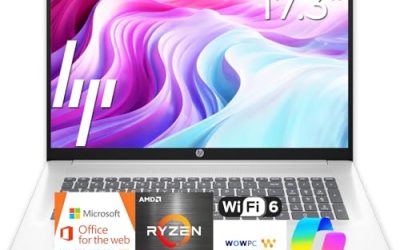
This HP combines a Ryzen 5 processor, 16GB of RAM, a 512GB SSD, a 17.3-inch full HD display, and a numeric keypad. It is the pick for people who want a desktop replacement that still folds shut and moves between offices. Households that share one computer for payroll, school forms, and streaming can also use the large screen comfortably from the other side of a table.
- Strength: 16GB of RAM and a 512GB SSD give balanced headroom for work and personal files.
- Strength: the number pad and large display speed up spreadsheet work.
- Trade-off: the 17.3-inch body is bulky for frequent travel.
Skip it if you take the laptop to cafes and client sites more than you use it at a desk.
Lenovo Business 15.6-inch FHD Laptop
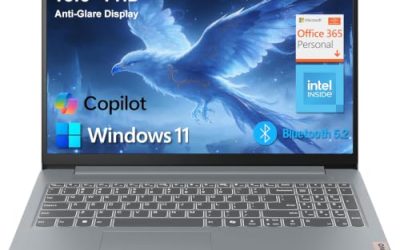
The Lenovo lists an Intel processor, 8GB of DDR5 memory, 128GB of storage, Office 365, Copilot AI, Wi-Fi 6, USB-C, and an anti-glare screen. It is built for straightforward office tasks such as documents, email, and meetings. For a part-time home business or an employee whose work is mostly in a browser, the included Office subscription and modern ports remove a few setup chores.
- Strength: USB-C and Wi-Fi 6 cover modern charging, docks, and wireless networks.
- Strength: the anti-glare finish helps in bright offices and near windows.
- Trade-off: 128GB of storage fills quickly once business files and personal media share one drive.
Skip it if you store large project files or video locally.
Dell 16 Touchscreen Business Laptop
This Dell lists a Core 7 150U, 32GB of DDR5 memory, a 1TB SSD, a 16:10 FHD+ 300-nit IPS display, and a full-size backlit keyboard with a number pad. It has the largest memory figure in the group. Consultants, analysts, and anyone who keeps a virtual machine or a big data file open next to a video call are the natural audience, because memory is what keeps all of that responsive.
- Strength: 32GB of RAM and 1TB of storage leave room for years of mixed use.
- Strength: the taller 16:10 IPS touchscreen suits documents and web pages.
- Trade-off: a 16-inch laptop with touch is heavier to carry than a 14-inch ultraportable.
Skip it if you want the lowest weight or have no use for a touchscreen.
Dell 15.6-inch Touchscreen (Core Ultra 7)
The second Dell lists a 12-core Intel Core Ultra 7 255U with speeds listed up to 5.2GHz, 16GB of DDR5 RAM, a 1TB SSD, a backlit keyboard, and Windows 11. It is for users who value processor strength and a touch display. People who split time between spreadsheets, presentations, and light creative work, such as editing a slide deck or trimming a short clip, are the group that benefits.
- Strength: a newer Ultra 7 processor with 1TB of SSD space.
- Strength: a backlit keyboard helps when working on flights or late evenings.
- Trade-off: the title does not mention a number pad, so confirm the layout if you need one.
Skip it if you prefer a matte, touch-free screen.
HP 15.6-inch Touchscreen (Ryzen 7 7730U)
This HP lists a Ryzen 7 7730U, 16GB of RAM, a 512GB SSD, an FHD IPS touchscreen, AMD Radeon graphics, Windows 11 Pro, Wi-Fi 6, a Copilot key, and a numeric keypad. It is the one that names the Pro edition outright. A small-business owner who wants business-grade Windows without paying for the biggest memory and storage tier will find this a balanced middle option.
- Strength: Windows 11 Pro supports business-style security and management features.
- Strength: Ryzen 7 with 16GB of RAM is a solid mid-range pairing, plus a number pad.
- Trade-off: 512GB is smaller than the 1TB Dell listings.
Skip it if you need more than 512GB of local storage.
HP 14-inch Ultra-Portable Laptop
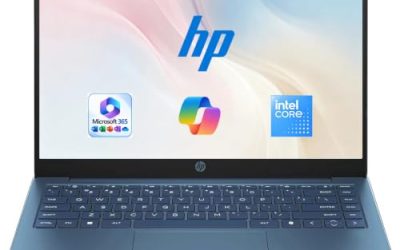
This compact HP lists an Intel 4-core CPU, 4GB of RAM, Microsoft Office, Copilot AI, and 628GB of total storage, made up of 128GB of UFS plus a 500GB external drive. It is an entry-level choice for someone who needs a simple, portable computer. A student, a retiree, or a worker who needs a lightweight second laptop for travel is the realistic buyer, as long as expectations stay modest.
- Strength: the 14-inch size travels easily.
- Strength: Office and an external drive are part of the listing.
- Trade-off: 4GB of RAM and mostly external storage make it the least capable here.
Skip it if the laptop is your primary work machine for long hours.
Which One Fits Your Situation
A freelancer who invoices, edits, and joins calls
The HP 15.6 Touchscreen (Ryzen 7) offers Windows 11 Pro, 16GB of RAM, and a number pad, which suits bookkeeping and client work. The Pro edition also lets you tighten security settings for client files.
A power user who keeps everything local
The Dell 16 Touchscreen, with 32GB of RAM and a 1TB SSD, is the one to choose when you run many applications and store large files.
A manager who needs speed in a normal-sized body
The Dell 15.6 with Core Ultra 7 gives a faster processor family and 1TB of storage without moving up to a 16-inch frame. That keeps the bag lighter for days split between the office and home.
A light user watching the budget
The Lenovo Business 15.6 covers documents and email with USB-C, Office, and an anti-glare screen. Keep an external drive handy for storage, and move older files off the laptop every few months.
Common Mistakes
- Choosing a thin, small-memory model for work that involves heavy spreadsheets or many browser tabs.
- Assuming every business-labeled laptop ships with Windows 11 Pro, when many use Home.
- Counting external drives or cards as if they were fast internal storage.
- Buying a touchscreen without checking that you want the added weight and glare.
- Mixing personal and work files in one account instead of setting up separate user profiles, which makes backups and security harder to manage.
Related guides
- Logitech G Pro X Superlight 2 Vs Razer Viper V3 Pro
- Motherboard Io Panel And Back Connectors Explained
- Travel Backpack With Laptop Compartment
Frequently Asked Questions
Do I need Windows 11 Pro for a small business?
Not always. Home handles everyday tasks, but Pro adds management and encryption controls that matter if you handle client data or connect to a company network.
How much storage should a dual-use laptop have?
Aim for at least 512GB internal. One terabyte gives comfortable room for work archives, photos, and media, so you are not constantly deleting files or relying on cloud sync to free up space.
Is a touchscreen useful for work?
It can be convenient for signing documents, annotating, and navigating, though it is not required. If you mainly type, a good keyboard is a better investment.
Can the 4GB model handle business tasks?
Basic email, browsing, and documents are possible, but it will struggle with many windows or heavy spreadsheets. Choose 8GB or more for a primary work laptop, and 16GB if the machine will also serve family and entertainment duties.