Key takeaways
- Best budget laptops for students compared: Chromebooks, HP Windows models, a Dell and two Apple options, with a readiness scorecard and storage maths.
Before you scroll: ask your school one question, which is whether any required program is Windows-only. That answer sorts this list faster than any spec. If the answer is no, a Chromebook is the cheapest sensible laptop for students, with the Lenovo Flagship’s touchscreen the pick of the lot. If the answer is yes, the Dell 15.6-inch with 8GB and 512GB is the most convincing Windows value here. Twelve listings follow, including three near-duplicates and two Apple options.
Twelve student laptops compared
Our top picks




As an Amazon Associate we earn from qualifying purchases at no extra cost to you.
| Model | Key point from title | Price tier | Best for |
|---|---|---|---|
| DRKAKO 15.6-inch Student Laptop | J4105 quad-core, 12GB, 256GB SSD, 53.2Wh battery, Office 365 | Mid-range | Big screen and more RAM on a budget |
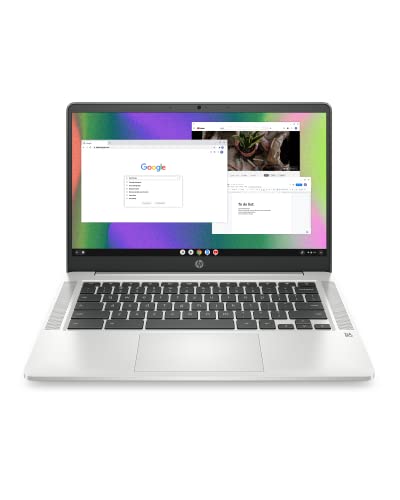
| HP 14-inch HD Chromebook for Students | N4120, 4GB, 64GB eMMC, 14-hr claim | Budget | Cheap web-first note taking |
| HP 14 Ultra-Light (N4500) | Celeron N4500, 4GB, 64GB eMMC + 64GB SD, Win 11 in S mode | Budget | Light Windows tasks with an Office year |
| HP 2027 Essential Laptop | Unnamed Intel processor, 128GB, Copilot, 1TB cloud | Mid-range | Shoppers who accept a vague title |
| Lenovo Flagship Chromebook 14-inch | Kompanio 520, 14-inch FHD touch, 4GB, 64GB | Budget | Touch input on Chrome OS |
| HP Chromebook 14 (14a-na0226nr) | Celeron N4120, 4GB, 64GB eMMC | Budget | Lowest-cost Chromebook |
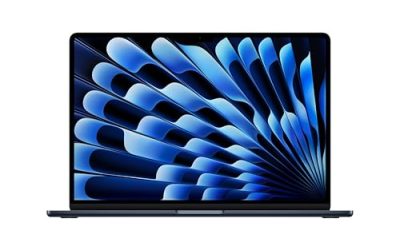
| Apple MacBook Air 13-inch (M5) | M5 chip, 16GB unified, 512GB SSD, Touch ID | Premium | Long-term use with budget flexibility |
| HP 14-inch Laptop (628GB bundle) | 4GB DDR5, 128GB UFS + 500GB external, Win 11 Pro | Mid-range | Bundle fans, with questions about the extras |
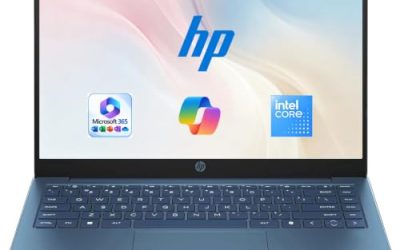
| HP 14-inch Laptop (N150, 128GB UFS) | Intel N150, 4GB, Windows 11 Home, 1-yr Microsoft 365 | Budget | Entry Windows with Office included |
| HP 14-inch Student Laptop (N150, 1TB cloud) | N150, Office 365, Windows 11 Home, WiFi 6 | Mid-range | Near-duplicate of the HP above |
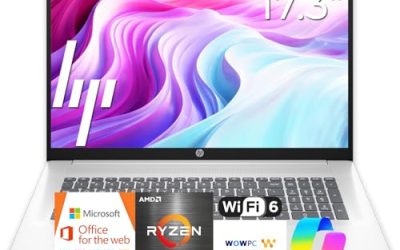
| Dell 15.6-inch Laptop (Core 3 100U) | FHD anti-glare IPS, 8GB, 512GB SSD, Wi-Fi 6 | Mid-range | 8GB RAM and 512GB SSD for Windows coursework |
| Apple MacBook Neo 13-inch (A18 Pro) | 8GB unified memory, 256GB SSD, Liquid Retina display | Mid-range | Apple entry point with a modest spec sheet |
The listings, one at a time
DRKAKO 15.6-inch FHD IPS Student Laptop
Notable for 12GB of RAM, a 256GB SSD, a J4105 quad-core processor and a 53.2Wh battery behind a Full HD IPS screen. The J4105 is an older low-power class, so it will feel slow with heavy multitasking. The title mentions an AI assistant and Office 365, so check the listing for duration and terms.
Pros
- 12GB RAM is generous at this tier
- Larger Full HD IPS display
Cons
- Older processor class
- Bulkier than the 14-inch models
Who it’s for: students who prefer a big screen and plenty of memory.
HP 14-inch HD Chromebook for Students
An N4120 with 4GB and 64GB of eMMC, a webcam, HDMI, USB-A and USB-C, and a 14-hour battery claim. The “CUE Accessories” label suggests a reseller bundle, so check what ships in the box.
Pros
- Useful port mix
- Inexpensive
Cons
- HD screen
- Bundle contents unclear
Who it’s for: students living in the browser.
HP 14-inch Ultra-Light Laptop, N4500
A Celeron N4500 with 4GB and 64GB eMMC plus a 64GB SD card, Wi-Fi 6, a webcam and Windows 11 Home in S mode, with a one-year Office 365 offer. S mode limits you to Store apps unless you switch out, so check the listing and your required software.
Pros
- Windows with Office included
- 12-hour battery claim
Cons
- S mode limits software
- Storage is split with a card
Who it’s for: students who need Windows basics and Office.
HP Essential Laptop (2027 in the title)
The title gives an unnamed Intel processor, 128GB of storage, Windows 11, Copilot, Office 365 and 1TB of cloud storage. With no CPU or RAM stated, you cannot judge it; check the listing before buying. It looks like a near-duplicate of the N150 HP laptops below.
Pros
- Includes cloud storage and Office
- Lightweight positioning
Cons
- CPU and RAM not stated
- Vague title
Who it’s for: only buyers who confirm the missing specs.
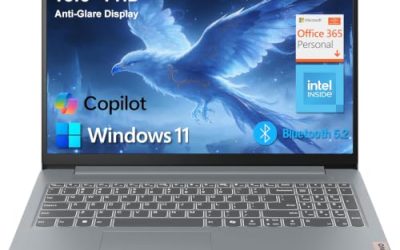
Lenovo Flagship Chromebook, 14-inch FHD touch
An eight-core Kompanio 520 with 4GB, 64GB eMMC, a Full HD touchscreen and Wi-Fi 6. The FHD touch panel is the best display among the cheap Chromebooks here, though 4GB limits tabs.
Pros
- FHD touch display
- Wi-Fi 6
Cons
- 4GB RAM
- Storage not upgradeable
Who it’s for: students who write by hand or use apps with touch.
HP Chromebook 14 (14a-na0226nr)
The plainest entry: Celeron N4120, 4GB, 64GB eMMC, a 14-inch HD display and a 2022 model year. “4K Graphics” in the title is chip marketing, not the screen resolution.
Pros
- Lowest price point
- Thin design
Cons
- HD display
- Oldest design in the set
Who it’s for: younger students and light users.
Apple MacBook Air 13-inch with M5
A 13.6-inch Liquid Retina display, 16GB of unified memory, a 512GB SSD, a 12MP camera and Touch ID. It is the premium pick here, and its cost can buy several of the Chromebooks. Some courses require Windows-only software.
Pros
- 16GB memory and a strong display
- Long-term platform
Cons
- Premium tier
- Windows-only software will not run natively
Who it’s for: families investing for several years of school and beyond.
HP 14-inch Laptop, 628GB storage bundle
Four gigabytes of DDR5 RAM, 128GB of UFS plus 500GB of external storage, Windows 11 Pro and Office. The “HubxcelAddon” tag in the title points to a reseller bundle. Verify the extras in the box.
Pros
- Pro edition of Windows
- Large total storage on paper
Cons
- Only 128GB internal
- Reseller add-on unclear
Who it’s for: buyers who want the extra drive and trust the seller.
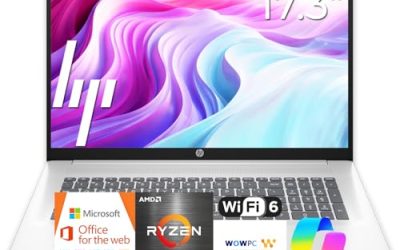
HP 14-inch Laptop, Intel N150, 128GB UFS
An N150 processor with 4GB of RAM, 128GB of UFS, Windows 11 Home and a one-year Microsoft 365 Personal subscription. The cleanest of the HP N150 listings because it states each part.
Pros
- Clear title with each spec
- Office included for a year
Cons
- 4GB RAM
- HD display
Who it’s for: students wanting an entry Windows laptop with Office.
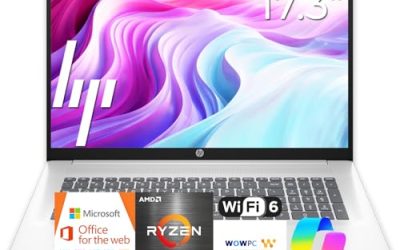
HP 14-inch Student Laptop (N150, 1TB cloud)
Another N150 listing with Office 365, Windows 11 Home and Wi-Fi 6; the title does not state RAM or SSD size. It is a near-duplicate of the listing above, so compare seller terms and confirm memory before choosing between them.
Pros
- Wi-Fi 6
- Cloud storage included
Cons
- RAM and SSD not stated
- Near-duplicate
Who it’s for: buyers comparing sellers.
Dell 15.6-inch Laptop, Core 3 100U
A Core 3 100U with 8GB of DDR4, a 512GB SSD, a Full HD anti-glare IPS screen at 250 nits and Wi-Fi 6. This is the only Windows listing with both 8GB and a roomy SSD, and the 250-nit brightness suggests keeping it indoors. It is a larger, heavier 15.6-inch format.
Pros
- 8GB RAM and 512GB SSD
- Anti-glare IPS display
Cons
- Larger and heavier
- Mid-range tier price
Who it’s for: Windows coursework with the best specs per dollar here.
Apple MacBook Neo 13-inch with A18 Pro
A 13-inch Liquid Retina display, an A18 Pro chip, 8GB of unified memory, 256GB of storage and a 1080p camera. The title offers few details beyond that, so check the listing for ports and macOS support. It is Apple’s lower-priced option here but not cheap.
Pros
- Apple ecosystem at a lower tier
- Camera and display named
Cons
- 8GB and 256GB are modest
- Few details in the title
Who it’s for: students already in the Apple ecosystem.
How we picked these
The picks rest on published specifications, manufacturer documentation and buyer reviews, filtered through the facts each title states. Nobody on the team used or measured these units. Listings without a stated CPU, RAM or SSD were flagged rather than guessed. Near-duplicates are marked so you do not spend an afternoon comparing the same machine twice.
A school-year readiness scorecard
Give each laptop one point for each of these. A total of five or six is a comfortable buy; three or lower is a compromise.
- Runs every program your school requires
- At least 8GB of RAM, or 4GB on a Chromebook with light use
- 128GB or more of internal storage
- A battery claim of ten hours or more, which you should cut by around 40 percent for real days
- A webcam and Wi-Fi 6 for online classes
- A clear return window and warranty
Worked example: a student with five courses stores about 2GB of files per course, which is 10GB, plus 20GB for the operating system and updates and 10GB for apps. That is roughly 40GB, which leaves a 64GB drive nearly full and a 128GB drive comfortable. These numbers are assumptions for illustration.
Weight, battery and keyboard
Titles rarely list weight, so check the listing before buying a 15.6-inch model for a heavy backpack. Battery claims should be treated as a ceiling. Keyboards are the weakest point of cheap laptops; look at buyer feedback about typing feel and key travel if you write a lot.
Chromebook or Windows for school
Chromebooks suit web-based work and are easy to maintain. Windows laptops run more programs but often need 8GB of RAM to feel good. Mac laptops are a longer-term purchase.
Durability and warranty
A backpack drop is the usual failure. Check the warranty length and who honors it, because reseller bundles may leave you with a third-party seller rather than the manufacturer.
Mistakes buyers make
They accept titles that do not state the processor or RAM, mistake 628GB for internal storage, and assume Office is permanent when it is a one-year offer. They also buy the biggest screen without considering weight, pick S mode Windows without checking required software, and ignore that three HP listings are near-identical. Finally, many forget that the cheapest laptop becomes expensive when it has to be replaced mid-degree.
Verdict
For students who live in a browser, the Lenovo Flagship Chromebook is the best low-cost pick. For Windows work, the Dell 15.6-inch with 8GB and 512GB is the strongest value here. The MacBook Air is the premium, long-horizon choice. Verify any missing specs on the listing before ordering. If two options tie on specifications, choose the one with the clearer return policy and the manufacturer, rather than a reseller, standing behind the warranty. And remember that the near-duplicate HP listings are interchangeable on paper, so let the seller terms decide between them.
Related guides
- Logitech G Pro X Superlight 2 Vs Razer Viper V3 Pro
- Motherboard Io Panel And Back Connectors Explained
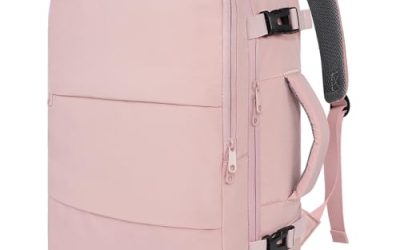
- Travel Backpack With Laptop Compartment
Frequently asked questions
How much RAM does a student laptop need?
Four gigabytes is workable on a Chromebook for browsing, documents and video calls, but it leaves little headroom. Eight gigabytes is the practical target for Windows, because the system, a browser with several tabs and a video call can fill 4GB on their own. Memory is often soldered on thin laptops, so choose the amount you need at purchase and check the listing for any upgrade option.
Is a Chromebook enough for school?
For many classes, yes: web apps, Google tools and video lessons all run well, and the machines are simple to look after. The catch is software. Some courses require Windows or macOS programs that a Chromebook cannot run. Ask your school which applications are required, and check the update window in the manufacturer documentation.
What does 628GB of storage in a title really mean?
In the HP listings that say 628GB, the figure combines a 128GB internal drive with 500GB of external storage. Windows and your programs live on the internal 128GB, so judge the laptop by that number. Check the listing for what the external part is and whether it ships with the laptop, since an add-on drive can be lost.
Are laptops with Office subscriptions bundled a good deal?
A bundled year of Microsoft 365 can save money if you need Office, but it expires and then needs renewing. Many schools provide free access to Office or Google tools, so ask first. Do not choose a laptop because of the bundle alone; the processor, memory and screen matter more for daily use.
Is a MacBook worth it for a student?
It can be, particularly for long-term use, but it costs well beyond the cheap tier. The MacBook Air in this list is premium, and the MacBook Neo sits between. Some courses require Windows-only software, so confirm requirements before buying. Cheaper laptops cover most coursework for much less.