Key takeaways
- Your Proximity to the Screen: Are you sitting at a dedicated gaming desk 2 feet from a monitor, or are you lounging on a couch 10 feet away from a media console? Desk setups handle wired connections gracefully, whereas living room setups almost always require wireless freedom to avoid tripping hazards.
- Your Primary Platform Ecosystem: Console compatibility is not universal. Xbox consoles require proprietary wireless protocols or specific security chips in USB dongles, whereas PlayStation 5 and Nintendo Switch are more flexible with standard USB audio. You must determine if you need a multi-system bridge or a platform-specific unit.
- Your Tolerance for Charging Maintenance: Wireless headsets require power management. If the thought of plugging in another device every few days sounds exhausting, a passive wired headset that draws power directly from your controller’s 3.5mm jack is your best match.
Choosing a console headset isn’t just a technical purchase; it is an ergonomic and aesthetic decision for your living space. Far too often, buyers fall into common traps. They buy a wired headset thinking a cable won’t bother them, only to find their pets treat the dangling wire like a chew toy. Others purchase a premium wireless headset only to realize its wide USB transmitter physically blocks the adjacent high-speed port on their console.
Another frequent misstep is ignoring the clamping force and weight balance, resulting in a headset that causes a tension headache after just 45 minutes of play. As we look at the console landscape in 2026, the lines between convenience and audiophile performance have blurred. This buying guide will cut through the marketing jargon and analyze what actually impacts your daily gaming comfort, spatial awareness, and room design.
Our top picks
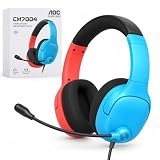
 Ozeino Wireless Gaming Headset for PS5
- 【Amazing Stable Connection-Quick Access to Games】Real-time gaming audio…
- 【Game Communication-Better Bass and Accuracy】The 50mm driver plus…
- 【Flexible and Convenient Design-Effortless in Game】Ideal intuitive button…
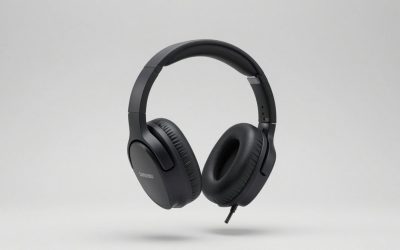
 Turtle Beach Stealth 600 Wireless Gaming Headset
- Memory Foam Cushions with Glasses-Friendly Technology
- Powerful, 50mm Nanoclear Drivers for Vibrant Spatial Audio
- Mappable Wheel and Mode Button for Customizable Functions
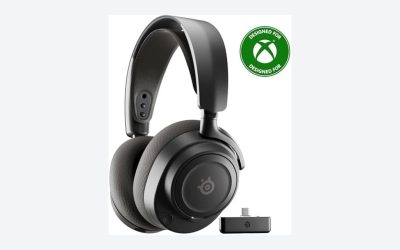
 SteelSeries Arctis Nova 5 Wireless Multi-System Gaming
- 100+ GAME AUDIO PRESETS
- Play longer than ever with the next-gen battery
- Toggle between 2.4GHz gaming and Bluetooth 5.3 with…
| Product | Key specs | |
|---|---|---|
| Ozeino Wireless Gaming Headset for PS5 | 【Amazing Stable Connection-Quick Access to Games】Real-time gaming audio… 【Game Communication-Better Bass and Accuracy】The 50mm driver plus… 【Flexible and Convenient Design-Effortless in Game】Ideal intuitive button… | Check price |
| Turtle Beach Stealth 600 Wireless Gaming Headset | Memory Foam Cushions with Glasses-Friendly Technology Powerful, 50mm Nanoclear Drivers for Vibrant Spatial Audio Mappable Wheel and Mode Button for Customizable Functions | Check price |
| SteelSeries Arctis Nova 5 Wireless Multi-System Gaming | 100+ GAME AUDIO PRESETS Play longer than ever with the next-gen battery Toggle between 2.4GHz gaming and Bluetooth 5.3 with… | Check price |
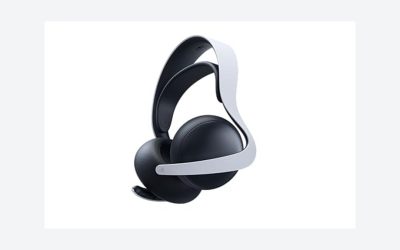
 Xbox Wireless Gaming Headset Xbox Wireless Gaming Headset | Game loud and clear with the XBOX Wireless… Surround yourself with spatial audio technologies including Dolby… Experience the flexible, lightweight design with an adjustable… | Check price |
As an Amazon Associate we earn from qualifying purchases at no extra cost to you.
Decide These 3 Things First
Before comparing driver sizes or battery specs, you must map out your physical environment and gaming habits by answering three fundamental questions:
- Your Proximity to the Screen: Are you sitting at a dedicated gaming desk 2 feet from a monitor, or are you lounging on a couch 10 feet away from a media console? Desk setups handle wired connections gracefully, whereas living room setups almost always require wireless freedom to avoid tripping hazards.
- Your Primary Platform Ecosystem: Console compatibility is not universal. Xbox consoles require proprietary wireless protocols or specific security chips in USB dongles, whereas PlayStation 5 and Nintendo Switch are more flexible with standard USB audio. You must determine if you need a multi-system bridge or a platform-specific unit.
- Your Tolerance for Charging Maintenance: Wireless headsets require power management. If the thought of plugging in another device every few days sounds exhausting, a passive wired headset that draws power directly from your controller’s 3.5mm jack is your best match.
Weight, Size, and Physical Footprint
The physical footprint of a headset dictates its long-term comfort. Wired headsets are naturally lighter because they lack internal batteries, digital-to-analog converters (DACs), and wireless receivers. A typical wired console headset weighs between 220 and 260 grams (7.7 to 9.1 ounces).
In contrast, wireless models must house lithium-ion batteries and wireless chips, pushing their weight up to 280 to 360 grams (9.8 to 12.7 ounces). While a difference of 80 grams sounds minor, it compounds over a two-hour session, putting pressure on your cervical spine. Look for ear cups with an internal clearance of at least 55mm vertically and 40mm horizontally to ensure your ears sit comfortably inside the cushion rather than being pinned against your skull.
Material Selection and Heat Dissipation
The materials touching your face determine how hot and sweaty your ears will get. Manufacturers generally use three types of ear cushion materials:
- Protein Leather (Pleather): Found on models like the Xbox Wireless Headset, this material offers excellent passive noise isolation, sealing in low-end bass frequencies. However, it traps heat. Within 30 minutes, the skin temperature inside the cup can rise by several degrees.
- Athletic Mesh/Fabric: Used in the SteelSeries Arctis Nova 5 (AirWeave fabric), this material allows air to flow freely, keeping your ears cool. The tradeoff is reduced passive noise isolation; you will hear more ambient room noise, and people sitting near you may hear your game audio.
- Velour or Hybrid Cushions: These offer a middle ground, featuring pleather on the outer ring to seal in sound and soft fabric on the surface that touches your skin.
For the headband, look for high-density memory foam padding wrapped in breathable fabric, or a suspended “ski-goggle” style elastic band that distributes weight evenly across the top of your head.
Construction Integrity and Clamping Force
A headset must withstand the daily abuse of being tossed onto a coffee table or dropped onto a hardwood floor. Budget headsets rely entirely on ABS plastic frames, which are prone to snapping at the hinge points over time. Mid-range and premium headsets incorporate steel-reinforced sliders or aluminum headbands to prevent structural failure.
Clamping force—the lateral pressure the headset exerts on your head—is measured in Newtons or pounds of pressure. The ideal clamping force for a console headset is between 1.1 and 1.4 pounds (approx. 500 to 630 grams). This range keeps the headset secure when you tilt your head back to look at a high shelf, without squeezing your jaw joint (TMJ) or pinching the arms of your glasses.
Connection Latency and Audio Performance
Wired headsets offer zero latency and uncompressed analog audio transmission. They plug directly into your controller’s 3.5mm headphone jack. The controller then transmits the audio wirelessly to the console via proprietary high-bandwidth protocols, resulting in imperceptible latency (under 10 milliseconds).
Wireless headsets rely on two primary transmission methods:
- 2.4GHz RF Wireless: This uses a USB dongle plugged directly into the console. It provides a lossless, low-latency connection (typically 15 to 30 milliseconds), which is completely imperceptible to the human ear and vital for fast-paced shooters.
- Bluetooth: Bluetooth latency ranges from 100 to 250 milliseconds, which causes a noticeable delay between a gun firing on screen and the sound reaching your ears. Bluetooth is not recommended for primary console gaming, but dual-wireless models (like the SteelSeries Arctis Nova 5) allow you to connect to your console via 2.4GHz and your phone via Bluetooth simultaneously, so you can take a call without stopping your game.
Price Tiers and Value Mapping
Your budget dictates the level of structural durability, audio fidelity, and battery life you can expect. Here is how the market segments:
- Budget ($25 – $50): Dominated by wired headsets and entry-level wireless options like the Ozeino Wireless Gaming Headset ($29.99). These units rely heavily on plastic construction, standard 40mm dynamic drivers, and basic stereo sound. Wireless options in this tier offer basic 2.4GHz connections and battery lives ranging from 30 to 40 hours.
- Mid-Range ($60 – $120): This is the sweet spot for value. You will find robust options like the Xbox Wireless Headset ($110.99) and the Turtle Beach Stealth 600. Features in this tier include spatial audio integration (Dolby Atmos, DTS Headphone:X, Windows Sonic), high-quality microphone monitoring (sidetone), and battery capacities that support 20 to 40 hours of playtime. Structural components start incorporating metal reinforcements.
- Premium ($130 – $300+): Premium models, such as the SteelSeries Arctis Nova 5 ($129.99) and upward, offer high-end custom neodymium drivers, massive battery lives (60 to 100 hours), quick-charge capabilities (15 minutes of charging for 6 hours of use), companion apps with custom equalizer presets, and active noise cancellation (ANC).
Warranty Coverage and Component Lifespan
The lifespan of your headset depends heavily on its connection type. Wired headsets are highly durable but have a single point of failure: the cable. If the cable is hardwired into the ear cup and gets damaged, the entire headset is ruined. Look for wired headsets with detachable 3.5mm cables that can be easily replaced for less than $10.
Wireless headsets are limited by the lifespan of their internal lithium-ion batteries. These batteries typically last for 300 to 500 charge cycles before their capacity degrades to 80%. If you charge your headset twice a week, the battery will perform well for three to five years. Most manufacturers offer a 1-year limited warranty, though premium brands sometimes extend this to 2 years for structural or electronic defects.
Setup, Cable Management, and Living Room Aesthetics
From an interior design perspective, wires are visual clutter. A wired headset plugged into your controller means a cable is constantly draping across your lap, catching on armrests, and collecting dust when left on the side table.
Wireless headsets keep your living space looking clean, but they require a storage solution. Consider where the headset will live when not in use. A sleek under-desk hanger, a weighted metal headset stand, or a media console drawer with an integrated USB-C charging cable will keep your space organized. Pay attention to the USB transmitter size; a slim, low-profile dongle is preferred so it doesn’t stick out from the front of your console and get bumped by passing pets or vacuum cleaner attachments.
Spec Checklist
Use this reference table to compare the baseline specifications you should expect across different price segments:
| Specification | Budget Tier ($25 – $50) | Mid-Range Tier ($60 – $120) | Premium Tier ($130+) |
|---|---|---|---|
| Connection Type | Wired (3.5mm) or basic 2.4GHz Wireless | 2.4GHz Wireless + Bluetooth (Single Source) | Simultaneous 2.4GHz & Bluetooth (Dual-Source) |
| Battery Life | N/A (Wired) or up to 40 Hours | 20 to 40 Hours | 50 to 100+ Hours |
| Weight Range | 220g – 250g | 270g – 310g | 300g – 360g |
| Driver Type & Size | 40mm Neodymium or Dynamic | 40mm – 50mm Tuned Neodymium | 40mm – 50mm Custom High-Fidelity Drivers |
| Frame Material | ABS Plastic | Plastic with Steel-Reinforced Headband | Aluminum, Steel, or Premium Composite Alloys |
| Spatial Audio Support | Basic Stereo (Software-dependent) | Dolby Atmos, Tempest 3D, DTS Headphone:X | Advanced Spatial Audio with Custom App EQs |
Red Flags to Avoid
When shopping for a console headset, watch out for these design flaws and marketing traps:
- Micro-USB Charging Ports: Avoid any wireless headset that still uses Micro-USB. Modern standards require USB-C for durability and fast-charging capabilities.
- Non-Detachable Cables on Wired Headsets: If the cable cannot be unplugged from the ear cup, a single tear or pet bite will turn your headset into garbage.
- Bluetooth-Only Console Headsets: Consoles do not support standard Bluetooth audio without severe lag. If a headset advertised for “consoles” only has Bluetooth and no USB dongle, it will not work properly for gaming.
- Gimmicky “7.1 Virtual Surround Sound” USB Soundcards: Many headsets advertise 7.1 surround sound via an included USB adapter. These adapters are designed for PCs and rarely work on consoles, which rely on their own internal spatial audio engines (like PS5’s Tempest 3D or Xbox’s Dolby Atmos).
FAQ
Can I use a wireless gaming headset while it is charging?
Yes, most modern wireless headsets support “play-and-charge” functionality via their USB-C ports. However, you will be tethered to a charging cable connected to either your console or a wall outlet, temporarily turning your wireless headset into a wired one. Check the manufacturer’s specs, as a few budget models disable audio playback entirely during charging cycles.
Does spatial audio work over both wired and wireless connections?
Yes. Spatial audio processing (such as PlayStation 5’s Tempest 3D Audio Tech or Xbox’s Dolby Atmos) is calculated by the console’s internal audio chip before the sound signal is sent out. Whether that signal travels over a 3.5mm analog wire connected to your controller or via a 2.4GHz wireless USB transmitter, you will still experience full spatial 3D audio.
Why do Xbox wireless headsets require different models than PlayStation headsets?
Xbox consoles use a proprietary wireless security protocol called “Xbox Wireless” that operates on a different frequency than standard USB audio devices. For a wireless headset to work on Xbox, it must contain a licensed Microsoft security chip. PlayStation and Nintendo Switch use standard USB audio class drivers, meaning most non-Xbox USB headsets will work on them, but not on Xbox.
How do I clean sweat and oils out of fabric ear cups?
If your headset has removable fabric cushions (like athletic mesh or velour), gently pop them off the ear cups. Mix a few drops of mild dish soap or laundry detergent in a bowl of warm water. Submerge the cushions, gently squeeze them to work out the oils, rinse thoroughly with cold water, and let them air-dry completely for 24 to 48 hours before snapping them back onto the headset. Do not put them in a mechanical dryer, as the heat can warp the plastic mounting rings.