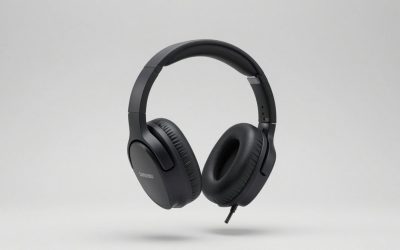
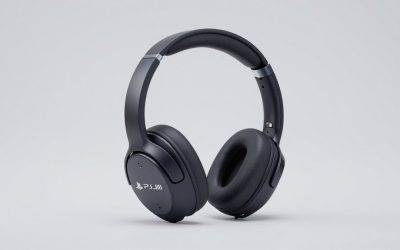
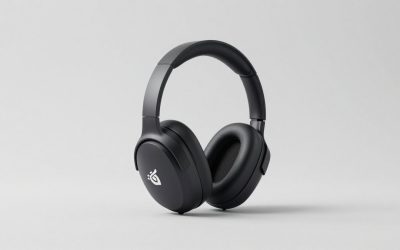
Our Top Picks
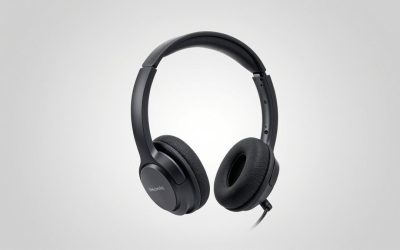
 Razer BlackShark V2 X Gaming Headset: 7.1 Surround3.5 mm7.6 x 6.76 x 3.86 inches0.5 poundsCheck on Amazon


The best wired headset for Switch 2 handheld mode is the PDP Airlite. It is a lightweight on-ear headset with a 3.5mm plug, a flexible noise-cancelling microphone and soft ear cushions, and it is built around the Nintendo Switch family rather than adapted from a PC design. If you want a more serious sound and a better microphone, the Razer BlackShark V2 X is the premium choice and still uses the same simple 3.5mm connection. For the lowest-fuss budget route, the AOC Switch 2 headset or the BENGOO G9000 will do the basics. This guide compares ten wired headsets, explains why cable length, plug type and weight matter when you are holding a handheld console, and shows which headsets fit travel, bedtime play and long sessions.
Top 3 Picks
Best overall: PDP Airlite for Switch 2. It is light, wired, simple and aimed squarely at the Switch family. A flexible mic and soft cushions make it comfortable for long handheld sessions, and there is no battery to charge or pair.
Best budget and value: AOC Wired Gaming Headset for Switch 2. A 3.5mm stereo headset with a noise-cancelling mic that is labeled for Nintendo Switch 2, OLED and Lite. It keeps things simple and is available in several colors.
Best premium: Razer BlackShark V2 X. Large 50mm drivers, a cardioid microphone and a memory foam cushion give this wired headset the most refined sound and comfort in the group, at the cost of extra weight and a fixed cable.
Quick Comparison
| Product | Best for | Key specs |
|---|---|---|
| AOC Wired Headset for Switch 2 (first listing) | Simple, labeled-for-Switch-2 budget pick | 3.5mm stereo, noise-cancelling mic, on-ear |
| IMYB A36 | RGB look on a budget | Wired over-ear, RGB lighting, noise-cancelling mic |
| BENGOO G9000 | Entry-level over-ear comfort | 3.5mm with USB plug for LEDs only, memory-foam earmuffs, LED lights |
| PDP Airlite (Switch 2 version) | Lightweight handheld play | 3.5mm, flexible noise-cancelling mic, soft ear cushions |
| Wired 7.1 over-ear headset | Multi-platform households | Wired, RGB lighting, flip-style mic, works with many consoles |
| AOC Wired Headset for Switch 2 (second listing) | Alternate colorway | 3.5mm stereo, noise-cancelling mic, Red and Blue |
| Razer BlackShark V2 X | Best sound and mic | 50mm drivers, cardioid mic, memory foam, 3.5mm cable |
| PDP LVL40 Airlite | Lightweight on-ear for Switch family | Wired, noise-cancelling mic, soft on-ear cushions |
| ASTRO A10 | Durable all-round pick | 3.5mm, flip-to-mute mic, lightweight, damage-resistant build |
| QXQ Wired Gaming Headset | Simple over-ear for several platforms | 3.5mm over-ear, PS5, PS4, PC and Switch |
How We Chose
We compared ten wired headsets using manufacturer listings, spec sheets and common themes from owner feedback summaries, and we did not claim any bench measurement of our own. The criteria were connector type, since the Switch family uses a single 3.5mm jack, along with weight, cable length and strain relief, ear cup style, microphone design and mute control, build durability and cross-platform use. Because handheld mode means holding or propping the console close to your face, we favored lighter headsets and shorter or manageable cables. Where listings disagree on driver size, cable length or weight, we describe the spec class and recommend that you confirm the figure on the product page before buying. We also kept safety in mind, including sensible listening volume and cable routing around the console.
1. AOC Wired Headset for Switch 2 – Best Simple Budget Pick Labeled for Switch 2
As an Amazon Associate we earn from qualifying purchases at no extra cost to you.

AOC sells this headset with the Nintendo Switch 2 right in the title: a 3.5mm stereo headset with a noise-cancelling microphone that also lists PS5 and PC. That wording is helpful because many gaming headsets are described for PlayStation or Xbox first and Switch last. A product aimed at the newer console gives you an immediate sense that the plug and audio format were considered.
Product pages for AOC’s Switch headsets describe an on-ear design with a dynamic driver, a flexible omnidirectional microphone and passive noise isolation, which is not the same as active noise cancelling. An in-line control gives you quick mute access. The retailer notes that on PC you should use the included splitter if your computer has separate headphone and mic jacks.
Key specs
- 3.5mm wired stereo connection
- Noise-cancelling microphone, described as passive noise isolation
- On-ear style; labeled for Nintendo Switch 2, OLED, Lite, PS5 and PC
- Confirm cable length and microphone behavior on the product page
Handheld-mode notes
Because it is an on-ear design and not an over-ear one, it is lighter and less warm than large cups. The cable should be long enough to reach your ears from a handheld console held at chest height; check the length listed on the product page. Be aware that microphone support on the Switch family depends on the console and on the game, and one retailer description warns that the headset’s mic input may not work on a Switch even though audio does, so confirm voice chat support before relying on it.
Who it suits
Younger players, travelers and anyone who wants a straightforward wired headset for handheld play without paying for features they will not use. It is also a reasonable second headset for the backpack.
Care and daily use
Wipe the ear pads with a slightly damp cloth after long sessions and let them dry before stowing the headset in a bag. Avoid wrapping the cable tightly around the headband, which stresses the wire near the plug, and instead loop it loosely. When you unplug, pull on the plug body rather than the cable. These small habits matter most with thin wired headsets that live in a backpack.
Pros and cons
Pros
- Labeled for Nintendo Switch 2 and Lite
- Simple 3.5mm connection with no pairing
- Lightweight on-ear design
- Works with PS5 and PC for light use
Cons
- On-ear cups can feel tight over long sessions for some people
- Noise reduction is passive, not active
- Microphone support on Switch depends on the system and game
Versus the nearest alternative: The PDP Airlite has a more Nintendo-focused identity and soft ear cushions, so it is the better handheld pick. The AOC wins as a flexible, low-cost headset that also moves to PC or PS5 occasionally. The second AOC listing looks like a color variant of the same family.
2. IMYB A36 – Best for RGB Style on a Budget

The IMYB A36 is the loudest-looking headset in the roundup. The listing describes a wired over-ear headset with RGB lighting, a noise-cancelling microphone and stereo sound for PC, PS5, Xbox and Nintendo systems. It leans into the gaming-desk aesthetic that many teen players like, with lighting effects on the ear cups.
The key detail for handheld Switch use is the power source for lighting. Many budget RGB headsets draw power from a USB plug that does nothing for sound, and on a Switch you may not want to connect that plug at all. Confirm on the product page whether the lights require USB power, and whether the 3.5mm plug works standalone, which is normal.
Key specs
- Wired over-ear design with RGB lighting
- Noise-cancelling microphone
- Marketed for PC, PS5, PS4, Xbox Series X|S and Nintendo
- Check whether the lights need a USB plug and how long the cable is
Handheld-mode notes
An over-ear headset with lighting is heavier than an on-ear model. In handheld mode, that can be tiring if you play lying down. If your sessions are sitting at a table or on a couch, the extra cushioning helps seal out noise. Use the cable clip or route it so it does not pull on the console jack, because the Switch 2 jack takes strain from a long dangling cable.
Who it suits
Players who want a flashy headset that also works with a PC or other consoles. It is a decent choice for a teenager’s bedroom setup, where the headset moves between a Switch and a PC.
Care and daily use
Lighting and flashy cups add parts that can fail, so be gentle with the hinges and the cable where it enters the ear cup. If the lights need a USB plug, keep that plug away from the console and tuck it into a pocket or use a cable tie. Clean the cushions with a lightly damp cloth, and avoid soaking them. If the mic boom is flexible, avoid bending it to the extreme to prevent fatigue cracks.
Pros and cons
Pros
- Over-ear cups block more outside noise than on-ear designs
- RGB look appeals to many players
- Works across several platforms
Cons
- Heavier and warmer than on-ear options
- Lighting may need a USB connection that is irrelevant on a Switch
- Less specific to the Switch than the PDP and AOC models
Versus the nearest alternative: The BENGOO G9000 is a similar style of budget over-ear headset, and the two are nearly interchangeable. Choose the IMYB if you prefer its look and feel on the product page; choose the BENGOO if you like its longer track record.
3. BENGOO G9000 – Best Entry-Level Over-Ear for Long Sessions

The BENGOO G9000 is a long-running budget favorite. The listing describes a wired stereo gaming headset with noise-isolating over-ear cups, a microphone, LED lighting, a 7.1 surround sound claim and soft memory earmuffs, for PS4, PC, Xbox and Nintendo systems. Spec pages describe a 3.5mm four-pole plug, with a separate USB plug that powers the LED lights only.
It is worth being clear about the 7.1 claim. A 3.5mm analog connection carries two channels, so on a Switch you get stereo. Surround effects require software or a USB sound card on a PC. Driver size is also described inconsistently across sources, with most spec sheets listing 40mm drivers and some marketing copy saying 50mm, and the cable is commonly listed at about 2.1 meters, so confirm details on the product page.
Key specs
- 3.5mm four-pole plug; USB plug powers LED lights only
- Over-ear cups with memory-foam style earmuffs
- Cable around 2 meters according to most sources
- Splitter inclusion varies by listing
Handheld-mode notes
A two-meter cable is long for handheld play. You will have slack to manage, so use a cable clip or loop the extra length, and keep it clear of the console’s USB-C port and your hands. The USB plug can dangle unused. Over-ear cups block noise well on a bus or plane, but they can feel warm.
Who it suits
Budget buyers who want comfortable cups and a clear mic and who primarily play at a desk, in a living room or at home with the console on a stand.
Care and daily use
The long cable is the main practical issue, so a small cable clip or hook-and-loop strap is a worthwhile add-on. Keep the unused USB plug from catching on anything, and store the headset with the cable loosely coiled. Check the splitter situation before you buy: a Switch has one jack and needs the combined plug, so you do not want to use the splitter there. Wipe the earmuffs regularly, since memory-foam style covers hold sweat.
If you want to keep the cable manageable at a desk, a simple hook-and-loop strap on the cord near the console lets you shorten the usable length without cutting anything.
Pros and cons
Pros
- Plush earmuffs suit long sessions
- Works with many platforms
- Widely sold and easy to find
Cons
- Long cable is awkward in handheld mode
- 7.1 marketing does not apply over a 3.5mm connection
- Lighting and USB plug are of no use on a Switch
Versus the nearest alternative: The IMYB offers a similar over-ear approach with a more modern look. The Razer BlackShark V2 X is the upgrade path, with a shorter fixed cable and more refined drivers.
4. PDP Airlite Switch 2 – Best Overall for Lightweight Handheld Play
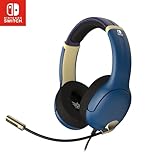
The PDP Airlite is built around the idea that a Switch headset should be light. The listing for this version names the Nintendo Switch 2, Switch Lite and OLED, and describes a lightweight design, a flexible noise-cancelling microphone and soft ear cushions. PDP’s Airlite family is described as a 3.5mm wired headset with a flip-to-mute microphone and on-ear volume control, and earlier versions are described as officially licensed by Nintendo for the Switch family.
Spec sheets for the Airlite family list 40mm drivers and a frequency range of 20 to 20,000 Hz. Weight and impedance figures differ between retailers, so treat those as unconfirmed. One important note is that some listings name the original Switch rather than Switch 2; since the connection is a standard 3.5mm jack, it should work, but confirm compatibility on the product page for your console.
Key specs
- 3.5mm wired connection
- Flexible noise-cancelling microphone
- Lightweight on-ear design with soft ear cushions
- Marketed for Nintendo Switch 2, Switch Lite and OLED
Handheld-mode notes
This is the headset most aligned with handheld play. The lighter frame is less tiring when you hold a console at arm’s length, and on-ear cups keep your head cool. A moderate cable length avoids tangles. The flip-style microphone gives a quick way to mute for chat, though whether chat works depends on the game and system settings.
Who it suits
Switch players of all ages who want a no-nonsense headset that is lighter than most gaming options. It is a good family headset because the on-ear design is easy to adjust for different heads.
Care and daily use
Because the headset is light, it travels well in a small pouch. Wipe the cushions after use and fold the headband flat rather than twisting it. Keep volume at a comfortable level, because lightweight on-ear headsets can sound louder than expected and long exposure to loud sound can affect hearing. Many parents use the volume controls on the console and headset together to set sensible limits for younger players.
Parents sometimes ask whether an on-ear headset suits small heads. The Airlite family uses an adjustable band and light clamping force, which is why it is often described as kid-friendly; still, check the fit on the actual user rather than assuming.
Pros and cons
Pros
- Light, comfortable on-ear design
- Flexible mic and simple controls
- No battery, no pairing
- Designed with the Switch family in mind
Cons
- Sound is basic compared with premium headsets
- On-ear cups block less noise than over-ear
- Switch 2 labeling varies between listings
Versus the nearest alternative: The older LVL40 Airlite is the same family, and the AOC is the budget rival. The Razer sounds better but is heavier. For handheld use, the PDP Airlite strikes the best balance of weight, price class and simplicity.
5. Wired 7.1 Over-Ear Headset – Best for Multi-Platform Households

This unbranded listing is written for as many platforms as it can fit: Xbox Series X|S, Xbox One, PS5, PS4, PC, Switch and Mac. It is a wired over-ear headset with RGB lighting, a 7.1 surround sound claim and a flip-style noise-cancelling microphone. For a house with several consoles and one shared headset, that coverage is the selling point.
As with other budget 7.1 headsets, the surround claim usually depends on software on a PC. Over a 3.5mm plug on the Switch, expect stereo. Because the listing is not from a major audio brand, check the product page for the exact driver size, cable length and warranty terms.
Key specs
- Wired over-ear headset with RGB lighting
- Flip-style noise-cancelling microphone
- Marketed for Xbox, PlayStation, PC, Switch and Mac
- Confirm connector type, cable length and driver size on the product page
Handheld-mode notes
Over-ear and RGB equals extra weight, so this is better for sessions where the console sits on a stand or table. Make sure the connector is a single four-pole 3.5mm plug, or the Switch will not carry both audio and mic. A flip-to-mute mic is convenient when you are playing on a bus or in a shared room.
Who it suits
Families that share one headset across a Switch, a PlayStation and a PC. It is also a reasonable pick for a teen who wants a gaming look.
Care and daily use
Multi-platform headsets get plugged and unplugged often, so inspect the plug for bent or loose parts from time to time. If the product includes a splitter and a combined plug, keep the splitter in a labeled bag to avoid mixing it up with other cables. Wipe the cups, keep the lights off when you do not need them, and store the headset where the boom microphone will not be bent or crushed.
As a rule, when a listing is vague, a fair test of quality is the warranty and return policy. Read those terms on the product page, and keep the packaging for the first few weeks in case the headset or microphone does not behave as described on your console.
Another practical point is that unbranded headsets can vary a lot in microphone quality between production batches, so judge the mic during your first voice chat and return the headset promptly if it sounds muffled.
Pros and cons
Pros
- Works with many platforms
- Over-ear cups block outside noise
- Flip-style mic mute
Cons
- Limited brand information in the listing
- Surround claim is irrelevant on a Switch
- Heavier than on-ear models
Versus the nearest alternative: The QXQ headset sits in the same unbranded multi-platform class, while the ASTRO A10 offers a more established brand. If you want a known name for the same job, the ASTRO is the safer choice.
6. AOC Wired Headset for Switch 2 (Second Listing) – Best Alternate Colorway

This second AOC listing is described as a wired gaming headset for Nintendo Switch 2, OLED and Lite with a microphone, a 3.5mm stereo connection and a noise-cancelling mic, with PS5, PC and Fortnite mentioned, in a red and blue scheme. It is clearly the same product family as the first AOC listing, offered in a different configuration or color, so most of what applies to one applies to the other.
Retail descriptions for the AOC Switch headsets describe an on-ear design, a dynamic driver, a flexible omnidirectional microphone and an in-line mute control. They describe the noise control as passive isolation rather than active cancellation. One retailer description also cautions that microphone input may not function on a Switch even though audio plays, while the mic works on PC, so verify what you need before buying.
Key specs
- 3.5mm wired stereo connection
- Noise-cancelling microphone with in-line mute control per retailer descriptions
- Red and blue colorway
- Labeled for Switch 2, OLED and Lite, plus PS5 and PC
Handheld-mode notes
The on-ear cups are light and the in-line control is easy to reach with a thumb while you hold the console. Check the cable length and route it over your shoulder or under a cable clip so it does not tug on the jack when you move the console.
Who it suits
Kids and casual players who like bright colors and want a straightforward wired headset. It also works as a spare in a travel bag.
Care and daily use
Wipe the cushions with a dry or slightly damp cloth, avoid leaving the headset on a hot dashboard and keep the plug clean. Over time, the in-line control and the plug are the parts most likely to wear, so unplug by gripping the plug rather than the cord.
Buying notes
If you are choosing between the two AOC pages, compare the color options, the stated compatibility list and the included accessories, such as a splitter for PC use. Since the family is aimed at casual play, treat the headset as a simple, affordable tool: good for audio on a handheld console, adequate for light chat on other devices, and not intended to replace a premium microphone. Keep the packaging for a few weeks so that returns are easy if the fit is not right.
Pros and cons
Pros
- Labeled for Nintendo Switch 2
- Bright colorway
- Light on-ear fit and simple controls
Cons
- Passive noise isolation only
- Mic behavior on Switch should be verified
- Close duplicate of the first AOC listing
Versus the nearest alternative: The first AOC listing is the same family, so choose between them by color and availability. Against the PDP Airlite, the AOC is the more budget-oriented option while the PDP has more Nintendo-focused heritage.
7. Razer BlackShark V2 X – Best Premium Sound and Microphone

The Razer BlackShark V2 X is the step up in this group. Razer lists TriForce 50mm drivers, a HyperClear cardioid microphone, a memory foam cushion and passive noise cancellation, with a 3.5mm connection for PC, PS4, PS5 and Nintendo Switch. The triple-part driver design is tuned to separate highs, mids and lows, and the headset is generally praised for a clear voice-friendly sound.
Retail spec sheets list a 32 ohm impedance, a frequency response of 12 Hz to 28 kHz, a fixed cable of about 1.3 meters and a weight of roughly 240 to 250 grams. A splitter is included for PC use. The 7.1 surround feature is a software option on Windows, so on a Switch you get stereo.
Key specs
- 50mm TriForce drivers
- Cardioid microphone with a unidirectional pickup
- 3.5mm wired connection, cable about 1.3 meters per retailer listings
- Weight roughly 240 to 250 grams according to retailers
Handheld-mode notes
The cable length is a plus in handheld mode. At about 1.3 meters it reaches your ears from a console held at chest height without a lot of slack to manage. The weight is the tradeoff. At around a quarter of a kilogram, it is heavier than on-ear Switch headsets, so it is best for seated play rather than lying in bed with the console held overhead.
Who it suits
Players who also use a PC or PlayStation, who care about voice chat clarity, and who want a headset that will last across consoles. If you want one headset for a Switch 2 today and a desktop later, this is the best bridge in the list.
Care and daily use
Replace the cushions when they flatten, wipe them with a damp cloth, and avoid wrapping the fixed cable tightly. Because the cable is not detachable, treat it gently where it enters the cup. Keep the headset in a soft pouch when traveling to prevent the boom from being bent.
Buying notes
If you plan to use the Razer mostly on a Switch, remember that the extras you are paying for, such as the 7.1 software feature, do not apply there. What carries over is the driver quality, cushion comfort and microphone. Check the cushion color and the cable colors on the product page, and compare the weight against what you currently wear. If you already own a lightweight Switch headset, the Razer is a complement for sessions where sound quality matters more than portability.
Pros and cons
Pros
- Large 50mm drivers and a cardioid mic for clear sound and voice
- Memory foam cushions for long sessions
- Single 3.5mm connection works on Switch
- Appropriate cable length for handheld play
Cons
- Heavier than on-ear Switch headsets
- Fixed cable cannot be replaced if it fails
- 7.1 surround is PC software only
Versus the nearest alternative: The ASTRO A10 is lighter and tougher, while the Razer sounds fuller and has a better mic. The PDP Airlite is much lighter still. If handheld portability is the priority, pick the PDP; if audio quality matters most, pick the Razer.
8. PDP LVL40 Airlite – Best Established Lightweight Switch Headset

The LVL40 Airlite is the earlier member of the PDP Airlite line, sold as a stereo headset for the Nintendo Switch, Switch Lite and OLED. The listing describes a wired headset with a noise-cancelling microphone, a lightweight design and soft on-ear cushions. Retail spec sheets list a 40mm driver and a 20 to 20,000 Hz frequency range.
Other details differ between sources. One listing cites an impedance of 40 ohms and a very low weight, while another cites different numbers, so treat those as unconfirmed. What matters in practice is the lightweight on-ear fit, the 3.5mm connection and the flip-style microphone with on-ear volume control that PDP advertises for the Airlite family.
Key specs
- Wired stereo headset with a 3.5mm plug
- Noise-cancelling microphone
- Lightweight, soft on-ear cushions
- Names the Nintendo Switch, Lite and OLED; confirm Switch 2 compatibility with your console
Handheld-mode notes
Because the LVL40 predates the Switch 2, listings do not necessarily name the new console. The standard 3.5mm connection should work, but verify on the product page and in the packaging. Its light frame is well suited to handheld play, and the on-ear volume control means you do not need to dig through system menus to turn down a loud game.
Who it suits
Younger players, travelers and anyone who likes the PDP design but sees the Switch 2 listing as unavailable. It also suits households with existing Switch hardware that want to carry the headset forward to a newer console.
Care and daily use
Treat the headset like any lightweight on-ear model: wipe the cushions, keep the plug free of lint and avoid yanking the cord. Replace the cushions if they split. Keep volume moderate, since lightweight on-ear headsets can reach uncomfortable levels without much effort.
Buying notes
Look closely at the listing title and packaging to see which consoles are named, and keep the receipt in case you need to return it. Because specifications such as impedance and weight differ between retailers, rely on comfort in use rather than the numbers: it should sit lightly, the band should adjust without a fight, and the microphone should flex into place near the corner of your mouth rather than in front of your lips.
Pros and cons
Pros
- Very light and comfortable for long handheld sessions
- Simple wired design with volume control
- Established Switch-focused product
Cons
- Listing language names earlier Switch models
- Basic sound compared with premium options
- On-ear cups let in more outside noise
Versus the nearest alternative: The newer PDP Airlite listing names the Switch 2 directly, which makes it the better first choice. The LVL40 is the pick when you find it under a name you trust and have confirmed compatibility.
9. ASTRO A10 – Best Durable All-Rounder

The ASTRO A10 is billed as a lightweight, damage-resistant wired headset with a 3.5mm audio jack for Xbox, PlayStation, Nintendo Switch, PC and Mac. The A10 comes in more than one generation, and listings differ. Original A10 listings describe 40mm drivers, a 2 meter cable and a weight around 12 ounces, while the Gen 2 version lists 32mm drivers, a detachable cable with an in-line volume control and a heavier weight. Check which generation the listing refers to before you buy.
Across both generations, ASTRO describes a flip-to-mute microphone, a closed-back over-ear design and a splitter for devices with separate jacks. The brand has a reputation for durable builds, and the A10 is often chosen for classrooms and shared households for that reason.
Key specs
- 3.5mm wired connection with a flip-to-mute boom mic
- Closed-back over-ear design
- Generation-dependent drivers and cable, so confirm on the product page
- Splitter cable included according to retailer descriptions
Handheld-mode notes
The A10 is heavier than a true on-ear Switch headset, so it is better for sitting. The cable length varies by generation, and a 2 meter cable will need a clip or a loop. The flip-to-mute mic is convenient, and the durable build handles being tossed into a backpack.
Who it suits
Shared households, classrooms and anyone who values toughness and a recognizable brand. It is also a good cross-platform headset if you also use PlayStation or Xbox.
Care and daily use
Wipe the earpads and headband with a damp cloth, replace the cushions if they wear, and avoid twisting the boom. Store the headset flat or hung so the headband does not take a permanent kink.
Buying notes
Because the A10 exists in more than one generation and in console-specific versions, read the product page for the connector type, the cable detail and the platform list. The cross-platform version with a 3.5mm connector is the one you want for a Switch. Confirm whether the cable is detachable, because that affects repairs, and whether a splitter is included. Heavier than a Switch-only headset, it earns its keep when you move between devices. Its closed-back cups also help in noisy places, so it suits a long commute where an on-ear model would let in more of the engine and the crowd.
Pros and cons
Pros
- Durable construction
- Flip-to-mute mic
- Works across Nintendo, PlayStation, Xbox and PC
Cons
- Heavier than dedicated Switch headsets
- Generation differences can confuse buyers
- Long cable on older versions
Versus the nearest alternative: The Razer BlackShark V2 X sounds better but is less rugged feeling, and the QXQ is cheaper but less established. The A10 is the choice if durability and a known brand matter most.
10. QXQ Wired Gaming Headset – Best Simple Over-Ear for Several Platforms

The QXQ listing is brief: a wired gaming headset for PS5, PS4, PC and Switch, with a 3.5mm connection and over-ear headphones. That is all the title commits to. The headset’s job is straightforward, a cheap, general-purpose wired set that works on a Switch through the headphone jack and on other platforms as well.
Because the listing is sparse, put the product page to work. Check for driver size, cable length, whether the plug is a four-pole combined connector or a split pair, and what the warranty covers. A combined four-pole plug works directly in the Switch jack, while a split pair requires a splitter that you may need to buy separately.
Key specs
- 3.5mm wired connection
- Over-ear headphones with a microphone
- Marketed for PS5, PS4, PC and Switch
- Confirm cable length, plug type and driver size on the product page
Handheld-mode notes
Over-ear cups add weight and heat, so this headset suits seated play. If the cable is long, use a clip to hold the slack. If the plug is a single four-pole connector, no adapter is needed on the Switch.
Who it suits
Budget-minded buyers who need a second headset, parents buying for a younger player and anyone who wants a no-frills wired option for several devices. If you value brand support and spec transparency, a better-documented model is a safer choice.
Care and daily use
Wipe the cups, keep the boom from being bent hard, and unplug by the plug. If the cushions begin to peel, replace the headset instead of risking loose fragments near your ears. Check the cable periodically for cracks, particularly near the plug, and stop using it if the wire shows damage.
Buying notes
Before ordering, write down the five facts you need: the plug type, the cable length, the weight, the driver size and the return window. If the product page leaves any of these blank, ask the seller or choose a better-documented model. A cheap headset that does not fit your device or head is not a bargain, so it is worth spending a few minutes on due diligence, especially if you are buying as a gift.
Pros and cons
Pros
- Simple wired connection with no pairing
- Over-ear cups for noise isolation
- Works with several platforms
Cons
- Sparse listing information
- Heavier than on-ear Switch headsets
- Build quality is harder to judge from the listing
Versus the nearest alternative: The unbranded 7.1 over-ear headset is a near twin in class, with more features listed. The ASTRO A10 is the well-documented step up. Pick the QXQ only if you have confirmed the details you need on its product page.
How to Choose a Wired Headset for Switch 2 Handheld Mode
Match your situation to a pick
| Your situation | Best match | Why |
|---|---|---|
| Playing in bed or on the couch for hours | PDP Airlite or PDP LVL40 | Lightest frames |
| Commuting or flying | ASTRO A10 or Razer BlackShark V2 X | Over-ear noise isolation and durability |
| Voice chat is the priority | Razer BlackShark V2 X | Cardioid microphone |
| Buying for a child | AOC or PDP | Light on-ear fit, simple controls |
| Sharing one headset with PC or PlayStation | ASTRO A10, Razer, or the multi-platform 7.1 headset | Cross-platform 3.5mm design |
| Lowest cost | AOC, BENGOO or QXQ | Basic wired stereo |
Connector and compatibility
The Nintendo Switch family uses a single 3.5mm port, so look for a headset with one four-pole plug that carries audio and the microphone. If a headset ends in two plugs, one for headphones and one for the mic, it is meant for a desktop PC and will not give you mic input on a console without an adapter. USB plugs on budget gaming headsets often power lights only. Microphone support also depends on the game and system settings, so check chat features for the titles you play before paying extra for a boom mic.
A cable length calculation
Here is a quick way to decide how long a cable you need. Hold your console at chest level, which is roughly 40 to 50 centimeters below your ear when seated upright. The cable travels from the console jack at the top edge to your ear cup, so about 0.6 to 0.8 meters is the minimum. Add 0.3 meters of slack for moving the console and you land near 1 to 1.1 meters. A 1.3 meter cable, like the Razer’s, fits that comfortably. A 2 meter cable leaves about 0.9 meters of extra length that you need to manage with a clip or a loop, which is practical for a desk but annoying on a bus.
Weight and comfort
Weight matters more in handheld mode than at a desk, because you may be leaning back or lying down. As a rough guide, on-ear Switch headsets are the lightest, many standard gaming headsets sit around 250 to 350 grams, and heavier RGB models can exceed that. Look for padded headbands, soft cushions and a clamping force that does not squeeze. Over-ear cups are warmer, while on-ear cups can press on the ears over long sessions.
Sound, surround claims and volume
A 3.5mm jack carries stereo, so ignore 7.1 claims for Switch use. What improves the experience is a balanced sound signature, a comfortable fit and a microphone that does not pick up fan or handheld noise. Whatever you buy, keep the volume moderate. A common guideline is to stay below roughly 60 percent of maximum volume for no more than 60 minutes at a time, and children’s headsets should be used with the console’s and the headset’s volume limits where available.
Microphone realities on a Switch
Voice chat on the Switch family is handled differently from a PC. Some games support voice chat through the headset jack, others rely on the console’s own microphone or a companion app, and some do not offer chat at all. That means a boom microphone on your headset is a bonus rather than a guarantee. Before you pay extra for a premium mic, check how the games you play handle voice. If you mostly play solo, a headset with a modest mic is fine, and the money is better spent on comfort.
Common mistakes to avoid
Buying for the specification sheet instead of for the console is the most frequent mistake. Surround sound, lighting and software features rarely apply to a Switch, while weight, cable length and plug type always do. Another is ignoring head size: children and adults with small heads may find large over-ear cups loose and on-ear cups more secure. Finally, avoid pulling the headset jack sideways while the console rests on a tray table, because the strain can damage the port over time. A short cable and a cable clip prevent most of this.
Quick shopping checklist
- Single four-pole 3.5mm plug, or a clearly included adapter
- Cable length near 1 to 1.3 meters for handheld play
- Weight and cushions that suit your longest sessions
- Microphone behavior confirmed for your games
- Return window long enough to check fit and sound
Fit for different head sizes
Adjustable headbands matter for children and for adults with larger heads. Test the band extension, and look for padded contact points rather than hard plastic. If you wear glasses, softer cushions are more comfortable because they press less on the temple arms. A secure but gentle fit keeps the cups in place when you tilt the console, which matters in handheld mode more than at a desk.
Materials, durability and care
Thin wires and plastic hinges are the usual failure points. A headset with a reinforced plug, a strain relief near the ear cup and a metal or flexible headband slider typically lasts longer. Keep the cable from being wrapped around the headband, wipe the cushions, and store the headset in a pouch. If a cable shows cracks or exposed wire, stop using it.
Frequently Asked Questions
Do wired headsets work with the Switch 2 in handheld mode?
Yes. The Switch 2 has a 3.5mm headphone jack, so a standard wired stereo headset with a four-pole plug works for audio. Microphone support depends on the game and system settings, so confirm what you need before you buy.
Can I use a headset with a USB plug on a Switch?
Most budget gaming headsets use USB only to power lights, and the audio still goes through the 3.5mm plug. You can leave the USB plug unconnected on a Switch. Check the product page to be sure that the headset works without it.
Does 7.1 surround sound work on Switch?
Not through a 3.5mm connection. Virtual surround usually depends on software or a USB sound card on a PC, so a Switch receives stereo. A good stereo headset sounds better than a poor surround one.
Is an on-ear or over-ear headset better for handheld mode?
On-ear headsets are lighter and cooler, which suits long handheld sessions. Over-ear headsets block more noise and can be more comfortable for some heads, though they weigh more. Choose based on weight tolerance and how noisy your environment is.
What cable length is best for handheld play?
About 1 to 1.3 meters is enough for most players who hold a console at chest height. A 2 meter cable works at a desk but needs a clip or loop in handheld mode. Shorter cables put less pull on the jack.
Are wired headsets safe for kids?
Wired headsets avoid batteries and wireless pairing, which many parents prefer. Check that the cushions fit your child, keep the volume moderate and consider headsets with built-in volume limiting if you want extra control. Supervise cable use around young children.
Can I use the same headset on my phone or PC?
Many 3.5mm headsets work on phones, tablets and laptops with a headphone jack, and some include a splitter for desktop PCs. Phones without a jack need an adapter. Confirm that the plug type matches your device.
Do I need a headset with noise cancelling?
Not necessarily. Most gaming headsets use passive noise isolation, which blocks sound through the ear cup design. Noise cancelling in a microphone refers to reducing background noise in your voice pickup, which is a different feature from active noise cancelling in the ear cups.
Does a wired headset affect battery life?
A passive wired headset draws very little power from the console, so any change in handheld battery life is small. Headsets with powered lighting use a USB plug, and you should leave that unconnected on a Switch. If battery life is a worry, lower the screen brightness first, since the display uses far more power than headphone output.
Final Recommendation by Situation
Go with the PDP Airlite for the lightest handheld experience, the Razer BlackShark V2 X for the best sound and microphone, and the AOC for a labeled-for-Switch-2 budget option. Choose the ASTRO A10 for durability and the BENGOO or IMYB for an over-ear budget feel. Confirm the connector, cable length and microphone support on the product page before you buy.
If you are still weighing two finalists, favor the lighter headset for handheld play and the better-documented one for peace of mind. For a gift, choose a model with a clear return window, and for a child, pick a comfortable on-ear fit and keep the volume modest. Whichever you buy, a small cable clip is the cheapest upgrade for any wired headset used with a handheld console. It also pays to test the headset on day one with the games you play most, checking balance between dialogue and music, and to return it promptly if anything is off.