Key takeaways
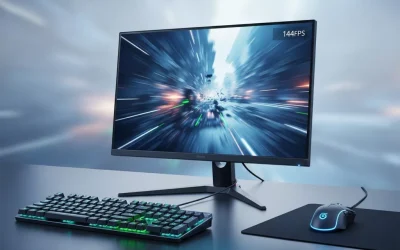
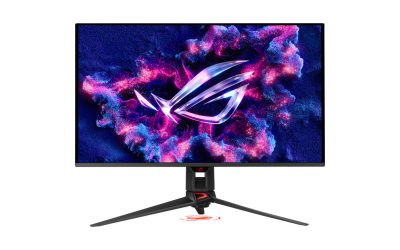
- Raise your refresh rate: A higher-Hz monitor shows new frames sooner, cutting display-side latency.
- Enable Game Mode: This disables heavy image processing on the monitor that adds delay.
- Use the fastest response setting: Choose the overdrive level that stays sharp without ghosting.
Input lag is the invisible delay between your action, a click, a keypress, a flick of the mouse, and the moment the game responds on screen. Even a few extra milliseconds can make aiming feel sluggish, blunt your reaction time, and cost you rounds in competitive play. The frustrating part is that lag creeps in from many places at once: your mouse, your display, your settings, and even your network.
This guide walks through the real sources of input lag and the practical steps that shave it down, from hardware choices to a handful of settings most players never touch. Along the way you will see why a responsive mouse like the ones recommended below is often the easiest win, and how to make sure the rest of your chain keeps up.
Our top picks
 Logitech G305 Lightspeed Wireless Gaming Mouse
- Ultra-fast LIGHTSPEED wireless technology in this wireless mouse…
- G305 wireless computer mouse boasts an incredible 250…
- The durable, compact design with built-in nano receiver…
 Logitech G502 Hero Wired Gaming Mouse
- Adjustable weights: Match your playing style with our…
- HERO Gaming Sensor: Next generation HERO mouse sensor…
- LIGHTSYNC technology: Logitech G LIGHTSYNC technology provides fully…
 Razer Basilisk V3 Customizable RGB Wired Ergonomic
- PC gaming mouse favored by millions worldwide with…
- Assign macros and secondary functions across 11 programmable…
- Speed through content with a scroll wheel that…
| Product | Key specs | |
|---|---|---|
| Logitech G305 Lightspeed Wireless Gaming Mouse | Ultra-fast LIGHTSPEED wireless technology in this wireless mouse… G305 wireless computer mouse boasts an incredible 250… The durable, compact design with built-in nano receiver… | Check price |
| Logitech G502 Hero Wired Gaming Mouse | Adjustable weights: Match your playing style with our… HERO Gaming Sensor: Next generation HERO mouse sensor… LIGHTSYNC technology: Logitech G LIGHTSYNC technology provides fully… | Check price |
| Razer Basilisk V3 Customizable RGB Wired Ergonomic | PC gaming mouse favored by millions worldwide with… Assign macros and secondary functions across 11 programmable… Speed through content with a scroll wheel that… | Check price |
 Logitech G PRO X2 SUPERSTRIKE Wireless Gaming | Designed With Pros, Engineered to Win: Designed alongside… Dominate with industry-leading speed: 30 ms faster clicks… Haptic Feedback: This breakthrough haptic gaming mouse with… | Check price |
 Redragon M612 Wired RGB Optical Gaming Mouse | Pentakill, 5 DPI Levels - Geared with 5… Any Button is Reassignable - 11 programmable buttons… Comfort Grip with Details - The skin-friendly frosted… | Check price |
 Logitech G305 Lightspeed Wireless Gaming Mouse | Ultra-fast LIGHTSPEED wireless technology in this wireless mouse… G305 wireless computer mouse boasts an incredible 250… The durable, compact design with built-in nano receiver… | Check price |
 Razer Basilisk V3 X HyperSpeed Customizable Wireless | Designed for comfort and control, the signature Basilisk… Switch between ultra-low-latency HyperSpeed Wireless for competitive gaming… Stay in the game longer with up to… | Check price |
 Razer DeathAdder Essential Ergonomic Wired Gaming Mouse | PRECISION 6,400 DPI OPTICAL SENSOR Supports up to 10 million clicks RIDGED, RUBBERIZED SCROLL WHEEL FOR MAXIMUM ACCURACY | Check price |
As an Amazon Associate we earn from qualifying purchases at no extra cost to you.
⚡ Save on Your Next PC — Amazon Prime
Prime members get fast free shipping on the systems above, plus early access to Prime Day & Black Friday PC deals. New members get a 30-day free trial.
Watch: How to Reduce Input Lag in Games — Video Review
Where Input Lag Comes From
Latency is a chain, and the total delay is the sum of every link. Your mouse polls and reports movement, the game engine processes it, the GPU renders a frame, and the monitor displays it. A slow link anywhere adds up. A high-performance wireless mouse such as the Logitech G305 Lightspeed or a low-latency wired option like the Logitech G502 Hero minimizes the very first step, giving the rest of your system less to fight against.
Choose a Fast, Responsive Mouse
The mouse is where your input begins, so its polling rate and sensor speed matter. Modern gaming mice like the Razer Basilisk V3 and the Redragon M612 poll at 1000Hz or higher, reporting position up to a thousand times per second. Wireless has caught up too, models such as the Logitech G PRO X2 SUPERSTRIKE and Razer Basilisk V3 X HyperSpeed now rival wired latency. Whichever you pick, a reliable sensor and high polling rate keep your first millisecond fast.
Optimize Your Display Settings
- Raise your refresh rate: A higher-Hz monitor shows new frames sooner, cutting display-side latency.
- Enable Game Mode: This disables heavy image processing on the monitor that adds delay.
- Use the fastest response setting: Choose the overdrive level that stays sharp without ghosting.
Tune In-Game and GPU Settings
Software adds latency too. Turn off traditional V-Sync, which can add significant delay, and instead pair adaptive sync with a frame rate cap just below your refresh ceiling. Enable low-latency modes in your GPU driver (NVIDIA Reflex or the AMD equivalent) when games support them. Lowering graphics settings to keep your frame rate high also reduces the time between rendered frames, which directly trims perceived lag.
Do Not Forget the Basics
Small things quietly add up. Use a direct wired connection for peripherals where possible, or a dedicated wireless dongle rather than shared Bluetooth. Keep your mouse firmware and GPU drivers updated. Plug your monitor into DisplayPort for full bandwidth, and if you play online, a wired Ethernet connection removes network jitter that can feel indistinguishable from local input lag. A well-built ergonomic mouse like the Razer DeathAdder Essential keeps your hand steady so your inputs stay precise.
Tips
- Set your mouse polling rate to 1000Hz or higher in its software for the fastest reporting.
- Cap your frame rate a few frames below your refresh rate to keep adaptive sync active and latency low.
- Enable your monitor’s Game Mode and turn off any dynamic contrast or motion-smoothing features.
- Prefer wired or dedicated-dongle connections over shared Bluetooth for both mouse and keyboard.
Frequently Asked Questions
Does a wireless mouse add input lag?
Modern gaming wireless mice with dedicated dongles have latency so low it is effectively imperceptible. Older Bluetooth mice can lag, but current Lightspeed and HyperSpeed models rival wired performance.
Will a higher refresh rate monitor reduce input lag?
Yes. A higher refresh rate delivers new frames sooner, which lowers the display portion of your total latency and makes the game feel more responsive.
Is V-Sync bad for input lag?
Traditional V-Sync can add noticeable delay. Most players get smoother, lower-latency results by using adaptive sync with a frame rate cap instead.
What is the single biggest cause of input lag?
There is no one culprit; latency accumulates across your mouse, settings, GPU, and display. Fixing the slowest link, often V-Sync or a low frame rate, usually gives the biggest improvement.
Conclusion
Reducing input lag is about tightening every link in the chain rather than chasing a single fix. Start with a fast, high-polling mouse, raise your refresh rate, disable V-Sync in favor of adaptive sync with a frame cap, and keep your connections wired and drivers current. Stack these gains together and games will feel sharper and more immediate, exactly the responsiveness the recommended gear above is designed to deliver.
FAQ
Does a wireless mouse add input lag?
Will a higher refresh rate monitor reduce input lag?
Is V-Sync bad for input lag?
What is the single biggest cause of input lag?
More from Amazon
Programs that pair well with the guide above. Offers and eligibility are set by Amazon and may change.
Free shipping on eligible items, Prime Video and more. Eligible new members can start with a free trial.
Start a Prime free trialAd-free music streaming. Eligible new subscribers can start with a free trial.
Try Music Unlimited freeA Prime membership for ages 18-24 with a trial period. Eligibility is set by Amazon.
See Prime for Young AdultsAudiobooks and podcasts to listen to on the go. Eligible new members can start with a free trial.
Try Audible freeAs an Amazon Associate we earn from qualifying purchases.