Our Top Picks
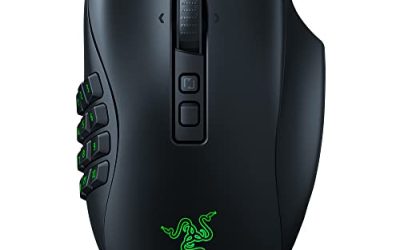
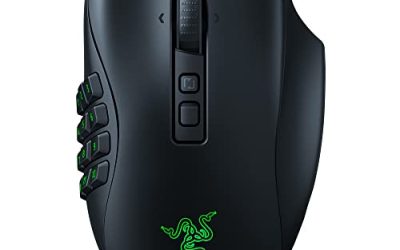
 Razer Basilisk V3 Customizable RGB Wired Ergonomic GamingMouse2.96 x 5.12 x 1.67 inches0.2 poundsCheck on Amazon


Battlefield asks a mouse to do several jobs in one round: steady tracking for long sightlines, fast flicks when a fight closes in, and enough buttons for gadgets, grenades, and spotting without taking your hand off the movement keys. A mouse built only for close-quarters duels can feel twitchy on a wide map, while a heavy, button-crowded body can slow the wide sweeps that large maps demand. The real decision is how much weight, how many buttons, and how much cable or battery management you are willing to trade for control.
This guide is for Battlefield players on PC who want a mouse that holds up across infantry fights, vehicle play, and long sessions on large maps. Every mouse below was chosen from the name and specifications shown on its Amazon product page, with the sensor range, button count, weight, and connection type checked against that listing.
Quick Picks
As an Amazon Associate we earn from qualifying purchases.
| Product | Best for | Key spec from title |
|---|---|---|
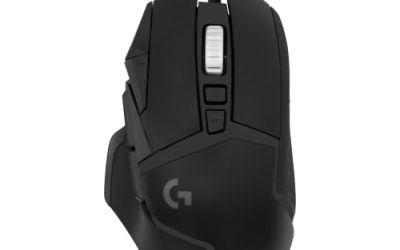
| Logitech G502 HERO | Gadget-heavy loadouts with many binds | HERO 25K sensor, 25,600 DPI, 11 programmable buttons |
| Razer DeathAdder V2 | Long sessions with a palm grip | Focus+ 20K optical sensor, 8 programmable buttons |
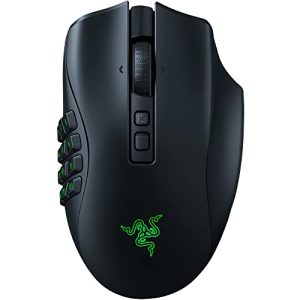
| Razer Basilisk V3 | Weapon switching and on-the-fly DPI changes | Focus+ 26K optical sensor, 11 programmable buttons |
| Logitech G PRO X Superlight | Fast flicks with almost no weight to drag | HERO 25K sensor, 25,600 DPI, under 63 grams |
| SteelSeries Rival 5 | Battle royale-style play with quick side actions | TrueMove Air sensor, 18,000 CPI, 9 programmable buttons |
How to Choose
Let the map size set your sensitivity thinking
Battlefield maps stretch from tight interiors to open fields, so a single fixed sensitivity rarely fits the whole round. A mouse with on-the-fly DPI steps lets you drop to a slow, steady setting for a distant target and jump back up for close fighting, without opening software mid-match. Look for a clearly marked DPI button and at least three usable steps in the listing. If the mouse only offers one sensitivity, you will end up compromising on either long-range steadiness or close-range speed.
Count the buttons you will actually bind
Vehicles, gadgets, grenades, spotting, and melee compete for the same few inputs, and a mouse with two side buttons forces most of those jobs back onto the keyboard. A mouse with five or more programmable buttons lets you put spotting, gadget switching, or a DPI shift under your thumb, which keeps your left hand on movement. More buttons are not automatically better, though: a crowded side panel invites misclicks during a tense fight. Match the count to the binds you already use, not to the largest number on the box.
Weigh the mouse against your grip and your arm
A heavier mouse steadies small aiming corrections and suits a palm grip, where the whole hand rests on the body and the arm does the work. A lighter mouse suits fast flicks and a claw or fingertip grip, where the fingers lift and reposition the mouse often. The spread in this guide runs from under 63 grams to 121 grams before tuning weights, and that difference is easy to feel across a long round. If you play with a low sensitivity and sweep your arm across a wide pad, favour the lighter end; if you play with a high sensitivity and aim from the wrist, a planted, heavier body may track more calmly.
Decide how much wire and battery you will tolerate
A wired mouse never needs charging and never drops a connection, which is why three of the five picks here use a cable, and a flexible cable matters more than the connection itself on a wide pad. A wireless mouse removes cable drag entirely and suits a clean desk, but it adds charging to your routine and a receiver to keep track of. Check the cable type on wired listings and the battery arrangement on wireless ones before choosing, because a stiff cable can fight every wide sweep just as surely as a flat battery can end a round early.
The 5 Best Options
Logitech G502 HERO

The G502 HERO is the most versatile mouse in this guide, and its strength is the number of useful inputs it puts under your fingers. Eleven programmable buttons cover spotting, gadgets, melee, and DPI shifts without crowding the keyboard, and the dual-mode scroll wheel switches between a notched step for weapon selection and a free spin for long lists. Five removable tuning weights let you shift the balance toward the front or the back, so the same mouse can feel planted for long sightlines or lighter for close fights.
Specs
- Sensor: HERO 25K optical sensor, 100 to 25,600 DPI
- Buttons: 11 programmable buttons
- Weight: 121 grams, plus five removable 3.6-gram weights
- Scroll wheel: Dual-mode hyper-fast with tilt left and right
- Polling rate: 1000 Hz
- Lighting: LIGHTSYNC RGB
- Onboard memory: Up to 5 profiles
- Connectivity: Wired, braided USB cable
Best for: Players who bind gadgets, spotting, and melee to the mouse and want one body for every Battlefield role.
Watch out for: At 121 grams before weights, it is the heaviest mouse here, so low-sensitivity players who flick constantly may tire faster.
Razer DeathAdder V2

The DeathAdder V2 earns its place through shape and steadiness rather than button count. Its right-handed ergonomic body suits a palm grip over long rounds, and at 82 grams it is light enough for quick repositioning without feeling insubstantial. The Focus+ sensor tracks to 20,000 DPI, the optical switches actuate with no debounce delay, and five onboard profiles store your settings on the mouse itself, so your binds travel with the hardware rather than living only in software.
Specs
- Sensor: Razer Focus+ optical sensor, 20,000 DPI
- Buttons: 8 programmable buttons
- Weight: 82 grams
- Switches: Razer Optical Mouse Switch, rated for 70 million clicks
- Actuation: 0.2ms response time
- Tracking: 650 IPS, 50G acceleration
- Onboard memory: 5 profiles
- Feet: 100 percent PTFE mouse feet
- Connectivity: Wired, Razer Speedflex cable
Best for: Long Battlefield sessions where a comfortable palm grip matters more than a crowded side panel.
Watch out for: The right-handed shape does not suit left-handed players, and the eight-button layout offers fewer thumb binds than the G502 HERO or Basilisk V3.
Razer Basilisk V3
The Basilisk V3 is the pick for players who change weapons and sensitivity constantly, because its HyperScroll tilt wheel is the most useful wheel in this guide. It free-spins for fast scrolling and switches to a tactile notched mode for precise weapon cycling, and the tilt action adds two more inputs without moving your fingers. Eleven programmable buttons give you room for gadgets and spotting, the Focus+ sensor reaches 26,000 DPI, and the second-generation optical switches are rated for 70 million clicks.
Specs
- Sensor: Razer Focus+ 26K optical sensor, 26,000 DPI
- Buttons: 11 programmable buttons
- Weight: 101 grams
- Switches: 2nd-gen Razer Optical Mouse Switch, rated for 70 million clicks
- Actuation: 0.2ms response time
- Scroll wheel: HyperScroll tilt wheel, free-spin and tactile modes
- Lighting: 11 Razer Chroma RGB lighting zones
- Tracking: 650 IPS, 50G acceleration
- Onboard memory: 5 profiles
- Connectivity: Wired, Razer Speedflex cable
Best for: Players who cycle weapons often and want the scroll wheel to do real work.
Watch out for: The ergonomic right-handed shape and 101-gram weight feel bulky to fingertip-grip players who prefer a small, light body.
Logitech G PRO X Superlight
The PRO X Superlight is the lightest mouse here by a clear margin, and that is the whole point: at under 63 grams, it moves with very little effort, which suits fast flicks and frequent repositioning on large maps. The HERO 25K sensor tracks to 25,600 DPI, LIGHTSPEED wireless removes cable drag, and the five-button layout keeps the shape clean for players who bind most actions to the keyboard. There are no holes in the shell, so the light weight comes from the internal design rather than an open frame.
Specs
- Sensor: HERO 25K sensor, 25,600 DPI
- Buttons: 5 programmable buttons
- Weight: Less than 63 grams
- Connectivity: LIGHTSPEED wireless
- Tracking: 400 IPS, 40G acceleration
- Polling rate: 1000 Hz
- Compatibility: PC and Mac
Best for: Fast, low-sensitivity play where a light mouse and no cable matter most.
Watch out for: Five buttons leave little room for thumb binds, so gadget-heavy players will keep most actions on the keyboard.
SteelSeries Rival 5

The Rival 5 is built for players who jump between roles, with a five-button side panel designed for quick thumb actions in fast-paced games. Nine programmable buttons in total give you room for spotting, gadgets, and a toggle action without reaching across the keyboard, and the TrueMove Air sensor tracks to 18,000 CPI with true one-to-one tracking. At 85 grams it sits between the ultralight Superlight and the heavier G502 HERO, and the ten-zone PrismSync lighting syncs with other SteelSeries gear.
Specs
- Sensor: TrueMove Air optical sensor, 18,000 CPI
- Buttons: 9 programmable buttons, including 5 quick-action side buttons
- Weight: 85 grams
- Switches: Golden Micro IP54 mechanical switches, rated for 80 million clicks
- Tracking: 400 IPS, 40G acceleration
- Polling rate: 1000 Hz
- Lighting: 10-zone RGB, PrismSync enabled
- Cable: 2-metre soft microfiber mesh cable
- Connectivity: Wired, USB
Best for: Players who switch between infantry and vehicle roles and want several thumb actions ready at once.
Watch out for: The side panel takes practice to use without misclicks, so give the toggle and side buttons a few rounds before judging them.
Which One Fits Your Situation
You bind everything to the mouse and play every role
Pick the Logitech G502 HERO. Eleven buttons, a dual-mode wheel, and tuning weights let you set up distinct binds for infantry, vehicles, and gadgets, and the onboard profiles keep those setups on the mouse. Accept the weight, and use the tuning weights to find a balance that still flicks cleanly.
You play long rounds and your hand cramps first
Pick the Razer DeathAdder V2. The ergonomic palm shape, 82-gram weight, and PTFE feet keep movement smooth across a wide pad, and eight buttons cover the binds most players actually use. Its onboard profiles also store your settings on the mouse, so your binds stay put when you move between machines. Left-handed players should look elsewhere, since the shape is right-handed only.
You switch weapons and sensitivity constantly
Pick the Razer Basilisk V3. The HyperScroll tilt wheel handles weapon cycling and extra binds, the DPI range reaches 26,000, and eleven buttons leave room for spotting and gadgets. It is the best fit for players whose fingers never sit still. The tactile notched mode keeps weapon selection precise, while the free-spin mode clears long menus quickly.
You flick constantly and want the lightest mouse possible
Pick the Logitech G PRO X Superlight. Under 63 grams and wireless, it removes both weight and cable drag from fast aiming, and the HERO 25K sensor keeps tracking consistent. Plan your binds around five buttons, and keep the receiver and charging routine in mind. That clean five-button shape also suits players who already bind most actions to the keyboard and want the mouse to stay out of the way.
Common Mistakes
- Choosing the highest DPI number on the listing instead of a sensitivity you can control, then overshooting every target at long range.
- Filling every side button on day one, then misclicking gadgets and grenades during the fights where they matter most.
- Buying a heavy mouse for a low-sensitivity, wide-sweep style, and blaming aim when the real problem is arm fatigue.
- Ignoring cable stiffness on a wired mouse, so a rigid cable drags against the pad during the wide sweeps large maps demand.
- Picking a wireless mouse without a charging habit, then losing the end of a round to a flat battery.
Frequently Asked Questions
What DPI should I use for Battlefield?
There is no single correct DPI, because the right setting depends on your sensitivity, your grip, and the size of your mouse pad. Start in the low thousands and adjust in small steps until long-range tracking feels steady and close fights turn fast enough. Use the mouse DPI button to test a lower setting for sniping and a higher one for close quarters.
Is a wired or wireless mouse better for Battlefield?
Both work well when the rest of the setup fits. Wired removes charging and connection worries, which suits long sessions, while wireless removes cable drag, which suits wide, fast sweeps. The deciding factors are cable flexibility on wired models and battery routine on wireless ones, not the connection type alone.
How many buttons do I need for Battlefield?
Five programmable buttons cover the essentials for most players, including spotting and one or two gadget binds, while nine to eleven buttons suit players who move many actions off the keyboard. More buttons help only if you can reach each one without shifting your grip or misclicking under pressure.
Does mouse weight really change how Battlefield feels?
Yes, and the effect grows with session length. A lighter mouse flicks and repositions with less effort, which helps low-sensitivity players who sweep their arm, while a heavier mouse steadies small corrections for high-sensitivity wrist aimers. The range in this guide runs from under 63 grams to 121 grams, so the difference is large enough to feel within a single round.
FAQ
What DPI should I use for Battlefield?
Is a wired or wireless mouse better for Battlefield?
How many buttons do I need for Battlefield?
Does mouse weight really change how Battlefield feels?
More from Amazon
Programs that pair well with the guide above. Offers and eligibility are set by Amazon and may change.
Free shipping on eligible items, Prime Video and more. Eligible new members can start with a free trial.
Start a Prime free trialAd-free music streaming. Eligible new subscribers can start with a free trial.
Try Music Unlimited freeA Prime membership for ages 18-24 with a trial period. Eligibility is set by Amazon.
See Prime for Young AdultsAudiobooks and podcasts to listen to on the go. Eligible new members can start with a free trial.
Try Audible freeAs an Amazon Associate we earn from qualifying purchases.