Our Short List of 3

- Best for: Editors who want a dependable all-round gaming laptop for 1080p and light 4K projects.
- Link: https://www.amazon.com/dp/B0DZZWMB2L
- Key specs: Intel Core i7-14650HX processor; NVIDIA GeForce RTX 5060 Laptop GPU; 16GB DDR5 memory; 1TB Gen 4 SSD; 16-inch FHD+ 16:10 display at 165Hz; Wi-Fi 7; Windows 11 Home
- Strong CPU and GPU combination for the tier
- Taller 16:10 display gives timelines more room

- Best for: Editors who grade footage and want an OLED display with deep blacks and vivid colour.
- Link: https://www.amazon.com/dp/B0F6NRYPPG
- Key specs: Intel Core i7-14700HX processor; NVIDIA GeForce RTX 5070 Laptop GPU; 16GB DDR5 memory; 1TB SSD; 15.1-inch WQXGA OLED display at 165Hz; Windows 11 Home
- OLED display with deep blacks and strong contrast for colour grading
- RTX 5070 GPU for faster effects and exports

- Best for: Creators who edit on the move and want a light laptop with a colour-accurate screen.
- Link: https://www.amazon.com/dp/B0FDMM46TT
- Key specs: AMD Ryzen AI 7 350 processor; NVIDIA GeForce RTX 5070 Laptop GPU with 8GB GDDR7; 32GB DDR5-5600 memory; 1TB PCIe 4.0 NVMe SSD; 16-inch WQXGA display at 165Hz with 100% sRGB colour gamut; Windows 11 Home; 4.18 lb
- 32GB of RAM straight out of the box
- 100% sRGB display for dependable colour work
All 5 Picks at a Glance
| Product | Specs | Action |
|---|---|---|
| 1. ASUS ROG Strix G16 (2025) |
| Check price on Amazon |
| 2. Lenovo Legion 5i (2025) |
| Check price on Amazon |
| 3. GIGABYTE AERO X16 |
| Check price on Amazon |
 4. Acer Nitro V 16S AI |
| Check price on Amazon |
 5. MSI Katana 15 HX |
| Check price on Amazon |
Our Top Picks
As an Amazon Associate, we earn from qualifying purchases made through links on this page, at no extra cost to you.
Video editing asks a laptop to do two jobs at once: scrub through high-resolution footage without stuttering, and export finished projects without taking all afternoon. Gaming laptops are a natural fit because they already ship with the ingredients editors need: a discrete graphics card with hardware encoding, a fast multi-core processor, generous memory, and a quick solid-state drive. The difference between a good gaming laptop and a good editing laptop comes down to a few details that matter far more in an editing timeline than in a game. Colour accuracy, for example, decides whether the grade you see on screen matches the video your audience watches. Memory capacity decides whether a project with several layers of 4K footage stays responsive or starts swapping to disk. Storage speed decides how quickly clips load, proxies generate, and exports finish.
This guide looks at five gaming laptops that suit video editing, judged on the specifications published in their listings: graphics hardware, processor, memory, storage, display quality, and portability. Every pick below is a genuine gaming laptop with a discrete NVIDIA GeForce RTX graphics card, so each one can also handle the games its name promises. The angle here is editing first. A laptop earns its place by pairing gaming power with the traits that make long editing sessions productive: enough RAM for heavy timelines, a display you can trust for colour work, and storage that keeps large projects moving.
The 5 Best Gaming Laptops for Video Editing
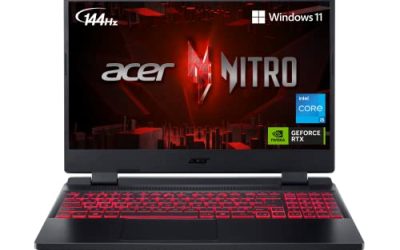
1. ASUS ROG Strix G16 (2025)
- Best for: Editors who want a dependable all-round gaming laptop for 1080p and light 4K projects.
- Link: https://www.amazon.com/dp/B0DZZWMB2L
- Key specs: Intel Core i7-14650HX processor; NVIDIA GeForce RTX 5060 Laptop GPU; 16GB DDR5 memory; 1TB Gen 4 SSD; 16-inch FHD+ 16:10 display at 165Hz; Wi-Fi 7; Windows 11 Home
- Strong CPU and GPU combination for the tier
- Taller 16:10 display gives timelines more room
Editors who want a dependable all-round gaming laptop for 1080p and light 4K projects.
The ROG Strix G16 is the most balanced starting point in this guide. Its Core i7-14650HX processor has the multi-core muscle to handle timeline playback and background rendering at the same time, while the RTX 5060 brings hardware-accelerated encoding that shortens export times in the major editing applications. Sixteen gigabytes of DDR5 memory is a workable floor for editing, and the 1TB Gen 4 SSD gives footage somewhere fast to live. The 16-inch display uses a taller 16:10 aspect ratio, which leaves more vertical room for a timeline and preview window side by side, and its 165Hz refresh rate keeps scrubbing feeling fluid. Wi-Fi 7 is a useful bonus for editors who pull stock footage or upload finished work over a wireless connection.
Pros:
Cons:
2. Lenovo Legion 5i (2025)
- Best for: Editors who grade footage and want an OLED display with deep blacks and vivid colour.
- Link: https://www.amazon.com/dp/B0F6NRYPPG
- Key specs: Intel Core i7-14700HX processor; NVIDIA GeForce RTX 5070 Laptop GPU; 16GB DDR5 memory; 1TB SSD; 15.1-inch WQXGA OLED display at 165Hz; Windows 11 Home
- OLED display with deep blacks and strong contrast for colour grading
- RTX 5070 GPU for faster effects and exports
Editors who grade footage and want an OLED display with deep blacks and vivid colour.
The Legion 5i is the colour pick of this roundup. Its 15.1-inch WQXGA OLED panel is the standout feature: OLED delivers true blacks and punchy contrast that make it easier to judge exposure and colour while grading, and the 165Hz refresh rate keeps motion smooth when reviewing footage. Behind the screen, the Core i7-14700HX and RTX 5070 are a step up from the RTX 5060 tier, which shows up in faster effects rendering and smoother playback of high-bitrate clips. Sixteen gigabytes of memory is the one limitation, so editors working with many layers or long 4K timelines should plan a memory upgrade. For creators who prioritise what they see on screen, though, this is the most editing-focused display in the group.
Pros:
Cons:
3. GIGABYTE AERO X16
- Best for: Creators who edit on the move and want a light laptop with a colour-accurate screen.
- Link: https://www.amazon.com/dp/B0FDMM46TT
- Key specs: AMD Ryzen AI 7 350 processor; NVIDIA GeForce RTX 5070 Laptop GPU with 8GB GDDR7; 32GB DDR5-5600 memory; 1TB PCIe 4.0 NVMe SSD; 16-inch WQXGA display at 165Hz with 100% sRGB colour gamut; Windows 11 Home; 4.18 lb
- 32GB of RAM straight out of the box
- 100% sRGB display for dependable colour work
Creators who edit on the move and want a light laptop with a colour-accurate screen.
The AERO X16 is the most creator-shaped laptop in this guide. It pairs an RTX 5070 with 32GB of DDR5 memory, which is the combination that matters most once timelines get busy: the GPU accelerates encoding and effects, while the larger memory pool keeps multi-layer 4K projects responsive. Its 16-inch WQXGA display covers 100% of the sRGB colour gamut, so colours on screen are a reliable guide to what viewers will see. At 4.18 lb and under 20 mm thick, it is also the lightest machine here by a clear margin, which matters for editors who cut footage in different locations. Dual M.2 slots leave room to add a second drive for a growing footage library, and the memory is upgradeable as well.
Pros:
Cons:
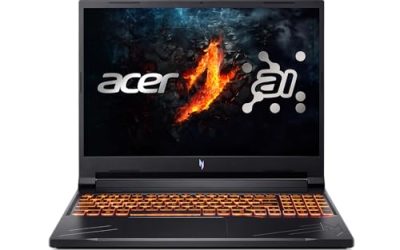
4. Acer Nitro V 16S AI
- Best for: Editors on a tighter budget who still want 32GB of RAM and a colour-accurate screen.
- Link: https://www.amazon.com/dp/B0F195W823
- Key specs: AMD Ryzen 7 260 processor; NVIDIA GeForce RTX 5060 Laptop GPU; 32GB DDR5-5600 memory; 1TB PCIe Gen 4 SSD; 16-inch WUXGA IPS display at 180Hz with 100% sRGB colour gamut; Wi-Fi 6; Windows 11 Home
- 32GB of RAM and a 100% sRGB display at a value tier
- Fastest refresh rate in this roundup at 180Hz
Editors on a tighter budget who still want 32GB of RAM and a colour-accurate screen.
The Nitro V 16S is the value pick, and its value comes from memory and display rather than raw graphics power. Thirty-two gigabytes of DDR5 is the single most useful upgrade an editor can have, and this is the most affordable way into that tier in this guide. The 16-inch IPS display covers 100% of sRGB, which keeps colour decisions honest, and its 180Hz refresh rate is the fastest here. The Ryzen 7 260 processor handles editing workloads well, and the RTX 5060 supplies hardware encoding for exports. A second M.2 slot means storage can grow with a footage library, and USB4 support gives fast external drive options for editors who keep projects on portable SSDs. The trade-off is graphics headroom: the RTX 5060 is a step below the RTX 5070 models above, so heavy effects work and 8K footage will take longer. For 1080p and 4K projects built from layered timelines rather than extreme effects, that trade is easy to live with.
Pros:
Cons:
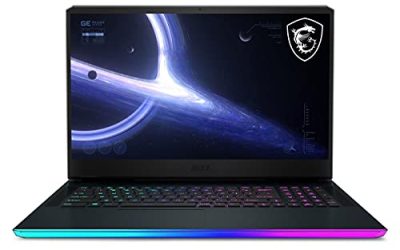
5. MSI Katana 15 HX
- Best for: Editors who push effects-heavy timelines and want the strongest processor in this guide.
- Link: https://www.amazon.com/dp/B0DZFVBQLK
- Key specs: Intel Core i9-14900HX processor; NVIDIA GeForce RTX 5070 Laptop GPU with 8GB GDDR7; 32GB DDR5-5600 memory; 1TB PCIe Gen 4 NVMe SSD; 15.6-inch QHD display at 165Hz; Windows 11 Home
- 24-core Core i9 processor, the strongest CPU here
- Full-power RTX 5070 with MUX switch
Editors who push effects-heavy timelines and want the strongest processor in this guide.
The Katana 15 HX is the performance pick. Its Core i9-14900HX is a 24-core processor, the most powerful CPU in this roundup, and that core count shows up directly in editing: faster timeline rendering, quicker proxy generation, and smoother multitasking when an editor, a browser full of reference material, and a render queue are all running at once. The RTX 5070 runs at a full 115W power limit with a MUX switch, so it delivers its full graphics performance in effects-heavy work rather than the reduced output found in thinner machines. Thirty-two gigabytes of DDR5 memory and a 1TB Gen 4 SSD round out a specification sheet with no weak point for editing, and the 15.6-inch QHD display at 165Hz is sharp enough for detailed timeline work.
Pros:
Cons:
At a Glance
| Laptop | GPU | RAM | Display | Best for |
|---|---|---|---|---|
| ASUS ROG Strix G16 | RTX 5060 | 16GB DDR5 | 16-inch FHD+ 165Hz | Balanced all-rounder |
| Lenovo Legion 5i | RTX 5070 | 16GB DDR5 | 15.1-inch WQXGA OLED 165Hz | Colour grading |
| GIGABYTE AERO X16 | RTX 5070 | 32GB DDR5 | 16-inch WQXGA 165Hz, 100% sRGB | Portable creator work |
| Acer Nitro V 16S AI | RTX 5060 | 32GB DDR5 | 16-inch WUXGA 180Hz, 100% sRGB | Value with 32GB RAM |
| MSI Katana 15 HX | RTX 5070 | 32GB DDR5 | 15.6-inch QHD 165Hz | Effects-heavy timelines |
Buying Guide: How to Choose a Gaming Laptop for Video Editing
Start with the GPU, but mind its power limit. The graphics card drives hardware encoding, which is what makes exports fast, and it accelerates effects, transitions, and AI-assisted tools. An RTX 5070 generally outperforms an RTX 5060, but the same GPU can run at very different power limits in different chassis. A full-power RTX 5070 in a thick gaming laptop will sustain higher performance in long renders than the same chip in a slim machine. Check the listed power limit before deciding.
Treat 32GB of RAM as the target for 4K work. Sixteen gigabytes is enough to edit 1080p footage and lighter 4K projects, but multi-layer 4K timelines, colour grading nodes, and background rendering all consume memory quickly. If a laptop ships with 16GB, confirm that the memory is upgradeable before buying, and budget for the upgrade if your projects are demanding.
Colour accuracy matters more than refresh rate. A high refresh rate feels smooth, but it does not help you judge colour. Look for a display that lists 100% sRGB coverage at minimum, and prefer DCI-P3 coverage or an OLED panel if colour grading is a regular part of your work. A QHD or higher resolution also helps, because it shows more timeline detail and sharper preview images.
Storage speed and capacity both count. Video files are large, and a slow drive becomes a bottleneck the moment a project grows. A 1TB NVMe SSD is a sensible minimum, and a second M.2 slot is worth having so footage can expand without replacing the original drive. Fast external storage over USB4 or Thunderbolt is a useful alternative for editors who archive finished projects.
Do not ignore cooling and weight. Editing sessions run long, and a laptop that throttles under sustained load will export slowly no matter how good its specification sheet looks. Thicker gaming laptops cool better but weigh more; slim creator laptops travel better but give up some sustained performance.
Check the ports. Editors connect external drives, monitors, and audio interfaces constantly. HDMI output for a second monitor, USB-C with DisplayPort, and fast USB ports for external SSDs are all worth confirming before committing.
Frequently Asked Questions
Can a gaming laptop really handle video editing?
Yes. Gaming laptops share the same core hardware that editing demands: a discrete GPU with hardware encoding, a fast multi-core CPU, plenty of RAM, and quick SSD storage. The main difference is the display, so choosing a model with good colour coverage matters more than choosing the fastest graphics card.
How much RAM do I need for video editing?
For 1080p editing, 16GB is generally enough. For 4K editing with multiple layers, effects, and colour grading, 32GB is the safer choice. If a laptop ships with 16GB, check that the memory slots are upgradeable so the machine can grow with your projects.
Is an OLED display better for video editing?
OLED offers true blacks, high contrast, and vivid colour, which helps when judging exposure and grading. It is a strong choice for colour work, though editors should be aware that static interface elements left on screen for very long sessions can cause image retention over time.
Does the GPU affect export speed?
Yes. Modern editing software uses the GPU for hardware-accelerated encoding, which shortens export times considerably compared with CPU-only encoding. A stronger GPU also speeds up effects, stabilisation, and AI-assisted tools such as masking and noise reduction.
Should I choose an RTX 5060 or an RTX 5070 laptop?
The RTX 5070 is the faster card and the better choice for effects-heavy work and higher-resolution footage. The RTX 5060 is still capable for 1080p and standard 4K projects, especially when paired with 32GB of RAM, and it usually appears in more affordable configurations.
What screen size is best for editing on a laptop?
Sixteen inches is a good balance: large enough to show a timeline and preview comfortably, small enough to carry. A taller 16:10 aspect ratio adds useful vertical space for timelines. For serious colour work, many editors pair the laptop with an external monitor at the desk.
Conclusion
The best gaming laptop for video editing is the one whose strengths match the work you actually do. For most editors, the GIGABYTE AERO X16 is the strongest all-round choice: 32GB of RAM, an RTX 5070, a 100% sRGB display, and a light chassis that travels well. If colour grading is the priority, the Lenovo Legion 5i and its OLED display deserve the first look. Editors working to a tighter budget get the most for their money from the Acer Nitro V 16S AI, which pairs 32GB of RAM with a colour-accurate screen. The MSI Katana 15 HX suits effects-heavy timelines thanks to its 24-core processor and full-power RTX 5070, while the ASUS ROG Strix G16 remains a solid, dependable starting point for lighter projects.
Whichever model fits, the deciding factors stay the same: enough memory for your timelines, a display you can trust for colour, a GPU with hardware encoding, and fast storage for your footage. Get those four right and a gaming laptop becomes a genuinely capable editing machine.
Verification Notes
Direct Amazon product-page loads were attempted and are currently blocked for AI agents: a direct open of the ASUS ROG Strix G16 listing returned HTTP 403 (access denied), consistent with the known Amazon restriction on AI-agent access confirmed earlier in this cluster. No further direct page loads were retried. Each ASIN below was instead corroborated by name and ASIN through independent search results showing the Amazon listing text, plus roundup and specification sources, with in-stock status shown by those sources at the time of checking (2026-11-25):
- B0DZZWMB2L (ASUS ROG Strix G16): Amazon listing text returned in search results matches the model name and ASIN exactly; SpecForgePC and a Slickdeals Amazon deal thread both confirm the same ASIN and configuration. Direct dp load: HTTP 403 (blocked).
- B0F6NRYPPG (Lenovo Legion 5i): Amazon listing text returned in search results matches the model name, configuration, and ASIN; a Slickdeals Amazon thread links the same dp URL. Direct dp load not retried after the confirmed block.
- B0FDMM46TT (GIGABYTE AERO X16): SpecForgePC records the ASIN against the exact model and configuration; laptop-comparison trackers list the same ASIN as in stock on Amazon; a creator-laptop roundup confirms it as sold by Amazon.
- B0F195W823 (Acer Nitro V 16S AI): Amazon listing text returned in search results matches the model name, configuration, and ASIN; SpecForgePC and a Blender-laptop roundup both confirm the same ASIN and note a current Amazon offer.
- B0DZFVBQLK (MSI Katana 15 HX): SpecForgePC records the ASIN against the exact model (B14WGK-016US) and configuration, checked 2026-10-28.
No ASIN in this article appears on the known-conflict list (the Logitech/Corsair, Logitech webcam, Razer keyboard, BlackShark, webcam, Keychron and Huion conflicts flagged in the cluster manifest). A live Amazon page check by the user remains the final confirmation step for each listing.
More from Amazon
Programs that pair well with the guide above. Offers and eligibility are set by Amazon and may change.
Free shipping on eligible items, Prime Video and more. Eligible new members can start with a free trial.
Start a Prime free trialAd-free music streaming. Eligible new subscribers can start with a free trial.
Try Music Unlimited freeA Prime membership for ages 18-24 with a trial period. Eligibility is set by Amazon.
See Prime for Young AdultsAudiobooks and podcasts to listen to on the go. Eligible new members can start with a free trial.
Try Audible freeAs an Amazon Associate we earn from qualifying purchases.