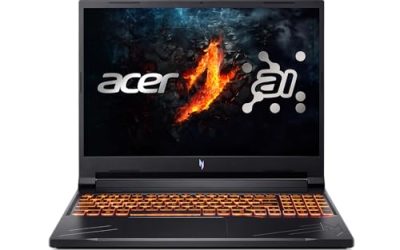
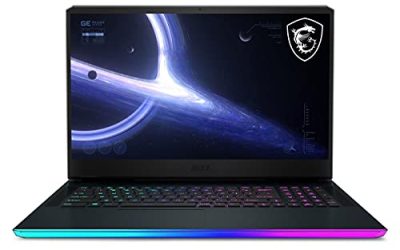
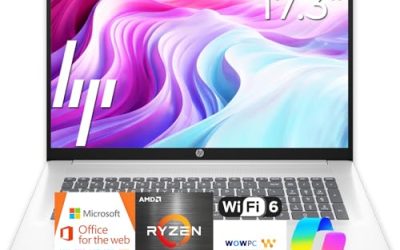
Our Short List of 3

- View on Amazon: https://www.amazon.com/dp/B0BSLVLS4P

- View on Amazon: https://www.amazon.com/dp/B09SVQY3PF

- View on Amazon: https://www.amazon.com/dp/B09RND1LP2
All 3 Picks at a Glance
| Product | Specs | Action |
|---|---|---|
| 1. Acer Nitro 5 AN515-58-525P — A Clear-Cut First Pick for Most Beginners |
| Check price on Amazon |
| 2. ASUS TUF Gaming F17 FX706HCB-ES51 — The Big-Screen Option for Desk-Based Play |
| Check price on Amazon |
| 3. Lenovo IdeaPad Gaming 3 82SB0001US — A Quieter Look for Shared Spaces |
| Check price on Amazon |
Key takeaways
- An RTX 3050 laptop explained for first-time buyers: what it handles at 1080p, sensible settings for popular games, and the setup steps and accessories to sort first.
Yes, an RTX 3050 laptop is a good first gaming laptop for play at 1080p, especially for esports titles, older favorites, and newer games on medium settings with DLSS enabled. It is not a machine for high settings at high resolutions in the most demanding new releases, and honest expectations on that point make the difference between a satisfying purchase and a frustrating one.
A first gaming laptop raises questions that a spec sheet alone does not answer. Which settings need lowering first when a game stutters? Does system memory matter as much as the graphics chip? An RTX 3050 laptop sits at the entry point of dedicated graphics, so those questions matter more here than on a flagship machine. The chip brings ray tracing and DLSS upscaling to a beginner-friendly class of laptop, covering a huge library of games when resolution stays at 1920 by 1080 and settings stay realistic.
This guide follows the buying decision in beginner order: capability first, then supporting hardware, then five concrete models built around the same GPU for different people. Accessories and first settings run through the guide as well, because a first laptop feels far better once a mouse, a headset, plugged-in power, updated drivers, and deliberate per-game settings are in place.
How to Choose Your First RTX 3050 Laptop
Understand What the RTX 3050 Can and Cannot Do
The laptop version of the RTX 3050 is an entry-level dedicated GPU built on NVIDIA Ampere architecture. Most versions carry 4GB of GDDR6 video memory, and a smaller number of newer configurations carry 6GB. That memory figure is the most important limit to understand. At 1080p with medium texture settings, 4GB is workable in a wide range of games. Pushing textures to high or ultra in recent large-world titles can exceed that memory, producing stutter and sudden frame drops even when other settings look modest.
What the chip does well is easy to list. Esports and competitive games such as Valorant, League of Legends, Counter-Strike 2, Rocket League, and Fortnite on performance or medium settings run at high frame rates that suit a 120Hz or 144Hz panel. Popular ongoing games such as Minecraft, Genshin Impact, and Apex Legends run comfortably at 1080p with a mix of medium and high settings. Slightly older major releases, including Grand Theft Auto V, Red Dead Redemption 2 on balanced settings, Elden Ring on medium, and The Witcher 3, remain very playable at 1080p.
What the chip cannot do well matters just as much. Demanding releases such as Cyberpunk 2077 and Alan Wake 2 need low to medium settings at 1080p, usually with DLSS on Quality or Balanced, to hold smooth frame rates. Ray tracing belongs in the occasional experiment category, because enabling multiple ray-traced effects costs more performance than this GPU can spare. Native 1440p play in modern titles also asks too much, although an external 1080p monitor works fine.
DLSS stretches this GPU furthest. It renders a game at a lower internal resolution and reconstructs a sharper image, lifting frame rates with a modest visual trade-off. The beginner rule is simple: if a game supports DLSS and frame rates feel low, turn DLSS on before lowering everything else. Balanced suits most situations, and Quality suits games already close to the target frame rate.
Match the Processor, Memory, and Storage to the GPU
An RTX 3050 laptop is a system, and weak supporting parts can hold the GPU back. Look for a modern six-core or better processor, such as an Intel Core i5 H-series chip or an AMD Ryzen 5 H-series chip from recent generations. Those processors handle game logic, voice chat, and background apps without stealing the smoothness the GPU delivers.
Memory deserves close attention because many entry configurations ship with 8GB of system RAM. Eight gigabytes runs games, but leaves little room for a browser, chat apps, and launchers at the same time, and some current titles list 16GB as the recommended amount. A configuration with 16GB removes that worry. If a configuration has 8GB, check whether a slot allows a later upgrade, and treat that upgrade as part of the long-term plan.
Storage fills faster than most first-time buyers expect. A 512GB solid-state drive holds the operating system plus a handful of large games, while a 256GB drive can feel full after two or three major installs. A 512GB drive is the comfortable minimum for a first machine, and a second drive slot adds flexibility later. Speed matters less than capacity at this level, since any NVMe drive in these models loads games far faster than an old mechanical drive.
Check the Display, Cooling, and GPU Power Limit
Two laptops with the same RTX 3050 badge can perform differently, and the reason is often the GPU power limit, measured in watts and sometimes labeled TGP. A higher wattage configuration sustains higher clock speeds, while a low wattage configuration in a thin chassis runs cooler and quieter but gives up some frame rate. A beginner does not need the highest figure, but a very low figure in a thin productivity-style laptop signals that gaming is a secondary purpose for that machine.
The display shapes every session. A 15.6-inch or 17.3-inch Full HD panel at 120Hz or 144Hz matches this GPU well, because the RTX 3050 can feed high frame rates in lighter games and the panel can show them. Brightness and color coverage vary in this class: brighter panels with wider coverage look better for video and creative hobbies, while dimmer panels remain usable indoors but look washed out near bright windows.
Cooling decides whether performance lasts beyond the first ten minutes. Dual-fan designs with rear or side exhausts are the norm below. Placement helps as much as hardware: a desk with rear vents unobstructed, rather than a bed or sofa, keeps airflow open. A stand or cooling pad that lifts the rear is a worthwhile early accessory for consistent airflow.
Sort the First Accessories and Settings Before Chasing Upgrades
A gaming mouse comes first among accessories, because a trackpad limits aim and comfort in almost every genre beyond turn-based strategy. A headset with a microphone comes second, for team communication and late-night sessions in shared spaces. A stand or cooling pad comes third, followed by added storage once the library grows. A controller suits racing, sports, and action games designed around gamepad input.
Settings come before accessories in one area: power. Gaming laptops deliver full GPU performance while plugged in, and frame rates on battery can drop sharply while the battery drains quickly. Treat battery mode as a mode for classes, documents, and video, and plugged-in mode as gaming mode. Select the performance profile inside the manufacturer control app, such as Armoury Crate, NitroSense, Lenovo Vantage, MSI Center, or OMEN Gaming Hub, and update the graphics driver through the NVIDIA App before judging any game.
Per-game setup follows a repeatable pattern. Set resolution to 1920 by 1080, choose the medium preset as a baseline, enable DLSS on Quality or Balanced where available, turn off ray tracing, and lower shadows and volumetric effects first if frame rates still fall short. Those two settings cost heavily and change the look of a scene less than texture quality does.
1. Acer Nitro 5 AN515-58-525P — A Clear-Cut First Pick for Most Beginners
- View on Amazon: https://www.amazon.com/dp/B0BSLVLS4P
The Acer Nitro 5 AN515-58-525P pairs an Intel Core i5-12500H processor with the RTX 3050 and a 15.6-inch Full HD 144Hz IPS display, plus Killer Wi-Fi 6 and a backlit keyboard. That processor is a strong match for the GPU, with plenty of cores for gaming alongside voice chat and recording tools. For a first purchase, a recognizable and widely supported model has genuine appeal.
In game terms, this configuration handles esports titles at high frame rates and runs games such as Elden Ring and Red Dead Redemption 2 at 1080p on medium settings with DLSS where supported. NitroSense software puts fan control and temperature monitoring in one place, which helps a new owner learn how a gaming laptop behaves under load. The main compromise is 8GB of DDR4 memory. It works on day one and can be expanded later, but planning that upgrade early avoids slowdowns when games and background apps compete for RAM. The 512GB PCIe Gen 4 drive gives reasonable space for a beginning library. Beginner setup is simple: plug in for gaming, update the NVIDIA driver, and use the performance profile for demanding titles.
2. ASUS TUF Gaming F17 FX706HCB-ES51 — The Big-Screen Option for Desk-Based Play
- View on Amazon: https://www.amazon.com/dp/B09SVQY3PF
The ASUS TUF Gaming F17 places the RTX 3050 behind a much larger 17.3-inch Full HD 144Hz IPS-type display, driven by an Intel Core i5-11400H processor with 8GB of DDR4 memory and a 512GB PCIe solid-state drive. The larger panel changes the experience more than any other single feature here. Menus are easier to read, documents sit comfortably beside a game guide, and racing and flight games gain a sense of scale a 15.6-inch screen cannot match.
Performance expectations stay in the same 1080p band as the other models: medium settings in demanding games, high frame rates in esports titles, and a 144Hz panel that displays that smoothness well. The TUF line emphasizes durability and cooling, with an anti-dust cooling design intended to keep fans and heatsinks clear over time. Portability is the trade-off, since a 17.3-inch laptop fits a desk and a large backpack but is not a machine most people will carry everywhere. The 8GB of memory carries the same upgrade advice as the Nitro 5. This model suits a beginner whose laptop will live mostly in one room, perhaps with a separate keyboard and mouse added later.
3. Lenovo IdeaPad Gaming 3 82SB0001US — A Quieter Look for Shared Spaces
- View on Amazon: https://www.amazon.com/dp/B09RND1LP2
The Lenovo IdeaPad Gaming 3 in the 82SB0001US configuration combines an AMD Ryzen 5 6600H processor with the RTX 3050, 8GB of DDR5 memory, a 256GB NVMe solid-state drive, and a 15.6-inch Full HD 120Hz display. The Onyx Grey design is restrained compared with most gaming laptops, fitting a classroom, office, or family room without drawing attention. For a first gaming laptop that also serves as an everyday laptop, that restraint has real value.
The Ryzen 5 6600H is capable and efficient, and DDR5 memory gives this configuration a modern platform even at 8GB. Gaming expectations match the rest of the group: strong esports performance at 1080p, medium settings in larger titles, and DLSS as the tool of choice when a new release feels heavy. Rear ports, including HDMI and Ethernet, keep cables behind the machine, and the webcam includes a physical privacy shutter. Storage is the clear limitation, so added storage belongs in the plan from the beginning. Buyers who prioritize a calm appearance will find this the easiest model here to live with outside gaming hours.
4. MSI GF63 Thin 11UC-1276US — The Lightest Carry in This Group
The MSI GF63 Thin 11UC-1276US stands out for weight. At about 4.1 pounds, with a 15.6-inch Full HD 144Hz display, an Intel Core i5-11400H processor, the RTX 3050, 16GB of DDR4 memory, and a 512GB NVMe solid-state drive, it makes the fewest demands on a backpack. The aluminum black finish and slim profile suit a student or commuter who games in the evening and carries the same machine all day.
Portability brings a nuance a beginner should understand. Thin gaming laptops run their GPUs at more modest power limits to control heat, so this model can trail bulkier RTX 3050 laptops by a small margin in long, demanding sessions while matching them in lighter games. Esports titles, indie games, and medium settings at 1080p remain its home territory, and that territory covers what most first-time owners play each week. The included 16GB of memory is a genuine advantage, removing the upgrade errand that follows several competing configurations, and 512GB of storage is equally sensible. For daily carrying with evening gaming, the trade of a little sustained performance for an easier carry suits many first purchases.
- View on Amazon: https://www.amazon.com/dp/B0B7D19CDC
5. HP Victus 15 with Core i5-12450H — A Balanced Design with 16GB Ready to Go
The HP Victus 15 configuration listed here uses an Intel Core i5-12450H processor, the RTX 3050, 16GB of memory, a 512GB PCIe solid-state drive, and a 15.6-inch Full HD 144Hz display with Wi-Fi 6 and a backlit keyboard. The Victus design takes a middle path on appearance, polished enough for work or school settings and calm enough for shared spaces. That balance, plus 16GB of memory included from the beginning, makes it easy to recommend to a beginner who wants to unbox and play without an immediate parts list.
Competitive games run at frame rates that use the 144Hz panel well, story-driven games run at 1080p on medium settings, and DLSS lifts heavier titles into comfortable territory. OMEN Gaming Hub provides performance modes and monitoring in one place. Cooling uses an enlarged rear vent design, and keeping those vents clear is the simplest performance habit to build. Battery behavior follows the pattern across this guide: fine for documents and video, short once the dedicated GPU takes over.
- View on Amazon: https://www.amazon.com/dp/B0DFK1JFBG
Comparison Table
| Model | Processor | Graphics | Memory | Storage | Display | Best Suited For |
|---|---|---|---|---|---|---|
| Acer Nitro 5 AN515-58-525P | Intel Core i5-12500H | NVIDIA GeForce RTX 3050 | 8GB DDR4 | 512GB PCIe Gen 4 SSD | 15.6-inch FHD 144Hz IPS | Most beginners wanting a strong processor and fast screen |
| ASUS TUF Gaming F17 FX706HCB-ES51 | Intel Core i5-11400H | NVIDIA GeForce RTX 3050 | 8GB DDR4 | 512GB PCIe SSD | 17.3-inch FHD 144Hz IPS-type | Desk-based play on a large screen |
| Lenovo IdeaPad Gaming 3 82SB0001US | AMD Ryzen 5 6600H | NVIDIA GeForce RTX 3050 | 8GB DDR5 | 256GB NVMe SSD | 15.6-inch FHD 120Hz | Shared spaces and a restrained everyday look |
| MSI GF63 Thin 11UC-1276US | Intel Core i5-11400H | NVIDIA GeForce RTX 3050 | 16GB DDR4 | 512GB NVMe SSD | 15.6-inch FHD 144Hz | Daily carrying at about 4.1 pounds |
| HP Victus 15, Core i5-12450H | Intel Core i5-12450H | NVIDIA GeForce RTX 3050 | 16GB | 512GB PCIe SSD | 15.6-inch FHD 144Hz | A balanced design with 16GB included |
Graphics stay constant, so the decision rests on screen size, memory, storage, weight, and processor generation. A model with 16GB and 512GB asks the least of a new owner in the first year, while an 8GB or 256GB model can still fit when its screen or design suits better, provided the upgrade path is clear before purchase.
Frequently Asked Questions
Is an RTX 3050 laptop enough for a first gaming laptop in 2026?
Yes, for 1080p gaming with realistic settings. Esports titles, popular ongoing games, and a large back catalog run well, and DLSS extends that reach into newer releases on low to medium settings. Buyers whose main goal is high settings in the newest demanding games at higher resolutions should look at a stronger GPU class instead, because no setting routine can fully close that hardware gap.
Which settings should a beginner change first in a demanding game?
Set 1080p resolution, choose the medium preset, enable DLSS on Quality or Balanced, and disable ray tracing. If frame rates still fall short, lower shadows and volumetric effects before touching texture quality, and keep the laptop plugged in with its performance mode enabled. That sequence solves most early frustration without making the game look washed out.
Is 8GB of memory enough, or is 16GB necessary?
Eight gigabytes runs most games but leaves little headroom for chat apps, browsers, and launchers, and multitasking slowdowns appear quickly. Sixteen gigabytes is the comfortable amount for a machine kept for several years. Configurations with 8GB remain viable when memory can be upgraded later, and that upgrade is usually the highest-value improvement available to this class of laptop.
Can an RTX 3050 laptop use an external monitor?
Yes. An external 1080p monitor connects over HDMI on every model in this guide and works well for gaming, schoolwork, and video. A 1440p monitor can handle desktop tasks, but demanding games should still render at 1080p and upscale to the panel, because native 1440p play in modern titles exceeds what this GPU handles smoothly.
Which accessories should come before any internal upgrade?
A gaming mouse comes first, followed by a headset with a microphone, then a stand or cooling pad that keeps rear vents clear. After that, a memory upgrade on an 8GB configuration or added storage on a 256GB configuration delivers the most benefit.
Disclosure: As an Amazon Associate, we earn from qualifying purchases.
FAQ
Is an RTX 3050 laptop enough for a first gaming laptop in 2026?
Which settings should a beginner change first in a demanding game?
Is 8GB of memory enough, or is 16GB necessary?
Can an RTX 3050 laptop use an external monitor?
Which accessories should come before any internal upgrade?
More from Amazon
Programs that pair well with the guide above. Offers and eligibility are set by Amazon and may change.
Free shipping on eligible items, Prime Video and more. Eligible new members can start with a free trial.
Start a Prime free trialAd-free music streaming. Eligible new subscribers can start with a free trial.
Try Music Unlimited freeA Prime membership for ages 18-24 with a trial period. Eligibility is set by Amazon.
See Prime for Young AdultsAudiobooks and podcasts to listen to on the go. Eligible new members can start with a free trial.
Try Audible freeAs an Amazon Associate we earn from qualifying purchases.