Our Top Picks
 Corsair MM Anti-Fray Cloth Gaming Mouse Pad12.6L x 11.8W inches12.6 x 11.81 x 0.1 inches0.3 poundsCheck on Amazon
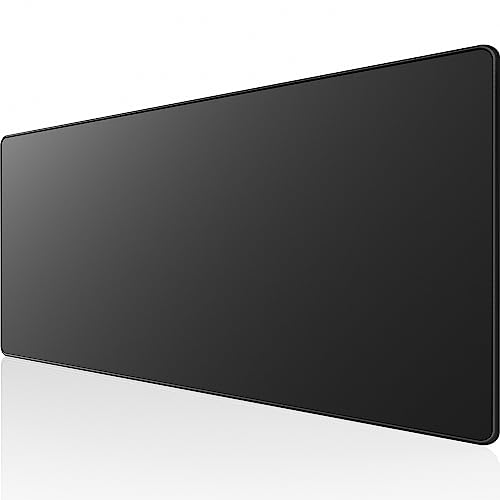 KTRIO Large Gaming Mouse Pad Desk Mat for31.5l X 11.8w Inches31.5 x 11.8 x 0.1 inches0.84 poundsCheck on Amazon
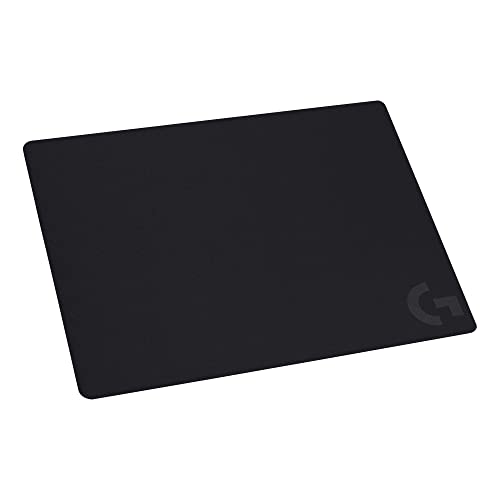

The best gaming mousepads under $20 are the Corsair MM Anti-Fray medium for a stitched-edge cloth pad, the SteelSeries QcK medium for a gaming-sensor surface, and the KTRIO extended pad for a larger desk mat. Picks are compared from listing specifications: size, surface, base and edge stitching.
Mousepads look similar, but size and surface decide how they play. A small pad suits low-sensitivity wrist aim in tight spaces, while an extended mat covers both mouse and keyboard. Home office, small-space and gaming use are covered in the buying section and FAQ below.
Quick Comparison
| Model | Key specs per listing | Best for |
|---|---|---|
| Corsair MM Anti-Fray (Medium) | 320 x 300mm, micro-woven cloth, natural rubber base, stitched edges | Compact FPS desks |
| SteelSeries QcK (Medium, Lavender) | 320mm x 270mm, anti-slip rubber base, optimized for gaming sensors | FPS, MOBA, RTS, MMO |
| Logitech G240 Cloth | Cloth surface, moderate friction, no-slip rubber base | Low-sensitivity aim |
| KTRIO Large (XL) | 31.5 x 11.8 in, micro-weave cloth, stitched edges, water-resistant coating | Mouse and keyboard mat |
| AREYLO Large Waterproof | 31.5 x 15.7 in, stitched edges, non-slip rubber base, waterproof | Wide desks, office and gaming |
| BladeHawks RGB Extended | 31.5 x 12 in, 14 lighting modes, USB powered, waterproof | Lit desk setups |
The table is quoted from the listings, and details they leave out are flagged in the picks. Size is the first filter, because the footprint decides whether the pad fits your desk and whether your keyboard sits on it. Surface and base come next. Anything beyond that, such as lighting, is a style choice rather than a performance feature.
Corsair MM Anti-Fray Cloth Gaming Mouse Pad (Medium)
As an Amazon Associate we earn from qualifying purchases at no extra cost to you.

Spec line: Medium, 320 x 300mm, precision micro-woven surface, non-slip natural rubber base, stitched edges.
The Corsair is a tidy medium pad with anti-fray stitching around the edge, which stops the fabric lifting over time. The listing gives the exact 320 by 300mm size, a micro-woven surface and a natural rubber base. That size is a good fit for a mouse used with wrist and forearm movement on a small desk. The compromise is size: at medium, it will not hold a full-size keyboard, and a player with a low sensitivity may run out of room on a fast swipe. For an FPS player who uses a mid-range sensitivity, it is an easy, compact choice from a known gaming brand. Because the stitching also protects the edge from your wrist, it is a good match for players who rest the forearm on the front of the pad for hours.
- Pro: stitched anti-fray edges
- Pro: natural rubber base listed
- Pro: exact 320 x 300mm size
- Con: too small for low-sensitivity swipes
- Con: does not fit a keyboard
SteelSeries QcK Mouse Pad (Medium)

Spec line: Medium, 320mm x 270mm, anti-slip rubber base, optimized for gaming sensors, for FPS, MOBA, RTS and MMO.
The QcK is a long-running gaming surface name, and the listing says it is optimized for gaming sensors with an anti-slip rubber base. The size is 320mm by 270mm, slightly shorter than the Corsair’s depth. It lists genres including FPS, MOBA, RTS and MMO, so it targets competitive players broadly. The listing also shows a Lavender colourway, which suits someone who wants a lighter desk look. The limit is the same as any medium pad: it is for a mouse only, with no room for a keyboard. It does not list stitched edges in the text given, so check the maker page if edge durability matters. If you are choosing between this and the Corsair, the main decision is the colourway and the slightly shorter depth, since both target the same medium-pad player.
- Pro: optimized for gaming sensors
- Pro: anti-slip rubber base
- Pro: 320 x 270mm compact size
- Con: edge stitching not listed
- Con: mouse-only footprint
Logitech G240 Cloth Gaming Mouse Pad
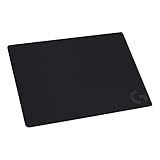
Spec line: Cloth gaming mouse pad, optimized for gaming sensors with moderate friction, consistent surface texture, no-slip rubber base.
The G240 is aimed at low-sensitivity players. The listing explains the surface has moderate surface friction and a consistent texture, which gives you a predictable stop and start when you make short, precise moves. A no-slip rubber base keeps it in place. Size is not stated in the listing text, so check the maker page before assuming it fits your arm sweep. The practical risk is the smaller footprint if you use a high sensitivity and flick a lot. For a controlled, precision style on a small desk, it is a sensible pick from a mainstream peripherals brand, and the plain surface makes it easy to pair with almost any mouse. Keep in mind that a moderate-friction cloth feels slower than a pad built for speed, which some flick players dislike.
- Pro: moderate-friction surface listed
- Pro: consistent texture
- Pro: no-slip rubber base
- Con: size not in the listing text
- Con: edge stitching not mentioned
KTRIO Large Gaming Mouse Pad
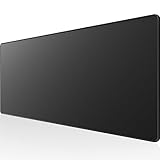
Spec line: Extended XL, 31.5 x 11.8 in, micro-weave cloth, non-slip rubber base, stitched edges, water-resistant coating, black.
The KTRIO is a desk mat that gives you room for both mouse and keyboard. The listing gives 31.5 by 11.8 inches, micro-weave cloth, a non-slip rubber base, stitched edges and a water-resistant coating. That spill resistance is useful at a desk where drinks sit nearby. The long, narrow shape suits a keyboard in front and a mouse with plenty of swipe room beside it. The trade-off is width: at 11.8 inches deep, it is shorter than some extended mats, and the listing does not describe the surface speed. For players who want lots of room for low sensitivity, it is a flexible choice, and the extra length also lets you park a mouse and keyboard on the same surface for a cleaner look.
- Pro: 31.5 x 11.8 in extended size
- Pro: stitched edges and water-resistant coating
- Pro: room for mouse and keyboard
- Con: surface speed not described
- Con: needs 31.5 in of desk width
AREYLO Large Waterproof Mouse Pad

Spec line: Extra large, 31.5″ x 15.7″, waterproof, stitched edges, non-slip rubber base, for office and gaming.
The AREYLO is the deepest mat on the list at 15.7 inches, which gives a keyboard and a mouse more space and leaves a place for a wrist rest or a notepad. The listing includes waterproof fabric, stitched edges and a non-slip base. It is named for both office and gaming use, so it suits a hybrid desk. The drawback is desk footprint: at 31.5 by 15.7 inches, it needs a wide desk, and a small desk may feel crowded. It is a good pick if you split time between work and play, and want one mat to cover both.
- Pro: 31.5 x 15.7 in with extra depth
- Pro: waterproof with stitched edges
- Pro: suits office and gaming
- Con: needs a wide desk
- Con: surface speed not described
BladeHawks RGB Extended Gaming Mouse Pad

Spec line: Extra large extended, 31.5 x 12 in, LED with 14 lighting modes, anti-slip rubber base, waterproof surface, USB powered, covers keyboard and mouse.
The BladeHawks is the style pick. The listing includes an LED edge with 14 lighting modes, powered by USB, on a 31.5 by 12 inch mat that covers keyboard and mouse. It has an anti-slip rubber base and a waterproof surface. The lighting gives a gaming look, but it adds a USB cable and takes a port. Some players find the lights distracting at night, so check whether you can turn them off. If lighting matters to your setup and you want a wide mat, it is a fun, practical choice; if you want a pure performance surface, choose a plain pad.
- Pro: 14 lighting modes
- Pro: 31.5 x 12 in size
- Pro: waterproof surface and rubber base
- Con: needs a USB port
- Con: lights may distract
How to Choose Under $20
Pick the size from your sensitivity
A medium pad around 320mm wide suits mid-range sensitivity, where a full turn in a game needs roughly a hand-width of mouse travel. Low sensitivity needs more room, so choose a 31.5 inch mat. A quick test: sweep your mouse through a full 180 degree turn and measure how far it travels. If that distance is more than about 25cm, a medium pad will feel cramped.
Gaming mousepads for home office
For work and play on one desk, an extended mat like the AREYLO or KTRIO covers mouse and keyboard. Water resistance helps with coffee spills, and stitched edges keep the fabric from lifting. Choose a plain black mat if you want a quiet look on a video call.
Gaming mousepads for small spaces
Medium pads from Corsair, SteelSeries and Logitech take less desk room. Measure the free width, then subtract your keyboard, and choose a pad that fits in the remaining space. Remember a keyboard can sit off the pad without problems, so a medium pad plus a bare desk surface for the keyboard is a common small-desk layout. Lay the pad out on the desk before you commit to a size so you can see where your wrist and elbow land.
Gaming mousepads for gaming
For FPS games, a consistent surface and a non-slip base matter most. Moderate friction, as the Logitech G240 describes, helps controlled stops. Lighting and prints are optional style choices, and they do not change tracking. Pick a matte, plain surface for competitive games, and keep the pad flat and clean, since dust and desk crumbs can disturb the sensor. Wipe the surface now and then with a damp cloth where the listing says the surface is waterproof or water-resistant.
A quick decision matrix
Small desk and mid sensitivity: Corsair MM medium or SteelSeries QcK medium. Controlled low-sensitivity aim: Logitech G240. Mouse and keyboard on one mat: KTRIO or AREYLO. Lit setup: BladeHawks. Measure your desk width and your 180 degree swipe before you choose, because size is the one choice you cannot fix after the pad arrives.
FAQ
Does mousepad size matter for gaming?
Yes. A pad that is too small forces you to lift and reset the mouse mid-aim, which breaks muscle memory. Choose a size that fits your full swipe at your sensitivity setting, and leave a margin at each edge.
Are stitched edges worth it?
They help. Stitching stops the cloth from fraying or lifting at the edge, which matters on a pad that rubs against your wrist daily.
Which pad suits a home office?
The AREYLO or KTRIO extended mats cover mouse and keyboard, and both list water resistance for spills.
Which suits a small desk?
The Corsair MM medium, SteelSeries QcK medium or Logitech G240 take the least space and still give a gaming-sensor surface.
Do RGB mousepads help gaming?
No. Lighting is a style feature. The BladeHawks adds a USB cable but does not change tracking or friction.
Last updated: November 2026
FAQ
Does mousepad size matter for gaming?
Are stitched edges worth it?
Which pad suits a home office?
Which suits a small desk?
Do RGB mousepads help gaming?
More from Amazon
Programs that pair well with the guide above. Offers and eligibility are set by Amazon and may change.
Free shipping on eligible items, Prime Video and more. Eligible new members can start with a free trial.
Start a Prime free trialAd-free music streaming. Eligible new subscribers can start with a free trial.
Try Music Unlimited freeA Prime membership for ages 18-24 with a trial period. Eligibility is set by Amazon.
See Prime for Young AdultsAudiobooks and podcasts to listen to on the go. Eligible new members can start with a free trial.
Try Audible freeAs an Amazon Associate we earn from qualifying purchases.