Key takeaways
- Speed is in the product name
- Anti-slip base and stitched edges
- Lowest cost in the group
The best speed mousepads under $15 are the Razer Goliathus Speed for a small cloth mat built around fast glide, the Yuhijoy glass pad for a hard tempered surface, and the Seihoo resin pads for a plastic hard surface. Pick a size that fits your desk and a surface that matches your mouse feet.
Every pick is compared from listing specifications: size, surface material, base and the maker’s own speed or control wording. Where a detail is missing, it is marked as not listed, so check the maker page before you buy. Speed pads at this budget are mostly small, so the main trade-off is desk area against surface feel.
Quick Comparison
| Model | Key specs per listing | Best for |
|---|---|---|
| Razer Goliathus Speed (Small) | Cloth, anti-slip rubber base, anti-fraying stitched frame, portable | Small fast cloth mat |
| Logitech G240 Cloth | Cloth, moderate surface friction, no-slip rubber base | Balanced everyday glide |
| Seihoo resin pad | Plastic resin hard surface, waterproof, fast and accurate control | Hard-surface speed in a thin pad |
| Seihoo polymer pad (24 x 20cm) | Resin hard surface, polymer silicone bottom, waterproof | Compact hard-surface option |
| Yuhijoy glass pad | Tempered glass, hard surface, 11.8 x 9.8 in | Glass speed at a low cost |
| SteelSeries QcK Aqua (M) | Micro-woven cloth, maximum control, size M | Control-leaning cloth option |
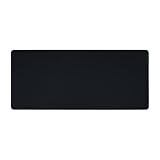
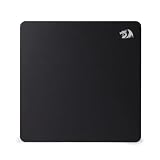
Razer Goliathus Speed Gaming Mousepad (Small): Fast Cloth Mat
Specs from the listing: Cloth gaming mousepad, smooth surface, anti-slip rubber base, portable cloth design, anti-fraying stitched frame, small size, black.
As an Amazon Associate we earn from qualifying purchases at no extra cost to you.

The Goliathus Speed is the clearest speed pick in this group because the maker puts the word in the product name. It is a small cloth mat with a rubber base and a stitched frame that resists fraying at the edges, and it is described as portable. The small size suits a wireless mouse and a short travel setup, but it will feel cramped if you use big arm movements. The listing does not give inches, so check the maker page for the exact size and thickness. Cloth mats are gentler on mouse feet than glass or hard resin, so this one is kinder if your skates are already worn. It is also the lowest-cost pad in the group, which makes it a sensible low-risk way to try a speed-oriented surface. If you later want a larger mat, the same maker sells other sizes, so you can scale up without changing the feel. Its compact footprint also works well on a laptop table or a shared desk where space is tight.
Pros
- Speed is in the product name
- Anti-slip base and stitched edges
- Lowest cost in the group
Cons
- Small size limits wide swipes
- Exact dimensions not in the listing text
Logitech G240 Cloth Gaming Mouse Pad: Balanced Everyday Glide
Specs from the listing: Cloth gaming mouse pad optimized for gaming sensors with moderate surface friction, consistent surface texture and no-slip rubber base, black.
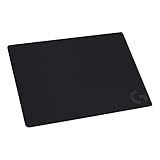
Logitech does not call the G240 a speed pad. Its listing says moderate surface friction and a consistent texture, which is closer to a balanced surface than a fast one. That is still a useful pick for players who want a low-cost, predictable pad and are not chasing the lowest friction. It has a no-slip rubber base, and it is made for gaming sensors, which means it should track reliably. The size is not given in the text, so confirm that on the maker page. If you like the feel of a standard cloth pad and want something simple for general use, it is a safe choice. If you want a faster surface, look at the hard pads below. Because the wording is about consistent texture and sensor tracking, it is a good choice if you switch between mice and want predictable behavior. It can also work as the spare pad on a second desk, since the price is low and the design is plain.
Pros
- Consistent texture for sensor tracking
- No-slip rubber base
- Simple and low cost
Cons
- Moderate friction, not a speed surface
- Size not listed in the text
Seihoo Plastic Resin Hard Mouse Pad: Fast Hard Surface
Specs from the listing: Plastic resin hard mouse pad, premium esports, waterproof, ultra smooth, no irritating smell, fast and accurate control for office and gaming, laptop use.
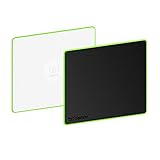
Seihoo uses a hard resin instead of cloth. The listing describes an ultra smooth, waterproof surface made for fast and accurate control, with a note that it has no irritating smell. Hard surfaces generally let a mouse glide with less drag than cloth, which is why they sit under the speed banner. The listing calls it premium esports and suggests use in the office or on a laptop, so it is meant as an all-round hard pad. The dimensions and the base type are not shown in the text we have, so check the maker page. It is a good fit for people who want a hard pad at the lowest cost and who do not mind that a thin hard pad can feel noisier than cloth under the mouse. Keep an eye on mouse feet, since a hard pad can scratch worn plastic feet quickly. Wipe it with a damp cloth to keep the surface slick, since dust slows a hard pad quickly.
Pros
- Hard resin gives a smooth, fast feel
- Waterproof surface
- Low cost
Cons
- Dimensions and base not listed
- Hard surfaces can sound louder
Seihoo Resin Mouse Pad 24 x 20cm: Compact Hard Pad
Specs from the listing: Resin hard surface mouse mat, polymer silicone bottom, no smell, waterproof, 24 x 20cm (9.5 x 7.8 in), for games and office.

This second Seihoo pad comes with real numbers: 24 by 20cm, or about 9.5 by 7.8 inches. That is small, even for a speed pad, so it is a good match for a compact desk, a wireless mouse or a laptop workspace. The listing mentions a resin hard surface, a polymer silicone bottom, no smell and a waterproof finish for gaming and office use. The base helps it stay put, while the small size keeps the cost in the upper part of this budget. If you play at low sensitivity and need a wide area, this is too small. For quick wrist flicks and tight desks, it is a clean hard-pad option with a clearly stated size. Pair it with a lightweight mouse, because heavier mice can overshoot on such a small hard surface.
Pros
- Size stated at 24 x 20cm
- Silicone bottom for grip
- Waterproof resin surface
Cons
- Very small area
- Costs more than the first Seihoo pad
Yuhijoy Glass Mousepad: Tempered Glass at a Low Cost
Specs from the listing: Glass mousepad, hard surface gaming mouse pad, glasspad, professional esport tempered glass, 11.8 x 9.8 in computer mat.

Yuhijoy offers a tempered glass pad at 11.8 by 9.8 inches. Glass is the fast end of the pad world, with a hard, smooth surface that gives the least drag, and this listing labels it a glasspad for esports. At this cost, it is a low-cost entry into glass, so it makes a good first glass experience. The thickness, the etching and the base are not listed, so check the maker page. Glass wears mouse feet faster, so plan to replace skates, and handle the pad gently. If you want true speed and your desk has room for a medium pad, this is the best pick for glide at the budget ceiling. Treat it like a plate: keep it away from the desk edge and store it flat when you travel.
Pros
- Tempered glass gives a fast surface
- Clear 11.8 x 9.8 in size
- Low cost for glass
Cons
- Thickness, etch and base not listed
- Glass wears mouse feet faster
SteelSeries QcK Cloth (Aqua, Size M): Control-Leaning Cloth
Specs from the listing: Cloth gaming mouse pad, exclusive micro-woven surface, optimized for gaming sensors, maximum control, size M, aqua.

The QcK is an established name in cloth pads, and this aqua medium version is priced near the top of this budget. The listing promises a micro-woven surface for gaming sensors and states maximum control, so it leans toward control, not raw speed. That is worth knowing: a speed shopper may find it too grippy, while an aim shopper may like the stopping power. The size M is listed without exact inches in the text, so check the maker page. It earns its place as the comparison pad, because it shows what you give up and gain when you pick control over speed. If you are unsure which surface you like, it is a reasonable cloth pad to try. Because it is a control-oriented cloth pad, it also works for office tasks where precise stopping matters more than glide. The aqua color also shows up well on dark desks, which some players like.
Pros
- Well-known cloth surface
- Micro-woven texture for sensors
- Control-focused feel
Cons
- Leans to control, not speed
- Exact size not in the listing text
How to Choose Under $15
Surface type: cloth, resin or glass
Cloth is the gentlest and quietest. Resin is hard and moderately fast. Glass is the fastest and hardest. Pick the surface that suits your mouse feet, and replace worn skates when you move to a harder surface.
Pad size and desk area
Pads under 10 by 8 inches suit short flicks. At 12 by 10 inches or more you get room for medium swipes. Measure your free desk area before buying and leave space for your keyboard.
Base and edges
A rubber or silicone base keeps small pads from sliding. Stitched edges resist fraying on cloth pads. Resin and glass pads rely on the base alone, so check that it is listed.
Speed versus control
A fast surface suits flick shots and low-sensitivity players. A controlled surface suits tracking and precision. If your listing says moderate friction or maximum control, it is not the fastest option.
FAQ
Are speed mousepads for home office use useful?
They can be if you want effortless glide, but a speed pad is not a necessity. A balanced cloth pad is easier on tired wrists during long work days.
What are the best speed mousepads for small spaces?
Small pads such as the Razer Goliathus Speed or the 24 x 20cm Seihoo suit compact desks. They need little room beside a keyboard.
Are speed mousepads for gaming better for FPS?
Many shooter players prefer them for quick flicks. Others prefer control. Choose the feel that matches your aim style and sensitivity.
Do speed mousepads wear out mouse feet faster?
Hard resin and glass can wear feet faster than cloth. Replace skates when edges feel rough or glide turns scratchy.
How do I keep a speed mousepad fast?
Keep it clean. Wipe hard pads with a damp cloth. Wash cloth pads by hand and dry them flat so the weave stays consistent.
Last updated: November 2026
FAQ
Are speed mousepads for home office use useful?
What are the best speed mousepads for small spaces?
Are speed mousepads for gaming better for FPS?
Do speed mousepads wear out mouse feet faster?
How do I keep a speed mousepad fast?
More from Amazon
Programs that pair well with the guide above. Offers and eligibility are set by Amazon and may change.
Free shipping on eligible items, Prime Video and more. Eligible new members can start with a free trial.
Start a Prime free trialAd-free music streaming. Eligible new subscribers can start with a free trial.
Try Music Unlimited freeA Prime membership for ages 18-24 with a trial period. Eligibility is set by Amazon.
See Prime for Young AdultsAudiobooks and podcasts to listen to on the go. Eligible new members can start with a free trial.
Try Audible freeAs an Amazon Associate we earn from qualifying purchases.