Our Top Picks


The best large mousepads under $30 are the Razer Gigantus V2 XXL for a thick foam-backed cloth surface, the SteelSeries QcK XXL for full desk coverage, and the Cmhoo XXL for the lowest cost 35.4 inch mat. Pick one that spans your keyboard and mouse together.
Every pick is compared from listing specifications: stated size, thickness, surface and base. Where a listing does not give a figure, it is marked as not listed, so check the maker page for details before you buy. All six fit the same budget ceiling, so the real choice is size, base and how much cushioning you want under your wrist during long sessions at the desk.
Quick Comparison
| Model | Key specs per listing | Best for |
|---|---|---|
| Razer Gigantus V2 XXL | XXL cloth, thick, high-density foam, non-slip base | Brand-name control surface |
| SteelSeries QcK XXL | XXL cloth, never-slip base, full desk coverage | Esports tracking and stability |
| Rinaze XXL topographic | Extra large, black topographic print, non-slip base | Style-minded desks |
| Anpollo world map | 35.4 x 15.7 in, non-slip rubber base, stitched edges | Map print with fray protection |
| Wiabsi XXL desk mat | 35 x 15.6 in, non-slip base, for keyboard and laptop | Office and keyboard use |
| Cmhoo XXL | 35.4 x 15.7 x 0.12 in (90 x 40cm), black | Lowest cost full-width mat |
Razer Gigantus V2 XXL: Thick Foam Cloth Mat
Specs from the listing: XXL cloth gaming mouse pad, thick, non-slip base, high-density foam, black. Exact dimensions are not listed in the text here.
As an Amazon Associate we earn from qualifying purchases at no extra cost to you.
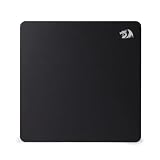
The Gigantus V2 XXL is the brand-name option and sits near the top of this budget. The listing stresses a thick build with high-density foam and a non-slip base, which gives a softer, cushioned feel under the mouse and wrist than a thin desk mat. The size is only given as XXL, so check the maker page for the exact inches before you measure your desk. Cloth surfaces like this one are generally a balanced choice for control, and the foam keeps the mat from shifting during fast swipes. If you already use Razer mice or software the match is convenient, though the pad does not need any of it. It is the pick for players who want a proven design instead of an unknown listing, and who are happy to spend toward the ceiling. If your desk is wide, this is also the one that feels most like a mat built for long gaming sessions, because the foam absorbs small desk vibrations and keeps the forearm comfortable.
Pros
- High-density foam gives a cushioned feel
- Non-slip base listed
- Recognized brand with a simple design
Cons
- Exact dimensions not listed in the text
- Costs more than the generic mats here
SteelSeries QcK XXL: Full Desk Coverage
Specs from the listing: XXL cloth esports mouse pad, peak tracking and stability, never-slip, full desk coverage, black. Dimensions not listed here.

SteelSeries describes the QcK XXL as an esports mousepad built for peak tracking and stability, with a never-slip base and full desk coverage. It is a classic cloth design: a thin, flat surface that keeps the mouse sensor consistent from edge to edge. That flat profile is also what makes it a good fit for a keyboard and mouse sharing one mat, because nothing bumps under your wrist. Like the Razer, the listing only says XXL, so confirm the length and depth on the maker page against your desk. It sits at the top of this price tier, so it makes the most sense if you want the established name and a plain, no-frills surface for both shooter and office tasks. Because it is a plain cloth sheet, it rolls up easily for a move or a LAN trip, and it wipes clean with a damp cloth.
Pros
- Flat low-profile cloth surface
- Never-slip base listed
- Covers keyboard and mouse area
Cons
- Size only listed as XXL
- No cushioning for the wrist
Rinaze Extra Large Gaming Mouse Pad: Topographic Print
Specs from the listing: Extra large XXL mousepad, black topographic design, non-slip base, for gaming, computer, laptop and office desks. Exact size not listed here.

Rinaze sells an extra large desk mat with a black topographic pattern and a non-slip base. It is aimed at gaming computers and laptops alike, so the style leans toward the general desk accessory rather than a strict esports surface. The listing gives the size as XXL without inches in the title text, so check the full product page if your desk is narrow. The topographic print is subtle, which helps on tidy desks, and large cloth mats like this usually add a bit of warmth under bare forearms. It is a mid-cost pick: more distinctive than the plain budget mats, lower in price than the branded cloth options above. Two things to confirm before ordering are the depth, so the keyboard fits, and whether the print affects the surface feel under the sensor.
Pros
- Subtle black topographic print
- Non-slip base listed
- Fits gaming and office desks
Cons
- Size in inches not stated in the text
- Maker has a limited track record
Anpollo World Map Large Mouse Pad: Stitched Edges
Specs from the listing: 35.4 x 15.7 in, XXL, non-slip rubber base, stitched edges, world map design, portable desk pad for gaming and office.

This one gives a full set of figures: 35.4 by 15.7 inches, a non-slip rubber base and stitched edges. Stitching matters because the edge is the first part of a desk mat to fray, so a finished edge helps the mat last. The world map artwork is a style choice, and the listing calls it portable, which is more about rolling it up than carrying it everywhere. At that size it covers a keyboard and mouse on most standard desks. The surface description is generic, with no mention of speed or friction, so expect a general-purpose cloth feel. For players who want a clearly stated size and a finished edge at a lower cost than the branded mats, it is a solid choice. Mice with optical sensors generally handle printed cloth well, but busy artwork can look distracting when you work, so view the print against your desk color first.
Pros
- Full size listed at 35.4 x 15.7 in
- Stitched edges resist fraying
- Rubber base keeps it in place
Cons
- Surface friction not described
- Map print will not suit every desk
Wiabsi XXL Desk Mat: Keyboard and Laptop Friendly
Specs from the listing: 35 x 15.6 in XXL extended mouse pad, non-slip base, for desktop, office, keyboard and laptop.

Wiabsi markets the pad as a desk mat as much as a mouse mat. The 35 by 15.6 inch surface leaves enough room for a full-size keyboard and a mouse, and the listing mentions use with a laptop and in an office. That puts it among the better choices for a home office desk where the pad mainly defines the working zone. The non-slip base is listed. Edge finishing and thickness are not described, so look at the maker page if durability is a priority. It is not trying to be an esports surface. Think of it as the sensible mid-priced answer for people who type and click all day and want one large, clean area. It also helps on shared desks where a laptop sits beside a monitor, because the long mat gives both devices a consistent place to rest.
Pros
- 35 x 15.6 in suits a keyboard and mouse
- Non-slip base listed
- Clearly aimed at office desks
Cons
- Thickness and edge finish not listed
- Not marketed as an esports surface
Cmhoo XXL Large Mouse Pad: Lowest Cost Wide Mat
Specs from the listing: 35.4 x 15.7 x 0.12 in (90 x 40cm), black professional large mouse pad and game mouse mat.
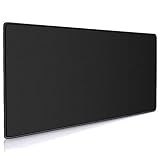
The Cmhoo is the plain, wide, low-cost entry. The title gives the size as 35.4 by 15.7 inches with a 0.12 inch thickness, which works out to about 3mm, so it is a thin mat that lies flat. The black finish suits almost any desk. The listing text we have does not mention base material, edge stitching or surface treatment, so those details are not listed and worth checking before you order. At the bottom of this tier, it makes sense for a second desk, a student setup or a trial run to see whether a full-width mat suits you. If you later find it too thin or too plain, upgrading to a branded mat costs only a little more. The black-only design hides stains well, which suits a work desk where coffee and snack crumbs are a fact of life.
Pros
- Lowest cost in the group
- Full 35.4 x 15.7 in surface
- 0.12 in thickness lies flat
Cons
- Base and edge details not listed
- Basic surface with no brand extras
How to Choose Under $30
Match the mat to the desk width
Measure your desk. A 35 inch mat needs a desk at least 40 inches wide to leave margin. For desks under 36 inches, pick a 31.5 inch mat or smaller so the edge does not hang off.
Check the depth for a keyboard
A 15.7 inch deep mat holds a full-size keyboard with a few inches for the mouse. Under 12 inches deep, the keyboard overlaps the mouse zone and the mat stops being useful.
Thickness and comfort
A 3mm flat mat suits typists. A thick foam mat feels cushioned for the wrist but can lift the mouse hand. Pick 3mm for office work and thicker for long gaming sessions.
Base and edges
A rubber or non-slip base stops sliding. Stitched edges resist fraying for longer than raw edges. If neither is listed, look at the maker page, because a loose or frayed mat is a daily annoyance.
FAQ
Are large mousepads for home office use worth it?
Yes. A wide mat defines your workspace, keeps the keyboard and mouse aligned, and protects the desk. Pick a flat 3mm mat with a non-slip base for office work.
What are the best large mousepads for small spaces?
Look for 31.5 inch or shorter mats, such as the 31.5 x 15.7 in size class, so the mat fits shared or compact desks without hanging over the edges.
Are large mousepads for gaming better than small ones?
They give room for low-sensitivity swipes and let the whole setup sit on one surface. Players with high sensitivity can use smaller pads without penalty.
How do I clean a large cloth mousepad?
Hand wash with mild soap and cool water, rinse, then air dry flat. Avoid machine drying, which can curl the base and loosen stitched edges.
Why does my large mousepad curl at the corners?
New mats are often rolled in packaging. Lay it flat under a book for a day. Persistent curling usually means a thin base or heat from a sunny window.
Last updated: November 2026
FAQ
Are large mousepads for home office use worth it?
What are the best large mousepads for small spaces?
Are large mousepads for gaming better than small ones?
How do I clean a large cloth mousepad?
Why does my large mousepad curl at the corners?
More from Amazon
Programs that pair well with the guide above. Offers and eligibility are set by Amazon and may change.
Free shipping on eligible items, Prime Video and more. Eligible new members can start with a free trial.
Start a Prime free trialAd-free music streaming. Eligible new subscribers can start with a free trial.
Try Music Unlimited freeA Prime membership for ages 18-24 with a trial period. Eligibility is set by Amazon.
See Prime for Young AdultsAudiobooks and podcasts to listen to on the go. Eligible new members can start with a free trial.
Try Audible freeAs an Amazon Associate we earn from qualifying purchases.