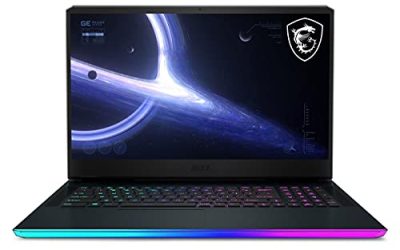
Our Top Picks
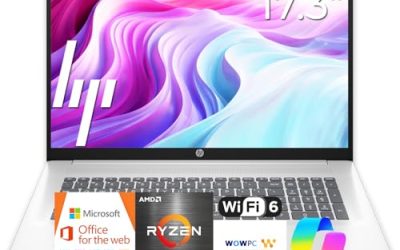
 ASUS TUF Gaming A16 Laptop: AMD Ryzen 716 GB RAM / 512 GB SSD14 x 1 x 10 inches7 poundsCheck on Amazon

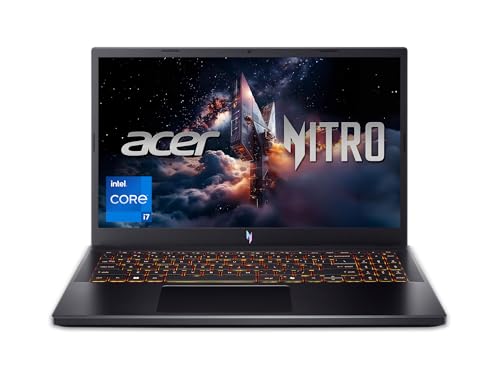
The best gaming laptops under $1400 pair an RTX 4050, RTX 4060 or RTX 5050 with a 144Hz or faster screen, and the Acer Nitro V with the Core i7-14650HX and RTX 4060 is the top pick here for its 16-inch WQXGA 180Hz display. Five more listings cover Alienware, ASUS TUF and two Lenovo LOQ models.
This guide is compared from listing specifications, so every spec below comes from the listing text and anything missing is marked “not listed”. Laptop listings change often, so confirm the exact configuration, port selection and warranty on the maker page before buying.
What This Budget Gets You
A gaming laptop in this range usually means a mid-tier laptop GPU, 16GB of memory and a 512GB or 1TB solid-state drive. The real differences are the GPU generation, how much video memory it has, the screen resolution and refresh rate, and the cooling. A 15.6-inch Full HD screen at 144Hz or 165Hz is the common baseline, and a few listings step up to a sharper WQXGA panel. Because the picks below sit near the top of the range, they favor stronger processors and better displays over bare-minimum builds. Where the listing does not state battery capacity, weight or port count, this page says so instead of guessing.
Quick Comparison
| Model | Key specs per listing | Best for |
|---|---|---|
| Acer Nitro V (i7-14650HX) | RTX 4060 Laptop GPU, 16″ WQXGA 180Hz | Sharp screen and strongest GPU here |
| Alienware 16 Aurora | RTX 5050, Intel Core 7 240H, WQXGA 120Hz, 16GB DDR5, 1TB SSD | Storage and newer GPU generation |
| Acer Nitro V (i7-13620H) | RTX 4050 Laptop GPU, 15.6″ FHD IPS 165Hz | Fast 1080p play |
| ASUS TUF Gaming A16 | Ryzen 7 7445HS, 16″ FHD+ 145Hz, RTX 4050, 16GB DDR5, 512GB | Taller 16:10 screen for school and play |
| Lenovo LOQ (Ryzen 7) | Ryzen 7, RTX 4050 6GB, 16GB DDR5, 512GB SSD, 15.6″ FHD | Balanced all-rounder |
| Lenovo LOQ (Ryzen 5 7235HS) | RTX 4050, Ryzen 5 7235HS, 15.6″ 144Hz FHD, 16GB DDR5, 512GB SSD | Lowest entry in this list |
Acer Nitro V (Core i7-14650HX): Best Overall
Spec line: Intel Core i7-14650HX, NVIDIA GeForce RTX 4060 Laptop GPU, 16″ WQXGA 180Hz display (per listing).
As an Amazon Associate we earn from qualifying purchases at no extra cost to you.

This listing combines the strongest GPU in this group, an RTX 4060, with a high-end HX-series processor and a sharp 16-inch WQXGA screen at 180Hz. That mix gives it the most room for 1440p-class play and for running a game while a capture or chat app is open. The trade-off is that a panel with more pixels asks more of the GPU, so expect to lower settings in newer titles to hold a high refresh rate. RAM and storage are not shown in the visible listing text, so verify them on the maker page, since a 16GB and 512GB baseline would be typical but is not confirmed here. Battery life and weight are also not listed.
- Pros: RTX 4060 is the strongest GPU in this list
- Pros: 16″ WQXGA 180Hz panel
- Pros: HX-series processor for multitasking
- Cons: RAM and storage are not shown in the listing title
- Cons: sharper screen demands more from the GPU
Alienware 16 Aurora: Best for Storage and a Newer GPU
Spec line: RTX 5050, Intel Core 7 240H, WQXGA 120Hz display, 16GB DDR5 RAM, 1TB SSD (per listing).

The Aurora is the only pick here that lists a 1TB drive, which means more room for a game library before you need an external drive. It uses the RTX 5050, a newer GPU generation than the 4000-series cards in the other listings, paired with a Core 7 240H and 16GB of DDR5. The WQXGA display is listed at 120Hz, which is a lower refresh rate than the 180Hz on the Nitro V but fine for most games. The trade-off is that the RTX 5050 is an entry tier in its generation, so do not assume it beats an RTX 4060 in every game. Confirm the video memory and cooling design on the maker page.
- Pros: 1TB SSD listed
- Pros: newer-generation GPU
- Pros: WQXGA display
- Cons: 120Hz is the lowest refresh rate among the sharper screens here
- Cons: GPU tier sits below the RTX 4060
Acer Nitro V (Core i7-13620H): Best for Fast 1080p Play
Spec line: Intel Core i7-13620H, RTX 4050 Laptop GPU, 15.6″ FHD IPS 165Hz (per listing).
This is the pick for players who want high frame rates at 1080p more than a sharp screen. The 15.6-inch Full HD IPS panel at 165Hz suits competitive and esports-style games where frame rate matters. The Core i7-13620H gives it more processing headroom than the Core i5 chips found in lower-priced listings, which helps if you stream or run other apps. As the RTX 4050 is a step below the RTX 4060 listed above, think of this as a smooth 1080p machine rather than a 1440p one. RAM and storage are not shown in the visible listing text, so check them before buying.
- Pros: 165Hz IPS display suits fast games
- Pros: Core i7 for streaming and multitasking
- Pros: same Nitro V line as the RTX 4060 pick
- Cons: RTX 4050 is not a 1440p card
- Cons: memory and storage not listed in the title
ASUS TUF Gaming A16: Best for School and Play
Spec line: AMD Ryzen 7 7445HS, 16″ Full HD+ 145Hz display, NVIDIA GeForce RTX 4050, 16GB DDR5 RAM, 512GB SSD (per listing).

The 16-inch FHD+ screen uses a 16:10 shape, which gives you more vertical space for documents, code and web pages than a 16:9 panel, so it is a good fit for students who also play. The 145Hz refresh rate is a small step below 165Hz but still clearly smoother than 60Hz. The Ryzen 7 7445HS and 16GB of DDR5 are solid for schoolwork and streaming, and the RTX 4050 handles 1080p games. The 512GB drive fills quickly with large games, so plan on adding storage later. Weight and battery life are not listed.
- Pros: 16:10 screen suits study and productivity
- Pros: Ryzen 7 with 16GB DDR5
- Pros: 145Hz refresh rate
- Cons: 512GB fills fast
- Cons: RTX 4050 limits higher resolutions
Lenovo LOQ (Ryzen 7): Best Balanced All-Rounder
Spec line: AMD Ryzen 7 processor, GeForce RTX 4050 6GB, 16GB DDR5 RAM, 512GB SSD, 15.6″ Full HD display (per listing).
The listing spells out the full basics: Ryzen 7, RTX 4050 with 6GB of video memory, 16GB of DDR5 and a 512GB drive, all in a 15.6-inch FHD screen. That clarity is useful because you know what you are getting without hunting through the page. The 6GB of video memory is worth noting, because newer games at high texture settings can use more than that, so keep textures at medium for stable play. The exact Ryzen 7 model and display refresh rate are not shown in the visible text, so confirm those before you commit.
- Pros: clear full spec list
- Pros: Ryzen 7 with 16GB DDR5
- Pros: 6GB RTX 4050 fits 1080p play
- Cons: refresh rate not shown in the title
- Cons: 6GB video memory limits texture settings
Lenovo LOQ (Ryzen 5 7235HS): Lowest Entry Point
Spec line: GeForce RTX 4050, AMD Ryzen 5 7235HS, 15.6″ 144Hz FHD display, 16GB DDR5, 512GB SSD (per listing).

This LOQ leaves the most room in the budget while still listing a 144Hz Full HD screen, 16GB of DDR5 and 512GB of storage. The Ryzen 5 7235HS is a step below the Ryzen 7 options here, but for 1080p games the GPU matters more than the processor. It is the better pick if you plan to put the money you save toward an external SSD, a headset or a mouse. If you stream heavily, the Core i7 Nitro V gives more headroom. Weight, ports and battery are not listed.
- Pros: 144Hz FHD display listed
- Pros: 16GB DDR5 and 512GB SSD
- Pros: leaves budget for accessories
- Cons: Ryzen 5 has less headroom for streaming
- Cons: ports and battery not listed
How to Choose Under $1400
Pick the GPU first
The graphics chip sets your frame rate. An RTX 4050 is a sensible target for 1080p. An RTX 4060 gives more headroom and is the one to choose if you want to try 1440p. Under $1400, look for at least 6GB of video memory and avoid listings that do not name the GPU.
Match the screen to the GPU
A 144Hz to 165Hz Full HD screen suits an RTX 4050. A WQXGA panel suits an RTX 4060 or better. Do not pair a high-resolution screen with a low-tier GPU, or you will lower settings to keep frame rates up.
Check memory and storage
Look for 16GB of RAM as a minimum and 512GB of SSD storage. If a listing shows 8GB, plan for an upgrade or skip it. A 1TB drive saves you from buying external storage soon.
Look at the cooling and ports
Listings rarely describe cooling, but heavier 16-inch models usually have more room for it. Check the maker page for port counts, especially if you use an external monitor or a headset with a wired connection.
Gaming Laptops for Streaming, 1440p and Students
For streaming, the Core i7 listings give more processing headroom, so choose either Acer Nitro V. For 1440p, only the RTX 4060 Nitro V pairs a stronger GPU with a WQXGA screen, and the Alienware offers the same resolution with a lower-tier GPU. For students, the ASUS TUF A16 with its 16:10 screen is the most comfortable for study, and the Lenovo LOQ options keep the budget lean.
FAQ
Is an RTX 4050 enough for gaming?
Yes, for 1080p at medium to high settings in most games. It is an entry mid-tier GPU, so newer titles may need lower settings.
Can these laptops play at 1440p?
The RTX 4060 Nitro V is the best fit for 1440p. The others are better at 1080p, and you may need lower settings at higher resolutions.
Is 16GB of RAM enough?
Yes for most games and school use. If you stream and run many apps at once, 32GB gives more room, but it is not listed on these picks.
Do these laptops work for streaming?
Yes, but the Core i7 models have more headroom. Streaming uses the CPU and GPU together, so expect to lower in-game settings.
Will 512GB be enough storage?
It holds a handful of large games. Plan on an external or second internal drive, or choose the Alienware, which lists 1TB.
Last updated: November 2026
FAQ
Is an RTX 4050 enough for gaming?
Can these laptops play at 1440p?
Is 16GB of RAM enough?
Do these laptops work for streaming?
Will 512GB be enough storage?
More from Amazon
Programs that pair well with the guide above. Offers and eligibility are set by Amazon and may change.
Free shipping on eligible items, Prime Video and more. Eligible new members can start with a free trial.
Start a Prime free trialAd-free music streaming. Eligible new subscribers can start with a free trial.
Try Music Unlimited freeA Prime membership for ages 18-24 with a trial period. Eligibility is set by Amazon.
See Prime for Young AdultsAudiobooks and podcasts to listen to on the go. Eligible new members can start with a free trial.
Try Audible freeAs an Amazon Associate we earn from qualifying purchases.