Our Top Picks


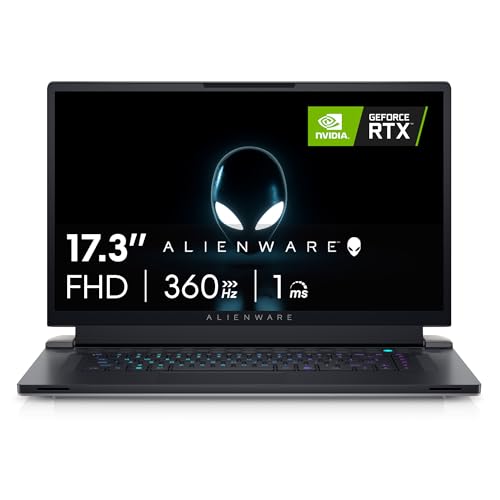


The best RTX 3080 Ti gaming laptop is the one whose listing actually names that GPU, and that is harder to find now than it was in 2022. The RTX 3080 Ti Laptop GPU is a previous-generation chip, so most remaining stock is older, renewed or sold under a different GPU name. This guide shows what the chip is, which near-equivalent laptops are listed in the store today, and how to avoid paying flagship money for a mislabeled configuration.
Picks at a Glance
None of the listings we found names the RTX 3080 Ti in its title. The picks below are the closest real laptops: RTX 3080 and RTX 3070 Ti models from the same generation, plus one newer RTX 4080 option. If a seller does list a 3080 Ti version of any model below, treat the checklist later in this guide as your filter.
- Best overall 17-inch: MSI GE76 Raider with Core i9-11980HK and RTX 3080
- Best slim 17-inch: Razer Blade 17 with RTX 3070 Ti and a QHD 240Hz screen
- Best for high refresh rates: Alienware X17 R2 with a 480Hz screen and RTX 3070 Ti
- Best AMD option: ASUS ROG Strix Scar 17 with Ryzen 9 5900HX and RTX 3080
- Best for memory and ports: Razer Blade Pro 17 with 32GB RAM and RTX 3080
- Best 16-inch with a sharper screen: Acer Predator Triton 500 SE with RTX 3070 Ti
- Best newer GPU: Lenovo Legion Pro 7 with RTX 4080 12GB
Comparison Table
| Laptop | GPU | CPU | Screen | RAM |
|---|---|---|---|---|
| MSI GE76 Raider 11UH | RTX 3080 | Core i9-11980HK | 17.3 in FHD 360Hz | 32GB |
| Razer Blade 17 | RTX 3070 Ti | 12th Gen Core i7, 14 cores | 17.3 in QHD 240Hz | 16GB DDR5 |
| Alienware X17 R2 | RTX 3070 Ti 8GB | Core i9-12900H | 17.3 in FHD 480Hz | 16GB |
| ASUS ROG Strix Scar 17 | RTX 3080 | Ryzen 9 5900HX | 17.3 in FHD 360Hz | 16GB DDR4 |
| Razer Blade Pro 17 | RTX 3080 | Core i7-11800H | 17.3 in FHD 360Hz | 32GB |
| Acer Predator Triton 500 SE | RTX 3070 Ti | Core i7-12700H | 16 in WQXGA 240Hz | 16GB LPDDR5 |
| Lenovo Legion Pro 7 | RTX 4080 12GB | Ryzen 9 7945HX | 16 in WQXGA | 32GB |
What Is the RTX 3080 Ti Laptop GPU, and Is It Still Worth Chasing?
The RTX 3080 Ti Laptop GPU is NVIDIA’s top Ampere laptop chip. Published specs list 7,424 CUDA cores and 16GB of GDDR6 memory on a 256-bit bus, with a power limit of up to 175W including Dynamic Boost.
Compared with the standard RTX 3080 laptop chip, it adds more cores and, depending on the model, more video memory. The 16GB buffer is the practical advantage: it helps in high-resolution textures, ray tracing and creative workloads that run out of memory on 8GB cards.
It is still worth pursuing in two cases. First, if you find a well-cooled model at a fair used or renewed price tier, since 16GB of video memory ages better than 8GB. Second, if you need 4K or 1440p output and a lot of VRAM. For pure frame rates in new games, a current RTX 40 or 50 series laptop usually gives more performance per dollar and adds newer upscaling features.
One caveat appears in every report on this chip: the same GPU name can run at very different power limits, and laptops with lower limits perform noticeably worse. Two laptops both labeled 3080 Ti can feel different.
Best 3080 Ti Laptop: How to Shop When the Name Is Scarce
Search by model number, not by the GPU name alone. These are the older 3080 Ti configurations that sellers commonly list under model family names: MSI GE76 Raider 12UHS, Razer Blade 17 (2022), ASUS ROG Strix Scar 17 SE, Alienware X17 R2 and Lenovo Legion 7i from the same period. We could not verify the 3080 Ti configuration of each in the store, so confirm the GPU in the title and the spec bullets before you buy.
- Read the title, then the spec bullets. The GPU should be written as RTX 3080 Ti. “RTX 3080” and “RTX 3080 Ti” are different chips.
- Check the video memory. A 3080 Ti Laptop GPU has 16GB. If the listing says 8GB or 12GB, it is something else.
- Check the CPU generation. 11th-generation Core i9 and 12th-generation Core i7 or i9 are the usual pairings.
- Prefer a named seller with a return window. This matters most for renewed units.
- Look for a recent BIOS or battery condition note. Older laptops may have worn batteries.
MSI GE76 Raider: The Best Overall Gaming Laptop in This Group?
The MSI GE76 Raider is the strongest all-round pick for a big, loud, fast 17-inch laptop. MSI built the Raider line as a no-compromise performance machine, and the version here pairs a Core i9-11980HK with an RTX 3080 and a 360Hz display. If you are looking for the “MSI GE76 Raider the best overall gaming laptop” answer, this is the model that earns the phrase in this group.
MSI GE76 Raider 17.3 in 360Hz with Core i9-11980HK and RTX 3080
As an Amazon Associate we earn from qualifying purchases at no extra cost to you.

This listing is the 11UH-053 configuration: a 17.3-inch Full HD 360Hz display, an Intel Core i9-11980HK, an NVIDIA GeForce RTX 3080, 32GB of memory and a 1TB NVMe SSD, supplied with Windows 10 and finished in Titanium Blue. The 32GB of RAM is generous for the era. It is a desktop-replacement design, so expect a large chassis and a heavy power brick.
- Specs: i9-11980HK, RTX 3080, 32GB RAM, 1TB SSD, 17.3 in FHD 360Hz
- Best for: esports at very high frame rates, and a stay-at-home powerhouse.
- Skip if: you need to carry it daily or want a QHD or 4K panel.
Pros: strong CPU and GPU pairing, 32GB RAM, very fast 360Hz screen, roomy 17-inch layout, solid port selection on this class of laptop.
Cons: heavy and thick, runs loud under load, 1080p resolution on a 17-inch panel.
Razer Blade 17: Where to Buy and Which One to Look For
The Razer Blade 17 is the best choice if you want the power of a 17-inch laptop in a thinner, aluminum body. Razer sells through its own site, major electronics retailers and online marketplaces, and older generations still show up in third-party stock. Look for the exact generation and GPU in the title.
Razer Blade 17 with RTX 3070 Ti and QHD 240Hz

This Razer Blade 17 pairs an NVIDIA GeForce RTX 3070 Ti with a 12th-generation Intel 14-core Core i7 and a 17.3-inch QHD 240Hz screen. Memory is 16GB of DDR5 and storage is a 1TB PCIe SSD. It ships with Windows 11, Chroma RGB lighting, Thunderbolt 4 and an SD card reader.
- Specs: RTX 3070 Ti, 12th Gen Core i7 (14 cores), 16GB DDR5, 1TB SSD, QHD 240Hz
- Best for: players who want QHD resolution and a premium build.
- Skip if: you want the full 3080 Ti memory buffer or a lower-cost chassis.
Pros: sharper QHD screen, premium aluminum design, Thunderbolt 4, SD card reader, modern DDR5 memory.
Cons: RTX 3070 Ti has 8GB of video memory, thinner designs trade some cooling headroom for style, premium design.
Alienware X17 R2: Highest Refresh Rate Pick
Alienware’s X17 R2 is a thin 17-inch design with a signature look and an unusually fast panel option. The i9 version in the store pairs a 480Hz screen with a 3070 Ti.
Alienware X17 R2 with Core i9-12900H and RTX 3070 Ti
This Alienware X17 R2 uses a 17.3-inch Full HD 480Hz 3ms display, an Intel Core i9-12900H, an NVIDIA GeForce RTX 3070 Ti with 8GB GDDR6, 16GB of RAM and a 1TB SSD. Connectivity includes USB-C and Killer Wi-Fi 6, and it ships with Windows 11 Home in Lunar Light.
- Specs: i9-12900H, RTX 3070 Ti 8GB, 16GB RAM, 1TB SSD, FHD 480Hz
- Best for: competitive players who value refresh rate above resolution.
- Skip if: you play single-player games at maximum visual quality.
Pros: extremely fast 480Hz screen, strong i9 CPU, thin for a 17-inch, distinctive design.
Cons: most games will not reach 480Hz, 16GB RAM may need an upgrade, 8GB of video memory.
ASUS ROG Strix Scar 17: Best AMD-Powered Pick
The Scar 17 is ASUS’s flagship Republic of Gamers laptop for competitive play, with an opto-mechanical per-key RGB keyboard and a 360Hz panel. This one is a 2021 model with an AMD Ryzen 9 CPU, which often runs cooler than Intel’s chips of the same period.
ASUS ROG Strix Scar 17 (2021) with Ryzen 9 5900HX and RTX 3080

This 2021 ROG Strix Scar 17 combines a 17.3-inch 360Hz Full HD IPS display, an AMD Ryzen 9 5900HX, an NVIDIA GeForce RTX 3080, 16GB of DDR4 and a 1TB SSD. It uses an opto-mechanical per-key RGB keyboard and ships with Windows 10 Pro under model number G733QSA-PB96.
- Specs: Ryzen 9 5900HX, RTX 3080, 16GB DDR4, 1TB SSD, FHD 360Hz
- Best for: keyboard fans and players who prefer AMD CPUs.
- Skip if: you want DDR5 memory or a sharper screen.
Pros: opto-mechanical keyboard, efficient Ryzen 9 CPU, 360Hz screen, strong RTX 3080 performance.
Cons: older DDR4 platform, 1080p screen, ships with Windows 10.
Razer Blade Pro 17: Best for Memory and Ports
The Blade Pro 17 is the older, thicker cousin of the Blade 17, and it trades some thinness for more cooling and memory. The 2021 version pairs a Core i7-11800H with an RTX 3080 and 32GB of RAM.
Razer Blade Pro 17 (2021) with Core i7-11800H and RTX 3080
This Razer Blade Pro 17 uses an Intel Core i7-11800H with eight cores, an NVIDIA GeForce RTX 3080, a 17.3-inch Full HD 360Hz display, 32GB of RAM and a 1TB SSD. The port list includes Thunderbolt 3, an SD card reader and Chroma RGB lighting.
- Specs: i7-11800H, RTX 3080, 32GB RAM, 1TB SSD, FHD 360Hz
- Best for: players who want a premium build and plenty of memory out of the box.
- Skip if: you want a newer platform with Thunderbolt 4.
Pros: 32GB RAM, 360Hz screen, premium build, Thunderbolt 3 and an SD card reader.
Cons: older Core i7 generation, 1080p screen, a premium price tier for its age.
Acer Predator Triton 500 SE: Best 16-Inch Pick
The Triton 500 SE is a lighter 16-inch design aimed at gamers who also create. It uses a taller 16:10 WQXGA panel, which gives you more room for editing timelines while still being fast enough for play.
Acer Predator Triton 500 SE with Core i7-12700H and RTX 3070 Ti

This laptop pairs a 16-inch WQXGA 240Hz G-Sync display with an Intel Core i7-12700H, an NVIDIA GeForce RTX 3070 Ti, 16GB of LPDDR5 memory and a 1TB Gen 4 SSD. It adds Killer Wi-Fi 6E, a fingerprint reader and a backlit keyboard.
- Specs: i7-12700H, RTX 3070 Ti, 16GB LPDDR5, 1TB Gen 4 SSD, WQXGA 240Hz
- Best for: gamers who also edit photos or video.
- Skip if: you want upgradeable memory, since LPDDR5 is normally soldered.
Pros: sharp 16:10 screen, G-Sync, Wi-Fi 6E, fingerprint reader, lighter than a 17-inch machine.
Cons: memory is not expected to be upgradeable, 8GB video memory, runs warm in a thin body.
Lenovo Legion Pro 7: The Newer-Generation Option
If you are open to a newer GPU, the Legion Pro 7 with an RTX 4080 12GB shows what a later generation looks like. It is a better long-term buy than a used RTX 3080 Ti laptop if the price tier is close.
Lenovo Legion Pro 7 with Ryzen 9 7945HX and RTX 4080 12GB

This Legion Pro 7 uses an AMD Ryzen 9 7945HX, an NVIDIA GeForce RTX 4080 with 12GB GDDR6, 32GB of RAM, a 2TB SSD and a 16-inch 2560×1600 WQXGA display. It ships with Windows 11 in Onyx Grey.
- Specs: Ryzen 9 7945HX, RTX 4080 12GB, 32GB RAM, 2TB SSD, WQXGA 16 in
- Best for: buyers who want current-generation features and a long service life.
- Skip if: you need exactly 16GB of video memory.
Pros: newer RTX 40 generation, 2TB of storage, 32GB RAM, strong 16-core CPU, sharp WQXGA screen.
Cons: 12GB of video memory is below the 3080 Ti’s 16GB, premium price tier, large power brick.
Also Consider
Alienware X17 R2 with Core i7-12700H and RTX 3070 Ti
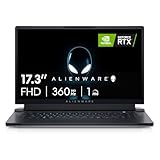
A lower-tier version of the Alienware X17 R2 with a Core i7-12700H, RTX 3070 Ti 8GB, 16GB RAM, 1TB SSD and a 17.3-inch FHD 360Hz display. The listing is marked VR Ready and includes Wi-Fi 6, USB-C and Windows 11 Home in white.
Acer Nitro 5 with Core i7-12700H and RTX 3070 Ti

A more affordable way into the 3070 Ti class: the Nitro 5 AN515-58-7583 has a 15.6-inch QHD 165Hz IPS display, 16GB DDR4 and a 2TB SSD in RAID 0, plus Killer Wi-Fi 6 and an RGB keyboard. It is a 15-inch laptop, so it will run hotter and louder than the 17-inch designs above.
Lenovo Legion Pro 7i Gen 10 with RTX 5080
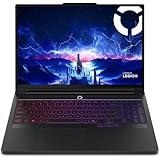
The modern successor: a 16-inch OLED gaming laptop with an Intel Core Ultra 9 275HX and an RTX 5080. It sits in a much higher price tier, but it is the one to look at if you want the strongest current mobile GPU rather than a previous-generation 3080 Ti.
How We Chose
This guide is based on desk research. We did not use these laptops ourselves. We compared the listing specifications in the store, published information about the RTX 3080 Ti Laptop GPU, and manufacturer model names. We prioritized laptops with the 3080 or 3070 Ti, since they are the closest real listings, a 16GB-class memory option where available, a fast screen, and a clear model number. We excluded renewed or used listings, chargers and parts, and we did not invent any specifications that were not in the listing.
Buying Guide: What to Check Before You Pay
GPU name and memory
The RTX 3080 Ti Laptop GPU has 16GB of video memory. The RTX 3070 Ti has 8GB. If the listing does not state the memory size, check the maker’s page before buying.
Power limit
The 3080 Ti Laptop GPU can run up to 175W with Dynamic Boost. Thin laptops often run lower limits and will be slower. A thicker chassis such as the MSI Raider or Razer Blade Pro leaves more room for cooling.
Screen resolution and refresh rate
For 1080p esports, a 240Hz to 360Hz panel is excellent. For single-player games, QHD at 165Hz to 240Hz looks better. At 4K, you will rely on upscaling for demanding titles.
Memory and storage
Look for 16GB of RAM at minimum and 32GB if you edit video or stream. A 1TB SSD is a sensible starting point.
Age, battery and warranty
Because this is a previous-generation chip, battery wear and warranty length matter. Prefer listings with clear return terms.
Weight and portability
The 17-inch models here weigh a lot more than a normal laptop, and the power brick adds to it. If you travel, the 16-inch Triton 500 SE and Legion Pro 7 are easier to carry.
RTX 3080 Ti vs 3080 vs 3070 Ti: Quick Reference
| GPU | Video memory | What it means for you |
|---|---|---|
| RTX 3080 Ti Laptop | 16GB GDDR6 | Best headroom for 1440p, 4K output, ray tracing and creative work from this generation |
| RTX 3080 Laptop | Varies by model, check the listing | Very strong at 1080p and 1440p, slightly fewer cores than the Ti |
| RTX 3070 Ti Laptop | 8GB GDDR6 per the listings above | Excellent at 1080p and good at 1440p, with less room for maximum textures |
| RTX 4080 Laptop | 12GB GDDR6 in the Legion listing above | Newer architecture with better efficiency and frame generation support |
The table shows why a plain RTX 3080 or even a 3070 Ti laptop is a reasonable substitute for most players. The 16GB buffer on the Ti only matters when a game or application actually fills it.
Cooling and Power Limits: Why Two Identical GPUs Can Feel Different
Laptop GPUs are not fixed-speed parts. The maker sets a power limit, and the laptop’s cooling system decides how long the chip can hold it. A thick chassis with big vents can sustain a high limit for hours. A thin, light laptop may start fast and then slow down as heat builds.
- Thicker chassis, more sustained speed: the MSI GE76 Raider and Razer Blade Pro 17 are built to hold performance for long sessions.
- Thinner chassis, more compromise: the Blade 17, Alienware X17 R2 and Triton 500 SE look better and weigh less, but they can throttle earlier.
- Elevate the rear: a stand or cooling pad improves airflow on any of these laptops.
- Use the maker’s performance mode: most of these laptops have a mode that raises the fan speed and power limit when plugged in.
Always use the original charger when gaming. These laptops draw a lot of power, and a weak adapter can cap performance even if the GPU is capable.
Buying Used or Renewed: A Short Checklist
Because the RTX 3080 Ti is a previous-generation GPU, many remaining units are used or renewed. Handle them carefully.
- Confirm the model number matches the GPU you want. Ask the seller for a photo of the system information screen.
- Ask about battery health. Older gaming laptops often have worn batteries. A replacement costs money and time.
- Look for signs of heavy mining or constant overheating. Dust-clogged vents and discolored keys are warning signs.
- Check the screen for dead pixels and backlight bleed as soon as it arrives, while the return window is open.
- Ask whether the original charger is included. A third-party charger with the wrong wattage can limit performance.
- Keep the warranty in view. A maker warranty that has expired is a risk on a laptop with a high-power GPU.
Frequently Asked Questions
Is the RTX 3080 Ti laptop still good for gaming?
Yes. Its 16GB of video memory and strong performance still handle modern games at 1440p. Newer RTX 40 and 50 series laptops are faster per watt and add better upscaling.
What is the difference between the RTX 3080 and RTX 3080 Ti laptop GPUs?
The 3080 Ti has more CUDA cores (7,424 versus 6,144) and 16GB of memory, while the standard 3080 laptop chip is available with less. Both depend heavily on laptop cooling and power limits.
Which laptop has the best 3080 Ti?
Thicker designs such as the MSI GE76 Raider family and the larger Razer Blade models give the chip more cooling room. Check the listing to confirm the GPU, because many similar models use the 3080 or 3070 Ti.
Is the MSI GE76 Raider a good gaming laptop?
Yes, for a large desktop-replacement laptop. It offers a strong CPU, 32GB of RAM and a 360Hz screen in the configuration listed here, but it is heavy and loud under load.
Where can I buy a Razer Blade 17?
Check Razer’s own store, major electronics retailers and online marketplaces. Read the exact generation and GPU in the title, as older and newer Blade 17 models look alike.
Is 16GB of VRAM necessary for gaming?
Not for most games at 1080p, but it helps at 1440p and 4K with high texture settings, and for creative work. It also gives the laptop more headroom for future titles.
Should I buy a 3080 Ti laptop or a newer RTX 40 laptop?
If the price tier is similar, the newer laptop usually wins on features and efficiency. A 3080 Ti is worth it mostly for its 16GB memory at a lower used or renewed price.
Which One Should You Buy?
- Want the biggest, fastest 17-inch: MSI GE76 Raider.
- Want a thinner, premium laptop with a QHD screen: Razer Blade 17.
- Want the highest refresh rate: Alienware X17 R2 with the 480Hz panel.
- Want AMD and a great keyboard: ASUS ROG Strix Scar 17.
- Want 32GB RAM in a premium body: Razer Blade Pro 17.
- Want a lighter 16-inch with a sharp screen: Predator Triton 500 SE.
- Want the longest useful life: Legion Pro 7 with the RTX 4080.
Whatever you pick, confirm the GPU name and memory size in the listing and keep the return window in mind.
Sources
- VideoCardz: RTX 3080 Ti Laptop GPU specifications
- Notebookcheck: RTX 3080 Ti Laptop GPU performance analysis
- NVIDIA GeForce RTX 30 Series Laptops page
- Store listing specifications for the models above
Last updated: November 2026
FAQ
What Is the RTX 3080 Ti Laptop GPU, and Is It Still Worth Chasing?
MSI GE76 Raider: The Best Overall Gaming Laptop in This Group?
Is the RTX 3080 Ti laptop still good for gaming?
What is the difference between the RTX 3080 and RTX 3080 Ti laptop GPUs?
Which laptop has the best 3080 Ti?
Is the MSI GE76 Raider a good gaming laptop?
Where can I buy a Razer Blade 17?
Is 16GB of VRAM necessary for gaming?
More from Amazon
Programs that pair well with the guide above. Offers and eligibility are set by Amazon and may change.
Free shipping on eligible items, Prime Video and more. Eligible new members can start with a free trial.
Start a Prime free trialAd-free music streaming. Eligible new subscribers can start with a free trial.
Try Music Unlimited freeA Prime membership for ages 18-24 with a trial period. Eligibility is set by Amazon.
See Prime for Young AdultsAudiobooks and podcasts to listen to on the go. Eligible new members can start with a free trial.
Try Audible freeAs an Amazon Associate we earn from qualifying purchases.