Key takeaways
- Shopping for the best HP laptop for business is a narrower decision than it sounds. HP sells dozens of models under that banner.
Shopping for the best HP laptop for business is a narrower decision than it sounds. HP sells dozens of models under that banner, and the listings range from 32GB workhorses with a full-size numeric pad to 4GB ultraportables that lean on cloud storage. The real question is whether you are equipping a person who lives in spreadsheets and video calls all day, or someone who mostly needs email, a browser, and a PDF viewer. The spec line matters more than the badge on the lid.
This guide is for owners, office managers, and freelancers who want an HP machine that can be bought, imaged, and handed to an employee without drama. Everything below is judged from the specs printed in each listing for 2026, not from lab numbers, so we flag where the title leaves a question open and tell you to check the listing before you buy.
Quick Picks
Our top picks


 HP 255 G10 15.6" FHD Business Laptop
- 【High Speed RAM And Enormous Space】32GB high-bandwidth RAM…
- 【Processor】AMD Ryzen 7 7730U (8 Cores, 16 Threads,…
- 【Display】15.6" diagonal, FHD (1920 x 1080), IPS, Anti-glare,…

As an Amazon Associate we earn from qualifying purchases at no extra cost to you.
| Product | Best for | Key spec from the title |
|---|---|---|
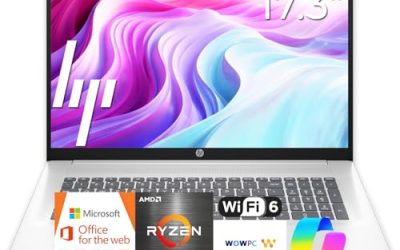
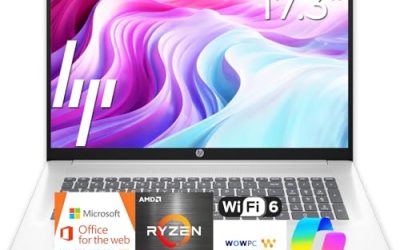
| HP 17.3-inch Ryzen 5 7430U Business Laptop | Large-screen desk work | 17.3″ FHD, 16GB RAM, 512GB PCIe |
| HP 255 G10 (AMD quad-core) | Standard office deployment | 16GB RAM, 512GB SSD, Windows 11 Pro |
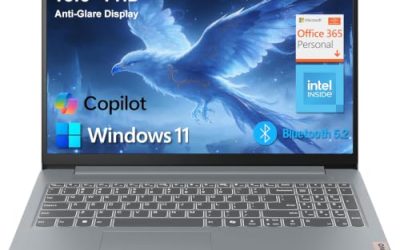
| HP 15.6-inch Core i5-1135G7 Business Laptop | Intel-preferring shops | 11th Gen Core i5, Iris Xe, 16GB RAM |
| HP 255 G10 Ryzen 7 7730U | Heavy multitasking | 32GB RAM, 1TB PCIe SSD |
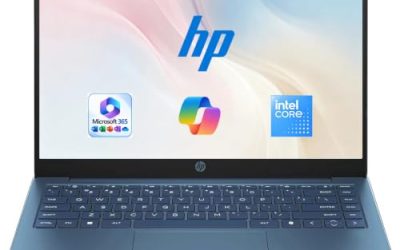
| HP 14-inch Business Students laptop | Light, portable errands | 14″ LED, 128GB UFS, Wi-Fi 6 |
| HP 14-inch N150 Business Laptop | Entry-level email and web | Intel N150 quad-core, 4GB RAM, 128GB UFS |
How to Choose
Memory and storage come first
For a business laptop that will run a browser with many tabs, an accounting package, and a video call at once, 16GB of RAM is the practical floor. Listings with 4GB, even if it is newer DDR5, will feel cramped once a few apps stay open. For storage, look for a true SSD at 512GB or more. Entries that say UFS or lean on external drives and cloud allowances are fine for light use, but they are not a substitute for local space if you handle large files.
Budget models cut corners here first: they ship with the smallest RAM stick and a compact drive, then add accessories or software bundles to make the listing look generous. A bundle is not a substitute for capacity you cannot upgrade later, since memory on many thin models is soldered to the board.
Operating system edition
Windows 11 Pro matters if you want domain join, BitLocker management, or remote desktop hosting. Windows 11 Home covers a solo operator but lacks those management features. Several titles below state Pro explicitly; others say Home or do not say. When the title is silent, check the listing before you assume.
One more thing to ignore is the word Business in a product name. HP uses it loosely, and the label alone does not promise a docking port, a fingerprint reader, or a longer warranty. Read the port list and the OS edition line instead.
Screen size and keyboard
A 15.6-inch panel with a numeric keypad is the classic office layout for data entry. A 17.3-inch screen gives you two windows side by side at the cost of a heavier bag. A 14-inch model travels easily but usually drops the number pad. Look for Full HD (1920 by 1080) at minimum; anything labeled below that is a compromise you will notice every day.
Panel brightness and coating are rarely spelled out in these titles. If your staff works near windows, open the listing and look for an anti-glare mention before you commit.
Connectivity and security extras
A camera shutter, HDMI out for a second monitor, and Wi-Fi 6 are all small features that remove friction in an office. A bundled Office subscription or Copilot branding is a bonus, not a reason to pick one model over another; the subscription term is limited and the hardware is what you keep. Ignore inflated processor comparisons in listing titles and read the actual model number instead.
The 6 Best Options
HP 17.3-inch Ryzen 5 7430U Business Laptop
This model pairs a Ryzen 5 7430U with 16GB of RAM and a 512GB PCIe drive behind a 17.3-inch Full HD display, plus Wi-Fi 6. It suits a bookkeeper or planner who keeps a spreadsheet and a reference document open side by side and rarely carries the machine far.
- Strength: the large Full HD screen leaves room for two windows without constant resizing.
- Strength: 16GB of RAM and a PCIe SSD cover everyday multi-app work.
- Trade-off: a 17.3-inch chassis is bulky for commuters, and the listing does not state the battery hours, so check it.
A 17.3-inch Full HD panel is also friendlier on the eyes during long reconciliation sessions than a cramped 14-inch screen. Skip it if your staff travels between client sites with a bag on one shoulder.
HP 255 G10 (AMD Quad-Core, 16GB)
The 255 G10 line is the straightforward office pick. This configuration lists an AMD quad-core processor, 16GB of RAM, a 512GB SSD, Windows 11 Pro, and a 15.6-inch Full HD display with a webcam shutter and numeric keypad. It fits a small team that wants identical machines for onboarding.
- Strength: Windows 11 Pro is named in the title, which helps with managed setups.
- Strength: the webcam shutter and number pad suit privacy-minded, data-entry roles.
- Trade-off: the title does not name the exact AMD chip, so look it up on the listing before comparing it with others.
It is also the easiest model to explain to a non-technical buyer, because the title lists the essentials in plain terms. Skip it if you need a premium thin-and-light design.
HP 15.6-inch Core i5-1135G7 Business Laptop
This one runs an 11th Gen Intel Core i5-1135G7 with Iris Xe graphics, 16GB of RAM, and a 512GB SSD under Windows 11 Pro, with a numeric pad on the 15.6-inch Full HD screen. It makes sense for a shop whose software or habits are built around Intel.
- Strength: Iris Xe graphics handle external displays and light visuals without a separate GPU.
- Strength: Pro edition plus 16GB of RAM is a sound office baseline.
- Trade-off: an 11th Gen chip is an older generation than the Ryzen 7000 parts listed elsewhere.
Companies that standardize on one chip vendor for driver and support reasons will find this the natural fit. Skip it if you want the newest processor generation for a multi-year refresh cycle.
HP 255 G10 Ryzen 7 7730U
The top configuration here combines a Ryzen 7 7730U with 32GB of RAM and a 1TB PCIe SSD on a 15.6-inch Full HD screen. Windows 11 Pro, Wi-Fi 6, HDMI, a webcam, and a numeric keypad round out the listing. It is built for someone who runs a CRM, a browser full of tabs, and a video meeting together.
- Strength: 32GB of RAM leaves real headroom for heavy multitasking.
- Strength: 1TB of fast storage holds project archives locally.
- Trade-off: it sits at the premium end of this group, and extra memory is wasted on light users.
Think of it as the machine for the person everyone else sends the huge files to. Skip it if your team only handles email and documents.
HP 14-inch Business Students Laptop
This ultralight 14-inch model carries an Intel processor, 128GB of UFS storage, Wi-Fi 6, Copilot AI branding, a Microsoft 365 bundle, and a 500GB external hard drive. It fits a part-time consultant who mostly writes, emails, and presents.
- Strength: the compact 14-inch body is easy to carry between meetings.
- Strength: the included external drive adds backup or archive space.
- Trade-off: 128GB of UFS is tight, and the title does not list the RAM or exact CPU, so confirm both.
It also suits a traveling salesperson who wants a light carry. Skip it if you store large design files or run accounting software with big databases.
HP 14-inch N150 Business Laptop
The entry model uses an Intel N150 quad-core processor with 4GB of RAM and 128GB of UFS storage, ships with Windows 11 Home and a one-year Office 365 term, and comes with earphones. It works for a front-desk terminal or a secondary machine for basic web tasks.
- Strength: the lowest tier in this guide, with a lightweight 14-inch body.
- Strength: Office 365 time included gets a new user started on day one.
- Trade-off: 4GB of RAM limits how many apps and tabs you can run together.
Treat it as a terminal rather than a workstation, and it makes sense. Skip it if the laptop is someone’s primary daily driver.
Which One Fits Your Situation
A five-person office needing identical machines
Go with the HP 255 G10 (AMD Quad-Core, 16GB). The shared Pro edition, 16GB of RAM, and 512GB SSD make imaging simple, and the shutter and number pad cover reception and admin staff alike.
A finance lead who runs heavy spreadsheets and calls
Choose the HP 255 G10 Ryzen 7 7730U. The 32GB of RAM and 1TB drive remove the guesswork when files and tabs pile up.
An owner who wants a bigger display and fewer windows to juggle
The HP 17.3-inch Ryzen 5 7430U gives you the most screen area in this group for side-by-side work at a desk.
A tight budget for a shared front-desk terminal
The HP 14-inch N150 is the budget option. Use it only for light browsing and email, and keep expectations modest. If the person also travels to client sites, the HP 14-inch Business Students laptop is the lighter-weight alternative, though you should confirm its RAM on the listing first.
Common Mistakes
- Buying 4GB of RAM for a primary work machine because the rest of the specs sound modern.
- Assuming every listing includes Windows 11 Pro when the title says Home or stays silent.
- Trusting a bundled Office subscription as a long-term license instead of a limited-term extra.
- Treating UFS storage like a full SSD and then running out of local space within months.
- Picking by screen size alone and ignoring battery claims the listing never actually states.
Related guides
- Logitech G Pro X Superlight 2 Vs Razer Viper V3 Pro
- Motherboard Io Panel And Back Connectors Explained
- Travel Backpack With Laptop Compartment
Frequently Asked Questions
How much RAM does a business laptop need?
Sixteen gigabytes is a comfortable target for office work with many apps and tabs. Light users can manage with less, but 4GB models feel limited quickly.
Is Windows 11 Pro really necessary?
It matters if you plan to join a domain, manage encryption centrally, or host remote desktop sessions. Solo users can often live with Home. If you are unsure, ask whoever manages your IT before ordering, because changing editions later usually costs extra and takes time.
Are AMD Ryzen or Intel chips better for office work?
Both families cover office tasks well. Compare the specific model number and generation rather than the brand, and ignore marketing comparisons inside listing titles.
Should I care about the numeric keypad?
If anyone enters figures all day, yes. Full-size keyboards are common on 15.6-inch and 17.3-inch models and rare on 14-inch ones. Without a number pad you can still add an external one cheaply, but that is one more item in the bag.